Уводзіны
This manual provides detailed instructions for the installation, operation, and maintenance of your NAVITEL AR250NV Full HD Dash Cam. Please read this manual carefully before using the device to ensure proper function and safety. Keep this manual for future reference.
Прадукт скончаныview
Асноўныя характарыстыкі
- Full HD 1080p Video Recording
- 2-inch Display Screen
- 140-градусная шырыня Viewing кут
- Магчымасць начнога бачання
- Parking Mode Support
- цыклічны запіс
- G-Sensor for emergency recording
Змест пакета
- NAVITEL AR250NV Dash Cam
- Мацаванне прысоскі
- Car Charger (USB)
- Кіраўніцтва карыстальніка
Макет прылады
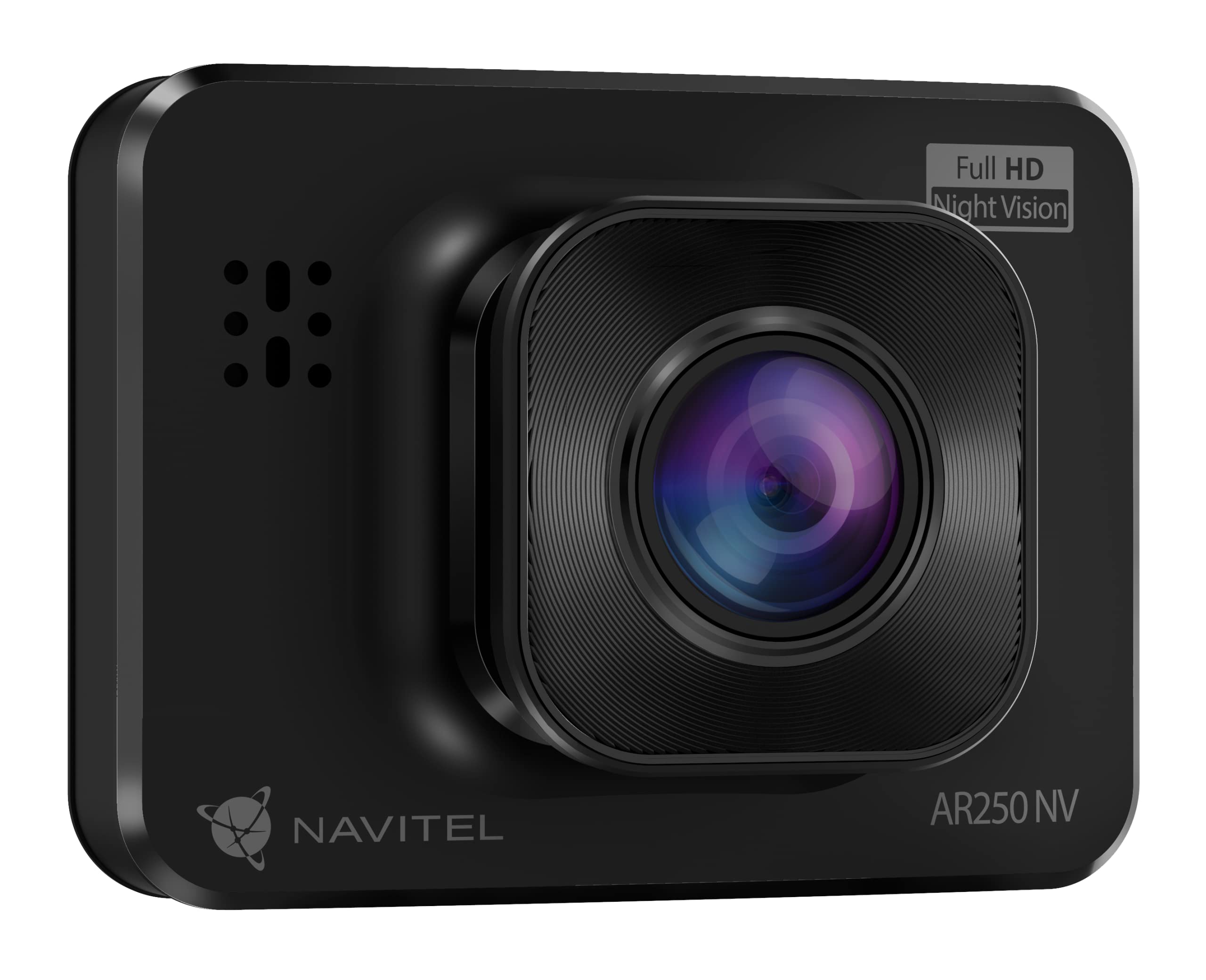
выява: Фронт view of the NAVITEL AR250NV dash cam, showing the lens and "Full HD Night Vision" label.
выява: Тыл view of the NAVITEL AR250NV dash cam, displaying the 2-inch screen showing a road scene, and control buttons on the right side.

выява: Збоку view of the NAVITEL AR250NV dash cam, illustrating its compact profile.
Настройка
1. Install the Suction Cup Mount
- Clean the windshield surface where you intend to mount the dash cam.
- Прымацуйце прысоску да відэарэгістратара.
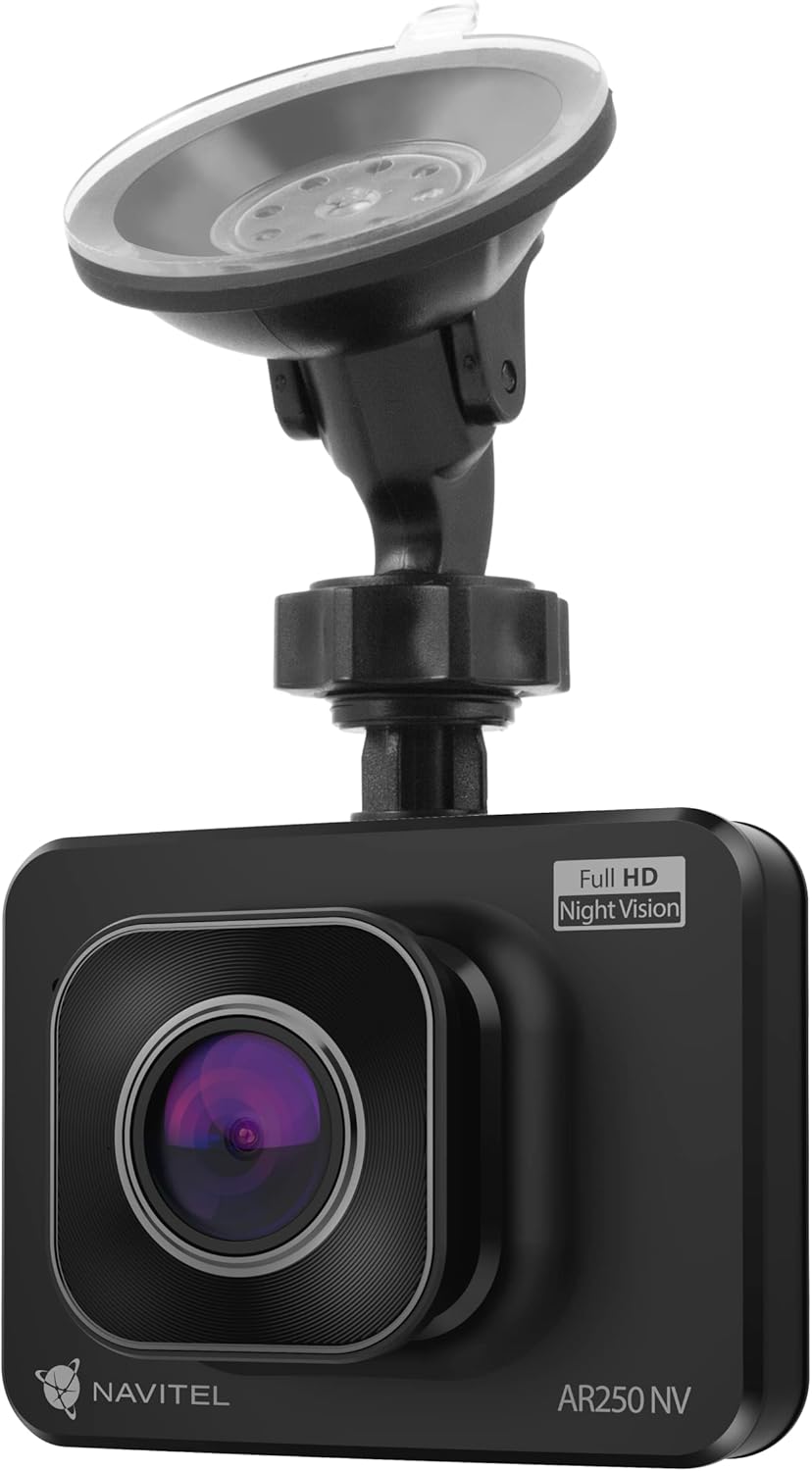
- Press the suction cup firmly against the windshield and flip the lever to secure it. Ensure the camera has a clear view дарогі.

выява: The NAVITEL AR250NV dash cam attached to its suction cup mount, ready for windshield installation.

выява: Close-up of the suction cup mount, showing the clear suction pad and adjustable arm.
2. Устаўце карту MicroSD
Insert a high-speed MicroSD card (Class 10 or higher, up to 64GB, not included) into the designated slot on the dash cam. Ensure the card is inserted correctly until it clicks into place.
3. Падключэнне сілкавання
- Connect the car charger to the dash cam's USB port.
- Падключыце другі канец аўтамабільнай зараднай прылады да разеткі 12 В вашага аўтамабіля (гняздо прыпальвальніка).
- Route the cable neatly to avoid obstructing your view або перашкаджаюць кіраванню аўтамабілем.

выява: The NAVITEL car charger with its attached USB cable, used to power the dash cam.
The dash cam will automatically power on and begin recording when your vehicle's ignition is turned on (if the power outlet is ignition-switched).
Інструкцыя па эксплуатацыі
Базавая аперацыя
- Уключэнне/выключэнне харчавання: The device typically powers on automatically with the car ignition. To manually power on/off, press and hold the Power button.
- Запіс: Once powered on, the dash cam will automatically start loop recording. A red dot or similar indicator on the screen confirms recording is active.
- Навігацыя па меню: Use the 'Menu' button to access settings. Use the Up/Down buttons to navigate and 'OK' to select.
Запіс відэа
The dash cam records video in Full HD (1080p) resolution. Recordings are saved in segments to the MicroSD card. When the card is full, the oldest unlocked fileперазапісваюцца (цыклічны запіс).
- Экстраны запіс (G-сенсор): In case of a sudden impact or collision, the built-in G-sensor will automatically detect the event and lock the current recording segment, preventing it from being overwritten.
- Ручная блакіроўка: During recording, press a designated button (refer to device specific button layout) to manually lock the current video file.
Начное бачанне
The NAVITEL AR250NV features night vision technology to enhance video clarity in low-light conditions. This feature activates automatically or can be configured in the settings menu.
Рэжым паркоўкі
Parking mode provides surveillance when your vehicle is parked. If the dash cam detects motion or impact while parked, it will automatically start recording. This feature requires a continuous power supply (e.g., hardwire kit, not included) or the internal battery to be sufficiently charged.
- To enable/disable Parking Mode, navigate to the settings menu.
- Ensure the dash cam has a reliable power source for extended parking surveillance.
Тэхнічнае абслугоўванне
- Уборка: Выкарыстоўвайце мяккую сухую тканіну для чысткі аб'ектыва і экрана камеры. Не выкарыстоўвайце абразіўныя ачышчальнікі або растваральнікі.
- Карта MicroSD: Format the MicroSD card regularly (e.g., once a month) through the dash cam's menu to maintain optimal performance and prevent data corruption. Back up important files перад фарматаваннем.
- тэмпература: Avoid exposing the dash cam to extreme temperatures. Prolonged exposure to direct sunlight in a parked car can damage the device.
- Абнаўленні прашыўкі: Check the official Navitel webперыядычна наведвайце сайт для абнаўленняў прашыўкі. Абнаўленне прашыўкі можа палепшыць прадукцыйнасць і дадаць новыя функцыі.
Ліквідацыю непаладак
| праблема | Магчымая прычына | Рашэнне |
|---|---|---|
| Відэарэгістратар не ўключаецца. | Няма харчавання; няспраўная зарадная прылада для аўтамабіля; дрэннае злучэнне. | Check car charger connection and vehicle's 12V outlet. Ensure the car's ignition is on. |
| Запіс нечакана спыняецца. | MicroSD card full or corrupted; low battery; faulty card. | Format the MicroSD card. Replace with a new, high-speed MicroSD card if issues persist. Ensure continuous power. |
| Якасць відэа дрэнная. | Брудны аб'ектыў; ахоўная плёнка ўсё яшчэ на аб'ектыве; няправільныя налады раздзяляльнасці. | Ачысціце аб'ектыў. Зніміце ахоўную плёнку. Праверце налады раздзялення відэа ў меню. |
| Відэарэгістратар завісае або выходзіць з ладу. | Firmware issue; MicroSD card issue. | Perform a factory reset (refer to menu). Format or replace MicroSD card. Check for firmware updates. |
Тэхнічныя характарыстыкі
| Асаблівасць | Дэталь |
|---|---|
| Назва мадэлі | AR250NV |
| Дазвол запісу відэа | 1080p Full HD |
| Памер экрана | 2 цалі |
| Поле в View | 140 градусаў |
| Асаблівасці | Night Vision, Parking Mode, G-Sensor |
| Сувязь | USB |
| Тып мацавання | Мацаванне ўсмоктвання |
| Склад батарэі | Літый-палімерны |
| Колер | Чорны |
Гарантыя і падтрымка
For warranty information and technical support, please refer to the warranty card included with your product or visit the official Navitel webсайт. Захоўвайце чэк аб куплі як пацверджанне пакупкі.
Official Navitel Webсайт: https://navitel.cz/en (Напрampспасылка, фактычная спасылка можа адрознівацца)