
Уводзіны
The LEVOIT Air Purifiers (Core 300 / Core300-P and Core Mini) are designed to improve indoor air quality by effectively removing airborne particles, odors, and allergens. These purifiers utilize advanced filtration systems to create a cleaner and healthier living environment, suitable for various room sizes.
Асноўныя функцыі ўключаюць у сябе:
- The Core 300 / Core300-P features a 45W long-life high-torque motor, 8.7" x 8.7" x 14.2" size, 7.48 lb weight, 141CFM CADR and covers up to 1095 sq.ft. The Core Mini features 360° VortexAir Technology 3.0 and quiet operation at 25dB.
- Both air purifiers use a 3-stage filtration system to remove dust, pollen, smoke, odors and airborne particles down to 0.3 microns.
- The Core 300 / Core300-P can purify rooms up to 1095 sq. ft. once per hour. The Core Mini keeps personal spaces fresh.
- The Core Mini includes an aromatherapy pad to add essential oils for great smells. Core 300 / Core300-P is compatible with multiple Levoit filter types including Toxin Absorber, Smoke Remover and Pet Allergy filters.
- Use only genuine Levoit replacement filters to maintain performance.

Image: The Levoit Core 300 and Core Mini air purifiers, showcasinіх кампактны і сучасны дызайн.
Настройка
Setting up your LEVOIT Air Purifier is quick and easy. Follow these steps to get started:
- Распакоўка: Carefully remove the air purifier from its packaging. Ensure all components, including the main unit, power adapter, and filter, are present.
- Ўстаноўка фільтра:
- Перавярніце ачышчальнік паветра дагары нагамі.
- Павярніце ніжнюю крышку супраць гадзіннікавай стрэлкі, каб разблакіраваць і зняць яе.
- Remove the plastic packaging from the HEPA filter.
- Устаўце фільтр назад у прыладу.
- Replace the base cover and twist clockwise to secure it.
- Размяшчэнне: Place the air purifier on a flat, stable surface. Ensure there is at least 6 inches (15 cm) of clearance on all sides for optimal air circulation.
- Падключэнне сілкавання: Plug the power adapter into the air purifier and then into a standard electrical outlet.

Image: Components of the Levoit air purifier, illustrating the filter's placement within the unit.
Інструкцыя па эксплуатацыі
Your LEVOIT Air Purifier features intuitive controls for easy operation:
- Уключэнне/выключэнне харчавання: Націсніце кнопку харчавання (⑂) on the top panel to turn the unit on or off.
- Хуткасць вентылятара: Press the fan speed button (☸) repeatedly to cycle through three fan speeds: Low (I), Medium (II), and High (III).
- Рэжым сну: Activate Sleep Mode (☽) for quiet operation during the night. In this mode, the fan runs at its lowest speed, and display lights are dimmed or turned off.
- Функцыя таймера: Выкарыстоўвайце кнопку таймера (⏱) to set the purifier to operate for a specific duration (2, 4, 6, or 8 hours) before automatically turning off.
- Дысплей выключаны: Press the display button (☀) to turn off the display lights for undisturbed sleep.
- Блакаванне дысплея: Press the lock button (🔒) to prevent accidental changes to settings, useful for households with children or pets.
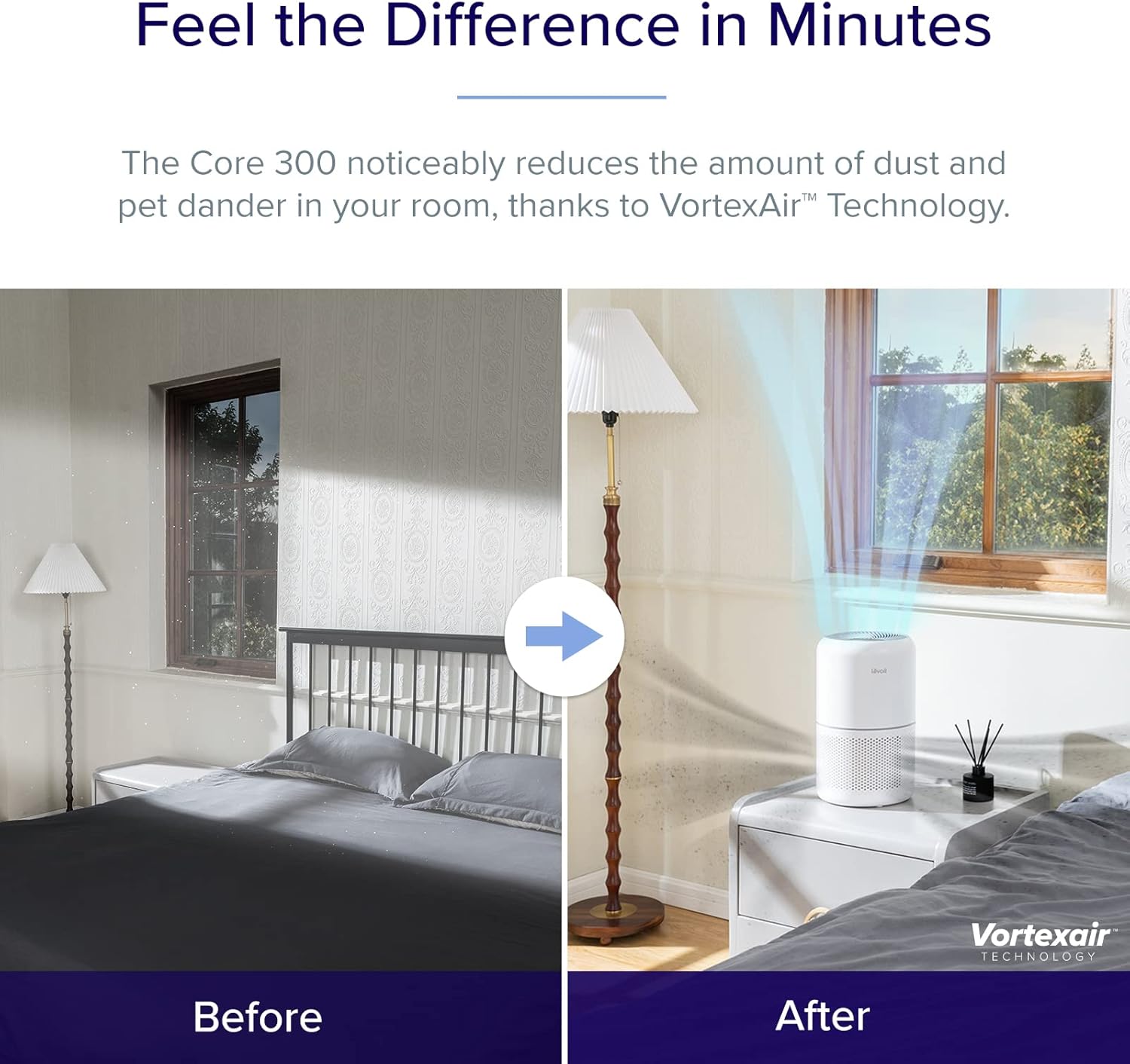
Image: Close-up of the control panel on the Levoit air purifier, showing touch-sensitive buttons for power, fan speed, sleep mode, timer, display, and lock.
Тэхнічнае абслугоўванне
Рэгулярнае абслугоўванне забяспечвае аптымальную прадукцыйнасць і даўгавечнасць вашага ачышчальніка паветра.
Замена фільтра
The filter should be replaced every 6-8 months, or when the filter indicator light illuminates. Using genuine LEVOIT replacement filters is crucial for maintaining performance.
- Адключыце ачышчальнік паветра ад разеткі.
- Turn the unit upside down and remove the base cover.
- Remove the old filter. You may gently vacuum the outside of the filter periodically to extend its life, but do not wash it.
- Insert a new genuine LEVOIT filter (search for B07RSZSYNC for Core 300 and Core Mini-RF or B09FK5PN4H for Core Mini).
- Replace the base cover and twist clockwise to secure.
- Plug in the air purifier. Press and hold the filter indicator button (🗑) for 3 seconds to reset the filter life indicator.
Ачыстка прылады
Wipe the exterior of the air purifier with a soft, dry cloth as needed. Do not use abrasive cleaners or solvents.

Выява: Ілюстрацыя 3-хtage filtration system, detailing how the pre-filter, HEPA filter, and activated carbon filter work together to purify air.
Ліквідацыю непаладак
If you encounter any issues with your air purifier, refer to the following common troubleshooting tips:
| праблема | Магчымая прычына | Рашэнне |
|---|---|---|
| Прылада не ўключаецца. | Not plugged in; power outlet issue; filter not installed correctly. | Ensure power cord is securely plugged in. Try a different outlet. Check if the filter is unwrapped and the base cover is securely twisted on. |
| Паветраны паток значна памяншаецца. | Забіты фільтр. | Check the filter indicator light. Replace the filter if necessary. |
| Незвычайны шум падчас працы. | Перашкода ў вентылятары; прылада не стаіць на ўстойлівай паверхні. | Unplug and check for any foreign objects. Ensure the unit is on a flat, stable surface. |
| Odor persists or is stronger. | Filter saturation; new filter odor. | Replace the filter. New filters may have a slight odor initially, which will dissipate. |
Тэхнічныя характарыстыкі
| Спецыфікацыя | Дэталь |
|---|---|
| Марка | ЛЕВОЙТ |
| Нумар мадэлі | Core300, CoreMini |
| Колер | Белы |
| Памеры прадукту | 6.5" Г x 6.5" Ш x 10.4" У |
| Тып кантролера | Кіраванне кнопкамі |
| Ватtage | 7 ват |
| Noise Level (Core Mini) | 25-44 дБ |
| CADR (Core 300 / Core300-P) | 141CFM |
| Coverage Area (Core 300 / Core300-P) | Up to 1095 sq. ft. (1 air change per hour) |
Гарантыя і падтрымка
For warranty information or technical support, please refer to the official LEVOIT website or contact their customer service directly. The product typically comes with a standard manufacturer's warranty. You can also find the User Manual in PDF format via this спасылка.