
Уводзіны
Welcome to the user manual for your Awei T36 TWS Wireless Earbuds. This manual provides essential information for setting up, operating, and maintaining your earbuds to ensure optimal performance and longevity. Please read this manual thoroughly before using the product.
Інфармацыя па бяспецы
- Не падвяргайце навушнікі або зарадны футляр уздзеянню экстрэмальных тэмператур (вышэй за 45°C або ніжэй за 0°C).
- Keep away from water, moisture, and corrosive liquids.
- Do not disassemble, modify, or attempt to repair the product yourself. This will void the warranty.
- Use only approved charging cables and adapters to prevent damage.
- Avoid prolonged listening at high volumes to prevent potential hearing damage.
- Захоўваць у месцах, недаступных дзецям і хатнім жывёлам.
Змест пакета
- Awei T36 TWS Wireless Earbuds (Left and Right)
- Чахол для зарадкі
- USB-кабель для зарадкі
- Кіраўніцтва карыстальніка
Прадукт скончаныview
Familiarize yourself with the components and design features of your Awei T36 earbuds.
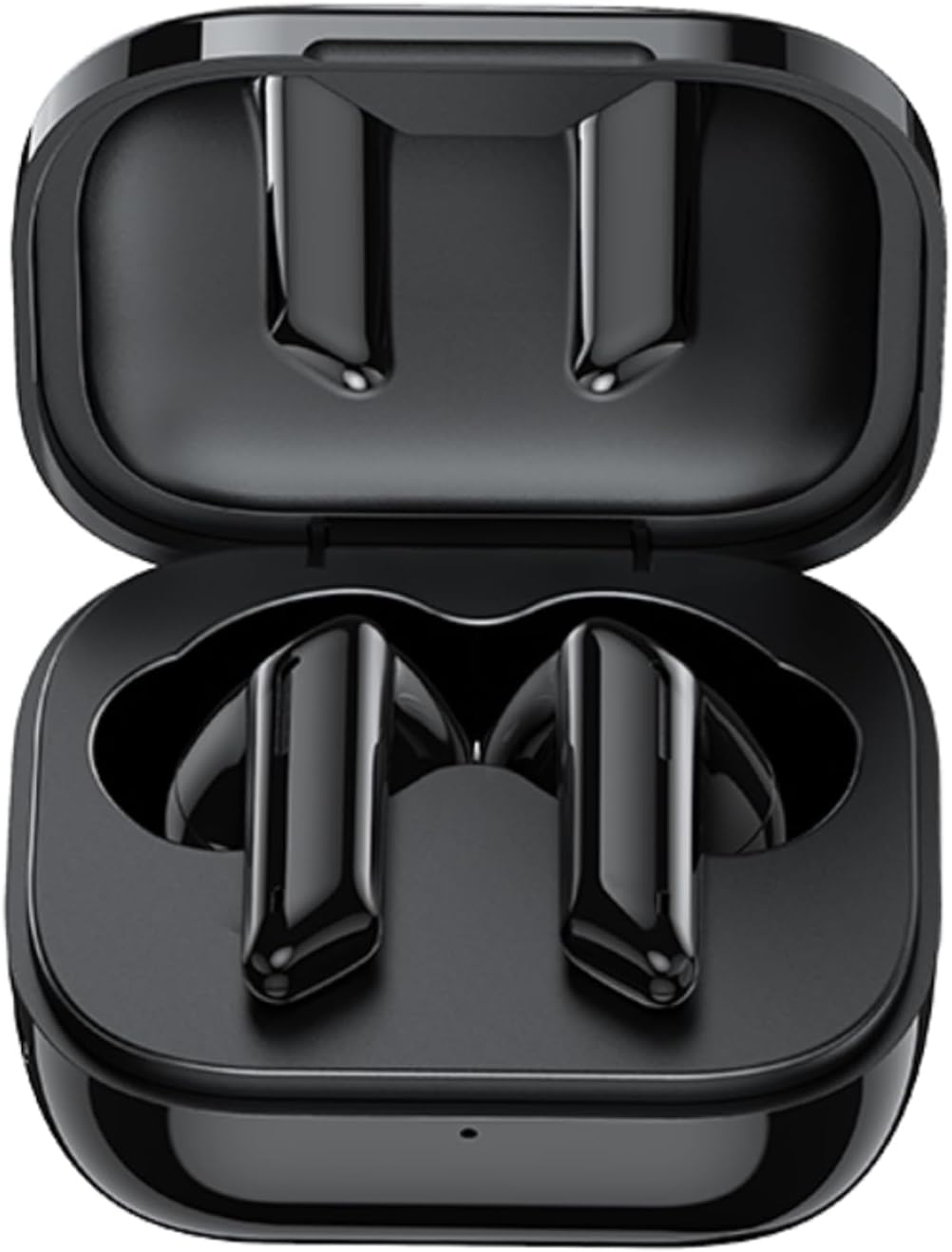
The image displays the Awei T36 TWS Wireless Earbuds securely placed within their open charging case. Both earbuds are black, sleek, and fit perfectly into their designated slots, indicating they are ready for charging or storage.

This image highlights the aesthetic design of the Awei T36 earbuds, showing them in various colors (black, white, purple, blue, green) alongside their respective charging cases. The design emphasizes portability and style.

This image illustrates the Bluetooth 5.1 capability of the Awei T36 earbuds, promising a faster and more stable connection. The earbuds and case are shown next to a smartphone, suggesting seamless integration.
Настройка
Зарадка навушнікаў і чахла
Before first use, it is recommended to fully charge the earbuds and charging case.
- Place the earbuds into the charging case, ensuring they are properly seated.
- Connect the USB charging cable to the charging port on the case and then to a power source (e.g., USB wall adapter, computer USB port).
- The indicator lights on the case will illuminate to show the charging status. Once fully charged, the lights may change or turn off.

This image illustrates the charging capabilities and battery life of the Awei T36 earbuds. It shows the earbuds and case on a wireless charging pad, with text indicating a 210-hour standby time, 320mAh charging case capacity, 4-5 hours of play time, and 1.5 hours for a full charge.
Спалучэнне з прыладай
The earbuds automatically enter pairing mode when removed from the case.
- Адкрыйце зарадны кейс і дастаньце абодва навушнікі. Яны аўтаматычна ўключацца і пяройдуць у рэжым спалучэння.
- На вашай прыладзе (смартфоне, планшэце і г.д.) уключыце Bluetooth.
- Пошук "Awei T36" in the list of available Bluetooth devices.
- Select "Awei T36" to connect. Once connected, a voice prompt will confirm the successful pairing.

This image demonstrates the 'Both Earbuds are Hosts' feature, indicating that either earbud can be used independently. It highlights the 'Instant Fetch and Connect' when the case is opened and 'Close Auto OFF' when the case is closed, simplifying the user experience.
This video demonstrates the process of taking the Awei T36 earbuds out of their charging case, placing them into the ears, and interacting with their touch controls for music and calls. It showcases the product's design and ease of use.
Інструкцыя па эксплуатацыі
Сэнсарныя элементы кіравання
The Awei T36 earbuds feature intuitive touch controls for managing audio playback and calls.

A visual guide detailing the touch controls for the Awei T36 earbuds. It shows how to pause/play, skip tracks, answer/reject calls, and activate voice assistant with simple taps on the earbud's touch sensitive area.
| Дзеянне | Левы навушнік | Правая ўкладыш |
|---|---|---|
| Прайграванне/Паўза | Кароткі націск | Кароткі націск |
| Наступны трэк | Н/Д | Двойчы націсніце |
| Папярэдні трэк | Двойчы націсніце | Н/Д |
| Адказаць/завяршыць выклік | Кароткі націск | Кароткі націск |
| Адхіліць выклік | Націсніце на працягу 2 секунд | Націсніце на працягу 2 секунд |
| Актывацыя галасавога памочніка (Siri/Google Assistant) | Патройны кран | Патройны кран |
Calling Noise Cancellation
The Awei T36 earbuds are equipped with calling noise cancellation technology to ensure clearer conversations by reducing ambient noise during calls.

This image shows a user wearing the Awei T36 earbuds, emphasizing the calling noise cancellation feature for improved call clarity in various environments.
Тэхнічнае абслугоўванне
- Рэгулярна працірайце навушнікі і зарадны футляр мяккай, сухой тканінай без ворса.
- Не выкарыстоўвайце абразіўныя ачышчальнікі, растваральнікі або моцныя хімікаты.
- Ensure the charging contacts on both the earbuds and the case are clean and free of dust or debris.
- Захоўвайце навушнікі-ўкладышы ў зарадным чахле, калі яны не выкарыстоўваюцца, каб абараніць іх і падтрымліваць зарад.
- Avoid exposing the product to extreme temperatures or direct sunlight for extended periods.
Ліквідацыю непаладак
Навушнікі не спалучаюцца або не падключаюцца
- Пераканайцеся, што абодва навушнікі дастаткова зараджаныя.
- Place both earbuds back into the charging case, close the lid, wait a few seconds, then open it again and remove them to reset.
- Выключыце, а затым уключыце Bluetooth на прыладзе.
- If the issue persists, forget or unpair "Awei T36" from your device's Bluetooth list and then attempt to re-pair.
Ніякага гуку з аднаго навушніка
- Пераканайцеся, што абодва навушнікі зараджаны.
- Place both earbuds back in the case and take them out again to re-establish the connection between them.
- Паўторна спалучыце навушнікі-ўкладышы з прыладай.
Нізкая гучнасць
- Adjust the volume on both your connected device and, if applicable, via the earbud's touch controls.
- Пераканайцеся, што навушнікі правільна размешчаны ў вушах для аптымальнага гучання.
Тэхнічныя характарыстыкі
| Асаблівасць | Дэталь |
|---|---|
| Фірмовае найменне | Awei |
| Назва мадэлі | Awei T36 |
| Тэхналогія падлучэння | Бесправадная сувязь |
| Размяшчэнне навушнікаў у вушах | У вуха |
| Форм-фактар навушнікаў | У вуха |
| Імпеданс | 3.5E+2 Ohm |
| Кантроль шуму | Няма |
| Адчувальнасць | 96 дБ |
| Гняздо для навушнікаў | 3.5 мм Jack |
| Колер | Чорны |
| Памеры прадукту | 4 х 11 х 9 см; 120 г |
| Вытворца | Авей |
| ASIN | B09YQL95X6 |
| Нумар мадэлі тавару | Т36 |
| Краіна паходжання | Самоа (незалежнае) |
| Дата першай даступнасці | 23 красавіка 2022 г |
Гарантыя і падтрымка
For warranty information, technical support, or any product-related inquiries, please refer to the manufacturer's official webсайт або звярніцеся непасрэдна ў службу падтрымкі кліентаў.
вытворца: Авей
Please refer to your product packaging or the official Awei website for specific warranty terms, contact details, and support resources.


