
WOLFBOX i07
Кіраўніцтва карыстальніка для 3-канальнай відэарэгістратара WOLFBOX i07
Мадэль: i07
Уводзіны
The WOLFBOX i07 is a high-performance 3-channel dash camera system designed to provide comprehensive video surveillance for your vehicle. It simultaneously records footage from the front, interior, and rear of your car, ensuring 360-degree protection. Equipped with advanced features such as 4K resolution, infrared night vision, built-in GPS, Wi-Fi connectivity, and multiple parking modes, the i07 offers reliable evidence collection and enhanced driving safety.

Выява: Зверхуview of the WOLFBOX i07 Dash Cam system, including the main unit, rear camera, and mobile app interface.
Што ў скрынцы
Калі ласка, пераканайцеся, што ўсе кампаненты наяўныя і знаходзяцца ў добрым стане пасля распакавання:
- i07 Dash Cam (Main Unit)
- 1080P IP68 Rear Camera
- GPS модуль
- Карта MicroSD на 32 ГБ
- 20-foot Rear Camera Cable
- Type-C Power Supply Cable with Car Charger
- Кіраўніцтва карыстальніка
- Электрастатычны стыкер
- Аўтамабільны інструмент для абрэзкі дроту

Image: Contents of the WOLFBOX i07 package.
Настройка
1. Устаўка карты памяці
Before initial use, insert the provided 32GB MicroSD card into the dash cam's card slot. Ensure the card is inserted correctly until it clicks into place. It is recommended to format the card within the dash cam's settings before first use.

Image: Inserting the 32GB MicroSD card.
2. Усталёўка галоўнага блока
- Ачысціце лабавое шкло, дзе будзе ўсталявана відэарэгістратар.
- Apply the electrostatic sticker to the clean windshield.
- Attach the main unit onto the electrostatic sticker using the adhesive mount. Ensure it does not obstruct your driving view.
- Connect the Type-C power cable to the dash cam and route it along the windshield edge and A-pillar to the car's cigarette lighter socket.
3. Усталёўка камеры задняга віду
- Усталюйце заднюю камеру на задняе лабавое шкло, забяспечыўшы выразны агляд view.
- Connect the 20-foot rear camera cable to the main unit and route it discreetly along the vehicle's interior trim to the rear camera.
- Ensure the rear camera's headphone jack is firmly inserted for proper detection.

Image: Easy installation and cable routing for the dash cam and rear camera.
Інструкцыя па эксплуатацыі
1. Уключэнне/выключэнне харчавання
The dash cam will automatically power on and begin recording when connected to the car's power supply and the vehicle is started. It will power off automatically when the car is turned off.
2. Рэжымы запісу
The WOLFBOX i07 supports various recording configurations:
- 3-канальны запіс: Simultaneously records Front (2.5K), Interior (1080P), and Rear (1080P) footage.
- Двухканальны запіс: Records Front (4K UHD) and Interior (1080P FUD) footage.

Image: Triple Channel Recording overview.

Image: Dual Channel Recording overview.
3. Інфрачырвонае начное бачанне
The interior camera features 6 infrared LED lights and advanced STARVIS technology to capture clear and balanced video in low-light conditions, ensuring visibility inside the cabin even at night.

Image: Infrared Night Vision capability.
4. Parking Modes (24/7 Protection)
The i07 offers two parking monitoring modes for continuous vehicle protection:
- Collision Boot Recording: The dash cam will automatically power on and record when an impact is detected while the vehicle is parked.
- Запіс з паскоранай здымкай: Captures 24-hour time-lapse footage at 1 frame per second (FPS) when the vehicle is parked. Note: Collision Boot Recording does not function in Time-Lapse Mode.
A hardwire kit (sold separately) is required for 24/7 parking monitoring functionality.

Image: Parking Modes (Collision Boot Recording and Time-Lapse).
5. Built-in GPS & Wi-Fi
The integrated GPS module accurately records driving routes, speeds, and times, embedding this data into video files for evidence. Built-in Wi-Fi allows you to connect the dash cam to your smartphone via the WOLFBOX app for easy management, video playback, editing, and sharing.

Image: Built-in Wi-Fi and GPS features with app connectivity.
6. G-Sensor & Loop Recording
- G-сэнсар: Выяўляе раптоўныя ўдары або сутыкненні і аўтаматычна блакуе бягучае відэаtagе, каб прадухіліць яго перазапіс.
- цыклічны запіс: Continuously records video in short segments. When the memory card is full, the oldest unlocked footage аўтаматычна перазапісваецца новымі запісамі.
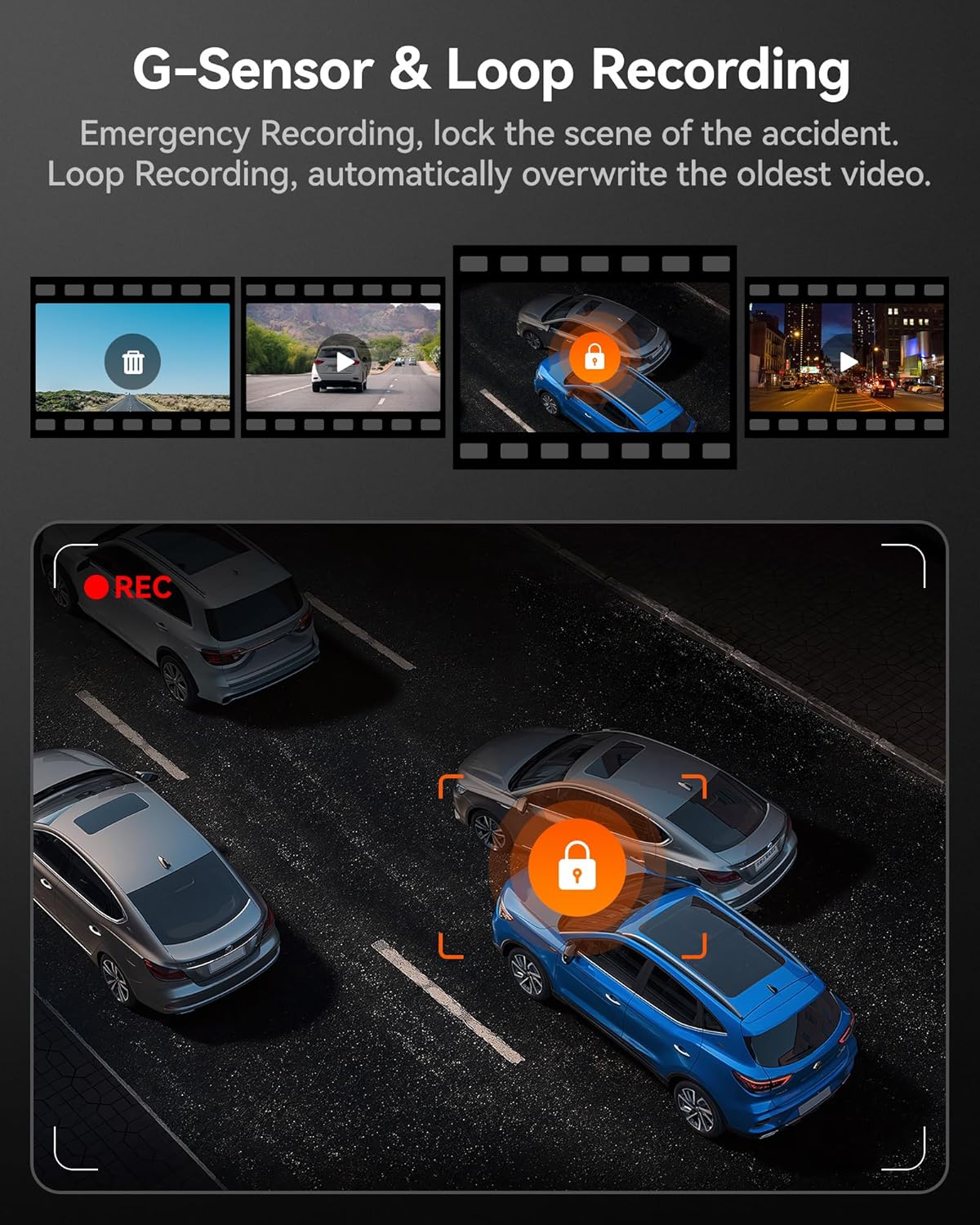
Image: G-Sensor and Loop Recording functionality.
Тэхнічнае абслугоўванне
- Звычайнае фарматаванне: To maintain optimal performance and prevent data corruption, it is recommended to format the MicroSD card every 2-4 weeks using the dash cam's settings.
- Ачыстка аб'ектыва: Gently clean the camera lenses with a soft, lint-free cloth to ensure clear video quality. Avoid abrasive materials.
- Абнаўленні прашыўкі: Check the official WOLFBOX webперыядычна наведвайце сайт для абнаўленняў прашыўкі, каб ваш відэарэгістратар меў найноўшыя функцыі і выпраўленні памылак.
- Меркаванні па тэмпературы: The dash cam is designed to operate within a wide temperature range due to its supercapacitor. However, extreme prolonged heat or cold can affect battery life (if applicable) and overall longevity.
Ліквідацыю непаладак
| праблема | Магчымая прычына | Рашэнне |
|---|---|---|
| Відэарэгістратар не ўключаецца. | No power supply; faulty cable; car charger issue. | Check power connection; try a different USB port or car charger; ensure vehicle's ignition is on. |
| Запіс спыняецца або завісае. | Memory card full/corrupted; low-quality SD card; firmware issue. | Format the SD card; use a high-speed (Class 10 or U3) MicroSD card; update firmware. |
| Rear camera not detected. | Loose connection; damaged cable. | Ensure the rear camera cable's headphone jack is firmly inserted into the main unit. Check cable for damage. |
| Праблемы з падключэннем да Wi-Fi. | Incorrect app usage; interference. | Ensure Wi-Fi is enabled on the dash cam and your phone; restart both devices; try connecting in a different location. |
| GPS не ловіць сігнал. | Poor satellite reception; GPS module obstructed. | Пераканайцеся, што модуль GPS мае чысты view of the sky; move the vehicle to an open area. |
Тэхнічныя характарыстыкі
| Асаблівасць | Дэталь |
|---|---|
| Назва мадэлі | i07 |
| Памеры прадукту | 4.72 х 1.38 х 3.07 цалі |
| Вага прадмета | 5 унцыі |
| Раздзяленне франтальнай камеры | Да 4K (2160p) |
| Разрозненне ўнутранай камеры | 1080P |
| Раздзяленне задняй камеры | 1080P |
| Дысплей | 3-цалевы ВК-экран |
| Lens Angle (Front/Interior/Rear) | 150 ° / 160 ° / 155 ° |
| Начное бачанне | 6 Infrared LEDs (Interior Camera) |
| Крыніца харчавання | Type-C Power Input, Supercapacitor |
| Сувязь | Built-in Wi-Fi, Built-in GPS |
| Захоўванне | Supports MicroSD Card (32GB included) |
| Асаблівасці | 4K HDR, 3-channel All-round Protection, App Control, Parking Monitor, Compact Design, WDR, G-Sensor, Loop Recording |
| Тып абслугоўвання аўтамабіля | Bus, Car, Minivan, Truck |
Гарантыя і падтрымка
WOLFBOX is committed to providing high-quality products and excellent customer service.
- Гарантыя: The WOLFBOX i07 Dash Cam comes with a 12-month assurance from the date of purchase.
- Палітыка вяртання: A 7-day return policy is available for defects.
- Абслугоўванне кліентаў: For any queries, technical support, or warranty claims, please contact our dedicated after-sale service team.
электронная пошта: service@wolfbox.com
тэлефон: +1 888 296 8399
Калі ласка, падрыхтуйце мадэль прадукту і інфармацыю пра пакупку, калі звяртаецеся ў службу падтрымкі.