
1. Уводзіны
Thank you for choosing the Dracool Keyboard Case for iPad Pro 12.9". This manual provides essential information for setting up, operating, and maintaining your new keyboard case. Please read it carefully to ensure optimal performance and longevity of your device.
2. Сумяшчальнасць
This keyboard case is designed to be compatible with the following iPad Pro 12.9" models:
- iPad Pro 12.9" 5th Generation (2021): Мадэлі A2378, A2379, A2461, A2462
- iPad Pro 12.9" 4th Generation (2020): Мадэлі A2229, A2069, A2232, A2233
- iPad Pro 12.9" 3rd Generation (2018): Мадэлі A1876, A2014, A1895, A1983
To verify your iPad model number, please check the back of your iPad device.

Image: Compatibility chart for Dracool Keyboard Case with various iPad Pro 12.9 inch models and their respective model numbers.
3. Змесціва ўпакоўкі
Калі ласка, пераканайцеся, што ўсе прадметы прысутнічаюць у пасылцы:
- 1x Dracool Bluetooth Keyboard Case
- 1x USB-C зарадны кабель
- 1x Кіраўніцтва карыстальніка (гэты дакумент)
4. Асноўныя магчымасці
- Магнітнае мацаванне: Securely holds your iPad Pro 12.9" in place.
- Мультытач-трэкпад: Supports multi-finger gestures for precise navigation.
- Клавішы з падсветкай: 7 color options and 3 adjustable brightness levels for comfortable typing in various lighting conditions.
- Рэгуляваны Viewкут нахілу: Offers a floating design with continuous angle adjustment up to 135 degrees.
- Full Body Protection: Забяспечвае абарону пярэдняй і задняй часткі вашага iPad.
- Падключэнне Bluetooth 5.2: Забяспечвае стабільнае і эфектыўнае бесправадное злучэнне.
- Scissor-Switch Keys: Designed for a responsive and quiet typing experience.
- Устойлівы да пырскаў: Protects against accidental spills (do not immerse in water).
- Доўгі тэрмін службы батарэі: Up to 320 hours of working time without backlight.
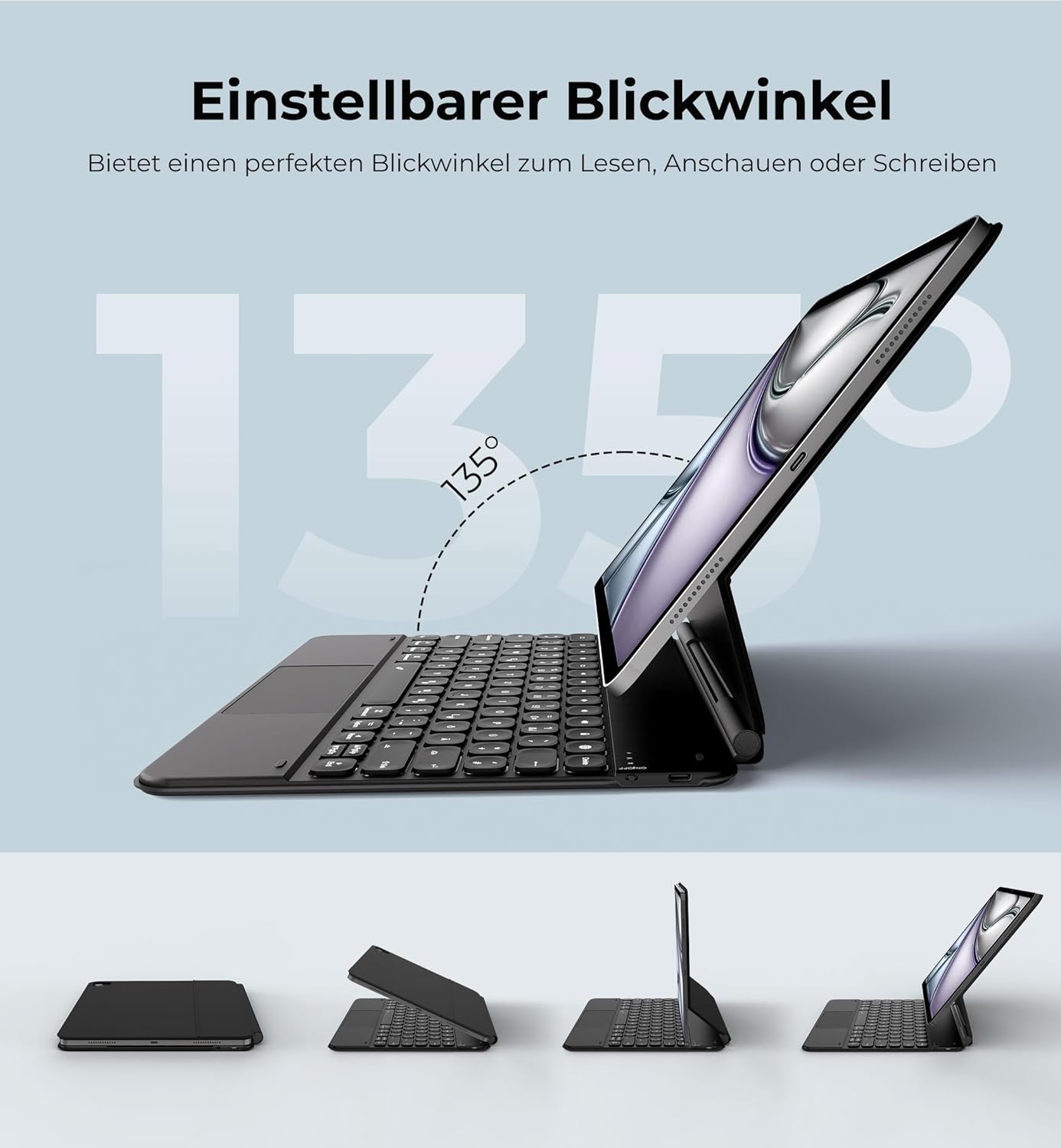
Image: The iPad Pro 12.9 inch is shown securely attached to the keyboard case via strong magnets, illustrating the magnetic attachment feature.
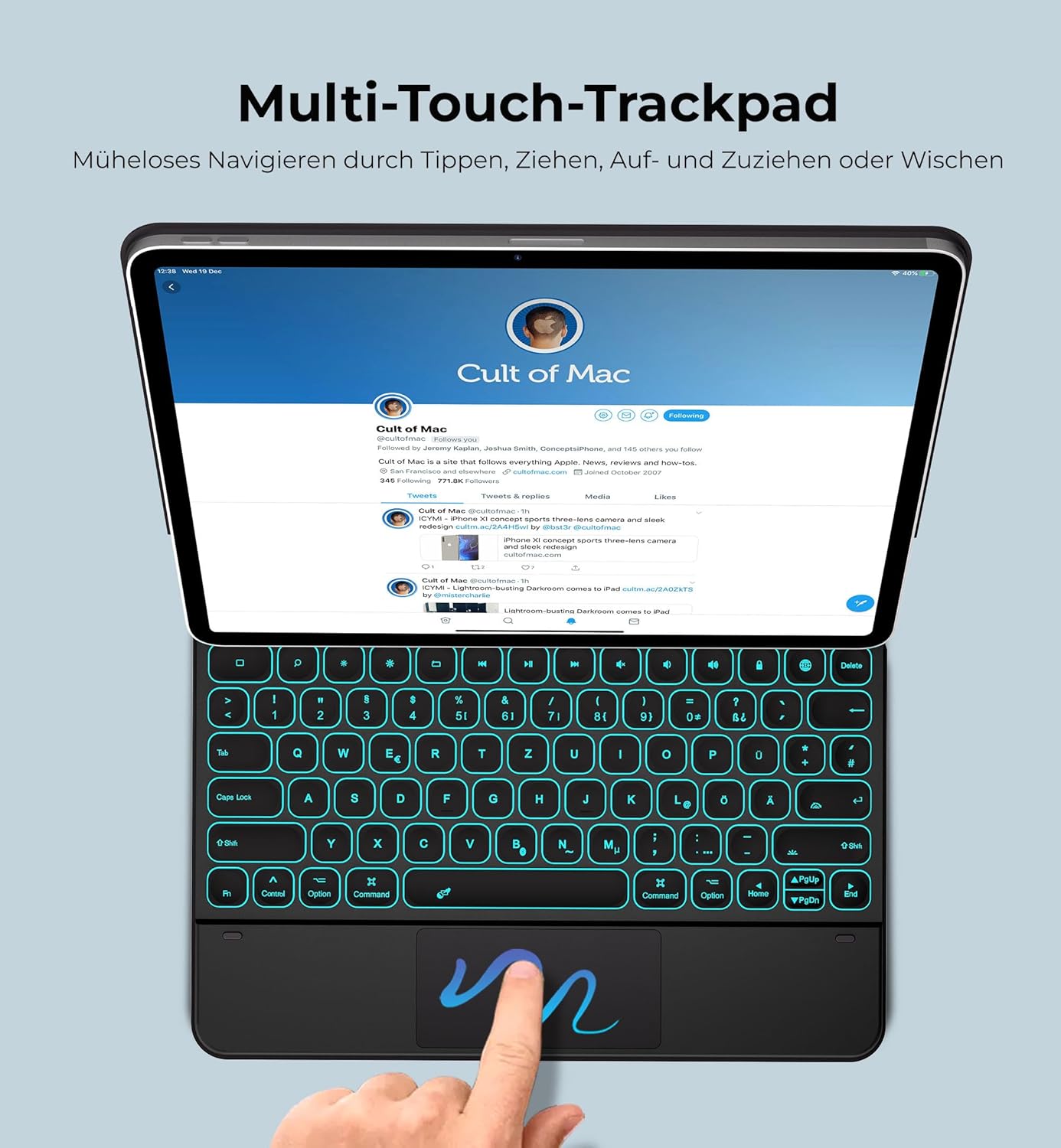
Image: The keyboard case with an iPad Pro 12.9 inch demonstrates its adjustable viewing angles, highlighting the 135-degree range for optimal screen positioning.

Image: The keyboard case displays its backlit keys in a low-light setting, with additional graphics indicating 7 backlight colors, 3 brightness levels, 1500 hours standby, and 320 hours working time.
5. Інструкцыі па ўсталёўцы
5.1 Зарадка клавіятуры
- Locate the USB-C charging port on the keyboard case.
- Connect the provided USB-C charging cable to the keyboard and a suitable USB power adapter (not included).
- Індыкатар зарадкі загарыцца. Поўная зарадка займае прыблізна 4 гадзіны.
- Once fully charged, the indicator light will change or turn off (refer to LED status in Operating Instructions).

Image: A USB-C charging cable is shown, illustrating the connection point for charging the keyboard case.
5.2 Падключэнне iPad
- Адкрыйце корпус клавіятуры.
- Align your iPad Pro 12.9" with the magnetic back panel of the case. Ensure the iPad's camera aligns with the camera cutout on the case.
- The strong magnets will securely hold your iPad in place.
- Адрэгулюйце viewкут па жаданні.
Важная заўвага: Ensure the iPad's camera and the case's camera hole are perfectly aligned. Misalignment may affect the magnetic hold.
5.3 Спалучэнне па Bluetooth
- Turn on the keyboard by sliding the power switch (usually located on the side or top edge of the keyboard). The indicator light will flash.
- На вашым iPad перайдзіце па спасылцы Налады > Bluetooth.
- Пераканайцеся, што Bluetooth уключаны On.
- Your iPad will search for available devices. Look for "Dracool Keyboard" or a similar name in the list of devices.
- Tap on the keyboard name to pair. If prompted, enter the pairing code displayed on your iPad using the keyboard, then press Увайдзіце.
- Once paired, the indicator light on the keyboard will stop flashing and remain solid or turn off, and your iPad will show the keyboard as "Connected".
6. Інструкцыя па эксплуатацыі
6.1 Выкарыстанне клавіятуры
The keyboard features a QWERTZ layout (German) with scissor-switch keys for a comfortable typing experience. It includes a full row of iPadOS shortcut keys for quick access to media controls, volume, and more.
6.2 Adjusting Backlight
The keyboard offers 7 backlight colors and 3 brightness levels:
- Націсніце Электрычная лямпачка клавіша (часта размешчаная побач з функцыянальнымі клавішамі) для пераключэння колераў падсветкі.
- Націсніце Электрычная лямпачка key combined with the Стрэлка уверх / ўніз keys (or similar dedicated brightness keys) to adjust brightness levels (Brightest - Medium - Low - Off).
6.3 Выкарыстанне мультытач-трэкпада
The integrated trackpad supports various multi-touch gestures for seamless navigation on your iPad. These gestures mimic mouse functions and enhance productivity.
- Націсніце: Single tap for click, double tap for double click.
- Пракрутка: Правядзіце двума пальцамі ўверх або ўніз.
- Маштаб: Зацісніце двума пальцамі.
- Swipe between apps: Three-finger swipe left or right.
- Перайсці на галоўны экран: Three-finger swipe up.
- Адкрыйце пераключальнік праграм: Three-finger swipe up and hold.

Image: An iPad Pro 12.9 inch is shown in the Dracool keyboard case, with a hand demonstrating the use of the multi-touch trackpad for navigation.
6.4 Рэжым энергазберажэння
The keyboard will automatically enter sleep mode after a period of inactivity to conserve battery. Press any key to wake it up.
7. Тэхнічнае абслугоўванне
- Уборка: Выкарыстоўвайце мяккі, damp cloth to clean the surface of the keyboard case. Avoid harsh chemicals or abrasive materials.
- захоўванне: When not in use for extended periods, store the keyboard case in a cool, dry place. Ensure it is fully charged before long-term storage.
- Воданепранікальнасць: The keyboard is splash-resistant. Do not immerse it in water or expose it to heavy rain.
- Пазбягайце экстрэмальных тэмператур: Не падвяргайце прыладу ўздзеянню моцнай спякоты або холаду, бо гэта можа пашкодзіць акумулятар і ўнутраныя кампаненты.
8. Выпраўленне непаладак
| праблема | Магчымае рашэнне |
|---|---|
| Keyboard not pairing with iPad |
|
| Клавішы не адказваюць |
|
| Trackpad not working correctly |
|
| Падсвятленне не працуе |
|
| iPad not holding magnetically |
|
9. Тэхнічныя характарыстыкі
| Асаблівасць | Дэталь |
|---|---|
| Марка | Dracool |
| Нумар мадэлі | A2764 |
| Сумяшчальныя прылады | iPad Pro 12.9" (2021, 2020, 2018) |
| Тэхналогія падлучэння | Bluetooth 5.2 |
| Раскладка клавіятуры | КВЭРТЦ (нямецкая) |
| Колькасць ключоў | 78 |
| Тып перамыкача | Scissor Switches |
| Падсвятленне | 7 Colors, 3 Brightness Levels (RGB) |
| Асаблівасці | Magnetic Attachment, Multi-Touch Trackpad, Adjustable Viewing Angle, Splash-Resistant |
| Ёмістасць батарэі | 800 мАг |
| Порт для зарадкі | USB-C |
| Час зарадкі | Прыбл. 4 гадзіны |
| Час працы (без падсветкі) | Да 320 гадзін |
| Working Time (brightest backlight) | Да 8 гадзін |
| Працоўны дыяпазон | Да 10 метраў |
| Памеры прадукту (Д х Ш х У) | 28.7 х 23 х 1.3 см |
| Вага прадмета | 970 грам |
| Матэрыял | ABS, PU Leather |
10. Гарантыя і падтрымка
For warranty information, technical support, or customer service inquiries, please refer to the product packaging or visit the official Dracool webсайт. Захоўвайце чэк аб пакупцы на выпадак прэтэнзій па гарантыі.