
Уводзіны
This manual provides essential information for the proper setup, operation, and maintenance of your ZEBRONICS K24 Wired USB Keyboard. Please read this manual thoroughly before using the product to ensure optimal performance and longevity.
Змест пакета
- 1 x ZEBRONICS K24 Wired USB Keyboard
Інструкцыя па наладзе
- Распакуйце клавіятуру: Асцярожна дастаньце клавіятуру з упакоўкі.

Image: ZEBRONICS K24 Wired USB Keyboard, showing the keyboard and its USB cable.
- Connect to your Device: Locate an available USB port on your computer or laptop. Insert the USB connector of the keyboard cable into the USB port.
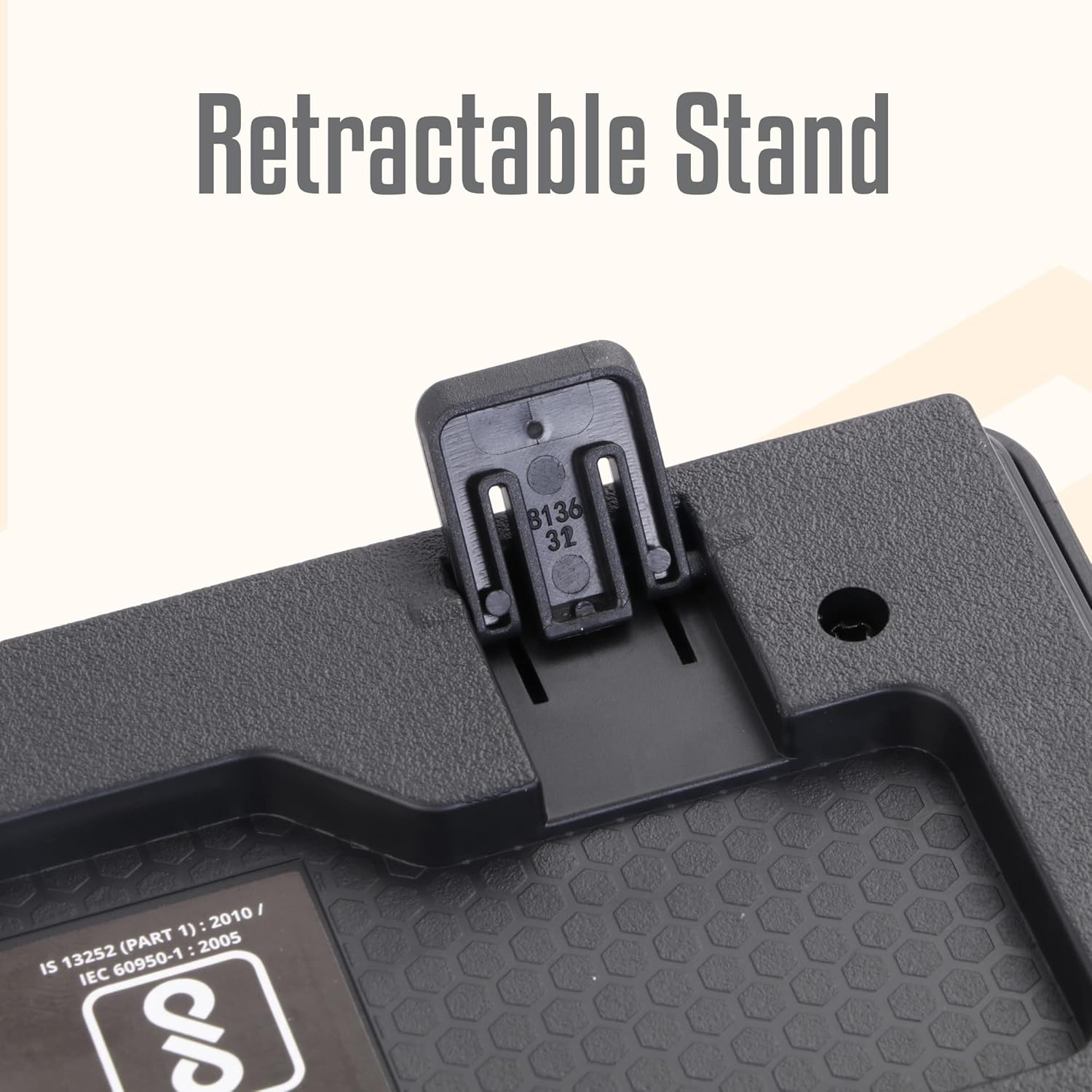
Image: A hand connecting the USB cable of the keyboard to a laptop's USB port.
- Ўстаноўка драйвера: The keyboard is plug-and-play. Your operating system (Windows, macOS, Linux) will automatically detect and install the necessary drivers. No manual driver installation is required.
- Adjust the Stand (Optional): For an ergonomic typing angle, extend the retractable stands located on the underside of the keyboard.

Image: Close-up of the retractable stand on the back of the keyboard, extended for ergonomic use.
Інструкцыя па эксплуатацыі
The ZEBRONICS K24 keyboard operates like any standard 104-key keyboard. Simply connect it to your device, and it will be ready for use.
- Увод: Use the keys for text input, data entry, and command execution.
- Мультымедыйныя ключы: The keyboard may feature integrated multimedia functions accessible via the 'Fn' key combined with function keys (F1-F12). Refer to your operating system's settings for specific key assignments if needed.
- Rupee Key: The keyboard includes a dedicated Rupee key for convenient currency input.

Image: Close-up of the keyboard highlighting the Rupee symbol on a key.
Асаблівасці
- Standard Layout with 104 Keys: Full-size keyboard for comprehensive functionality.
- UV Coated Keycaps: Ensures durability and prevents legend fading over time.
- Long Life 8 Million Keystrokes: Designed for extended usage and reliability.
- Silent and Comfortable Use: Provides a quiet typing experience suitable for various environments.
- Тонкі дызайн: Space-saving and aesthetically pleasing for any desk setup.
- Высоўная падстаўка: Offers adjustable ergonomic typing angles.
- 1.5 Meter Textured Cable: Забяспечвае ample length and durability for flexible placement.
- Падключэнне USB: Ensures broad compatibility with PCs and laptops.

Image: Close-up of the keyboard keys, showing their round, chiclet style and UV coating.

Image: The keyboard with its 1.5-meter textured USB cable coiled next to it.
Тэхнічнае абслугоўванне
- Уборка: Use a soft, dry cloth to wipe the keyboard surface. For deeper cleaning, use a can of compressed air to remove dust and debris from between the keys. Avoid using harsh chemicals or abrasive materials.
- захоўванне: Калі клавіятура не выкарыстоўваецца, захоўвайце яе ў чыстым, сухім месцы, удалечыні ад прамых сонечных прамянёў і экстрэмальных тэмператур.
- Сыход за кабелем: Пазбягайце празмернага згінання або скручвання USB-кабеля, каб пазбегнуць пашкоджанняў.
Ліквідацыю непаладак
| праблема | Магчымая прычына | Рашэнне |
|---|---|---|
| Клавіятура не адказвае | Слабае падключэнне USB, няспраўны порт USB, праблема з драйверам. | Пераканайцеся, што кабель USB надзейна падключаны. Паспрабуйце іншы порт USB. Перазагрузіце камп'ютар. |
| Ключы не працуюць | Debris under keys, software conflict. | Clean the keys with compressed air. Check for any software conflicts or update keyboard drivers. |
| Incorrect characters appearing | Incorrect keyboard layout setting. | Check your operating system's keyboard language and layout settings. |
If you encounter issues not listed here, please contact ZEBRONICS customer support.
Тэхнічныя характарыстыкі
| Асаблівасць | Дэталь |
|---|---|
| Марка | ЗЕБРОНІКА |
| Нумар мадэлі | Zeb-k24 |
| Тэхналогія падлучэння | Правадной (USB) |
| Колькасць ключоў | 104 |
| Тып клавішы | UV Coated Chiclet Keys |
| Клавішы Жыццё | 8 мільёна |
| Даўжыня кабеля | 1.5 метраў |
| Сумяшчальныя прылады | Ноўтбук, ПК |
| Раскладка клавіятуры | QWERTY, includes Rupee key |
| Дызайн | Slim, Ergonomic with Retractable Stand |
| Колер | Чорны |
| Матэрыял | Пластыкавыя |
| Памеры прадмета Д х Ш х У | Прыбл. 435 мм х 133 мм х 20 мм |
| Вага прадмета | 510 грам |
Note: Keyboard dimensions are approximate.
Гарантыя і падтрымка
Гарантыя: The ZEBRONICS K24 Wired USB Keyboard comes with a 1-year carry-in warranty to the service center from the date of purchase.
Падтрымка кліентаў: For any product-related queries, technical assistance, or warranty claims, please contact ZEBRONICS customer support. Refer to the official ZEBRONICS webсайт для атрымання найноўшай кантактнай інфармацыі.