
1. Уводзіны
Thank you for choosing the WONSDAR 4K PTZ WiFi Outdoor Security Camera. This manual provides detailed instructions for the installation, operation, and maintenance of your security camera. Please read this manual thoroughly before use to ensure proper functionality and safety.
2. Асаблівасці прадукту
- Раздзяленне 4K UHD: Equipped with a Sony CMOS image sensor, the camera delivers ultra-high-definition 4K video.
- Кіраванне панарамаваннем/нахілам: Offers 355° horizontal pan and 90° vertical tilt for comprehensive area coverage, controllable via mobile app.
- Automatic Tracking & Human Detection: Advanced motion detection with human recognition and automatic tracking capabilities, sending real-time alerts.
- Палепшанае начное бачанне: Features 10 infrared and white LEDs for up to 60 meters of clear night vision, including color night vision.
- Двухбаковы аўдыё: Built-in microphone and speaker allow for clear two-way communication.
- IP66 Воданепранікальнасць: Трывалы метал casing and antenna design ensure reliable operation in various weather conditions (rain, snow, heat, cold).
- Preset Points & Cruise Function: Supports setting multiple preset monitoring points and automatic cruising paths.
- Стабільнае падключэнне да Wi-Fi: High-gain antennas provide stable network connectivity, and H.265X technology ensures smooth video streaming.
- Лакальнае сховішча: Supports Micro-SD card storage (8-128GB) for recorded videos.
- Multi-User & Multi-Platform Access: Allows multiple users to access the camera feed across various devices (smartphones, tablets, PCs).
3. Змесціва ўпакоўкі
Before installation, please verify that all components are present and in good condition.

Image: The camera package includes the 4K PTZ camera, power adapter, mounting screws, and user manual.
- WONSDAR 4K PTZ WiFi Outdoor Security Camera
- Адаптар сілкавання
- Мантажныя шрубы і дзюбелі
- Кіраўніцтва карыстальніка
4. Кіраўніцтва па наладцы
4.1 Фізічная ўстаноўка
Choose a suitable outdoor location for mounting the camera. Ensure the location provides a clear view of the area you wish to monitor and is within range of your Wi-Fi network and a power source.
- Mark the drilling points on the wall using the camera's mounting bracket as a template.
- Прасвідруйце адтуліны і ўстаўце дзюбелі ў сцяну.
- Замацуеце мантажны кранштэйн на сцяне шрубамі, якія ўваходзяць у камплект.
- Прымацуеце камеру да мантажнага кранштэйна.

Image: The WONSDAR 4K PTZ camera securely mounted on an exterior wall, ready for operation.
4.2 Падключэнне харчавання
Connect the power adapter to the camera's power input port and then plug it into a power outlet. Ensure the connection is secure and protected from moisture.
4.3 Усталёўка і спалучэнне праграм
- Download the official WONSDAR app from your smartphone's app store (iOS or Android).
- Зарэгіструйце ўліковы запіс і ўвайдзіце ў сістэму.
- Follow the in-app instructions to add your camera. This typically involves scanning a QR code on the camera or manually entering its ID, and then connecting it to your 2.4GHz Wi-Fi network.
5. Інструкцыя па эксплуатацыі
5.1 У прамым эфіры View і кіраванне панарамаваннем/нахілам
Once connected, open the app to view the live feed. Use the on-screen controls to pan the camera 355° horizontally and tilt it 90° vertically to adjust your viewкут нахілу.

Image: The mobile application displaying the camera's live feed with intuitive pan and tilt controls.
5.2 4K Resolution and Image Quality
The camera captures video in stunning 4K resolution, providing clear and detailed images for effective surveillance.

Image: A visual comparison demonstrating the superior detail captured by the 4K HD camera compared to lower resolutions.
5.3 Motion Detection and Automatic Tracking
Enable motion detection and human detection in the app settings. The camera will automatically track detected human movement and send alerts to your phone.

Image: The camera actively detecting a person, initiating automatic tracking, and activating light and sound alarms.
5.4 Рэжымы начнога бачання
The camera offers both infrared (IR) night vision and color night vision. When motion is detected in dark environments, the camera can activate its white LEDs for full-color night vision and an audible alarm.

Image: The camera's powerful night vision capabilities, providing clear visibility up to 60 meters in low-light conditions.

Image: Demonstrating the difference between color night vision (spotlight on) and infrared night vision (spotlight off).
5.5 Двухбаковае аўдыё
Use the microphone and speaker functions in the app to communicate with people near the camera, such as delivery personnel or visitors, or to deter intruders.
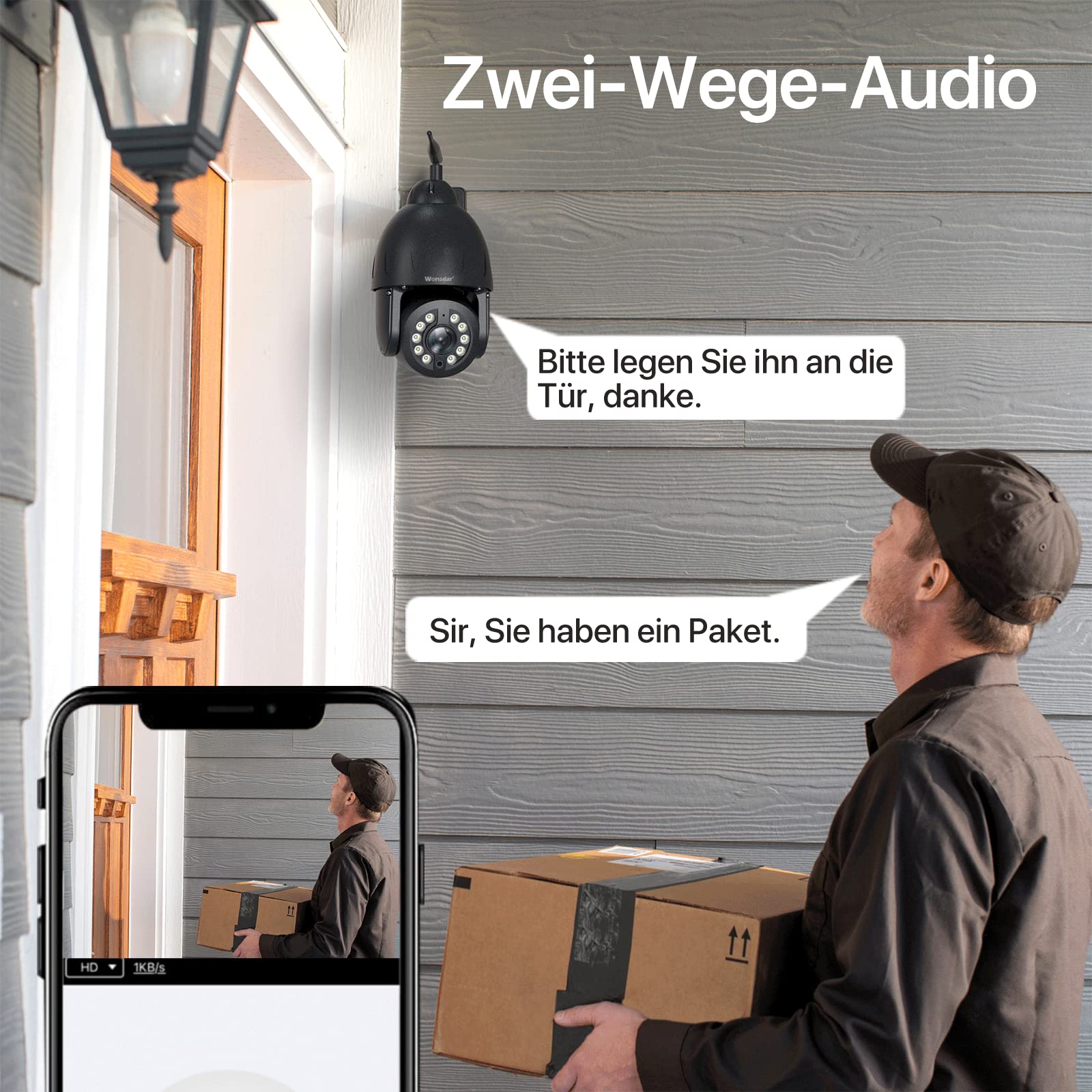
Image: A user engaging in two-way audio communication with a delivery person at their doorstep via the camera.
5.6 Preset Points and Cruise Function
Set up specific monitoring points within the app. The camera can automatically cycle through these preset points, ensuring continuous surveillance of critical areas.

Image: The camera's ability to secure property by monitoring multiple preset points around a building and pool area.

Image: The mobile app interface illustrating how to set custom preset points and activate cruise functions for automated surveillance.
5.7 Лакальнае сховішча
Insert a Micro-SD card (8-128GB, not included) into the designated slot on the camera for local video recording. You can view recorded videos directly through the app.

Image: The camera highlighting its local storage capability via a Micro-SD card, allowing users to view захаваныя відэа.
5.8 Multi-User and Multi-Platform Access
Share camera access with family members or colleagues. The camera supports multiple users and can be accessed from various devices, including smartphones, tablets, and computers.

Image: Illustration of multiple users simultaneously accessing the camera's live feed from different devices.

Image: The camera feed accessible across various platforms including mobile phones, tablets, and desktop computers.
6. Тэхнічнае абслугоўванне
6.1 Ачыстка
Regularly clean the camera lens with a soft, dry cloth to ensure clear image quality. Do not use harsh chemicals or abrasive materials.
6.2 Ахова навакольнага асяроддзя
The camera features an IP66 weatherproof rating and a full metal casing for durability. While designed to withstand harsh conditions, ensure proper installation to prevent water ingress to power connections.
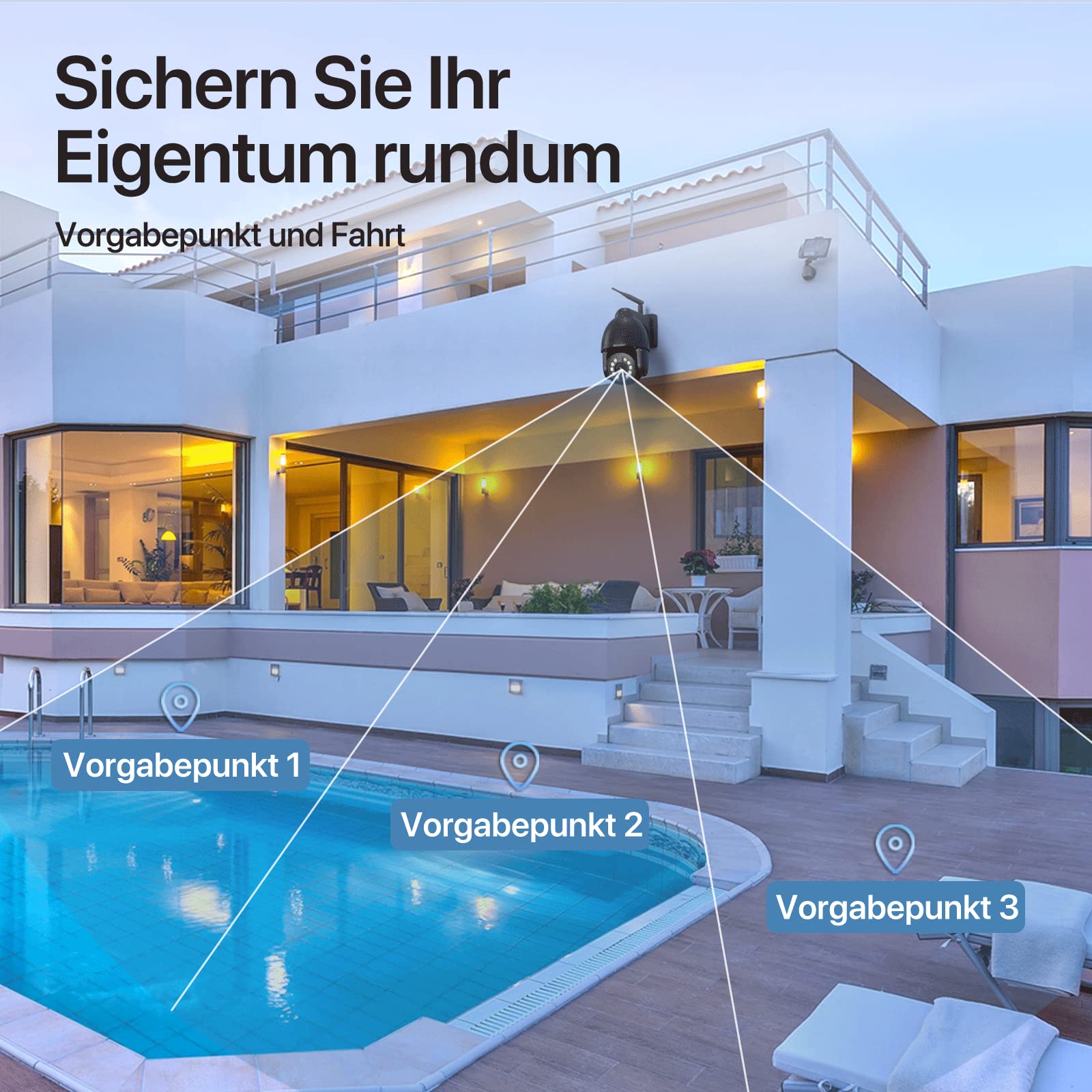
Image: The camera's robust aluminum housing and IP66 water resistance, demonstrating its ability to withstand rain, heat, and cold.
6.3 Абнаўленне прашыўкі
Check the app periodically for available firmware updates. Keeping your camera's firmware up-to-date ensures optimal performance and security.
7. Выпраўленне непаладак
- Камера ў аўтаномным рэжыме:
- Праверце ўзровень сігналу Wi-Fi ў месцы, дзе знаходзіцца камера.
- Пераканайцеся, што камера ўключана, а адаптар сілкавання надзейна падключаны.
- Перазапусціце камеру, адключыўшы і зноў падключыўшы харчаванне.
- If issues persist, try resetting the camera to factory settings (locate the reset button, usually a small pinhole, and press for 5-10 seconds).
- Дрэнная якасць выявы:
- Ачысціце аб'ектыў камеры.
- Забяспечце дастатковую колькасць асвятлення, асабліва для начнога бачання.
- Праверце хуткасць падключэння да Інтэрнэту.
- Выяўленне руху не працуе:
- Verify motion detection settings are enabled in the app.
- Адрэгулюйце ўзроўні адчувальнасці.
- Пераканайцеся, што ў полі зроку камеры няма перашкод view.
- Няма двухбаковай аўдыёсувязі:
- Check microphone and speaker permissions for the app on your phone.
- Ensure volume settings are appropriate.
8. Тэхнічныя характарыстыкі
| Асаблівасць | Спецыфікацыя |
|---|---|
| мадэль | 4K PTZ WiFi Outdoor Security Camera |
| дазвол | 8 MP (4K Video Recording) |
| Пан Кут | 355 градусаў |
| Кут нахілу | 90 градусаў |
| Сувязь | Бесправадная сувязь (Wi-Fi) |
| Ўстойлівасць да надвор'я | IP66 |
| Матэрыял | Метал |
| Дыяпазон начнога бачання | Да 60 метраў |
| Захоўванне | Micro-SD Card (8-128GB) |
| Крыніца харчавання | Электрычны кабель |
| Рэкамендуемае выкарыстанне | Outdoor Surveillance, Motion Detection, Night Vision |
| Колер | Чорны |
9. Гарантыя і падтрымка
WONSDAR products come with a standard manufacturer's warranty. For specific warranty details, please refer to the documentation included with your purchase or visit the official WONSDAR website. For technical support, troubleshooting assistance, or any inquiries, please contact WONSDAR customer service through the contact information provided on their official webсайце або ў мабільным дадатку.