
1. Уводзіны
Thank you for choosing the AUN AKEY6S Native Full HD 1080p Projector. This manual provides essential information for setting up, operating, maintaining, and troubleshooting your projector. Please read this manual thoroughly before use to ensure optimal performance and longevity of your device.
The AUN AKEY6S projector features native 1920x1080p resolution with 4K support, 8000 lumens brightness, a 12000:1 contrast ratio, and runs on Android 9.0. It offers versatile connectivity options including WiFi (2.4G/5G) and Bluetooth 5.2, making it suitable for various home cinema and presentation needs.
2. Настройка
2.1 Распакоўка і змесціва ўпакоўкі
Асцярожна выміце ўсе кампаненты з упакоўкі. Пераканайцеся, што ўсе пералічаныя ніжэй элементы наяўныя:
- 1x AUN AKEY6S Projector
- 1x Пульт дыстанцыйнага кіравання
- 1x Кіраўніцтва карыстальніка (гэты дакумент)
- 1x Блок харчавання
2.2 Размяшчэнне праектара
Position the projector on a stable, flat surface or mount it securely. Ensure there is adequate ventilation around the device. The optimal projection distance and screen size are as follows:
- Памер праекцыі: Ад 50 да 300 цаляў
- Адлегласць праекцыі: Approximately 1.5 meters (50 inches) to 6.2 meters (300 inches)

Image: Illustration of the AUN AKEY6S projector demonstrating adjustable projection sizes from 50 to 300 inches based on distance from the screen.
2.3 Падключэнне харчавання
Connect the provided power supply cable to the projector's power input port and then plug it into a standard electrical outlet.
2.4 Першапачатковае ўключэнне
Press the power button on the projector or the remote control to turn on the device. The projector will boot up and display the Android 9.0 interface.
2.5 Рэгуляванне фокусу і трапецападобнага скажэння
- Фокус: Паварочвайце кольца факусоўкі на аб'ектыве праектара, пакуль праецыраванае малюнак не стане выразным і рэзкім.
- Карэкцыя трапецеідальных скажэнняў: The AKEY6S features an electronic keystone correction of ±40°. Access this setting through the projector's menu to adjust the image shape if it appears trapezoidal.
2.6 Варыянты мантажу
The projector supports multiple mounting configurations:
- Настольнае мацаванне: Пастаўце праектар на плоскую паверхню.
- Потолочное мацаванне: Secure the projector to the ceiling using a compatible projector mount (not included). Ensure the image orientation is adjusted in the projector settings if mounted upside down.

Image: Visual representation of various mounting options for the AUN AKEY6S projector, including ceiling and desktop placements.
3. Інструкцыя па эксплуатацыі
3.1 User Interface Navigation (Android 9.0)
Navigate the Android 9.0 interface using the remote control. Use the directional buttons to move between icons and options, and the OK button to select. The Back button returns to the previous screen, and the Home button returns to the main menu.
3.2 Падключэнне знешніх прылад
The AKEY6S projector offers multiple ports for connecting various devices:

Выява: Падрабязная view of the AUN AKEY6S projector's rear panel, highlighting all available input and output ports for connectivity.
- HDMI (HD-IN): Connect devices like laptops, gaming consoles (X-BOX, PS4), TV sticks, or set-top boxes using an HDMI cable. Select the corresponding HDMI input source from the projector's menu.
- USB (USB-IN): Insert USB flash drives to play media files (videos, photos, music) directly.
- AV (AV-IN): Падключыце старыя прылады з дапамогай AV-кабеля.
- SD Card (SD Card-IN): Insert an SD card to access media files.
- Аўдыёвыхад 3.5 мм: Падключыце знешнія дынамікі або навушнікі.
- RJ45 (LAN): For wired internet connection (Android version only).
- VGA (VGA-IN): Connect computers or laptops using a VGA cable.
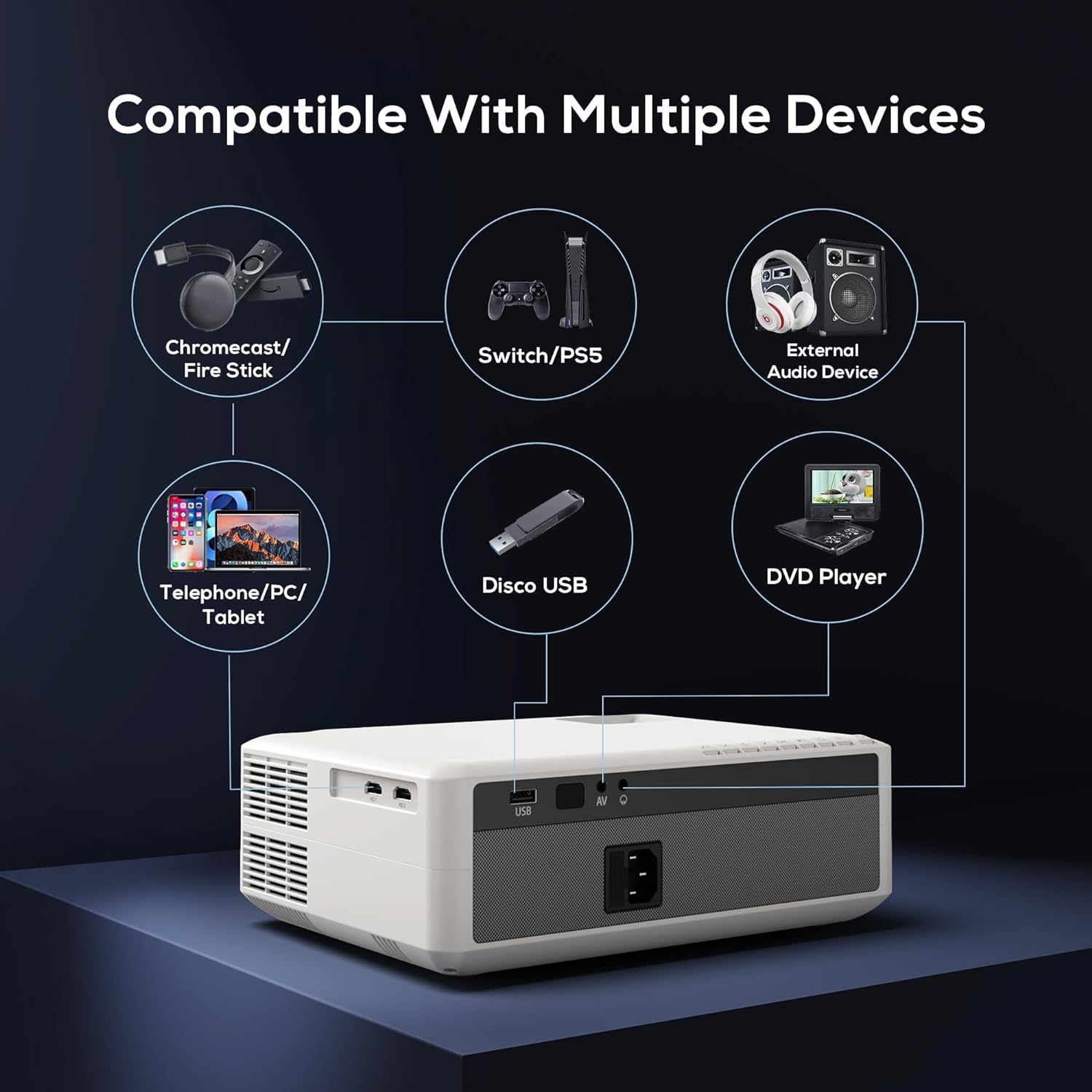
Image: Diagram illustrating the AUN AKEY6S projector's compatibility with a wide range of external devices such as streaming sticks, gaming consoles, audio systems, mobile devices, USB drives, and DVD players.
3.3 Бесправадное падключэнне (Wi-Fi)
Каб падключыцца да бесправадной сеткі:
- Перайдзіце ў меню налад праектара.
- Выберыце Сетка і Інтэрнэт.
- Уключыце Wi-Fi and select your desired 2.4G or 5G network from the list.
- Увядзіце пароль, калі будзе прапанавана, і падключыцеся.
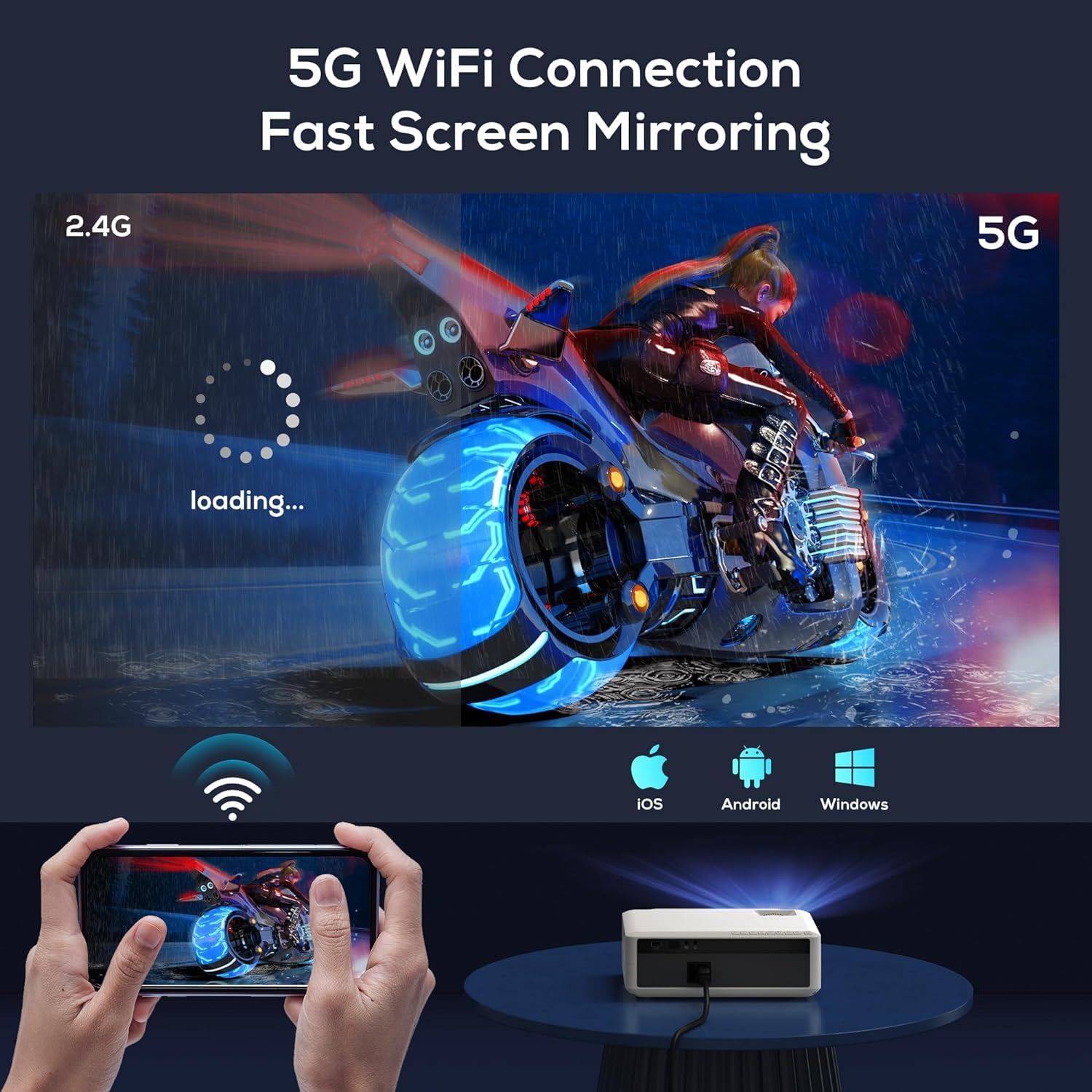
Image: The AUN AKEY6S projector displaying a loading screen, illustrating its 5G WiFi capability for fast screen mirroring from a mobile device.
3.4 Аўдыёзлучэнне Bluetooth
Pair Bluetooth speakers or headphones for enhanced audio:
- Перайдзіце ў меню налад праектара.
- Выберыце Падключаныя прылады or Bluetooth.
- Turn on Bluetooth and put your audio device into pairing mode.
- Select your device from the list to connect.
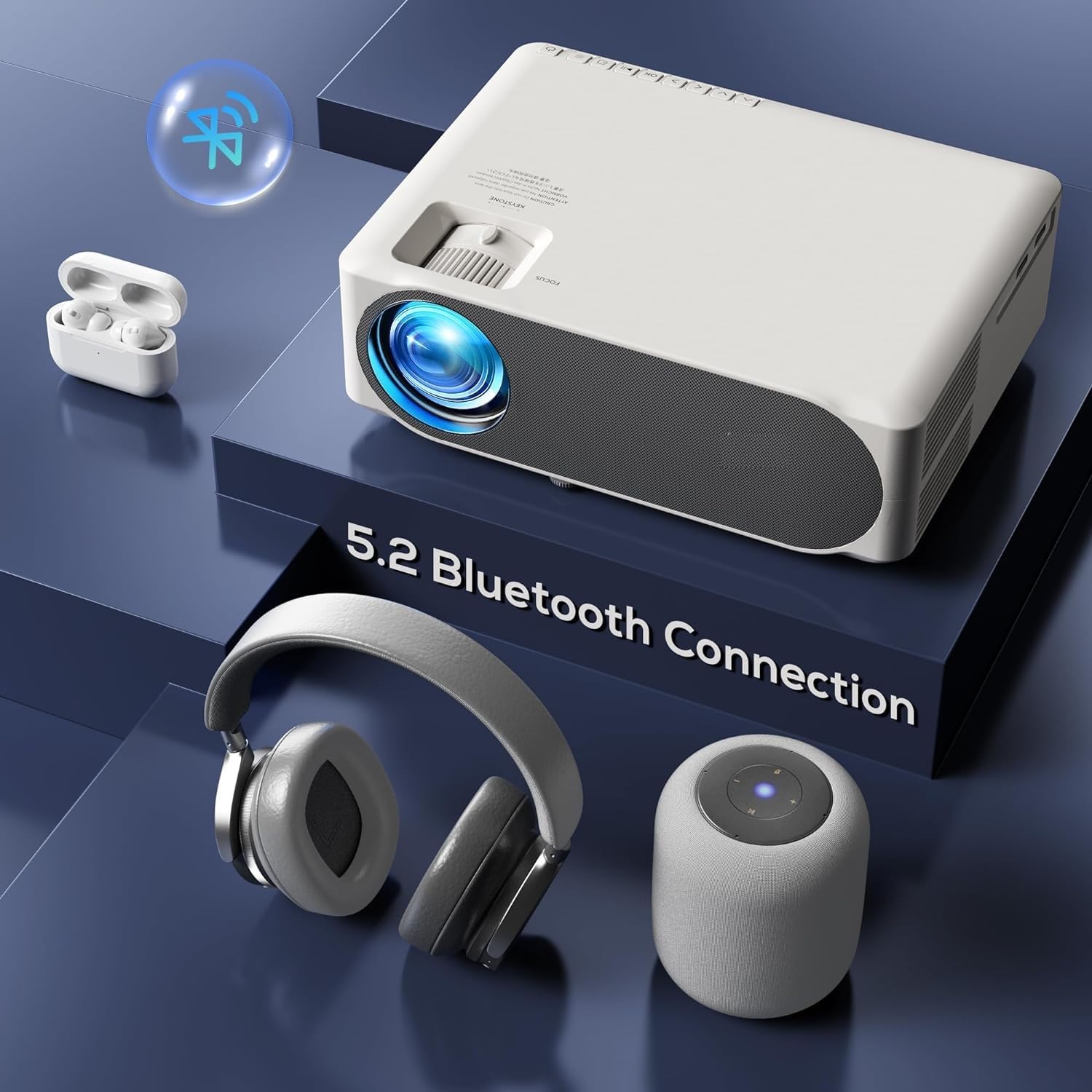
Image: The AUN AKEY6S projector shown with various Bluetooth audio devices, highlighting its Bluetooth 5.2 connectivity for wireless sound.
3.5 Адлюстраванне экрана
The projector supports screen mirroring from iOS, Android, and Windows devices via WiFi. Refer to the specific screen mirroring application or setting on your device and follow the on-screen instructions to connect to the projector.
3.6 Кіраванне праграмамі
The AKEY6S comes with Android 9.0 and pre-installed applications. You can also install more apps:
- Папярэдне ўсталяваныя праграмы: YouTube, Netflix, Hotstar, Prime Video.
- Installing New Apps:
- The projector supports Google Play Store and APK installation.
- To install Aptoide TV App Store: Open the browser, search for "Aptoide TV APK", download the APK, then open File Manager and install.
- Download other apps like Netflix, Hotstar, Prime Video from Aptoide TV App Store if not pre-installed or if updates are needed.
4. Тэхнічнае абслугоўванне
4.1 Ачыстка
- Аб'ектыў: Выкарыстоўвайце мяккую тканіну без ворса, спецыяльна прызначаную для аптычных лінзаў. Не выкарыстоўвайце абразіўныя ачышчальнікі і не прыкладвайце празмерных намаганняў.
- Корпус праектара: Wipe the exterior with a soft, dry cloth. For stubborn dirt, slightly dampen тканіна з вадой.
- вентылі: Regularly check and clean the ventilation openings to prevent dust buildup, which can affect cooling performance. Use a soft brush or compressed air.
4.2 Абарона ад пылу
The AUN AKEY6S projector features an advanced dustproof design to minimize dust ingress and maintain image quality over time. Regular cleaning of external vents is still recommended.
4.3 Захоўванне
When not in use for extended periods, store the projector in a cool, dry place, away from direct sunlight and extreme temperatures. Cover the lens with its cap to protect it from dust and scratches.
5. Выпраўленне непаладак
If you encounter issues with your AUN AKEY6S projector, refer to the following common problems and solutions:
5.1 Няма харчавання
- Ensure the power cable is securely connected to both the projector and the power outlet.
- Праверце працаздольнасць разеткі, падключыўшы да яе іншую прыладу.
- Check if the power indicator light on the projector is on.
5.2 Няма выявы або размытая выява
- Паварочвайце кольца факусоўкі на аб'ектыве, пакуль выява не стане рэзкай.
- Check the keystone correction settings if the image is trapezoidal.
- Ensure the input source is correctly selected (e.g., HDMI 1, USB).
- Verify that the connected source device (laptop, TV stick) is powered on and outputting a signal.
- Clean the projector lens if it appears dirty.
5.3 Няма гуку
- Павялічце гучнасць як на праектары, так і на падлучанай прыладзе-крыніцы.
- Праверце, ці правільна падключаны або спалучаны знешнія дынамікі або навушнікі праз Bluetooth.
- Ensure the audio output setting on the projector is correct.
- Verify that the source video/audio file is not muted or corrupted.
5.4 Пульт дыстанцыйнага кіравання не рэагуе
- Замяніце батарэйкі ў пульце дыстанцыйнага кіравання.
- Ensure there are no obstructions between the remote control and the projector's IR receiver.
- Накіруйце пульт непасрэдна на ІЧ-прыёмнік праектара.
5.5 WiFi or Bluetooth Connectivity Issues
- Ensure WiFi/Bluetooth is enabled in the projector's settings.
- Restart the projector and your router/Bluetooth device.
- Check if the WiFi password is entered correctly.
- Move the projector closer to the WiFi router or Bluetooth device to improve signal strength.
5.6 App Installation Issues
For issues related to app installation, refer to the following:
- How to Install YouTube? The projector comes with a preinstalled YouTube App.
- How to install Aptoide TV App Store?
- Open the Browser.
- Type for Aptoide TV APK.
- Download the APK to the Projector.
- Адкрыйце File Manager and Install the Aptoide TV App Store.
- How to download Netflix, Hotstar, Prime Video Apps?
- Projector comes with preinstalled Netflix, Hotstar, Prime Video Apps.
- Otherwise, download the apps from Aptoide TV App Store.
6. Тэхнічныя характарыстыкі
| Асаблівасць | Дэталь |
|---|---|
| Марка | АУН |
| мадэль | АКЕЙ6С |
| Роднае дазвол | 1920 x 1080p Full HD |
| Падтрымка 4K | так |
| Яркасць | 8000 люмен |
| Каэфіцыент кантраснасці | 12000:1 |
| Памер праекцыі | 50 - 300 цалі |
| Суадносіны бакоў | 16:9 |
| Lamp жыццё | 30,000 гадзін |
| Аперацыйная сістэма | Android 9.0 |
| Памяць (RAM/ROM) | 1 ГБ АЗП / 8 ГБ ПЗУ |
| працэсар | 4-Cores ARM 64 |
| графічны працэсар | ARM A35 GPU |
| Wi-Fi | 2.4G / 5G |
| Bluetooth | Bluetooth 5.2 |
| Сувязь | 2x HDMI, AV, USB, SD Card, 3.5mm Audio Out, RJ45, VGA |
| Электронны Keystone | ±40° |
| Памеры прадукту | 30 х 25 х 8 см |
| Вага прадмета | 2 кг |
| Ватtage | 150 ват |
| Частата абнаўлення | 60 Гц |
Заўвага: Specifications are subject to change without prior notice for product improvement.
7. Гарантыя і падтрымка
7.1 Гарантыя на выраб
The AUN AKEY6S Projector comes with a Гарантыя 1 год з даты пакупкі. Гэтая гарантыя распаўсюджваецца на вытворчыя дэфекты і дэфекты вырабу пры нармальным выкарыстанні. Калі ласка, захавайце чэк аб куплі як пацверджанне пакупкі.
7.2 Падтрымка кліентаў
For technical assistance, warranty claims, or any product-related inquiries, please contact Megaa Electronics, the authorized support provider:
- электронная пошта: support@megaaelectronics.com or megaaelectronics@gmail.com
- WhatsApp: 8328671337
Please provide your product model (AKEY6S) and purchase details when contacting support to facilitate a quicker resolution.