
1. Уводзіны
The XPLORA XGO 3 is a watch phone designed for children, offering a secure way to stay connected. It features 4G connectivity for calls and messages, a Kids School Mode, an SOS function for emergencies, GPS location tracking, a camera, and a pedometer. This manual provides essential information for setting up and operating your XGO 3 device.

Image: The XPLORA XGO 3 watch phone in various colors.
2. Што ў скрынцы
Upon opening your XPLORA XGO 3 package, you should find the following items:
- XPLORA XGO 3 Watch Phone
- USB-кабель для зарадкі
- Кароткае кіраўніцтва
- Pre-installed Xplora Connect SIM card

Image: Contents of the XPLORA XGO 3 packaging.
3. Кіраўніцтва па наладцы
Follow these steps to set up your XPLORA XGO 3 watch phone:
- Activate your SIM: The XPLORA XGO 3 comes with a pre-installed Xplora Connect SIM card. Activate this SIM card through the Xplora website or app as instructed in the Quick Start Guide. A minimum 12-month subscription is required for optimum performance.
- Install the Xplora App: Download the official Xplora app on your smartphone from your device's app store.
- Connect your watch to the Xplora app: Follow the in-app instructions to pair your XGO 3 watch phone with your smartphone. This typically involves scanning a QR code displayed on the watch screen.

Выява: Візуальнае кіраўніцтва па трохэтапным працэсе налады.
Video: Official Xplora XGO 3 product overview, demonstrating features and usage.
4. Асноўныя магчымасці
4.1 Галасавыя званкі
The XGO 3 allows children to make and receive calls from pre-saved numbers. Parents manage the contact list through the Xplora app, ensuring communication only with trusted contacts.
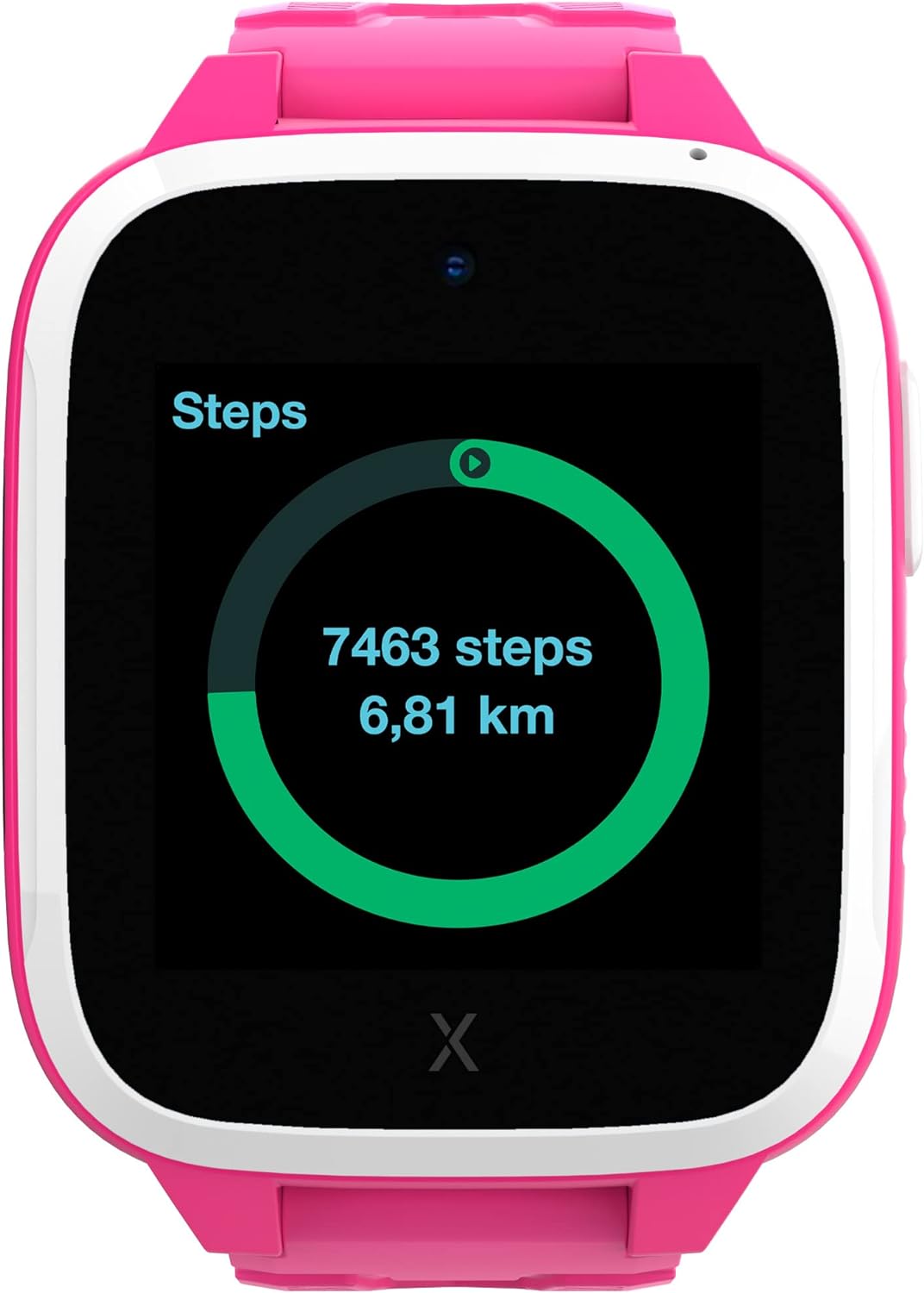
Image: The watch displaying an incoming call.
4.2 Паведамленні
The device can receive text messages, emojis, images, and voice messages. Children can reply using images, emojis, and voice messages, providing a safe and controlled communication environment.
4.3 Функцыя SOS
In an emergency, the child can press the SOS button to notify pre-selected emergency contacts of their location, providing immediate assistance and peace of mind.
4.4 GPS Location & Safety Zones
The XGO 3 utilizes multiple services for accurate device location tracking. Parents can set up customizable Safety Zones around key locations like home and school. Notifications are sent when the child enters or leaves these designated areas.

Image: The Xplora app displaying GPS tracking and safety zone setup.
4.5 Kids School Mode
School Mode allows parents to disable all watch functions except the clock and SOS feature during school hours, minimizing distractions and promoting focus.
4.6 Pedometer & Activity Platform
The built-in pedometer tracks your child's steps, encouraging physical activity. Steps can be converted into Xplora Coins, redeemable for content on the Xplora Goplay Activity Platform.

Image: The watch displaying the step counter.
4.7 Камера
The XGO 3 includes a camera for capturing photos, which can be shared via messages with approved contacts.
5. Інструкцыя па эксплуатацыі
This section covers basic operation of your XPLORA XGO 3 watch phone.
5.1 Уключэнне/выключэнне сілкавання
- Каб уключыць: Націсніце і ўтрымлівайце бакавую кнопку, пакуль не падсвеціцца экран.
- Каб выключыць: Navigate to the settings menu on the watch, then select 'Shut Down'. Alternatively, press and hold the side button and confirm power off.
5.2 Навігацыя
- Правядзіце пальцам: Swipe left or right on the screen to navigate between different app screens and features.
- Націсніце: Tap on an icon to open an application or select an option.
- Бакавая кнопка: The side button typically acts as a 'back' button or to return to the home screen.
5.3 Здзяйсненне і прыём выклікаў
- Здзяйсненне званка: From the home screen, swipe to the 'Phone' app, select a contact from the approved list, and tap to initiate a call.
- Прыём званка: When a call comes in, the watch will ring and display the caller's name (if in contacts). Tap the green icon to answer or the red icon to decline.
5.4 Адпраўка паведамленняў
- From the home screen, swipe to the 'Chat' app. Select a contact. You can send pre-defined messages, emojis, voice messages, or photos taken with the watch camera.
5.5 Activating School Mode
- School Mode is managed by parents through the Xplora app. Set specific timeframes during which the watch will only display the time and allow SOS calls.
6. Інфармацыя па бяспецы
Please read the following safety guidelines carefully to ensure safe and proper use of the XPLORA XGO 3 watch phone:
- Нагляд дарослых: While designed for children, adult supervision is recommended, especially during initial setup and for monitoring usage.
- Бяспека акумулятара: The device contains a Lithium Ion battery. Do not attempt to replace the battery yourself. Use only the provided USB charging cable. Avoid exposing the device to extreme temperatures or direct sunlight for prolonged periods.
- Воданепранікальнасць: The XGO 3 is designed to be splash-proof and resistant to light rain. It is not suitable for swimming or submersion in water. Avoid exposing the device to high-pressure water or steam.
- Небяспека ўдушша: Keep small parts, such as the SIM card, out of reach of very young children to prevent choking hazards.
- Пакрыццё сеткі: GPS accuracy and call quality depend on network coverage. Ensure your child is in an area with adequate 4G signal for optimal performance.
7. Тэхнічныя характарыстыкі
| Асаблівасць | Дэталь |
|---|---|
| Нумар мадэлі | XGOTED 3 |
| Памеры прадукту | 10.24 х 2.76 х 1.18 цалі |
| Вага прадмета | 7.1 унцыі (200 грама) |
| Батарэі | 1 літый-іённы акумулятар (у камплекце) |
| Памер пастаяннага экрана | 1.3 цалі |
| Аперацыйная сістэма | Android |
| Асаблівасць | GPS |
| Ёмістасць батарэі | 850 Міліamp Гадзіны |
| Тэхналогія падлучэння | Wi-Fi |
| Стандарт бесправадной сувязі | Bluetooth |
| GPS | Праўда |
| Форма | квадратны |
8. Выпраўленне непаладак
If you encounter issues with your XPLORA XGO 3, refer to the common problems and solutions below:
- "No SIM" Error: Ensure the Xplora Connect SIM card is properly inserted and activated. If the issue persists, contact Xplora customer support.
- Inaccurate GPS Location: GPS accuracy can be affected by environmental factors (e.g., dense buildings, heavy tree cover) and network signal strength. Ensure the watch has a clear view of the sky and good network coverage. If the problem continues, check for software updates.
- Watch Freezing or Unresponsive: Try restarting the watch. If a restart doesn't resolve the issue, perform a factory reset via the settings menu (note: this will erase data).
- Праблемы з якасцю выкліку: Ensure the watch has strong 4G network signal. Poor signal can lead to dropped calls or unclear audio.
- Нельга рабіць/прымаць званкі: Verify that the SIM card is active and that the contact numbers are correctly saved in the Xplora app. Ensure no dashes or parentheses are in the contact phone numbers within the app.
9. Гарантыя і падтрымка
For warranty claims, technical support, or further assistance, please refer to the following:
- Палітыка вяртання: The product is eligible for a 30-day refund/replacement policy.
- Планы абароны: Optional 2-Year or 3-Year Protection Plans are available for purchase. Monthly
Ask a question about this manual
Ask about setup, troubleshooting, compatibility, parts, safety, or missing instructions. Manuals+ will review the question and use this page’s manual context to help answer it.