
Уводзіны
This manual provides comprehensive instructions for the setup, operation, maintenance, and troubleshooting of your T-WOLF X9 Bluetooth Mouse. Please read this manual carefully before using the product to ensure optimal performance and longevity.
Змест пакета
- 1 x T-WOLF X9 Bluetooth Mouse
- 1 х АА батарэя
- 1 х Кіраўніцтва карыстальніка (гэты дакумент)
Прадукт скончаныview

Малюнак 1: Топ view of the T-WOLF X9 Bluetooth Mouse, showing the left and right click buttons, scroll wheel, and DPI switch button. The T-WOLF logo and Bluetooth icon are visible.
The T-WOLF X9 is a portable Bluetooth mouse designed for convenience and performance. It features a sleek design, Bluetooth 5.2 connectivity, and a 10-meter operating range. The mouse includes four buttons: left-click, right-click, scroll wheel (which also functions as a button), and a dedicated DPI switch button for adjusting cursor sensitivity.
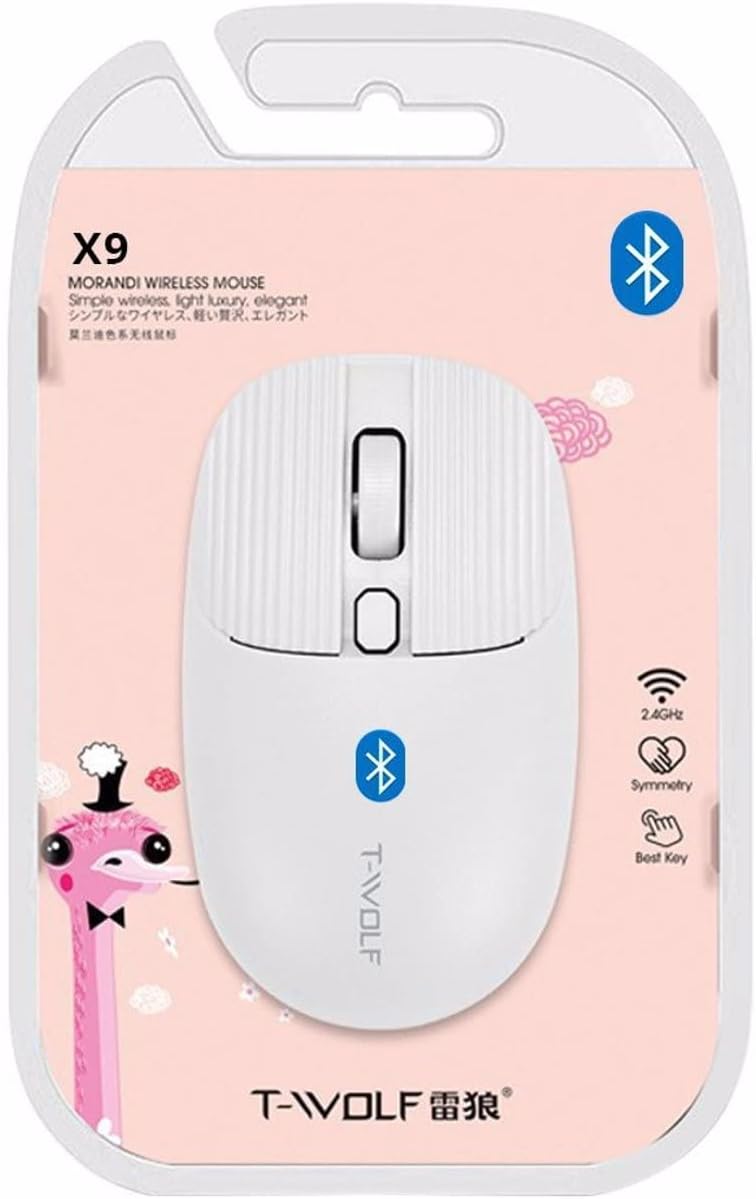
Малюнак 2: Packaging of the T-WOLF X9 Bluetooth Mouse, highlighting key features such as 2.4GHz (though product is Bluetooth, this might be a generic packaging element), symmetry, and "Best Key".

Малюнак 3: Збоку view of the T-WOLF X9 Bluetooth Mouse, illustrating its ergonomic profile and non-slip roller design.
Настройка
1. Устаноўка батарэі
- Знайдзіце батарэйны адсек на ніжняй баку мышы.
- Адкрыйце крышку батарэйнага адсека.
- Устаўце батарэйку тыпу АА, якая пастаўляецца ў камплекце, сачыце за правільнай палярнасцю (+/-).
- Надзейна зачыніце крышку батарэйнага адсека.
2. Спарванне Bluetooth
- Ensure the mouse is powered on. There may be a power switch on the underside.
- На камп'ютары або прыладзе перайдзіце да налад Bluetooth.
- Уключыце Bluetooth і пачніце пошук новых прылад.
- The mouse should appear as "T-WOLF X9" or similar. Select it to initiate pairing.
- Пасля спалучэння мыш гатовая да выкарыстання.
Інструкцыя па эксплуатацыі
1. DPI Switching
The T-WOLF X9 mouse features 3-gear DPI switching. Press the dedicated DPI button (located behind the scroll wheel) to cycle through the available DPI settings. Each press will change the cursor sensitivity, allowing you to adjust it to your preference for different tasks.
2. Функцыі кнопак
- Левая кнопка мышы: Першасны адбор і ўзаемадзеянне.
- Кнопка правай кнопкі мышы: Адкрывае кантэкстныя меню.
- Кола пракруткі: Пракручвае змесціва па вертыкалі. Таксама можна націснуць для функцыянальнасці сярэдняй кнопкі мышы.
- Кнопка пераключэння DPI: Рэгулюе адчувальнасць курсора (DPI).
Тэхнічнае абслугоўванне
- Уборка: Для чысткі мышы выкарыстоўвайце мяккую сухую тканіну. Для ўстойлівага бруду злёгкуampпрамыйце тканіну вадой. Пазбягайце выкарыстання агрэсіўных хімічных рэчываў або абразіўных матэрыялаў.
- Замена батарэі: Replace the AA battery when the mouse performance degrades or it stops responding.
- захоўванне: Захоўвайце мыш у прахалодным, сухім месцы, калі яна не выкарыстоўваецца працяглы час.
Ліквідацыю непаладак
| праблема | Рашэнне |
|---|---|
| Мышка не рэагуе |
|
| Рух курсора няўстойлівы або павольны |
|
| Cannot pair the mouse |
|
Тэхнічныя характарыстыкі
| Асаблівасць | Дэталь |
|---|---|
| мадэль | X9 |
| Сувязь | Bluetooth 5.2 |
| Працоўны дыяпазон | Да 10 метраў |
| Гузікі | 4 (Left, Right, Scroll Wheel/Middle, DPI Switch) |
| Налады DPI | 3-Gear Switching |
| Крыніца харчавання | 1 х АА батарэя |
| Рука арыентацыі | Амбідэкстр |
| Сумяшчальныя прылады | Ноўтбук, персанальны кампутар |
| Аперацыйныя сістэмы | Linux, Windows 7, Windows XP (and newer OS with Bluetooth support) |
| Памеры | 20 x 13 x 7.5 см (упакоўка) |
| Вага | 150 г (упакоўка) |
Гарантыя і падтрымка
This product is covered by a standard manufacturer's warranty. For specific warranty details, please refer to the documentation provided at the time of purchase or contact your retailer. For technical support or further assistance, please reach out to the seller or manufacturer's customer service.