
1. Уводзіны
Thank you for choosing the Steelplay Impulse Gaming Headset. This manual provides detailed instructions for setting up, operating, and maintaining your headset. The Steelplay Impulse offers versatile connectivity, supporting both Bluetooth wireless and 3.5mm wired connections, making it compatible with a wide range of devices including PC, Mac, Nintendo Switch, smartphones, tablets, PlayStation 4, PlayStation 5, Xbox One, and Xbox Series consoles.
Key features include a detachable microphone, up to 28 hours of battery life, comfortable ear cushions, an adjustable headband, and integrated controls for audio and microphone management.
2. Прадукт скончыўсяview і кампаненты
The Steelplay Impulse Gaming Headset package includes the following components:
- Steelplay Impulse Gaming Headset
- Здымны мікрафон
- 3.5mm Audio Jack Cable (2 meters)
- Зарадны кабель USB-C (1.5 метра)
Familiarize yourself with the headset's main parts:

Figure 2.1: Steelplay Impulse Gaming Headset with detachable microphone attached.
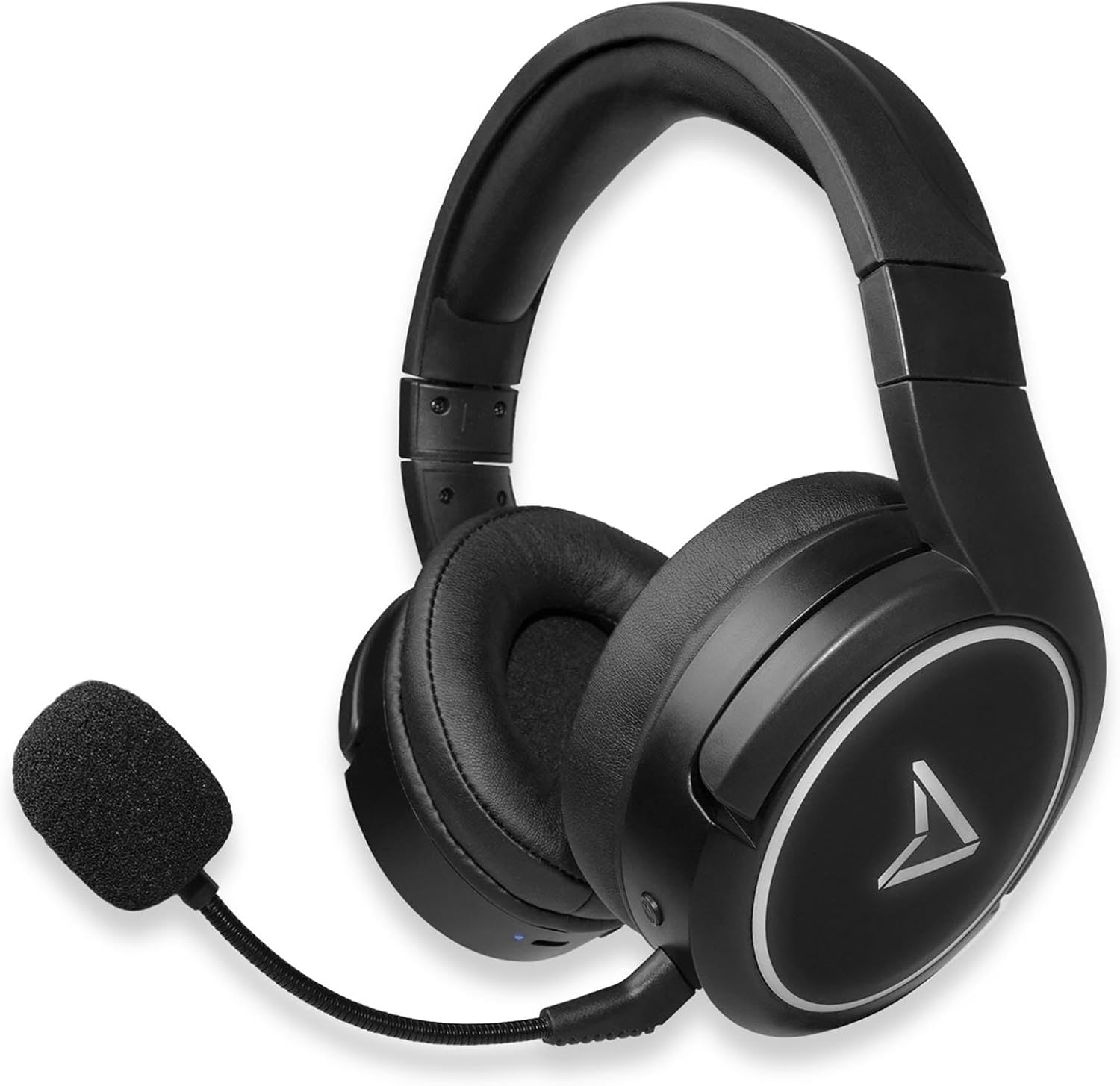
Figure 2.2: Steelplay Impulse Gaming Headset, highlighting the left earcup with integrated controls and microphone port.

Малюнак 2.3: Буйны план view of the detachable microphone, showing its flexible arm and 3.5mm jack connector.
3. Настройка
3.1 Першапачатковая зарадка
Before first use, fully charge the headset. Connect the supplied USB-C charging cable to the headset's USB-C port and the other end to a compatible USB power source (e.g., computer USB port, USB wall adapter). The charging indicator light will show the charging status and turn off or change color when fully charged. A full charge provides up to 28 hours of autonomy.
3.2 Бесправадное падключэнне Bluetooth
The Steelplay Impulse headset can connect wirelessly via Bluetooth to compatible devices such as PC, Mac, Nintendo Switch, Android smartphones, iOS smartphones, and tablets.
- Уключэнне: Press and hold the Power button on the headset until the indicator light flashes, indicating it is in pairing mode.
- Уключыць Bluetooth: On your device (PC, Mac, Switch, smartphone, tablet), navigate to the Bluetooth settings.
- Пара: Select "Steelplay Impulse" from the list of available devices. Once connected, the indicator light on the headset will typically show a solid color or slow flash.
3.3 Правадное падключэнне (раздым 3.5 мм)
For wired use, connect the supplied 3.5mm audio jack cable to the headset's 3.5mm port and the other end to your device. This connection is compatible with PS5, PS4, Xbox Series X/S, Xbox One, Nintendo Switch, PC, laptops, Mac, smartphones, and tablets.
- Microphone Note: When using the 3.5mm wired connection, the detachable microphone functions on all compatible platforms.
- Ensure the 3.5mm jack is fully inserted into both the headset and your device for optimal audio and microphone performance.
4. Інструкцыя па эксплуатацыі
4.1 Уключэнне/выключэнне сілкавання
- Каб уключыць: Націсніце і ўтрымлівайце кнопку харчавання прыблізна 3 секунды, пакуль не загарыцца індыкатар.
- Каб выключыць: Націсніце і ўтрымлівайце кнопку харчавання прыблізна 5 секунды, пакуль індыкатар не пагасне.
4.2 Рэгулятар гучнасці
The headset features integrated volume controls, typically located on one of the earcups. Use the volume up (+) and volume down (-) buttons or wheel to adjust the audio level.
4.3 Выкарыстанне мікрафона
- Падключэнне мікрафона: Insert the detachable microphone's 3.5mm jack into the dedicated microphone port on the headset.
- Сумяшчальнасць з мікрафонам: The detachable microphone is designed for use with PC, Mac, and mobile devices when connected via Bluetooth. When using the 3.5mm wired connection, the microphone is compatible with all listed platforms (PS5, PS4, Xbox Series X/S, Xbox One, Switch, PC, Mac, smartphone, tablet).
- Функцыя адключэння гуку: The headset includes integrated microphone controls. Refer to the specific button layout on your headset for the microphone mute function.
5. Тэхнічнае абслугоўванне
Proper maintenance ensures the longevity and performance of your Steelplay Impulse Gaming Headset.
- Уборка: Use a soft, dry cloth to clean the earcups and headband. For stubborn dirt, a slightly damp cloth can be used, but ensure no moisture enters the speaker grilles or ports. Avoid harsh chemicals or abrasive cleaners.
- захоўванне: Store the headset in a cool, dry place away from direct sunlight and extreme temperatures. If storing for an extended period, ensure the battery is partially charged (around 50%) to help preserve battery health.
- Сыход за кабелем: Avoid sharply bending or twisting the audio and charging cables. Disconnect cables by pulling the plug, not the cable itself.
- Воданепранікальнасць: This product is not waterproof. Avoid exposure to liquids.
6. Выпраўленне непаладак
Калі ў вас узніклі праблемы з гарнітурай, звярніцеся да наступных распаўсюджаных рашэнняў:
- Няма гуку:
- Ensure the headset is powered on and connected (Bluetooth or wired).
- Праверце ўзровень гучнасці як на гарнітуры, так і на падлучанай прыладзе.
- If using Bluetooth, try re-pairing the headset.
- If wired, ensure the 3.5mm cable is fully inserted and try a different audio port if available.
- Мікрафон не працуе:
- Ensure the detachable microphone is securely attached.
- Праверце, ці не адключаны мікрафон на гарнітуры або ў наладах прылады.
- Праверце налады ўваходу мікрафона на вашым ПК або кансолі.
- Remember the microphone's specific compatibility for Bluetooth (PC, Mac, mobile) vs. wired (all platforms).
- Праблемы спалучэння Bluetooth:
- Пераканайцеся, што гарнітура знаходзіцца ў рэжыме спалучэння (мігае індыкатар).
- Выключыце і ўключыце Bluetooth на вашай прыладзе.
- Remove "Steelplay Impulse" from your device's Bluetooth list and attempt to re-pair.
- Пераканайцеся, што гарнітура дастаткова зараджана.
- Праблемы з зарадкай:
- Verify the USB-C cable is correctly connected to both the headset and the power source.
- Паспрабуйце іншы кабель USB-C або крыніцу харчавання.
- Пераканайцеся, што зарадны порт на гарнітуры чысты і без смецця.
7. Тэхнічныя характарыстыкі
| Асаблівасць | Апісанне |
|---|---|
| Назва мадэлі | JVAMUL00143 |
| Марка | Steelplay |
| Тэхналогія падлучэння | Bluetooth, правадны (раздым 3.5 мм) |
| Тэхналогія бесправадной сувязі | Bluetooth |
| Сумяшчальныя прылады | PC, Mac, Switch, Android/iOS smartphones, tablets, PS5, PS4, Xbox Series X/S, Xbox One |
| Мікрафон | Detachable, included |
| Тэрмін службы батарэі | Да 28 гадзін |
| Дыяпазон частот | 20 Гц - 20 000 Гц |
| Матэрыял | Пластыкавыя |
| Колер | Чорны |
| Размяшчэнне вушэй | Накладныя на вуха (цыркум-аўральныя) |
| Тып кіравання | Інтэграваны кантроль |
| Функцыя кабеля | Раздымныя |
| Узровень воданепранікальнасці | Не воданепранікальны |
8. Гарантыя і падтрымка
The Steelplay Impulse Gaming Headset comes with a standard manufacturer's warranty. Please refer to the warranty card included in your product packaging or visit the official Steelplay webсайт для атрымання падрабязных гарантыйных умоў.
For technical support, troubleshooting assistance beyond this manual, or warranty claims, please contact Steelplay customer service through their official webсайт або прадаўца, у якога вы набылі тавар.