
HEYSONG SONIC BLAST
Heysong SONIC BLAST Bluetooth Speaker User Manual
Model: SONIC BLAST | Brand: HEYSONG
1. Уводзіны
Thank you for choosing the Heysong SONIC BLAST Bluetooth Speaker. This portable wireless speaker is designed to deliver high-fidelity 360° surround sound with powerful bass and a vibrant RGB light show. It features Bluetooth 5.0 connectivity, is waterproof, and supports multiple playback options including TF card and USB. Please read this manual carefully before use to ensure proper operation and to maximize your listening experience.
2. Інфармацыя па бяспецы
- Не падвяргайце дынамік уздзеянню экстрэмальных тэмператур або прамых сонечных прамянёў на працягу доўгага часу.
- Пазбягайце падзення дынаміка і не падвяргайце яго моцным ударам.
- Трымайце дынамік далей ад медыцынскіх прылад.
- Не спрабуйце разбіраць, рамантаваць або мадыфікаваць дынамік самастойна. Гэта прывядзе да анулявання гарантыі.
- Ensure the charging port cover is securely closed when the speaker is exposed to water to maintain its waterproof rating.
- Выкарыстоўвайце толькі зарадны кабель, які ўваходзіць у камплект, або яго сертыфікаваны эквівалент.
- Утылізуйце выраб і яго батарэю адказна ў адпаведнасці з мясцовымі правіламі.
3. Змесціва ўпакоўкі
- Heysong SONIC BLAST Bluetooth Speaker
- USB-кабель для зарадкі
- Аўдыёкабель AUX
- Кіраўніцтва карыстальніка
- Шнурок
4. Прадукт скончыўсяview

Figure 4.1: Heysong SONIC BLAST Bluetooth Speaker (Mint Green)
The Heysong SONIC BLAST speaker features a cylindrical design with a durable mesh fabric exterior. The top panel includes control buttons, and the side features the brand logo. The speaker is designed to be portable and robust, suitable for various environments, including those with water exposure.
4.1 Функцыі кнопак
| Кнопка/порт | Функцыя |
|---|---|
| Кнопка харчавання | Націсніце і ўтрымлівайце, каб уключыць/выключыць прыладу. Кароткатэрмінова націсніце, каб прайграць/прыпыніць. |
| Павелічэнне гучнасці (+) | Кароткае націсканне для павелічэння гучнасці. Доўгае націсканне для наступнай кампазіцыі. |
| Volume Down (-) | Кароткае націсканне для памяншэння гучнасці. Доўгае націсканне для папярэдняга трэка. |
| Кнопка рэжыму (M) | Short press to switch between Bluetooth, AUX, TF Card, and USB modes. |
| Светлавая кнопка | Short press to cycle through light modes or turn lights off. |
| Порт для зарадкі (USB-C) | Connect USB charging cable to charge the speaker. |
| AUX-порт | Connect external audio devices via 3.5mm audio cable. |
| Слот TF карты | Устаўце карту TF (Micro SD) для непасрэднага прайгравання музыкі. |
| Порт USB | Insert a USB flash drive for direct music playback. |
5. Настройка
5.1 Першапачатковая зарадка
Before first use, fully charge the speaker. Connect the provided USB charging cable to the speaker's charging port and the other end to a USB power adapter (not included) or a computer's USB port. The charging indicator light will show charging status and turn off when fully charged.
5.2 Уключэнне/выключэнне
- Каб уключыць: Націсніце і ўтрымлівайце кнопку харчавання 2-3 секунды, пакуль не пачуеце гукавое паведамленне і не ўключыцца індыкатар.
- Каб выключыць: Націсніце і ўтрымлівайце кнопку харчавання 2-3 секунды, пакуль не пачуеце гукавое паведамленне і не пагасне індыкатар.
6. Інструкцыя па эксплуатацыі
6.1 Спалучэнне па Bluetooth

Малюнак 6.1: Падключэнне Bluetooth 5.0
The speaker utilizes advanced Bluetooth 5.0 for a fast and stable connection.
- Уключыце дынамік. Ён аўтаматычна пяройдзе ў рэжым спалучэння Bluetooth, што будзе пазначана міганнем сіняга святлодыёда.
- Уключыце Bluetooth на прыладзе (смартфон, планшэт, кампутар).
- Пошук "SONIC BLAST" in the list of available Bluetooth devices.
- Select "SONIC BLAST" to connect. Once connected, the LED will stop flashing and remain solid blue, and you will hear a confirmation sound.
- Пры ўключэнні дынамік аўтаматычна падключыцца да апошняй спалучанай прылады, калі яна знаходзіцца ў зоне дзеяння.
6.2 Рэжым AUX
Connect one end of the 3.5mm AUX audio cable to the speaker's AUX-in port and the other end to the audio output of your device. The speaker will automatically switch to AUX mode, or you can press the Mode button to select AUX mode.
Прайграванне з 6.3-цалёвай TF-карты / USB
Insert a TF (Micro SD) card or a USB flash drive into the respective slot. The speaker will automatically detect the storage device and begin playing audio files. Press the Mode button to switch between different input sources if needed.
6.4 рэжыму асвятлення
The speaker features an RGB light show that synchronizes with the music. Short press the Light button to cycle through different light modes or to turn the lights off. The lights can create a party atmosphere and enhance your listening experience.
6.5 Спалучэнне з сапраўдным бесправадным стэрэа (TWS)
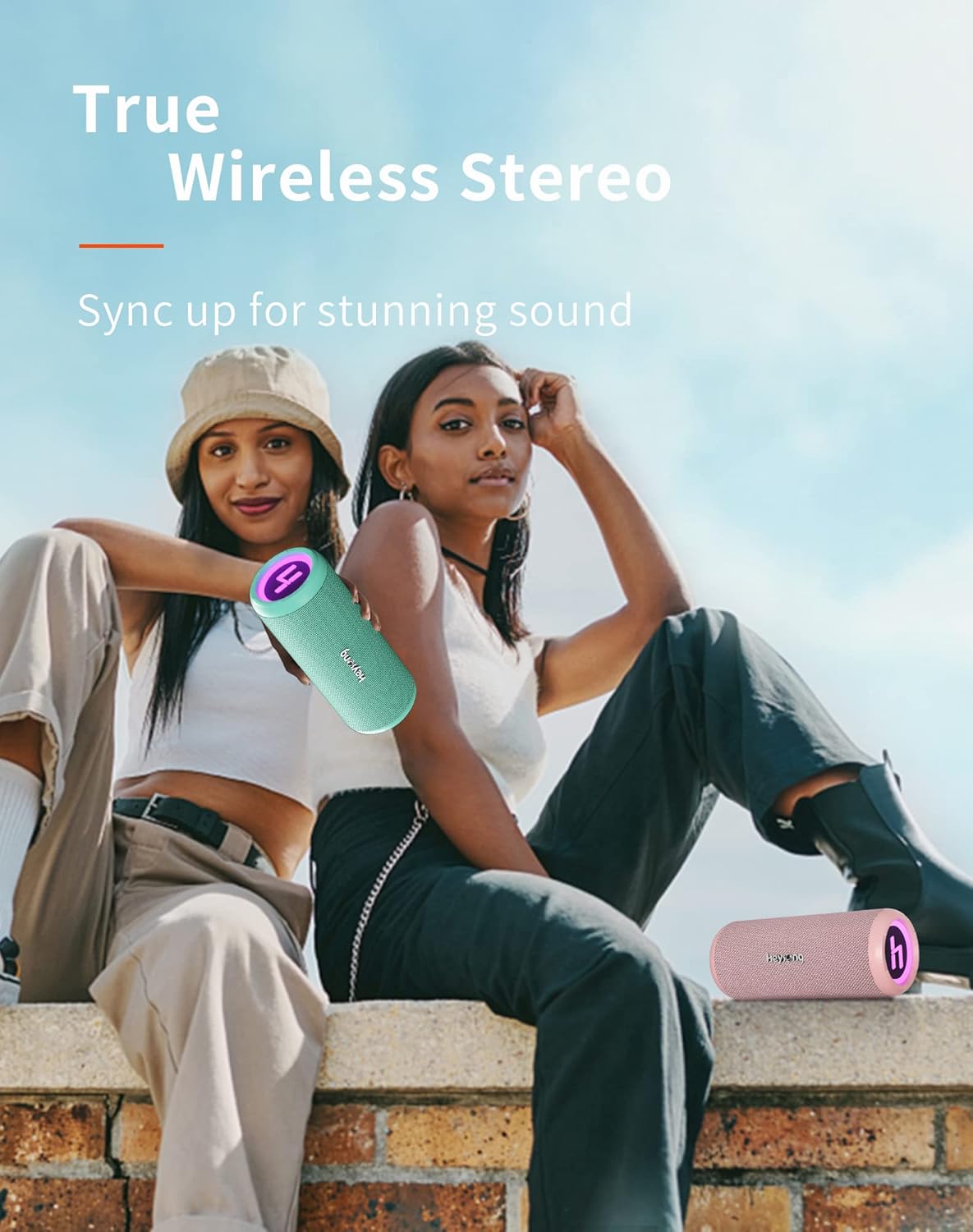
Figure 6.2: True Wireless Stereo Pairing
You can pair two Heysong SONIC BLAST speakers together to create a powerful stereo sound experience.
- Ensure both SONIC BLAST speakers are powered on and not connected to any Bluetooth device.
- На адным дынаміку (гэта будзе асноўны дынамік) двойчы націсніце кнопку харчавання. Вы пачуеце падказку, якая паказвае, што ідзе пошук іншага дынаміка.
- The two speakers will automatically connect to each other. Once successfully paired, you will hear a confirmation sound.
- Цяпер падключыце прыладу да асноўнага дынаміка праз Bluetooth, як апісана ў раздзеле 6.1. Гук будзе прайгравацца праз абодва дынамікі ў стэрэагуку.
7. Зарадка
The Heysong SONIC BLAST speaker is equipped with a built-in 4000mAh rechargeable lithium battery, providing up to 15 hours of playback time (at 50% volume). When the battery is low, you will hear an audible alert. Connect the speaker to a USB power source using the provided USB cable to charge. The charging indicator will illuminate during charging and turn off when the battery is full.
8. Тэхнічнае абслугоўванне
- Уборка: Для чысткі дынаміка выкарыстоўвайце мяккую сухую тканіну. Для ўстойлівага бруду злёгкуamp cloth can be used, but ensure the charging port cover is sealed. Do not use harsh chemicals or abrasive cleaners.
- захоўванне: Store the speaker in a cool, dry place away from direct sunlight and extreme temperatures. If storing for a long period, charge the battery to about 50% every few months to prolong its lifespan.
- Воданепранікальнасць: While waterproof, avoid prolonged submersion. Always ensure the charging port cover is tightly sealed before exposing the speaker to water.
9. Выпраўленне непаладак
| праблема | Магчымая прычына / рашэнне |
|---|---|
| Дынамік не ўключаецца. | Батарэя разраджана. Цалкам зарадзіце дынамік. |
| Немагчыма спалучыцца з прыладай Bluetooth. |
|
| Няма гуку або нізкі ўзровень гучнасці. |
|
| Скажэнне гуку на высокай гучнасці. | Reduce the volume on the speaker or the connected device. Ensure audio source quality is good. |
| Памылка спалучэння TWS. |
|
10. Тэхнічныя характарыстыкі
| Асаблівасць | Дэталь |
|---|---|
| Марка | HEYSONG |
| Назва мадэлі | HEYSONG SONIC BLAST |
| ASIN | B0B5D99FVP |
| Тэхналогія падлучэння | Bluetooth, Auxiliary Input, USB Playback, TF Card |
| Версія Bluetooth | 5.0 |
| Тып дынаміка | Воданепранікальны |
| Асаблівасці | Portable, Wireless, RGB Light Show, 360° Surround Sound, Dual Bass Driver |
| Максімальная выходная магутнасць дынаміка | 30 ват |
| Тэрмін службы батарэі | 15 гадзіны |
| Ёмістасць батарэі | 4000 мАг (літый-іённы) |
| Памеры прадукту (Д х Ш х У) | 22 х 11 х 10.5 см (8.66 х 4.33 х 4.13 цалі) |
| Вага прадмета | 620 грам (1.37 фунта) |
| Колер | Мятна-зялёны |
| Тып кіравання | Інтэграваныя кнопкі |
| Канфігурацыя канала аб'ёмнага гуку | 2.0 |
| Рэкамендуемае выкарыстанне | For television, Portable use, Outdoor/Indoor activities |
| Сумяшчальныя прылады | Laptop, Television, Smartphones, Tablets |
11. Гарантыя і падтрымка
The Heysong SONIC BLAST Bluetooth Speaker comes with a 1-гадовая гарантыя вытворцы з даты пакупкі. Гэтая гарантыя распаўсюджваецца на вытворчыя дэфекты і дэфекты вырабу. Яна не распаўсюджваецца на пашкоджанні, выкліканыя няправільным выкарыстаннем, аварыямі, несанкцыянаванымі мадыфікацыямі або звычайным зносам.
For warranty claims, technical support, or any questions regarding your product, please contact HEYSONG customer service through the retailer where you purchased the product or visit the official HEYSONG website for contact information. Please have your purchase receipt and product model number ready when contacting support.
Ask a question about this manual
Ask about setup, troubleshooting, compatibility, parts, safety, or missing instructions. Manuals+ will review the question and use this page’s manual context to help answer it.