
1. Уводзіны
This manual provides detailed instructions for the setup, operation, and maintenance of your AUN ET30S Android 9.0 Smart LED Full HD 1080p Projector. Please read this manual thoroughly before using the projector to ensure optimal performance and longevity.
The AUN ET30S projector offers a large, 1080P Full HD viewing experience with 4000 lumens brightness. It features Android 9.0, 1GB RAM, 8GB memory, built-in Playstore for applications, 2.4G Wi-Fi, and Bluetooth 4.0. Its wide compatibility allows connection to various devices including TV boxes, PCs, laptops, tablets, and smartphones.

Image 1.1: AUN ET30S Projector with its Android 9.0 interface projected, showing various applications.
2. Што ў скрынцы
Carefully unpack your AUN ET30S projector and verify that all items listed below are included and in good condition:
- 1x AUN ET30S Projector
- 1x Remote Control (AAA batteries not included)
- 1x шнур харчавання
- 1x Кіраўніцтва карыстальніка
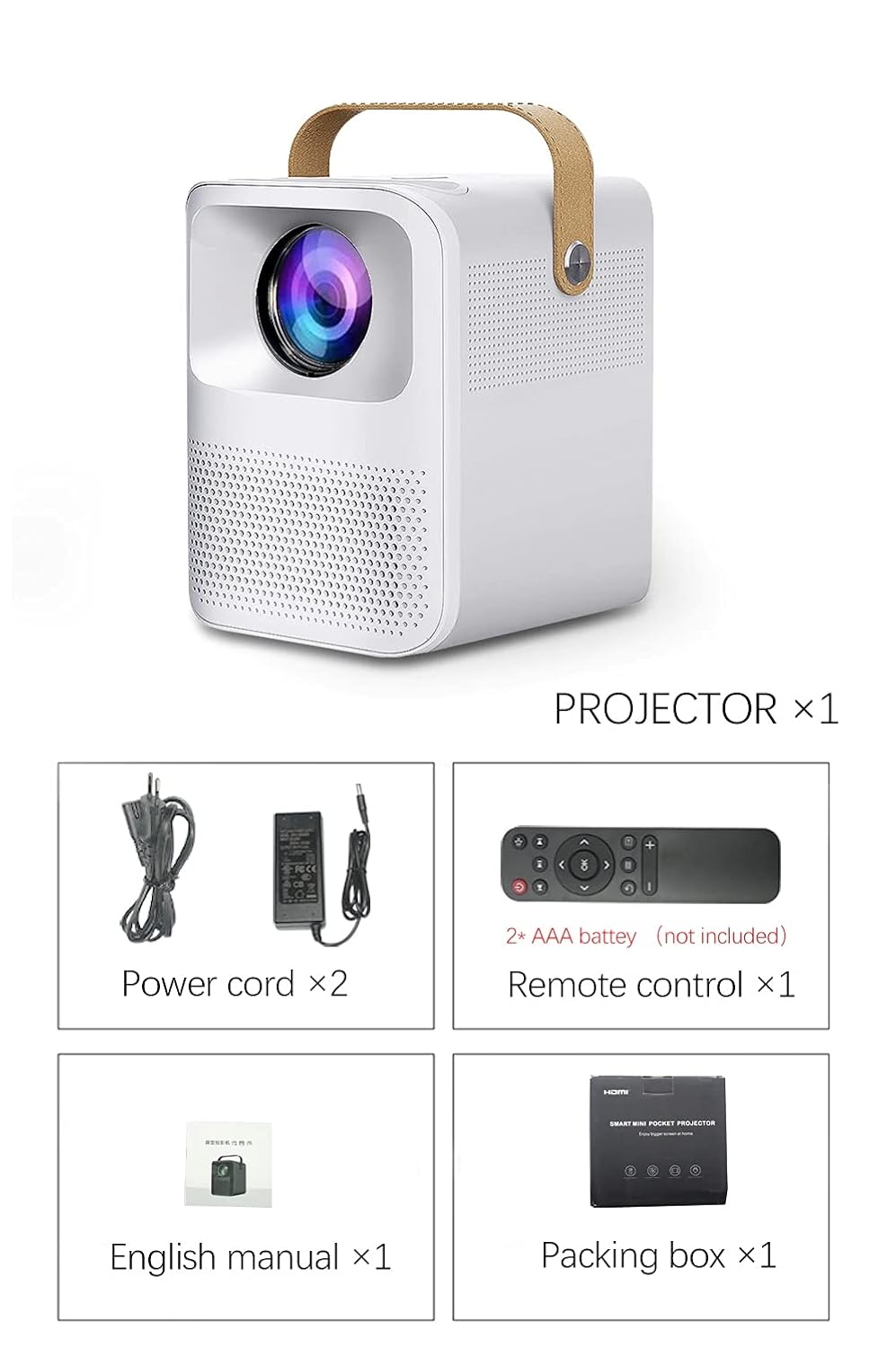
Image 2.1: Packaging contents of the AUN ET30S Projector.
3. Прадукт скончыўсяview
The AUN ET30S projector is designed for ease of use and versatility. Familiarize yourself with its physical components and dimensions.
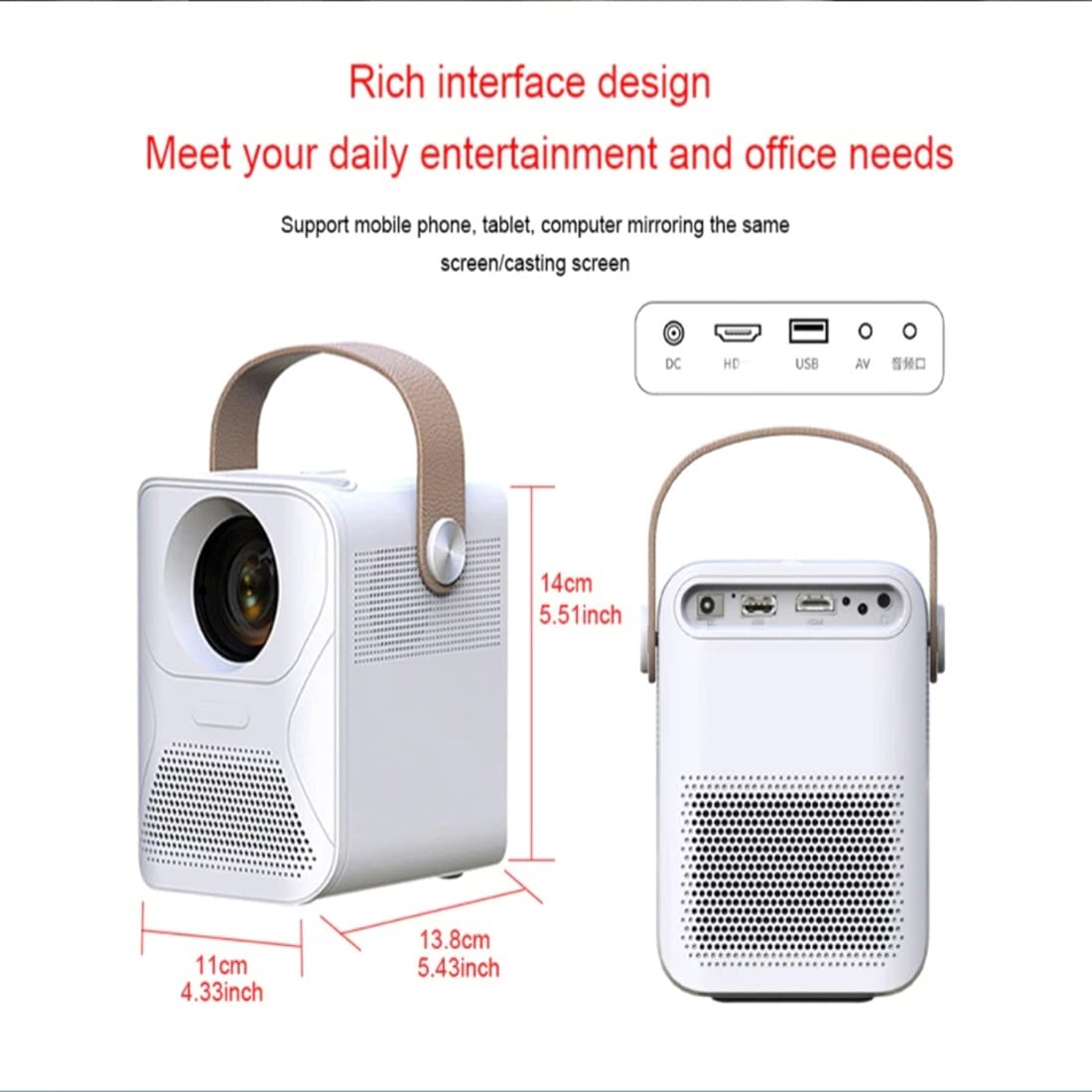
Image 3.1: AUN ET30S Projector dimensions and interface ports.
3.1 Interface Ports
Праектар мае мноства партоў для падключэння знешніх прылад:
- Уваход пастаяннага току: Для падлучэння адаптара харчавання.
- HD (HDMI): Connects to devices like laptops, gaming consoles, or TV boxes.
- USB: Для падключэння USB-назапашвальнікаў для прайгравання медыяфайлаў files.
- АВ: For connecting older devices with composite video output.
- Аўдыёвыхад: Для падлучэння знешніх дынамікаў або навушнікаў.
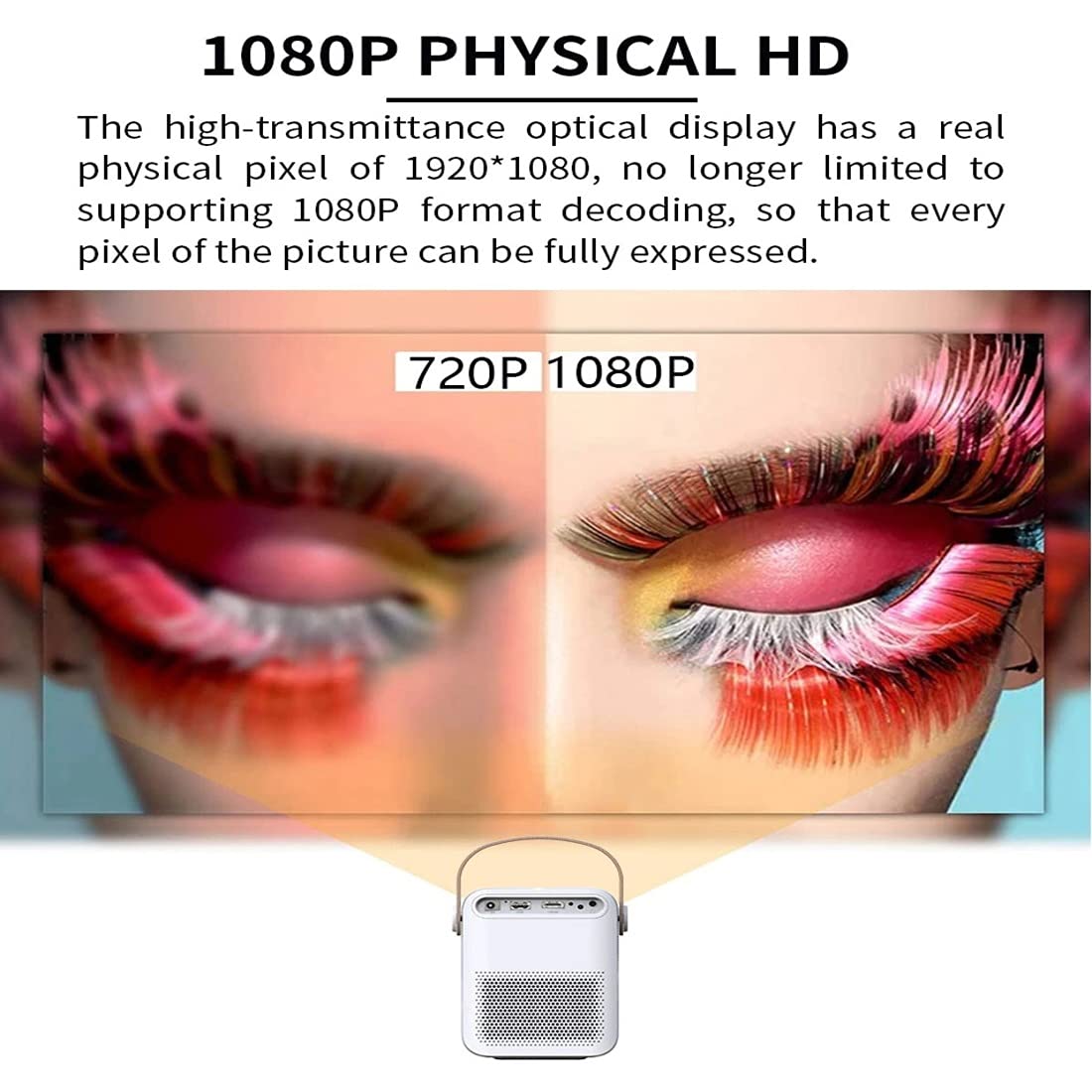
Image 3.2: Multi-media connections and controls on the AUN ET30S Projector.
4. Настройка
4.1 Падключэнне харчавання
- Connect the power cord to the projector's DC In port.
- Падключыце другі канец шнура сілкавання да электрычнай разеткі.
4.2 Initial Placement and Focus
- Place the projector on a stable, flat surface, or mount it according to your preference. Ensure adequate ventilation around the projector.
- Уключыце праектар.
- Adjust the focus ring (labeled 'Focus' in Image 3.2) on the projector until the projected image is clear and sharp.
4.3 Карэкцыя трапецеідальных скажэнняў
The AUN ET30S features automatic keystone correction for both up and down adjustments, and four-corner keystone correction for Android mode, ensuring a rectangular image even when the projector is not perfectly aligned with the screen.

Image 4.1: Automatic Keystone Correction in action.
5. Інструкцыя па эксплуатацыі
5.1 Уключэнне/выключэнне
- Уключэнне: Націсніце кнопку харчавання на праектары або пульце дыстанцыйнага кіравання.
- Выключэнне: Press the power button again. A confirmation prompt may appear on screen.
5.2 Навігацыя па інтэрфейсе Android
The projector runs on Android 9.0, providing a smart TV-like experience. Use the remote control to navigate the interface.

Image 5.1: Android 9.0 User Interface.
- Галоўны экран: Access pre-installed apps like YouTube, Google Play, and a browser.
- Усе праграмы: View усе ўсталяваныя прыкладання.
- Крыніца: Select input sources (HDMI, USB, AV).
- Налады: Adjust network, display, sound, and system settings.
- App Store: Спампуйце і ўсталюйце дадатковыя праграмы.
5.3 Падключэнне праз Wi-Fi і Bluetooth
- Перайсці да Налады на галоўным экране.
- Выберыце Сетка to configure Wi-Fi. Choose your network and enter the password.
- Выберыце Bluetooth to pair with external Bluetooth speakers or other devices.
6. Сувязь
The AUN ET30S offers versatile connectivity options for various devices.
6.1 Правадныя падключэнні
- HDMI: Connect a laptop, Blu-ray player, gaming console, or TV box using an HDMI cable. Select 'HD' as the input source.
- USB: Insert a USB flash drive to play videos, music, or view photos directly. Select 'USB' as the input source or navigate through the file manager in Android.
- АВ: Connect older devices using an AV cable. Select 'AV' as the input source.
- Аўдыёвыхад: Connect external speakers or headphones via the 3.5mm audio jack for enhanced sound.
6.2 Бесправадныя злучэнні
- Wi-Fi: Connect to your home network for internet access, streaming, and app downloads.
- Bluetooth: Pair with Bluetooth-enabled audio devices for wireless sound.
- Miracast/Airplay (HappyCast): Use the pre-installed HappyCast app or similar functionality to mirror your Android smartphone or Apple device screen wirelessly to the projector.
7. Image Quality and Projection
The AUN ET30S delivers a high-quality viewing experience with its advanced projection capabilities.
7.1 Full HD 1080p Resolution
Experience crisp and clear images with a native resolution of 1920 x 1080 pixels. The projector supports 1080p format decoding, ensuring every pixel of the picture is fully expressed.
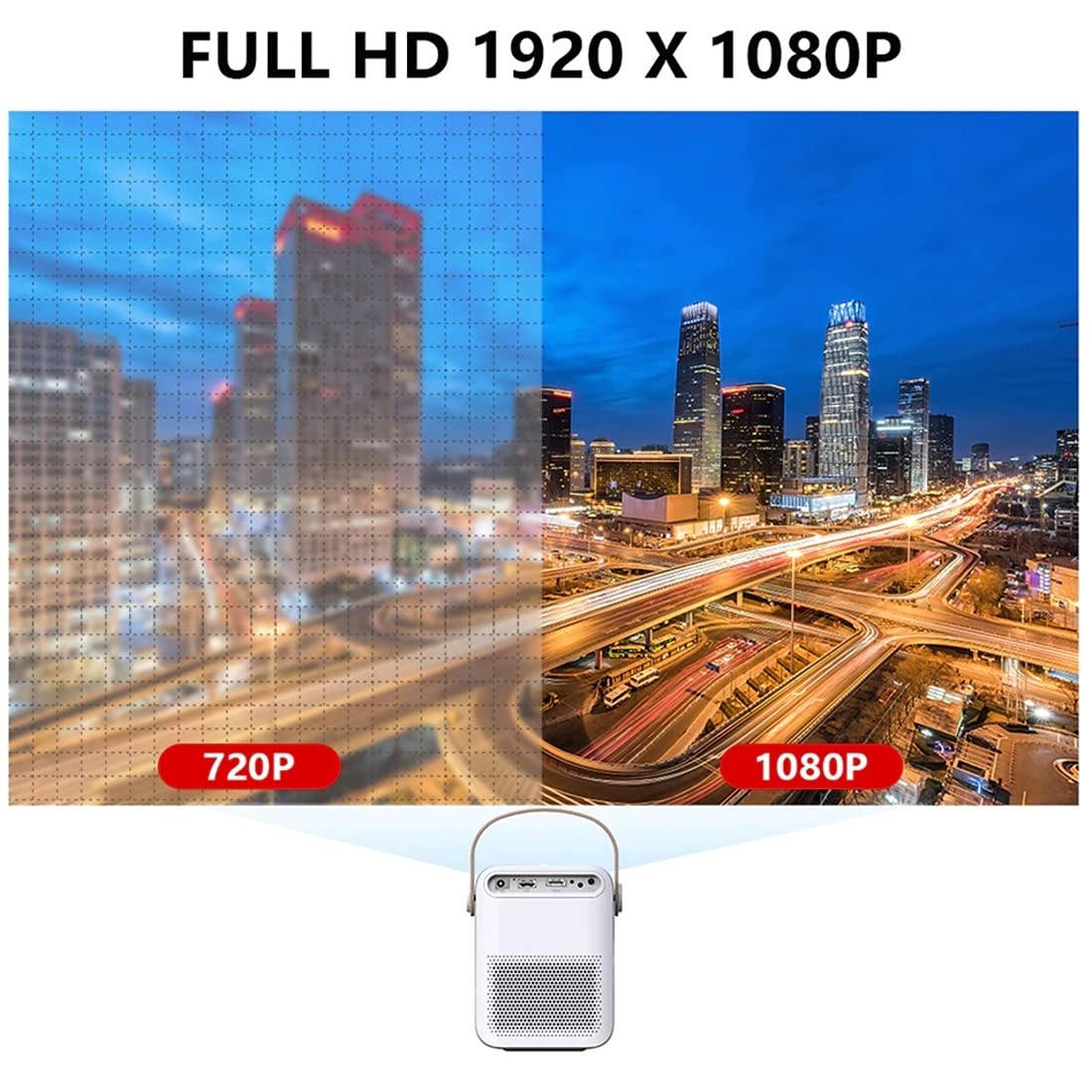
Image 7.1: 720P vs. 1080P Resolution Comparison.
7.2 Brightness and Contrast
- Яркасць: 4000 lumens LED brightness ensures strong, vibrant colors.
- Каэфіцыент кантраснасці: A 3000:1 contrast ratio provides deeper blacks and brighter whites, resulting in vivid and immersive images with almost 100% color accuracy.
7.3 Projection Ratio and Distance
The projector features a 1.18:1 projection ratio, allowing for a large picture from a relatively short distance.

Image 7.2: Projection Ratio and Distance Guide.
Refer to the table below for approximate projection distances for various screen sizes:
| Памер экрана | Адлегласць праекцыі |
|---|---|
| 50 цаляў | 1.27 метраў |
| 60 цаляў | 1.57 метраў |
| 80 цаляў | 2.09 метраў |
| 100 цаляў | 2.60 метраў |
8. Тэхнічнае абслугоўванне
Правільнае абслугоўванне забяспечвае даўгавечнасць і аптымальную прадукцыйнасць вашага праектара.
- Уборка: Use a soft, dry cloth to clean the projector's exterior. For the lens, use a specialized lens cleaning cloth and solution.
- Вентыляцыя: Ensure the projector has good airflow. Do not block the ventilation openings. High temperatures can damage internal components, especially the LCD panel.
- Прадухіленне пылу: Keep the projector in a clean, dust-free environment. Dust accumulation can impede airflow and affect performance.
- захоўванне: Калі праектар не выкарыстоўваецца працяглы час, захоўвайце яго ў прахалодным, сухім месцы, пажадана ў арыгінальнай упакоўцы або ахоўным чахле.
9. Выпраўленне непаладак
If you encounter issues with your AUN ET30S projector, refer to the following common problems and solutions:
| праблема | Магчымая прычына | Рашэнне |
|---|---|---|
| Няма ўлады | Power cord not connected, power outlet faulty | Check power cord connection. Try a different power outlet. |
| Няма выявы | Incorrect input source, device not connected, blank screen mode | Select correct input source (HDMI, USB, AV). Ensure external device is powered on and connected. Press 'Mute' or 'Blank' button on remote if applicable. |
| Відарыс размыты | Focus not adjusted, keystone not corrected | Adjust the focus ring. Use keystone correction in settings. |
| Няма гуку | Volume too low, external speakers not connected, audio settings incorrect | Increase volume. Check external speaker connection. Verify audio output settings. |
| Пульт дыстанцыйнага кіравання не працуе | Batteries low/dead, obstruction, remote sensor blocked | Замяніце батарэйкі. Пераканайцеся, што паміж пультам дыстанцыйнага кіравання і праектарам няма перашкод. |
10. Тэхнічныя характарыстыкі
Detailed technical specifications for the AUN ET30S Projector:
| Асаблівасць | Спецыфікацыя |
|---|---|
| Марка | АУН |
| мадэль | AUN ET30S Android Projector |
| Аперацыйная сістэма | Android 9.0 |
| RAM / Memory | 1GB RAM / 8GB Internal Memory |
| Тэхналогія адлюстравання | святлодыёд |
| Тып дысплея | ВК |
| Роднае дазвол | 1920 x 1080 пікселяў (Full HD) |
| Яркасць выявы | 4000 люмен |
| Каэфіцыент кантраснасці выявы | 3000:1 |
| Тэхналогія падлучэння | Bluetooth, HDMI, USB, Wi-Fi |
| Абсталяванне інтэрфейсу | Bluetooth, HDMI, USB |
| Асаблівасці | Built-In Wi-Fi, Portable, Wireless |
| Убудаваны дынамік | HIFI Stereo Speaker (3 Watts) |
| Памеры прадукту | 25 х 20 х 6 см |
| Вага прадмета | 1.8 кг |
| Тып мацавання | Настольнае мацаванне |
| Пульт дыстанцыйнага кіравання | IR Remote Included |
11. Гарантыя і падтрымка
11.1 Інфармацыя аб гарантыі
The AUN ET30S Projector comes with a Гарантыя 6 месяцаў covering manufacturing defects, technical defects, and software defects.
Выключэнні з гарантыі:
- LCD panel damage or burns (due to insufficient ventilation).
- Dust-related issues inside the projector.
- Damage from misuse, including broken parts, burns, or physical damage.
- Repairs performed by unauthorized third parties.
11.2 Падтрымка кліентаў
For support or warranty claims, please contact Megaa Electronics:
- электронная пошта: support@megaaelectronics.com or megaaelectronics@gmail.com
- WhatsApp: 8328671337