
1. Уводзіны
Welcome to the user manual for your GOODTEL G10 10-inch Android 12 Tablet. This guide provides essential information for setting up, operating, maintaining, and troubleshooting your device. The G10 tablet is designed for versatility, featuring an Octa-Core processor, 4GB RAM, 64GB internal storage (expandable), a 10-inch IPS display, and an 8000mAh battery. It comes with a suite of accessories including a Bluetooth keyboard, mouse, stylus, protective case, and screen protector, allowing it to function as a portable workstation.

Малюнак 1.1: Скончанаview of GOODTEL G10 Tablet key features including Android 12 OS, 64GB ROM, 10.1-inch Smart Display, 4GB RAM, 4GB-1TB MicroSD/TF Expansion, Octa-Core processor, 8000mAh Battery, 2-in-1 Tablet functionality with Bluetooth Keyboard and Wireless Mouse, Bluetooth, WiFi, Dual Camera (5MP front, 8MP rear), Screen Record, Parental Controls, SD/TF Card Slot, and Type-C charging/data ports.
2. Настройка
2.1 Распакоўка і першапачатковы агляд
Carefully remove all items from the packaging. Verify that all accessories are present:
- Планшэт GOODTEL G10
- Bluetooth клавіятура
- Бесправадная мыш
- Адаптар OTG
- Зарадная прылада
- USB-кабель Type-C
- Screen Protector (pre-applied or spare)
- Ахоўны футляр
- Стылус
2.2 Charging the Tablet and Keyboard
Before first use, fully charge the tablet and the Bluetooth keyboard. Connect the charger to the tablet's Type-C port and to a power outlet. The keyboard typically charges via a Micro USB cable (included).
2.3 Уключэнне/выключэнне
- Каб уключыць: Націсніце і ўтрымлівайце кнопку харчавання (звычайна збоку), пакуль экран не падсвеціцца.
- Каб выключыць: Press and hold the Power button, then select 'Power off' from the on-screen options.
- Каб перазапусціць: Press and hold the Power button, then select 'Restart' from the on-screen options.
2.4 Майстар пачатковай налады
Пры першым уключэнні планшэт правядзе вас праз працэс пачатковай налады:
- Выберыце жаданую мову.
- Падключыцеся да сеткі Wi-Fi.
- Увайдзіце ў свой уліковы запіс Google або стварыце новы. Гэта неабходна для загрузкі праграм з крамы Google Play.
- Review і прыняць умовы.
- Наладзьце блакаванне экрана (PIN-код, узор або пароль).
2.5 Падключэнне аксесуараў
Bluetooth Keyboard and Mouse:
- Пераканайцеся, што клавіятура і мыш зараджаныя і ўключаныя.
- На планшэце перайдзіце да Налады > Падключаныя прылады > Bluetooth.
- Уключыце Bluetooth.
- The tablet will scan for available devices. Select the keyboard and mouse from the list to pair. Follow any on-screen prompts.
Стылус: The included stylus is typically a passive capacitive stylus and does not require pairing. Simply use it directly on the screen.
OTG Adapter: The OTG adapter allows you to connect USB devices (like flash drives) to your tablet's Type-C port.
2.6 Inserting a MicroSD/TF Card
To expand storage, locate the MicroSD/TF card slot on the side of the tablet. Gently insert the card with the gold contacts facing down until it clicks into place. The tablet supports up to 256GB expansion.
3. Інструкцыя па эксплуатацыі
3.1 Basic Navigation and Android 12 Features
The G10 tablet runs on Android 12, offering an intuitive user experience. Use touch gestures for navigation:
- Націсніце: Выберыце прадмет.
- Правядзіце пальцам: Пракручваць старонкі або спісы.
- Звядзенне пальцамі для павелічэння: Павялічваць або памяншаць маштаб малюнкаў і web старонкі.
- Доўгі націск: Доступ да кантэкстных меню або перамяшчэнне значкоў.
Android 12 includes features like multi-user support, multi-window mode for multitasking, and enhanced parental controls via Google Family Link.

Малюнак 3.1: The GOODTEL G10 Tablet displaying a game, illustrating the smooth performance provided by the Octa-Core processor and Android 12 OS for application processing.
3.2 Дысплей і візуальныя элементы
The 10-inch IPS display provides clear and rich colors. It features flexible response and anti-blue light technology for comfortable viewінж.
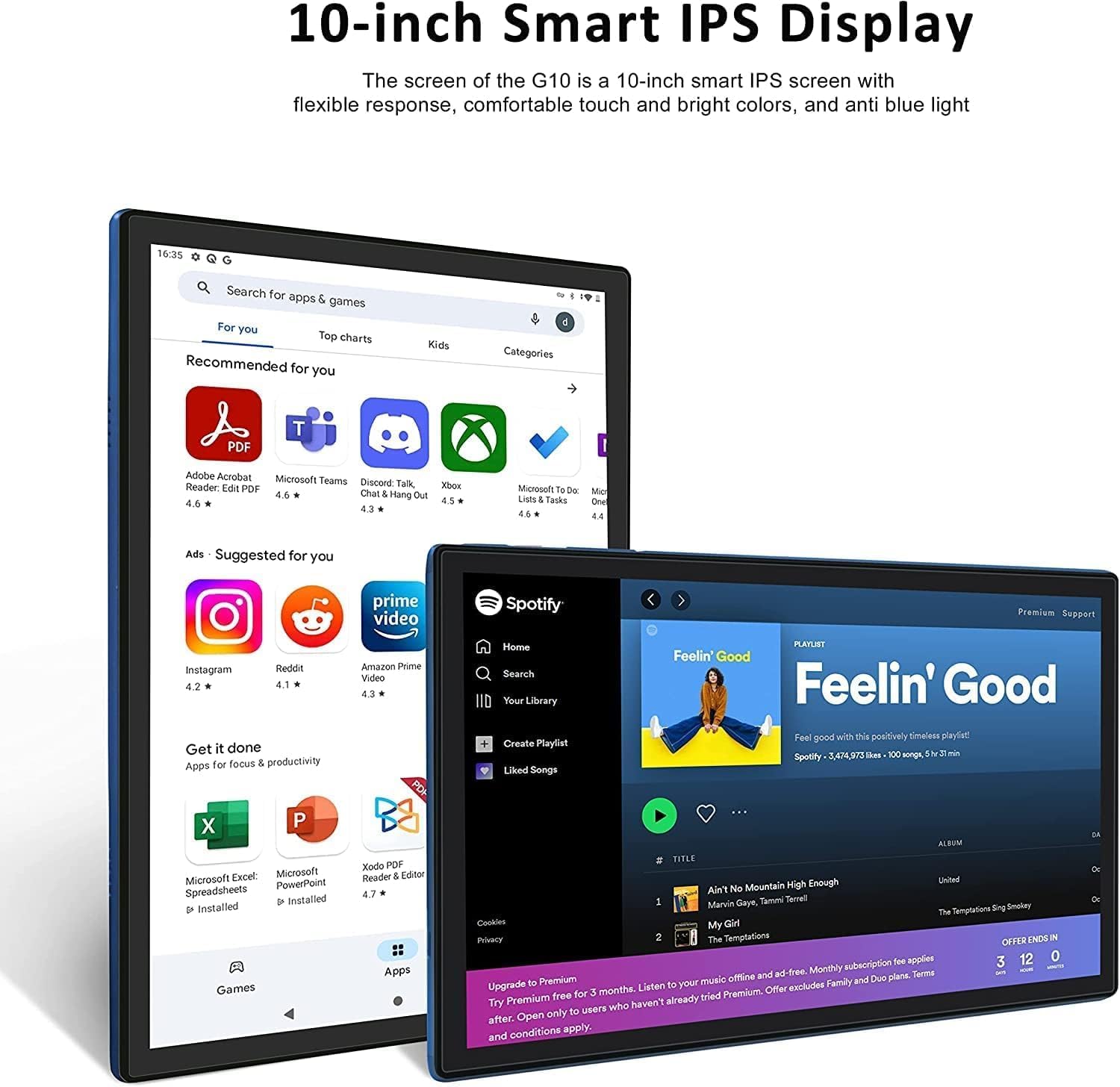
Малюнак 3.2: The 10-inch Smart IPS Display of the GOODTEL G10 Tablet, showcasing its ability to render applications like PDF readers, communication apps, and media players with clarity and vibrant colors.
3.3 Падключэнне (Wi-Fi і Bluetooth)
Wi-Fi: The tablet supports both 2.4GHz and 5GHz Wi-Fi for faster and more stable internet access. To connect, go to Налады > Сетка і інтэрнэт > Wi-Fi, turn it on, and select your network.

Малюнак 3.3: The GOODTEL G10 Tablet highlighting its 2.4G/5G WiFi support for faster internet access, enabling smoother browsing and application usage.
Bluetooth: For connecting wireless headphones, speakers, or other Bluetooth devices, go to Налады > Падключаныя прылады > Bluetooth, turn it on, and pair with your desired device.
3.4 Камеры
The tablet features a 5MP front camera and an 8MP rear camera. Open the Camera app to take photos or record videos. These are suitable for video calls and casual photography.
3.5 Кіраванне сховішчам
The tablet comes with 64GB of internal storage. You can expand this by inserting a MicroSD/TF card (up to 256GB, sold separately). To manage storage, go to Налады > Захоўванне. Here you can see storage usage and free up space.
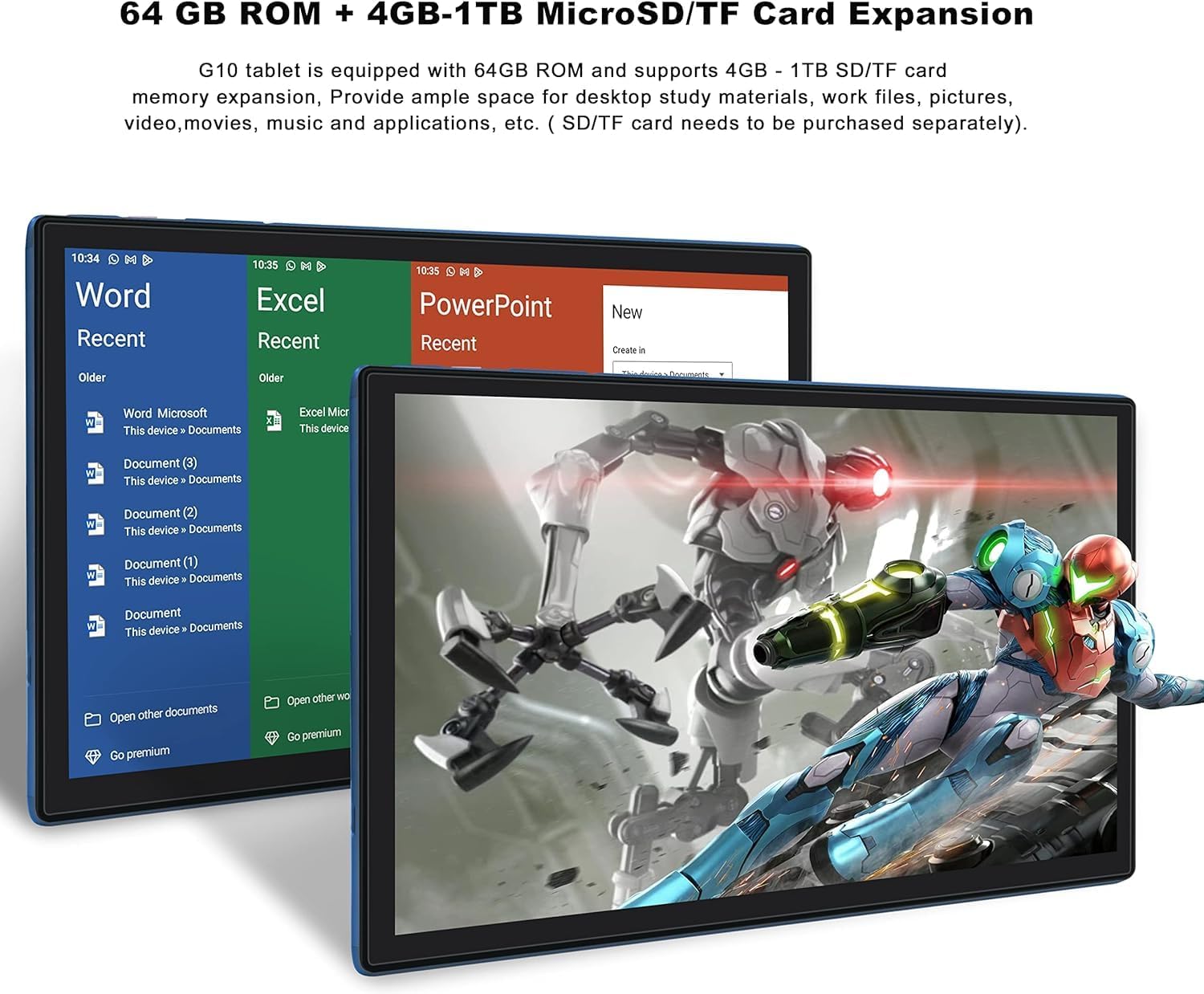
Малюнак 3.4: The GOODTEL G10 Tablet illustrating its 64GB ROM and 4GB RAM, with support for 4GB-1TB MicroSD/TF card expansion for additional storage of documents, media, and applications.
3.6 Бацькоўскі кантроль
Utilize Google Family Link to set up parental controls. This allows remote management of the device, setting usage limits, and content filtering for children's profiles.
4. Тэхнічнае абслугоўванне
4.1 Ачыстка прылады
Выкарыстоўвайце мяккую тканіну без ворса для чысткі экрана і корпуса планшэта. Для выдалення ўстойлівых плям злёгкуampПрацярыце тканіну вадой або бяспечным для экрана ачышчальным растворам. Пазбягайце агрэсіўных хімічных рэчываў або абразіўных матэрыялаў.
4.2 Сыход за акумулятарам
The G10 tablet is equipped with an 8000mAh battery. To prolong battery life:
- Пазбягайце экстрэмальных тэмператур.
- Не дапускайце поўнай разрадкі акумулятара рэгулярна.
- Для аптымальнай зарадкі выкарыстоўвайце зарадную прыладу, якая ўваходзіць у камплект.
- Адключыце зарадную прыладу ад сеткі, калі планшэт цалкам зарадзіцца.
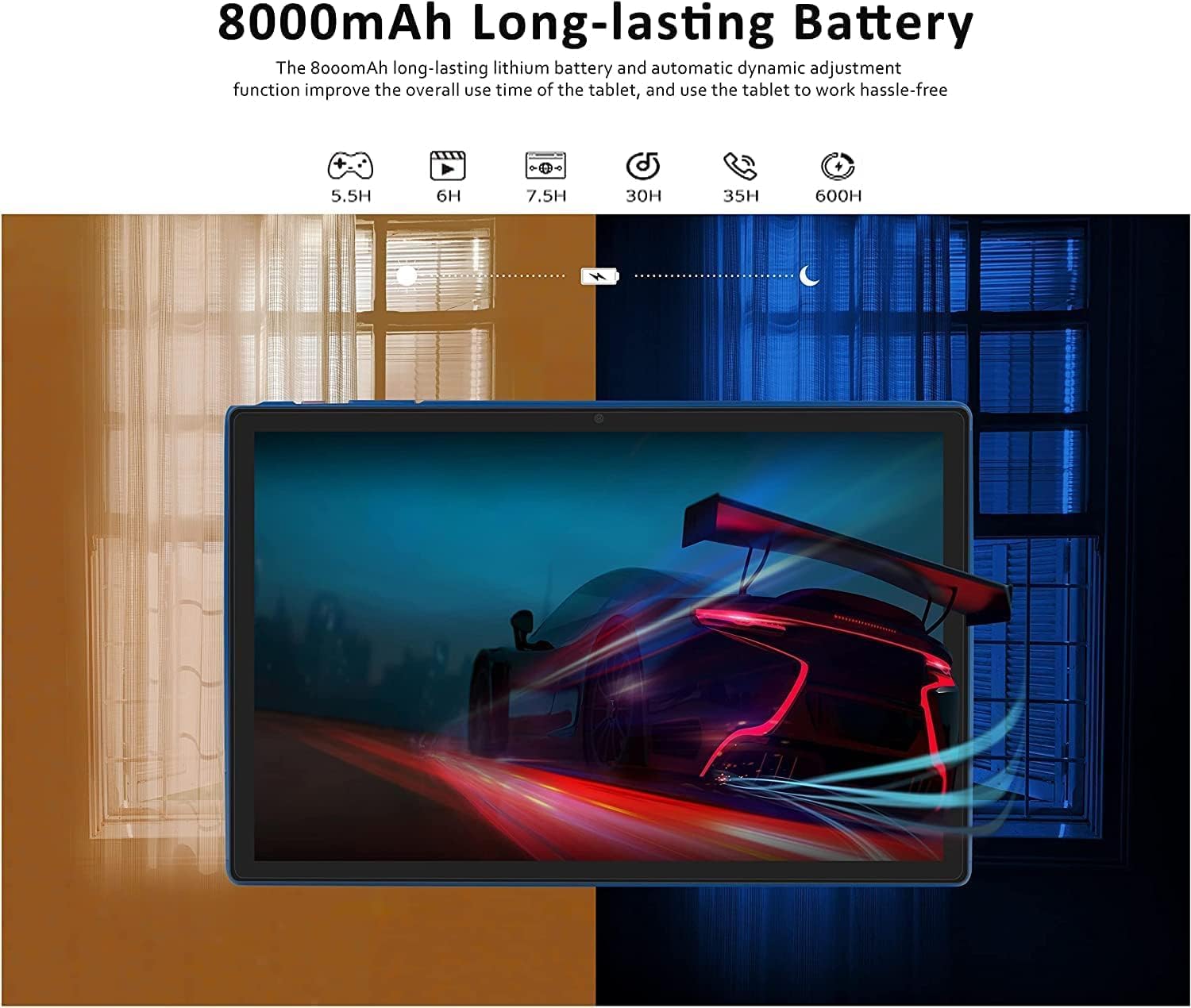
Малюнак 4.1: The GOODTEL G10 Tablet highlighting its 8000mAh long-lasting battery, with estimated usage times for various activities such as gaming (5.5H), video playback (6H), web browsing (7.5H), standby (30H), call time (35H), and music playback (600H).
4.3 Абнаўленне праграмнага забеспячэння
Regularly check for system updates to ensure your tablet has the latest features and security patches. Go to Налады > сістэма > Абнаўленне сістэмы.
4.4 Аптымізацыя захоўвання дадзеных
Periodically clear cache data from apps, uninstall unused applications, and transfer large files (photos, videos) to your MicroSD card or cloud storage to maintain optimal performance.
5. Выпраўленне непаладак
5.1 Агульныя праблемы і рашэнні
- Планшэт не ўключаецца: Ensure the battery is charged. Connect the charger and try again. If unresponsive, press and hold the power button for 10-15 seconds to force a restart.
- Праблемы з падключэннем да Wi-Fi: Check if Wi-Fi is enabled in settings. Restart your router and the tablet. Forget the network and reconnect.
- Павольная прадукцыйнасць: Close unused apps, clear app caches, free up storage space, and restart the tablet.
- Збоі або завісанні праграм: Ачысціце кэш і дадзеныя праграмы ў Налады > ПраграмыКалі праблема не знікне, выдаліце і пераўсталюйце праграму.
- Сэнсарны экран не рэагуе: Перазагрузіце планшэт. Калі праблема не знікне, пераканайцеся, што экран чысты і на ім няма смецця.
5.2 Скід да заводскіх налад (крайняя мера)
Калі пастаянныя праблемы не ўдаюцца вырашыць, можа спатрэбіцца скінуць налады да заводскіх. Папярэджанне: Гэта сатрэ ўсе дадзеныя на вашым планшэце. Рэзервовае капіраванне важнае. files, перш чым працягнуць.
- Перайсці да Налады > сістэма > Скінуць параметры.
- Выберыце Сцерці ўсе даныя (скід да заводскіх налад).
- Пацвердзіце сваё рашэнне і выконвайце інструкцыі на экране.
6. Тэхнічныя характарыстыкі
| Асаблівасць | Спецыфікацыя |
|---|---|
| мадэль | G10 |
| Аперацыйная сістэма | АС Android 12 |
| Працэсар | Octa-Core, 2 GHz |
| АЗП | 4 ГБ |
| Унутраная памяць (ROM) | 64 ГБ |
| Сховішча з магчымасцю пашырэння | MicroSD/TF card up to 256GB |
| Памер дысплея | 10 цаляў |
| Тэхналогія адлюстравання | IPS Smart Touchscreen |
| Дазвол дысплея | 1280 х 800 пікселяў |
| Пярэдняя камера | 5 МП |
| Задняя камера | 8 МП |
| Ёмістасць батарэі | 8000mAh Літый-іён |
| Wi-Fi | 2.4G/5G (802.11ac) |
| Bluetooth | Bluetooth 5.0 |
| Парты | 1x Type-C, 1x 3.5mm AUX, 1x MicroSD/TF slot |
| Іншыя магчымасці падключэння | Hotspot, AGPS, Gravity Sensor, FM Radio |
| Памеры (Д х Ш х У) | 26 х 17.6 х 0.9 см |
| Вага | 450 грам |
7. Гарантыя і падтрымка
Specific warranty details are not available in the provided product information. For warranty claims, technical support, or service inquiries, please refer to the documentation included with your purchase or contact GOODTEL customer support directly through their official webсайт або прадаўца, дзе быў набыты тавар.