
Уводзіны
This manual provides detailed instructions for the proper use and maintenance of your CAMMHD H4-32G Body Camera. Please read this manual thoroughly before operating the device to ensure optimal performance and longevity.
Што ў скрынцы
- 1*H4-32G Body Camera
- 1*Charger and 1*Mini USB cable
- 1* Long Clip and 1* Short Clip

Image: Contents of the CAMMHD H4-32G Body Camera package. Includes the camera, charger, USB cable, long clip, and short clip.
Прадукт скончаныview
The CAMMHD H4-32G is a compact and versatile body camera designed for various recording needs. It features high-definition video and photo capabilities, night vision, and a long-lasting battery.
Выява: спераду view of the CAMMHD H4-32G Body Camera, highlighting the lens, infrared lights, and control buttons.
Асноўныя характарыстыкі
- Запіс высокай выразнасці: Captures video at up to 1920P and photos at 48M pixels with a 160-degree wide-angle lens.
- Павялічаны тэрмін службы батарэі: Equipped with a 3000mAh battery, providing up to 9 hours of continuous video recording.
- Інтэграванае сховішча: Includes 32GB of internal memory for storing recorded footage.
- Начное бачанне: Features 8 high-power infrared lights for clear recording up to 50 feet in low-light conditions.
- Выяўленне руху: Аўтаматычна пачынае запіс пры выяўленні руху.
- цыклічны запіс: Перазапісвае найстарэйшы footage when memory is full, ensuring continuous recording.
- Функцыі бяспекі: Supports password protection to prevent unauthorized access to recorded data.
- Аперацыя адной клавішай: Allows for quick activation of video recording in emergency situations.
- Функцыя сігналізацыі: Includes red and blue light alarm capabilities.
- Функцыянальнасць OTG: Supports On-The-Go (OTG) for direct connection to compatible devices.
Відэа: Оверview of the CAMMHD H4 body camera, demonstrating its features and design.
Настройка
1. Зарадка акумулятара
Before first use, fully charge the body camera. Connect the Mini USB cable to the camera and the charger, then plug the charger into a power outlet. The charging indicator light will show the charging status.
2. Attaching the Clip
Select either the long or short clip based on your preference. Align the clip with the slot on the back of the camera and slide it in until it clicks securely into place. Ensure the clip is firmly attached before use.

Image: Demonstrates the process of attaching the clip to the body camera for secure wearing.
3. Уключэнне / выключэнне харчавання
- Каб уключыць: Press and hold the power button until the screen illuminates and the device starts.
- Каб выключыць: Націсніце і ўтрымлівайце кнопку харчавання, пакуль прылада не выключыцца.
4. Пачатковыя налады
Upon first power-on or after a reset, you may need to set the date, time, and preferred recording resolution. Navigate through the menu using the control buttons below the screen. Refer to the "Operating" section for detailed menu navigation.
Аперацыя
1. Запіс відэа
- Пачаць запіс: From standby mode, press the dedicated video recording button once to start recording. A red indicator light or on-screen icon will confirm recording is active.
- Спыніць запіс: Press the video recording button again to stop.
- цыклічны запіс: The camera supports loop recording. When the memory is full, the oldest files will be automatically overwritten by new recordings. This feature can usually be toggled in the settings menu.

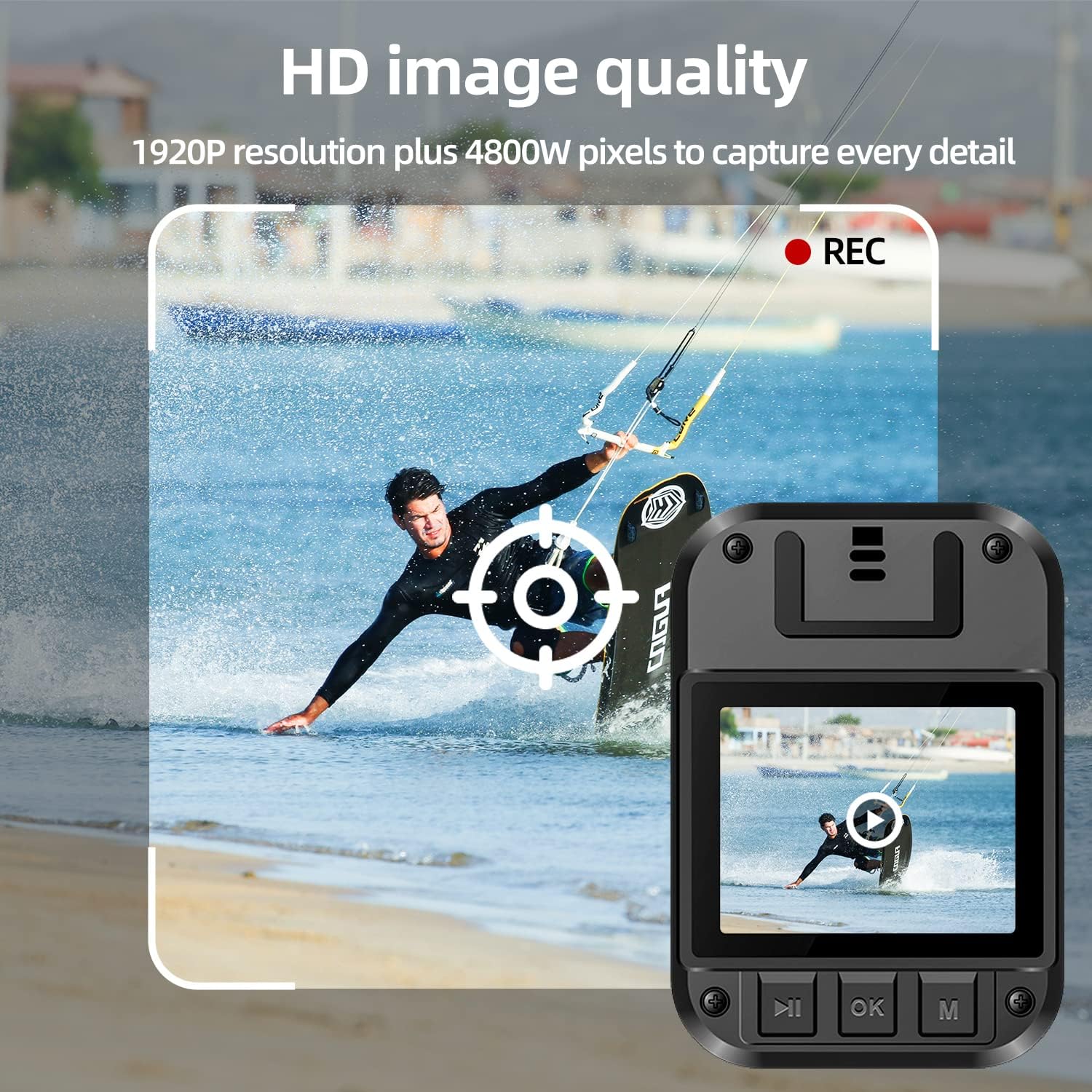
Image: Demonstrates the HD image quality of the camera, capturing details in a dynamic scene.
2. Фотаздымка
From standby mode, press the dedicated photo button to take a still image. The screen may briefly flash or an icon will indicate a photo has been taken.
3. Начное бачанне
The camera's infrared night vision can be activated manually or set to automatic mode via the settings. In automatic mode, the camera will switch to night vision when ambient light is low. The 8 infrared lights provide visibility up to 50 feet.

Image: Illustrates the camera's infrared night vision, showing a clear view у цёмным асяроддзі.
4. Выяўленне руху
Enable motion detection in the camera's settings menu. When active, the camera will automatically begin recording when movement is detected within its field of view.
5. Абарона паролем
To protect your recorded data from unauthorized access or deletion, set a password through the camera's menu. This adds an extra layer of security to your footage.
6. Функцыя OTG
The H4 body camera supports OTG (On-The-Go) functionality, allowing you to connect it directly to compatible devices (e.g., smartphones, tablets) to view або перадача fileбез неабходнасці выкарыстання кампутара.
7. Red and Blue Light Alarm
Activate the red and blue light alarm function as needed. This feature can be used for signaling or to deter unwanted attention.
8. Прайграванне
Каб паўторнаview recorded videos and photos, navigate to the playback menu on the camera. Use the control buttons to select and play files. Videos, audio, and photos are watermarked with time to help restore the real scene.

Image: The camera's screen displaying a recorded video, demonstrating the playback function.
Тэхнічнае абслугоўванне
Уборка
Use a soft, dry cloth to clean the camera body and lens. Avoid using harsh chemicals or abrasive materials, as these can damage the device. Ensure the camera is powered off before cleaning.
Захоўванне
Store the camera in a cool, dry place away from direct sunlight and extreme temperatures. When storing for extended periods, ensure the battery is partially charged (around 50%) to prolong its lifespan.
Ліквідацыю непаладак
- Камера не ўключаецца:
- Ensure the battery is charged. Connect the camera to the charger and check if the charging indicator lights up.
- If the camera still does not power on after charging, contact customer support.
- Якасць відэа дрэнная:
- Check the lens for smudges or dirt and clean it gently with a soft cloth.
- Ensure you are recording in the desired resolution setting (e.g., 1920P).
- Немагчыма перадаць files на кампутар:
- Пераканайцеся, што USB-кабель надзейна падключаны як да камеры, так і да кампутара.
- Check if the camera is in the correct USB mode (e.g., Mass Storage) if applicable.
- Паспрабуйце іншы USB-порт або кабель.
- Тэрмін службы батарэі меншы, чым чакалася:
- Continuous use of features like night vision or high-resolution recording can consume more power.
- Перад выкарыстаннем пераканайцеся, што камера цалкам зараджана.
- Прадукцыйнасць батарэі можа пагоршыцца з цягам часу пры паўторных цыклах зарадкі.
Тэхнічныя характарыстыкі
| Асаблівасць | Спецыфікацыя |
|---|---|
| Назва мадэлі | H4 |
| Дазвол відэазахопу | Up to 1920P (Default 1080P) |
| Дазвол фота | 48M пікселяў |
| Шырокі кут | 160 градусаў |
| Ёмістасць батарэі | 3000mAh літый-іённы |
| Час бесперапыннай запісу | Да 9 гадзін |
| Унутраная памяць | 32 ГБ |
| Дыяпазон начнога бачання | Up to 50 feet (with 8 infrared lights) |
| Сувязь | USB (supports OTG) |
| Вага прадмета | 3.88 унцыі |
| Памеры ўпакоўкі | 10.16 х 5.35 х 2.17 цалі |

Image: Visual representation of the camera's dimensions and key specifications.
Гарантыя і падтрымка
For warranty information or technical support, please refer to the documentation included with your purchase or visit the official CAMMHD website. If you encounter any issues not covered in this manual, please contact CAMMHD customer service for assistance.
Вы можаце наведаць CAMMHD Store для атрымання дадатковай інфармацыі і рэсурсаў падтрымкі.