
Cabtick D7000
Cabtick Sunrise Alarm Clock User Manual
Марка: Cabtick | мадэль: D7000
Уводзіны
The Cabtick Sunrise Alarm Clock is an innovative device designed to improve your sleep and wake cycles. It combines a natural light alarm with a sound machine, FM radio, and Bluetooth speaker functionalities. This manual provides detailed instructions for setting up, operating, and maintaining your device to ensure optimal performance and a more natural daily rhythm.
Асноўныя характарыстыкі

The Cabtick Sunrise Alarm Clock, featuring a clear digital display and intuitive controls.

Natural sunrise and sunset simulation for gentle waking and peaceful sleep.

Wake up gently with 11 natural sounds and dual alarm capabilities.

Fall-asleep mode with white noise and Bluetooth audio playback for relaxation.

Customizable lighting with 12 colors and 20 brightness levels for various moods and activities.
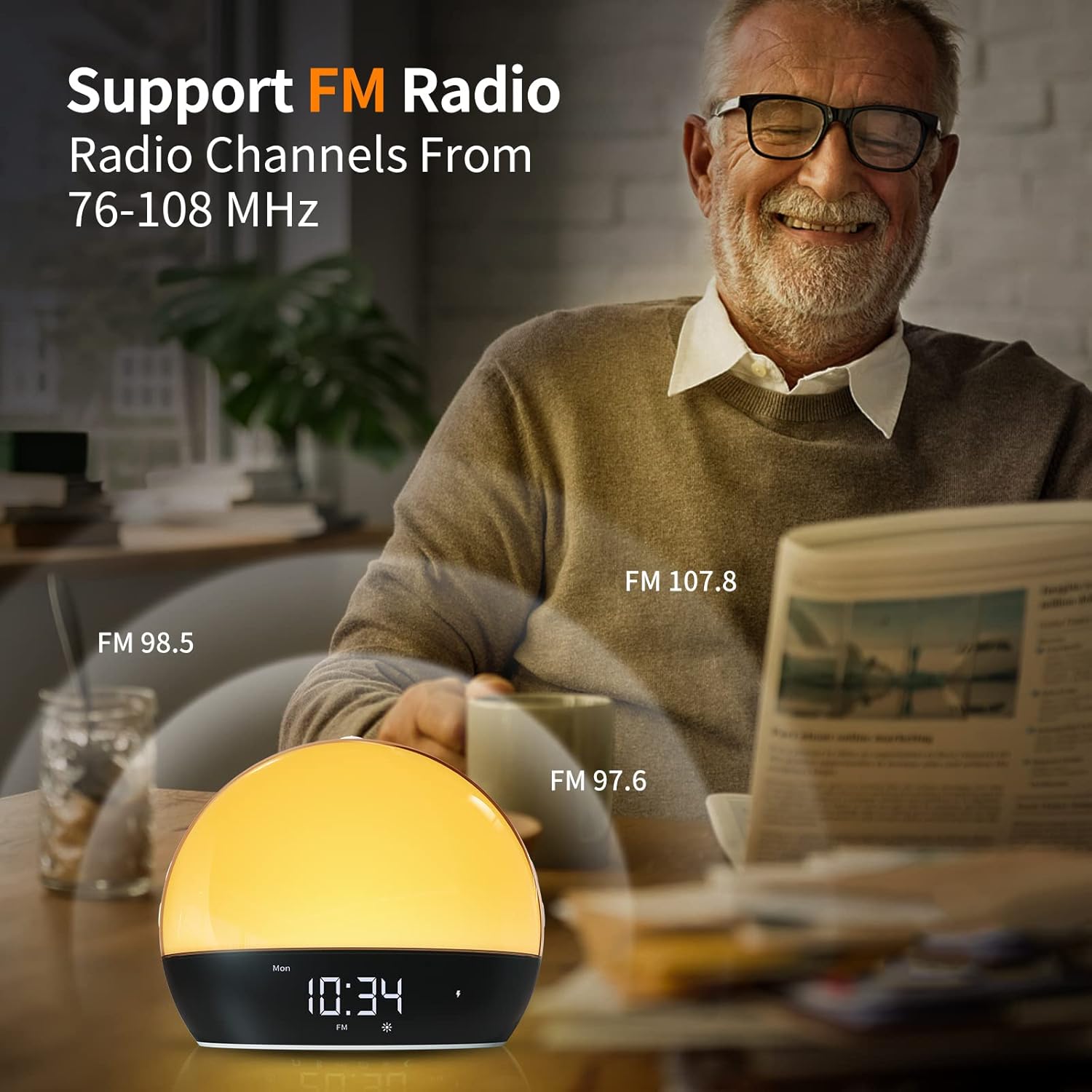
Integrated FM radio with channels from 76-108 MHz.

Multi-functional lighting: night light, bedside lamp, чытанне лamp, and atmosphere light.
Кіраўніцтва па ўстаноўцы
1. Падключэнне сілкавання
Connect the provided USB-C cable to the alarm clock's charging port and plug the other end into a 1A 5V USB power adapter (not included). A red lightning bolt indicator will appear on the display, indicating that the device is charging. The device contains a rechargeable Lithium Polymer battery.
2. Пачатковая ўстаноўка часу
- Press the 'Time Setting' button (usually indicated by a clock icon) to enter time setting mode.
- Use the '+' and '-' buttons to adjust the hour. Press 'Time Setting' again to confirm.
- Repeat the process to set the minute and the day of the week.
- Press 'Time Setting' one last time to save your settings.
Інструкцыя па эксплуатацыі
1. Alarm Settings (Dual Alarms)
The Cabtick Sunrise Alarm Clock supports two independent alarms. This is useful for different wake-up times on weekdays versus weekends.
- Press and hold the 'Alarm 1' or 'Alarm 2' button (indicated by '①' or '②') for 2 seconds to enter alarm setting mode.
- Use the '+' and '-' buttons to set the desired alarm time (hour and minute).
- Select the alarm sound (11 natural sounds available) and volume level (16 levels).
- Choose the days of the week for the alarm to be active (e.g., Monday-Friday, Saturday-Sunday, or all 7 days).
- Press the 'Alarm' button again to confirm and activate the alarm.
- To snooze, press the 'Snooze' button (Zz icon) when the alarm sounds.
2. Sunrise & Sunset Simulation
The device simulates natural light changes to gently wake you up or help you fall asleep.
- Сімуляцыя ўзыходу сонца: The light gradually brightens over a set period (e.g., 10-60 minutes) before your alarm time, mimicking a natural sunrise.
- Сімуляцыя заходу сонца: The light gradually dims over a set period (e.g., 10-120 minutes) before your desired sleep time, creating a calming environment for sleep.
- Adjust the duration of the simulation in the alarm settings.
3. Гукавыя функцыі
- Натуральныя гукі: Choose from 11 natural sounds (e.g., birds chirping, ocean waves) for your alarm or as background ambiance.
- FM-радыё: Press the 'FM' button to turn on the radio. Use the '+' and '-' buttons to scan for stations (76-108 MHz).
- Дынамік Bluetooth: Activate Bluetooth mode to connect your smartphone or other devices and play your own music.
4. Асаблівасці асвятлення
- Каляровыя рэжымы: Cycle through 12 different light colors to suit your mood or decor.
- Узроўні яркасці: Adjust the light brightness from 0 to 20 levels for optimal visibility or ambiance.
- Шматмэтавае асвятленне: Use the device as a night light, bedside lamp, чытанне лamp, or to create a specific atmosphere.
Тэхнічнае абслугоўванне
To ensure the longevity and proper functioning of your Cabtick Sunrise Alarm Clock, follow these simple maintenance guidelines:
- Уборка: Працірайце прыладу мяккай сухой тканінай. Не выкарыстоўвайце абразіўныя ачышчальнікі або растваральнікі.
- Адаптар сілкавання: Always use a 1A 5V charger. Avoid using Type-C data cables for charging, as they may not provide proper power and can lead to charging issues.
- захоўванне: Калі прылада захоўваецца працяглы час, пераканайцеся, што яна цалкам зараджана, і захоўвайце яе ў прахалодным, сухім месцы.
Ліквідацыю непаладак
If you encounter any issues with your Cabtick Sunrise Alarm Clock, please refer to the following common solutions:
- Прылада не ўключаецца/не зараджаецца: Ensure the USB-C cable is securely connected to both the device and a compatible 1A 5V power adapter. Verify the power outlet is functional.
- Будзільнік не гучыць: Check that the alarm is activated (indicated by '①' or '②' icon on the display) and the volume is not set to 0. Ensure the correct days of the week are selected for the alarm.
- Не працуе святло: Adjust the brightness levels (0-20). Ensure the device is powered on.
- FM-радыё Static: Extend the FM antenna cable fully for better reception. Try repositioning the device.
- Праблемы з падключэннем Bluetooth: Ensure Bluetooth is enabled on your device and the alarm clock is in pairing mode. Move closer to the alarm clock to reduce interference.
- Time Resetting: Ensure the device is consistently powered or fully charged, as low battery can sometimes affect time retention.
For more detailed troubleshooting steps, please consult the official user manual.
Тэхнічныя характарыстыкі
| Асаблівасць | Дэталь |
|---|---|
| Марка | Cabtick |
| Нумар мадэлі | D7000 |
| Колер | Чорны або белы |
| Тып дысплея | Лічбавы |
| Памеры прадукту | 6.5"Ш х 7.6"В |
| Вага прадмета | 1.43 фунта |
| Крыніца харчавання | Харчаванне ад батарэі (1 літый-палімерная батарэя ўключана) |
| Асаблівасці | Memory Function, Cordless, Sunrise/Sunset Simulation, Bluetooth Speaker, FM Radio |
| Будзільнік | Так (падвойная сігналізацыя) |
| Прыродныя гукі | 11 відаў |
| Светлыя колеры | 12 відаў |
| Узроўні яркасці | 0-20 |
Гарантыя і падтрымка
This product comes with a standard manufacturer's warranty. For specific warranty details and claims, please refer to the official user manual or contact Cabtick customer support.
Афіцыйнае кіраўніцтва карыстальніка (PDF): Спампаваць тут
For further assistance, please visit the Cabtick store on Amazon or contact their customer service directly.
Ask a question about this manual
Ask about setup, troubleshooting, compatibility, parts, safety, or missing instructions. Manuals+ will review the question and use this page’s manual context to help answer it.