
Уводзіны
This manual provides comprehensive instructions for the operation and maintenance of your AbergBest Mini Digital Camera. Designed for ease of use, this compact camera is ideal for capturing everyday moments with its 21-megapixel sensor and HD 720P video recording capabilities. Please read this manual thoroughly to ensure proper usage and to maximize your camera's potential.
Што ў скрынцы
Upon unboxing your AbergBest Mini Digital Camera, please verify that all the following components are included:
- AbergBest Mini Digital Camera (Model: New2022ABDC5100)
- 2 x Lithium Batteries
- Charging Brick (USB Wall Adapter)
- USB-кабель (для зарадкі і перадачы дадзеных)
- Папружка
- Driver Disk (CD)
- Кіраўніцтва карыстальніка
- Carrying Satchel

Image: All components included in the AbergBest Mini Digital Camera package.
Настройка
1. Устаноўка батарэі
The camera comes with two rechargeable lithium batteries. To install a battery:
- Знайдзіце вечка адсека для батарэй на ніжняй частцы камеры.
- Зрушыце зашчапку, каб адкрыць адсек.
- Устаўце батарэйку, пераканаўшыся, што кантакты правільна сумяшчаюцца.
- Шчыльна зачыніце вечка батарэйнага адсека да пстрычкі.

Image: Visual guide for inserting the battery into the camera.
2. SD Card Installation (Not Included)
An SD memory card is required to store photos and videos. The camera supports up to a 64GB SD memory card. For optimal performance, use a certified brand SD card with a Class 4 speed or above.
- Locate the SD card slot, typically near the battery compartment or on the side of the camera.
- Insert the SD card with the metal contacts facing down until it clicks into place.
- Каб выняць, акуратна націсніце на карту, пакуль яна не выскочыць.

Image: Recommended SD card types and capacity for the camera.
3. Зарадка камеры
Use the provided USB cable and charging brick to charge the camera. A fully charged battery can support the camera for over 60 minutes of use.
- Падключыце меншы канец USB-кабеля да USB-порта камеры.
- Connect the large end of the USB cable to the charging brick.
- Plug the charging brick into a wall outlet.
- The charging indicator light will illuminate during charging and turn off when complete.
Інструкцыя па эксплуатацыі
1. Уключэнне / выключэнне харчавання
Press and hold the Power button (usually located on the top or side of the camera) to turn the camera on or off.
2. Выкарыстанне ВК-экрана
The camera features a 2.7-inch TFT LCD screen for framing shots, reviewпрагляд фотаздымкаў і навігацыя па меню.
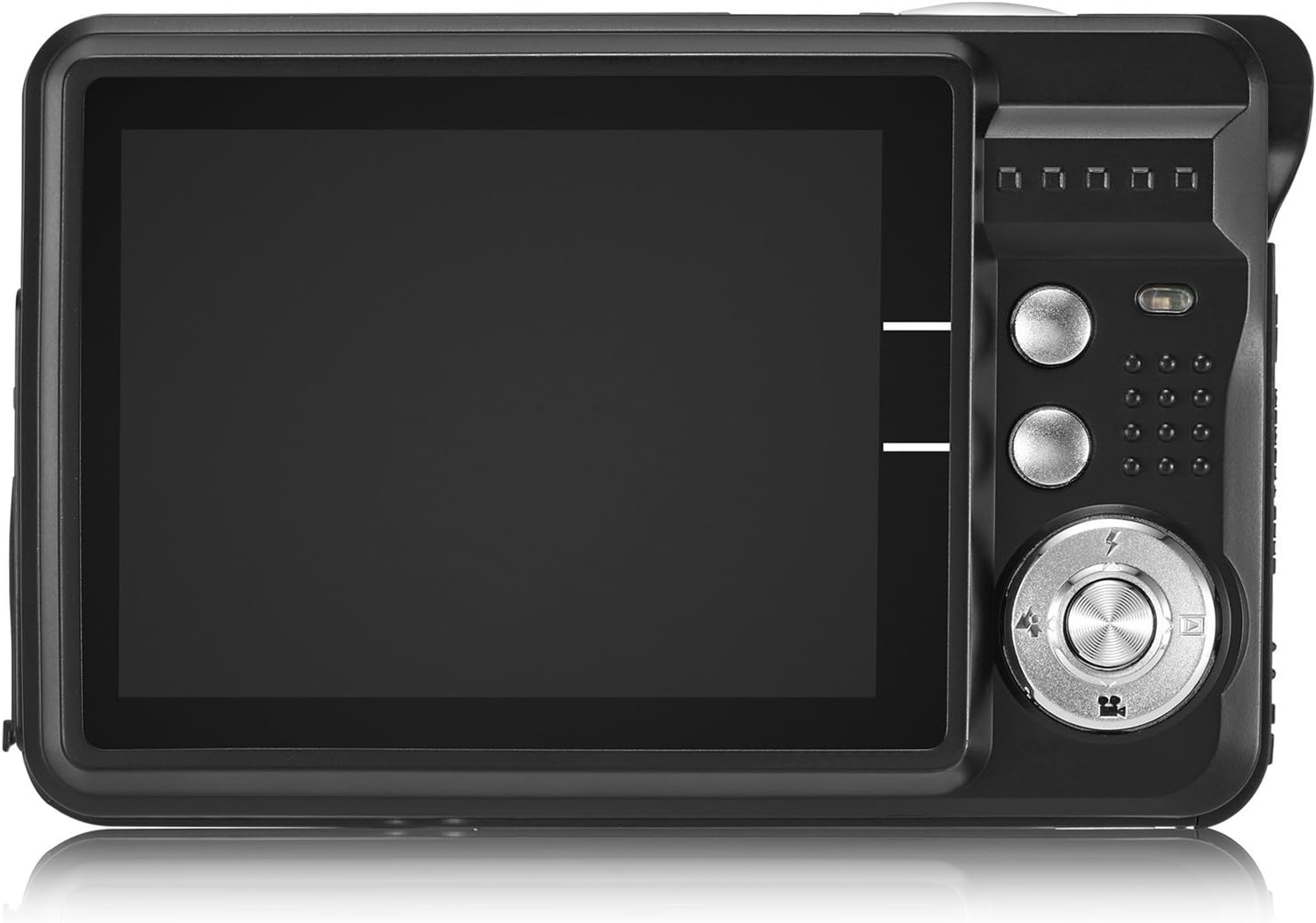
Image: The camera's 2.7-inch LCD screen and rear controls.
3. Фатаграфаванне
Каб зрабіць фотаздымак:
- Скампануйце аб'ект здымкі з дапамогай ВК-экрана.
- Press the Shutter button halfway down to focus.
- Press the Shutter button fully to take the picture.
The camera captures images at 21 megapixels in JPEG format.
4. Запіс відэа
Каб запісаць відэа:
- Switch the camera to video mode (refer to the on-screen icons or user manual for specific button).
- Press the Shutter button to start recording.
- Націсніце кнопку спуску яшчэ раз, каб спыніць запіс.
Videos are recorded in HD 720P resolution in AVI format.

Image: The camera displaying video recording functionality.
5. Функцыя маштабавання
The camera features 8X digital zoom. Use the zoom buttons (often labeled with a magnifying glass icon or 'W' for Wide and 'T' for Telephoto) to adjust the zoom level.

Image: Demonstrating the camera's 8X digital zoom capability.
6. Рэжымы і налады сцэны
Access the camera's menu to select various scene modes and adjust settings for different shooting conditions. Available modes include:
- Начны партрэт: For clear portraits in low light.
- Night Scenery: Optimizes for landscapes at night.
- Спорт: Reduces blur for fast-moving subjects.
- Scenery: Enhances outdoor landscape shots.
- Партыя: Ideal for indoor events with mixed lighting.
- Пляж: Adjusts for bright, reflective environments.
- Высокая адчувальнасць: Improves performance in very low light.
Other adjustable settings include ISO (Auto, 100, 200, 400), Anti-Shake for stable images, and Flash options (Auto, On, Off, Red-eye Reduction). The camera also features Face Detection, Smile Capture, and a 2-second Self-Timer.

Image: The camera's 2.7-inch screen highlighting the face detection feature.

Image: Illustrating the effect of the built-in flash in low-light conditions.
Падключэнне да кампутара
Каб перанесці фатаграфіі і відэа на камп'ютар:
- Пераканайцеся, што камера выключана.
- Падключыце камеру да кампутара з дапамогай USB-кабеля, які ўваходзіць у камплект.
- Turn on the camera. It should appear as a removable disk drive on your computer.
- Alternatively, you can remove the SD card and insert it into a compatible card reader connected to your computer.
The camera is compatible with Windows XP/VISTA/7/8/10 and Mac operating systems. A driver disk is included for older systems or specific software needs, though most modern operating systems will recognize the camera automatically.

Image: Connecting the camera to a personal computer for data transfer.
Тэхнічнае абслугоўванне
Proper care will extend the life of your camera:
- Уборка: Use a soft, lint-free cloth to clean the camera body and screen. For the lens, use a specialized lens cleaning cloth and solution. Avoid harsh chemicals.
- захоўванне: Захоўвайце камеру ў прахалодным, сухім месцы, удалечыні ад прамых сонечных прамянёў і экстрэмальных тэмператур. Выміце акумулятар, калі захоўваеце яе працяглы час.
- Сыход за батарэяй: Fully charge batteries before first use. Avoid overcharging or completely draining the battery frequently to prolong its lifespan.
Ліквідацыю непаладак
If you encounter issues with your camera, try the following common troubleshooting steps:
- Камера не ўключаецца: Ensure the battery is correctly installed and fully charged. Try using the second provided battery.
- Дрэнная якасць выявы: Check lighting conditions. Ensure the lens is clean. Adjust scene modes or ISO settings as needed.
- Памылка карты памяці: Ensure the SD card is properly inserted and not full. Try formatting the card (this will erase all data, so back up first). Use a compatible SD card (Class 4 or above, up to 64GB).
- Камера завісае: Выміце і зноў устаўце акумулятар, каб скінуць налады камеры.
If problems persist, please refer to the detailed user manual or contact customer support.
Тэхнічныя характарыстыкі
| Асаблівасць | Дэталь |
|---|---|
| Марка | AbergBest |
| Назва мадэлі | ABCAM218UPDATED |
| Нумар мадэлі | New2022ABDC5100 |
| Максімум WebКамера дазвол выявы | 21 МП |
| Тэхналогія фотадатчыка | CMOS |
| Дазвол відэа | 720p |
| Падтрымліваецца File фармат | AVI (Video), JPEG (Photo) |
| Стабілізацыя выявы | Лічбавы |
| Памер экрана | 2.7-цалевы TFT LCD |
| Лічбавы зум | 8x |
| Тып флэш-памяці | SD (up to 64GB, Class 4+) |
| Тып батарэі | Літый-палімерны (2 у камплекце) |
| Тэхналогія падлучэння | USB |
| Сумяшчальныя прылады | Windows XP/VISTA/7/8/10/MAC |
| Асаблівасць | Face Detection, Smile Capture, Anti-Shake, Self-Timer |
| Вага прадмета | 309 грам |
| Памеры прадмета (Д х Ш х У) | 3.74" Г x 2.4" Ш x 0.94" У |
Гарантыя і падтрымка
Your AbergBest Mini Digital Camera comes with a Гарантыя ад вытворцы 1 год. For warranty claims, technical support, or any questions regarding your product, please refer to the contact information provided in the included user manual or visit the official AbergBest webсайт.
Калі ласка, захавайце пацвярджэнне пакупкі для гарантыйных мэт.