
CP PLUS CP-E31A
CP PLUS CP-E31A 3 MP Wi-Fi PT Camera User Manual
Model: CP-E31A | Brand: CP PLUS
1. Прадукт скончыўсяview
The CP PLUS CP-E31A is a versatile 3 MP Wi-Fi Pan-Tilt (PT) camera designed for indoor and outdoor security monitoring. It offers high-resolution video capture, Wi-Fi connectivity for mobile viewing, and integration with smart home assistants like Amazon Alexa and Google Assistant. This manual provides essential information for setting up, operating, and maintaining your camera.
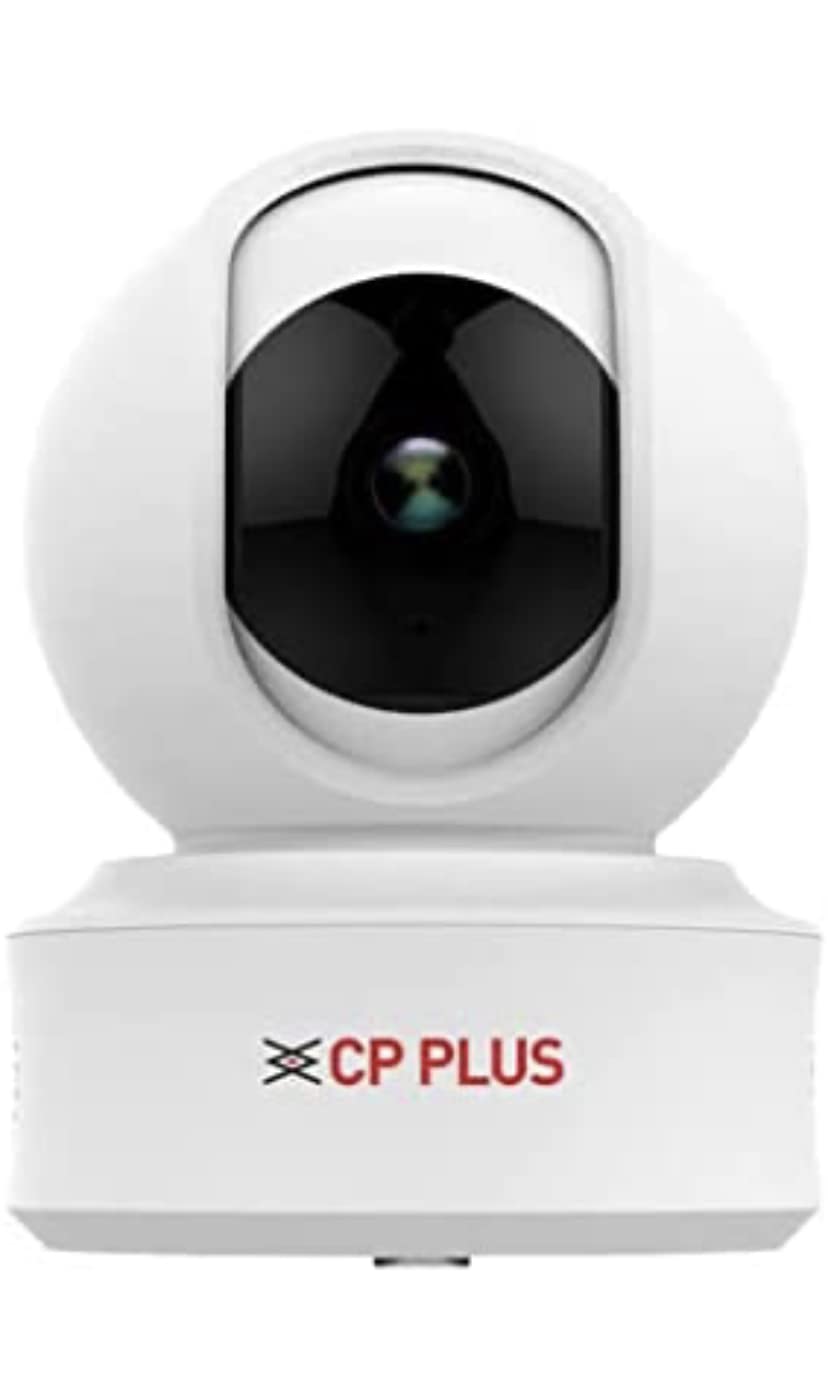
Figure 1: CP PLUS CP-E31A Wi-Fi PT Camera
This image displays the CP PLUS CP-E31A Wi-Fi PT Camera from a frontal perspective, highlighting its compact design and the prominent camera lens.


Малюнак 2: Рознае views of the CP PLUS CP-E31A Camera
These images provide different perspectives of the CP-E31A camera, including top, front, and side viewс, шоукasing its design from multiple angles.
2. Змесціва ўпакоўкі
Калі ласка, пастаўце галачку для наступных пунктаў:
- CP PLUS CP-E31A Wi-Fi PT Camera Unit
- Адаптар сілкавання
- Мантажныя прыналежнасці (шрубы, дзюбелі)
- Кіраўніцтва карыстальніка (гэты дакумент)
3. Асаблівасці і тэхнічныя характарыстыкі прадукту
The CP-E31A camera is equipped with advanced features for reliable surveillance:

Figure 3: Key Features of CP PLUS CP-E31A Camera
This image highlights the main technical specifications and features of the CP-E31A camera, including sensor type, lens, video compression, and smart assistant compatibility.
| Асаблівасць | Апісанне |
|---|---|
| Назва мадэлі | CP PLUS CP E31A |
| Датчык выявы | 1/3" 3MP CMOS (0.84667cm) |
| Аб'ектыў | 3.6 мм |
| Кампрэсія відэа | H.265 High Profile |
| Макс. Частата кадраў | 25fps@3MP |
| ІЧ адлегласць | 15 метраў |
| Сувязь | Wi-Fi (толькі 2.4 ГГц) |
| Крыніца харчавання | Правадная электрычная |
| Тып кантролера | Amazon Alexa, Google Assistant |
| Асяроддзе выкарыстання | У памяшканні/на вуліцы |
| Памеры (ДхШхВ) | 15 х 8 х 8 сантыметраў |
| Вага | 350 г |
4. Кіраўніцтва па наладцы
4.1 Фізічная ўстаноўка
The CP-E31A camera supports embedded mounting for secure placement.

Figure 4: Mounting Type and Included Components
This image illustrates the embedded mounting type for the CP-E31A camera and confirms that an adapter is included for power.
- Выберыце месца: Выберыце падыходнае месца ў памяшканні або на вуліцы, якое забяспечвае патрэбныя viewing angle and is within range of your Wi-Fi network. Ensure the surface is stable for mounting.
- Мантаж: Use the provided mounting hardware to securely attach the camera to the chosen surface. The camera is designed for embedded mounting.
- Падключэнне сілкавання: Connect the included power adapter to the camera's power input and then plug it into a standard electrical outlet. The camera will power on.
4.2 Падключэнне да сеткі (Wi-Fi)
A stable Wi-Fi internet connection is mandatory for mobile viewing and full functionality of the camera.

Figure 5: Wi-Fi Requirement for Mobile Viewing Context
This image shows the CP-E31A camera in a typical home environment, emphasizing its reliance on a Wi-Fi internet connection for remote mobile viewвання і эксплуатацыі.
- Спампаваць прыкладанне: Пошук the official CP PLUS mobile application on your smartphone's app store (Google Play Store for Android or Apple App Store for iOS). Install the application.
- Стварыць уліковы запіс: Адкрыйце праграму і выконвайце інструкцыі на экране, каб стварыць новы ўліковы запіс карыстальніка, або ўвайдзіце ў сістэму, калі ў вас ужо ёсць уліковы запіс.
- Дадаць прыладу: In the app, select the option to "Add Device" or "Add Camera." Follow the prompts to scan the QR code on your camera (if available) or manually select your camera model.
- Падключыцеся да Wi-Fi: The app will guide you through connecting the camera to your 2.4GHz Wi-Fi network. Ensure your phone is connected to the same Wi-Fi network during this process.
- Спалучэнне: Once connected, the camera will pair with your account. You can then name your camera and begin live viewінж.
5. Кіраванне камерай
5.1 Мабільны Viewвання і кантролю
The CP-E31A camera is primarily controlled and viewed via its dedicated mobile application.
- жыць View: Open the CP PLUS app and select your camera to access the live video feed.
- Pan-Tilt Control: Use the directional controls within the app to remotely pan (horizontal movement) and tilt (vertical movement) the camera lens to adjust the viewінг вобласці.
- Двухбаковы аўдыё: If supported, use the microphone and speaker icons in the app to communicate through the camera.
- Запіс і здымкі: Capture video recordings or still images directly from the live view інтэрфейс.
- Прайграванне: Доступ да запісанага footage stored on a microSD card (if installed) or cloud storage (if subscribed) through the app's playback feature.
5.2 Інтэграцыя з разумным памочнікам
The camera supports integration with Amazon Alexa and Google Assistant for voice control and smart home automation.
- Уключыць навык/дзеянне: In your Alexa or Google Home app, search for and enable the "CP PLUS" skill or action.
- Прывязаць уліковы запіс: Link your CP PLUS account with your Amazon or Google account by following the on-screen instructions.
- Адкрыйце для сябе прылады: Once linked, ask your smart assistant to "discover devices" or manually add the camera.
- Галасавыя каманды: You can now use voice commands to view your camera feed on compatible smart displays (e.g., "Alexa, show me the living room camera") or perform other supported actions.
6. Тэхнічнае абслугоўванне
- Уборка: Акуратна працярыце аб'ектыў і корпус камеры мяккай сухой тканінай. Пазбягайце выкарыстання агрэсіўных хімічных рэчываў або абразіўных матэрыялаў.
- Абнаўленні прашыўкі: Regularly check the CP PLUS app for available firmware updates. Keeping your camera's firmware up-to-date ensures optimal performance, security, and access to new features.
- Стабільнасць сеткі: Ensure your Wi-Fi network remains stable and strong for uninterrupted camera operation.
7. Выпраўленне непаладак
| праблема | Магчымае рашэнне |
|---|---|
| Камера не падключаецца да Wi-Fi |
|
| Няма ў прамым эфіры view or offline status |
|
| Camera not rotating (Pan-Tilt function) |
|
| Нізкая якасць выявы |
|
8. Гарантыя і падтрымка
For product support, technical assistance, or warranty inquiries, please contact CP PLUS customer service.
- Кантакт службы падтрымкі: +91 9031221921
- Please have your product model number (CP-E31A) and purchase details ready when contacting support.
Note: Warranty terms and conditions may vary. Please refer to your purchase documentation or contact customer support for detailed warranty information.