
1. Прадукт скончыўсяview
This manual provides instructions for the JENSEN USB 3.1 Type-C cable, model JU832CC3V. This cable is designed for efficient data transfer and charging of compatible devices. It features reversible connectors and supports data transfer speeds up to 5 Gigabits Per Second (Gbps).
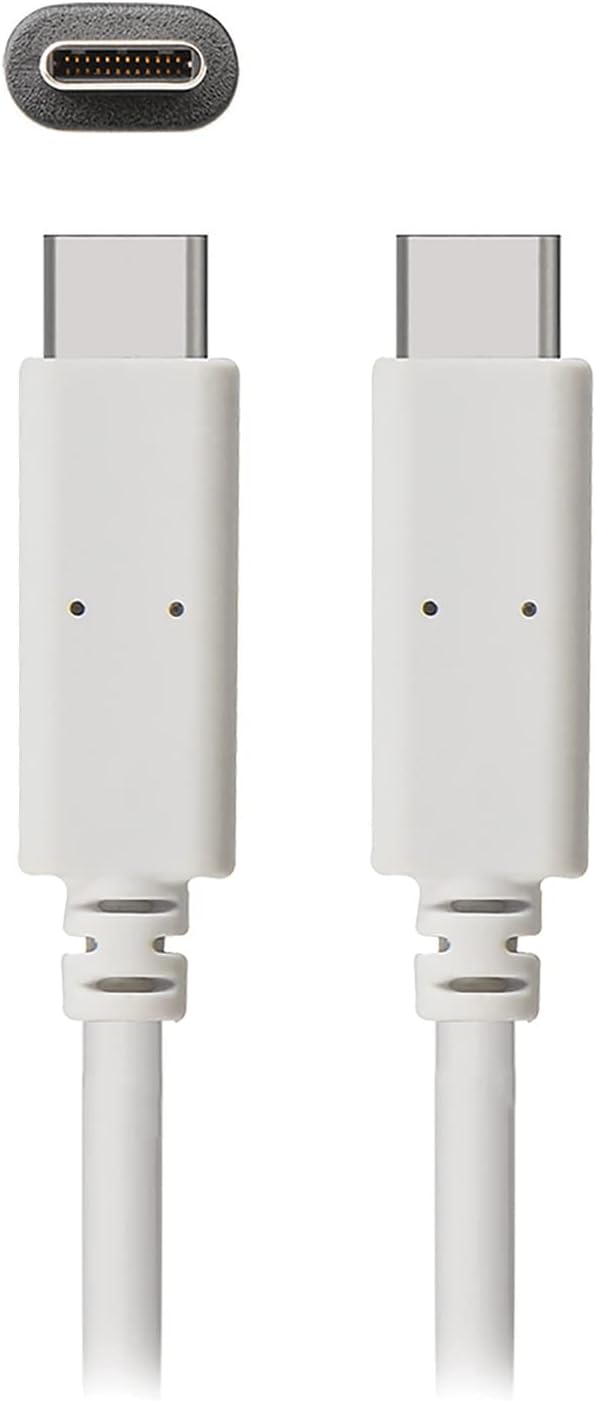
Малюнак 1: The JENSEN USB 3.1 Type-C cable, showcasing its durable, reversible connectors. This image displays both ends of the white cable, highlighting the USB-C connector design.
Асноўныя характарыстыкі:
- USB 3.1 Type-C Compatibility: Ensures broad compatibility with modern devices.
- Durable Molded Ends: Designed for longevity and reliable connection.
- Гнуткі кабель: Allows for easy routing and reduces strain.
- Reversible Connectors: Enables convenient plug-in without concern for orientation.
- Высокая хуткасць перадачы дадзеных: Supports up to 5 Gbps for fast file сінхранізацыя.
2. Налада і падключэнне
The JENSEN USB 3.1 Type-C cable is designed for simple plug-and-play operation. No special drivers or software are required for basic functionality.
Падключэнне кабеля:
- Вызначыць парты: Locate the USB Type-C port on your host device (e.g., computer, power adapter) and the peripheral device (e.g., smartphone, external hard drive).
- Устаўце раз'ём 1: Gently insert one end of the JENSEN USB 3.1 Type-C cable into the USB Type-C port of your host device. The reversible design means there is no "up" or "down" orientation.
- Устаўце раз'ём 2: Insert the other end of the cable into the USB Type-C port of your peripheral device. Ensure both connections are secure.
Once connected, your devices should automatically recognize the cable for charging or data transfer, depending on their capabilities and configuration.
3. Інструкцыя па эксплуатацыі
3.1. Зарадныя прылады
To charge a compatible device using the JENSEN USB 3.1 Type-C cable:
- Connect one end of the cable to a USB Type-C power adapter or a powered USB Type-C port on a computer.
- Connect the other end of the cable to your device requiring charge.
- Verify that your device indicates it is charging. Charging speed may vary based on the power source and device specifications.
3.2. Перадача дадзеных
To transfer data between compatible devices using the JENSEN USB 3.1 Type-C cable:
- Connect one end of the cable to a USB Type-C port on your computer or host device.
- Connect the other end of the cable to your peripheral device (e.g., external hard drive, smartphone).
- Your computer or host device should recognize the connected peripheral. Follow the operating system's prompts to access and transfer files.
Note: The cable supports USB 3.1 Gen 1 speeds, offering data transfer rates up to 5 Gbps. Actual transfer speeds may vary based on connected devices and file тыпаў.
4. Тэхнічнае абслугоўванне
Proper care will extend the life of your JENSEN USB 3.1 Type-C cable.
- Уборка: Выкарыстоўвайце мяккую сухую тканіну, каб акуратна працерці кабель і раздымы. Пазбягайце выкарыстання агрэсіўных хімічных рэчываў або абразіўных матэрыялаў.
- захоўванне: Захоўвайце кабель у прахалодным, сухім месцы, удалечыні ад прамых сонечных прамянёў і экстрэмальных тэмператур. Пазбягайце тугога згортвання або згінання кабеля пад вострымі вугламі, каб пазбегнуць унутраных пашкоджанняў.
- Апрацоўка: Заўсёды трымайцеся за корпус раздыма пры падключэнні або адключэнні кабеля, а не цягніце за сам кабель.
5. Выпраўленне непаладак
If you encounter issues with your JENSEN USB 3.1 Type-C cable, consider the following:
- Прылада не зараджаецца:
- Пераканайцеся, што абодва канцы кабеля надзейна падключаны.
- Verify that the power adapter or USB port is functional and providing sufficient power.
- Test the cable with another compatible device or power source to isolate the issue.
- Павольная перадача дадзеных:
- Confirm that both connected devices support USB 3.1 (or higher) for optimal speeds.
- Ensure the ports on both devices are USB 3.1 compatible. Connecting to a USB 2.0 port will limit speeds to USB 2.0.
- Check for other active processes on your computer that might be consuming bandwidth.
- Перарывістае злучэнне:
- Праверце раздымы на наяўнасць бачных пашкоджанняў або смецця.
- Try connecting to different ports on your devices.
Калі праблемы не знікнуць, звярніцеся ў раздзел падтрымкі для атрымання дадатковай дапамогі.
6. Тэхнічныя характарыстыкі

Малюнак 2: Retail packaging for the JENSEN USB 3.1 Type-C cable, highlighting key features such as 3ft length, reversible connectors, and 5 Gbps data transfer.
| Нумар мадэлі | JU832CC3V |
| Марка | Дженсен |
| Тып раздыма | USB тыпу C (мужчынскі-мужчынскі) |
| Тып кабеля | USB 3.1 |
| Хуткасць перадачы даных | Up to 5 Gigabits Per Second (Gbps) |
| Даўжыня кабеля | 3 футы (прыблізна 0.91 метра) |
| Колер | Белы |
| Сумяшчальныя прылады | Chargers, Personal Computers, and other USB Type-C enabled devices |
| Асаблівасць | Data Transfer, Reversible Connectors |
| Вытворца | VOXX INTERNATIONAL |
| Памеры прадукту | 2.95 х 0.12 х 5.91 цалі |
| Вага прадмета | 0.704 унцыі |
| UPC | 044476141812 |
7. Гарантыя і падтрымка
This JENSEN product is manufactured by VOXX INTERNATIONAL. For information regarding warranty coverage, terms, and conditions, please refer to the warranty documentation included with your purchase or visit the official Jensen webсайт.
For technical support or customer service inquiries, please contact the manufacturer directly. Contact information can typically be found on the product packaging or the official Jensen support portal.
You can visit the Jensen Store for more products and information: Крама Jensen на Amazon