
Amazon Basics DP-882
Amazon Basics 88-Key Semi-Weighted Digital Piano User Manual
Мадэль: DP-882
Уводзіны
This manual provides detailed instructions for the setup, operation, maintenance, and troubleshooting of your Amazon Basics 88-Key Semi-Weighted Digital Piano. Designed for performance, this digital piano offers a realistic playing experience with its semi-weighted keys and a wide array of features to enhance your musical journey.
Асноўныя функцыі ўключаюць у сябе:
- Realistic semi-weighted 88-key keyboard for authentic piano touch.
- Versatile 1/4" audio output for ampліфікатары і дынамікі.
- Expansive music library with 140 tones, 200 rhythms, and 16 demonstration songs.
- Educational features like automatic chords, beginner split keyboard function, and dual timbre functions.
- User-friendly USB MIDI and USB-A ports for smart device connectivity and recording.
Настройка
Распакоўка і ідэнтыфікацыя кампанентаў
Асцярожна выміце ўсе кампаненты з упакоўкі. Пераканайцеся, што ўсе дэталі наяўныя:
- Amazon Basics 88-Key Digital Piano
- Педаль сустейн
- Адаптар харчавання
- USB-кабелі
- Пюпітр

Image: All components included with the Amazon Basics 88-Key Digital Piano.
Secure and Easy Setup
The piano is packaged securely with styrofoam. The power adapter is attached within the styrofoam for quick access.

Image: Digital piano secured in packaging with power adapter.
Connecting the Sustain Pedal and Power Supply
Locate the sustain pedal port on the rear of the piano. Ensure the piano is powered off before connecting or disconnecting the sustain pedal. Connect the power supply adapter to the DC IN port and plug it into a wall outlet.

Выява: Задняя частка view of the piano showing connectivity ports.
Прымацаванне пюпітра
Insert the music stand into the designated slots on the top panel of the piano.
Інструкцыя па эксплуатацыі
Уключэнне/выключэнне і рэгуляванне гучнасці
To power on the piano, press the 'ON/OFF Power' button. Adjust the master volume using the 'MIN/MAX Master Volume' knob to your desired level.

Image: Control panel with master volume and function buttons.
Selecting Tones and Rhythms
The piano offers 140 tones and 200 rhythms. Use the dedicated buttons on the control panel to select different instrument sounds (e.g., Piano, Electronic Church Organ, Guitar, Bass, Strings) and rhythms. The clear LED display will show your current selection.
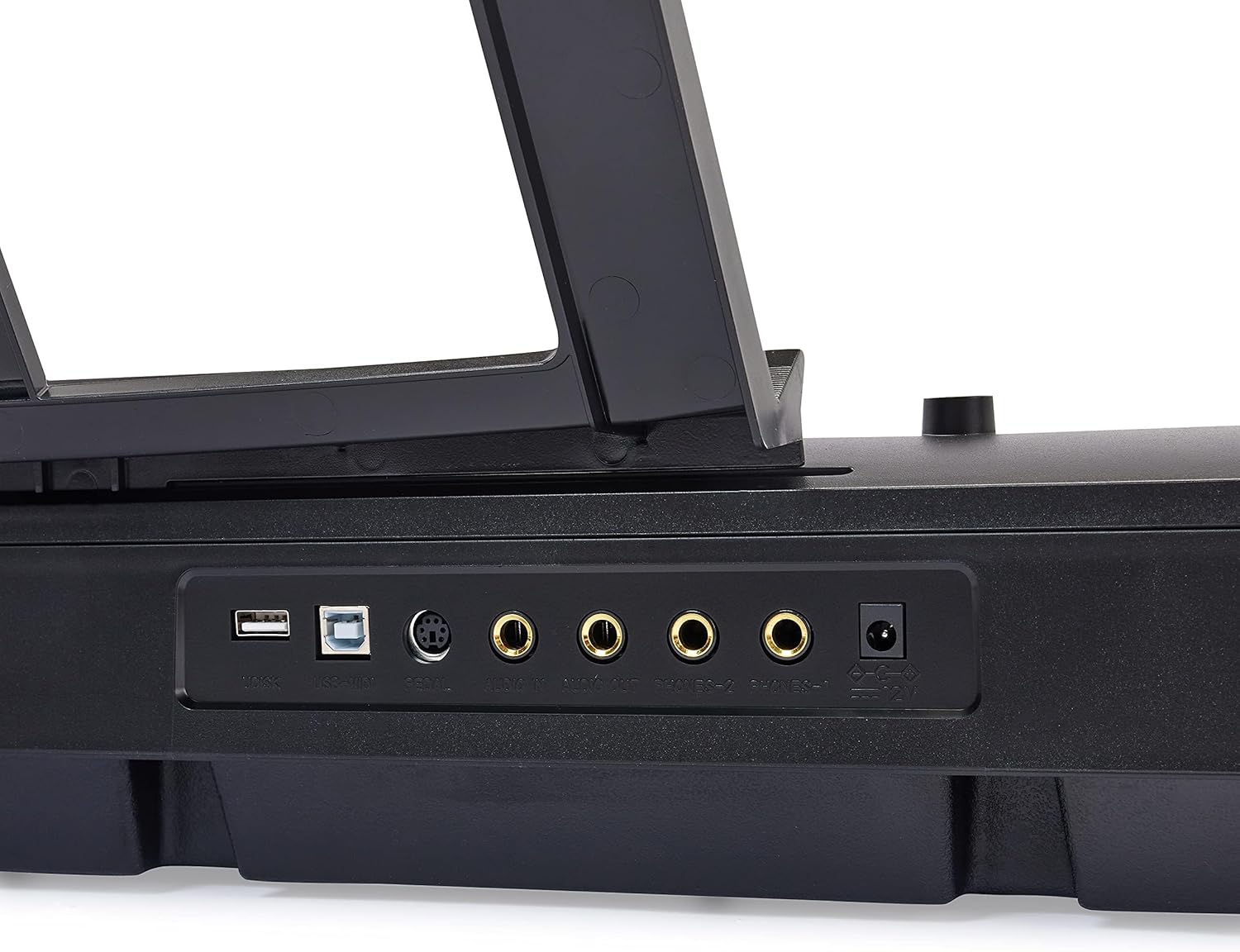
Image: Hand interacting with the piano keys and control panel.
Навучальныя асаблівасці
Enhance your learning with features such as:
- Рэжым урока: Utilize the beginner split keyboard function for guided practice.
- Automatic Chords: Simplify chord playing for beginners.
- Dual Timbre: Layer two different instrument sounds simultaneously for richer tones.
- Метраном: Use the built-in metronome for rhythm training.

Выява: Зверхуview of learning tools and features.
Падключэнне USB
The piano features USB MIDI and USB-A ports, allowing for simple integration with smart devices. You can connect to compatible software for recording your music or expanding your creative possibilities.
Тэхнічнае абслугоўванне
Уборка
To clean the piano, use a soft, dry cloth. Do not use abrasive cleaners, waxes, or solvents as they may damage the finish. For stubborn marks, a slightly damp можна выкарыстоўваць тканіну, а затым адразу ж сухую тканіну.
Захоўванне
Store the piano in a cool, dry place away from direct sunlight, extreme temperatures, and high humidity. Avoid placing heavy objects on the keyboard.
Ліквідацыю непаладак
Без гуку
- Ensure the piano is powered on and the power adapter is securely connected to both the piano and a working electrical outlet.
- Праверце ручку галоўнай гучнасці і пераканайцеся, што яна ўключана на максімум.
- If external speakers or headphones are connected, ensure they are properly plugged in and their volume is adjusted.
Педаль сустейна не працуе
- Verify that the sustain pedal is fully inserted into its designated port on the back of the piano.
- Always ensure the piano is powered OFF before connecting or disconnecting the sustain pedal to prevent potential issues.
Keys Not Responding or Incorrect Sound
- Try selecting a different instrument tone to see if the issue persists across all sounds.
- Power off the piano, wait a few seconds, and then power it back on to reset the system.
Тэхнічныя характарыстыкі
| Асаблівасць | Дэталь |
|---|---|
| Нумар мадэлі | ДП-882 |
| Колькасць ключоў | 88 |
| Тып ключа | Semi-Weighted |
| Памеры (Д x Ш x В) | 11.22" Г x 51.1" Ш x 4.06" У |
| Вага прадмета | 14.77 фунта |
| Крыніца харчавання | Правадная электрычная |
| Тэхналогія падлучэння | USB (USB MIDI, USB-A) |
| Колер | Чорны |
| Узровень майстэрства | Усе |
| Асаблівасць | Партатыўны |
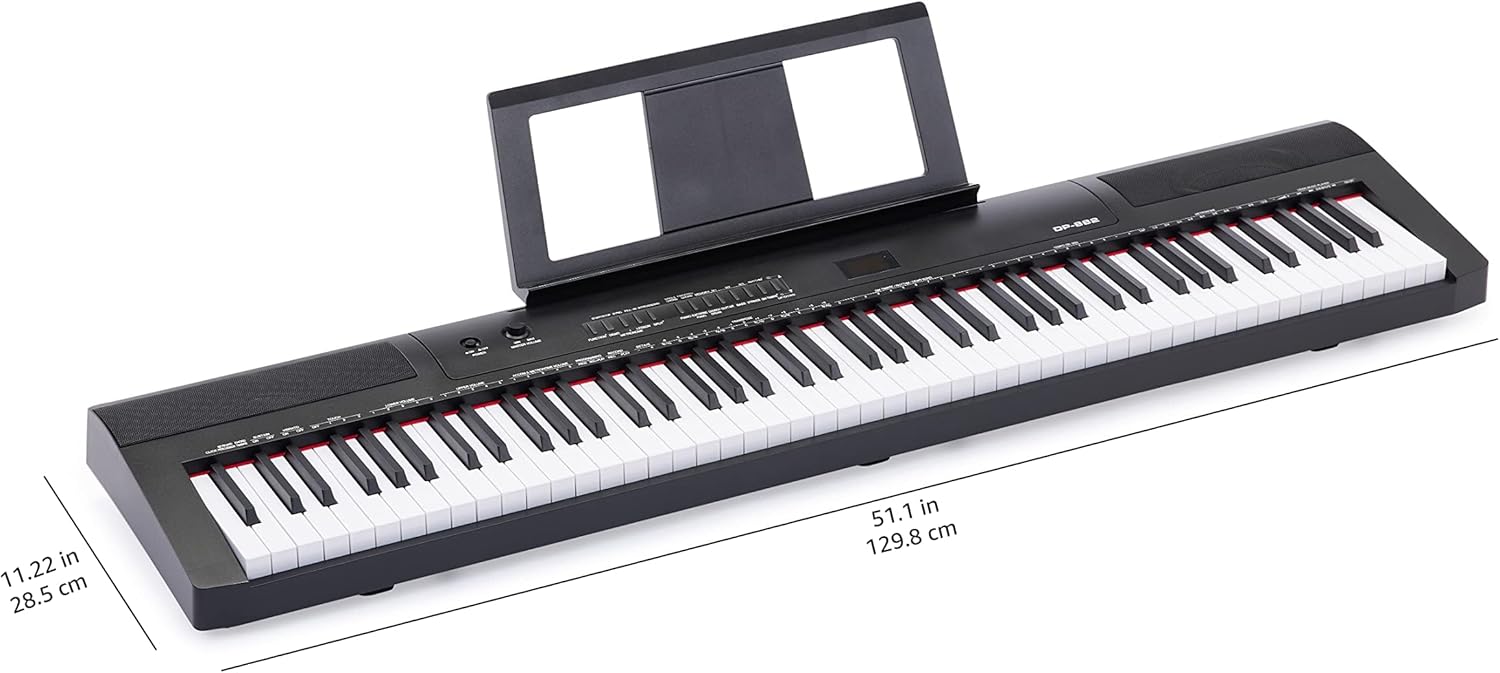
Image: Digital piano with key dimensions.
Гарантыя і падтрымка
Кіраўніцтва карыстальніка і інфармацыя аб гарантыі
For additional details and comprehensive warranty information, please refer to the official PDF documents:
Планы аховы
Extended protection plans may be available for your product. Please check the product listing or your purchase documentation for details on available plans, such as 3-Year or 4-Year Protection Plans.
Падтрымка кліентаў
Каб атрымаць дадатковую дапамогу, тэхнічную падтрымку або запыты аб абслугоўванні, калі ласка, наведайце Базавая крама Amazon or contact Amazon customer service directly.
Ask a question about this manual
Ask about setup, troubleshooting, compatibility, parts, safety, or missing instructions. Manuals+ will review the question and use this page’s manual context to help answer it.