
1. Уводзіны
Дзякуй за пакупкуasing the EVICIV 17.3-inch 2K 144Hz Portable Monitor. This manual provides essential information for setting up, operating, and maintaining your device. Please read it thoroughly before use and keep it for future reference.
2. Асаблівасці прадукту
- Партатыўны дызайн: 17.3-inch large screen with a thin and lightweight design, ideal for portability.
- High Resolution & Refresh Rate: 2560x1440 (2K QHD) resolution with a 144Hz refresh rate for smooth visuals and immersive gaming.
- Панэль IPS: 178° у шырыню viewing angle IPS panel ensures vivid image quality from various perspectives.
- Color Accuracy & Brightness: 100% sRGB color gamut for excellent color reproduction, 350nit high brightness, and 1000:1 contrast ratio for clear visibility in bright environments.
- Убудаваная падстаўка: Integrated stand allows for stable viewing angle adjustment without additional accessories.
- Універсальнае падключэнне: Equipped with Type-C and mini HDMI ports, compatible with various devices including laptops, gaming consoles (X-BOX, Switch), PCs, and Macs.
- Single Cable Connection: Supports single Type-C cable for video signal and power delivery with compatible devices.
- Сумяшчальнасць з мацаваннем VESA: Features VESA mounting holes (75x75mm) for wall or arm bracket installation.
- Убудаваныя дынамікі: Integrated speakers provide audio for an enhanced viewвопыту.
3. Змесціва ўпакоўкі
Калі ласка, праверце ўпакоўку на наяўнасць наступных прадметаў:
- EVICIV 17.3-inch Portable Monitor
- Кабель USB Type-C - Type-C
- Міні -кабель HDMI ў HDMI
- USB Type-A to Type-C Power Cable
- Адаптар сілкавання
- Кіраўніцтва карыстальніка
4. Манітор надview
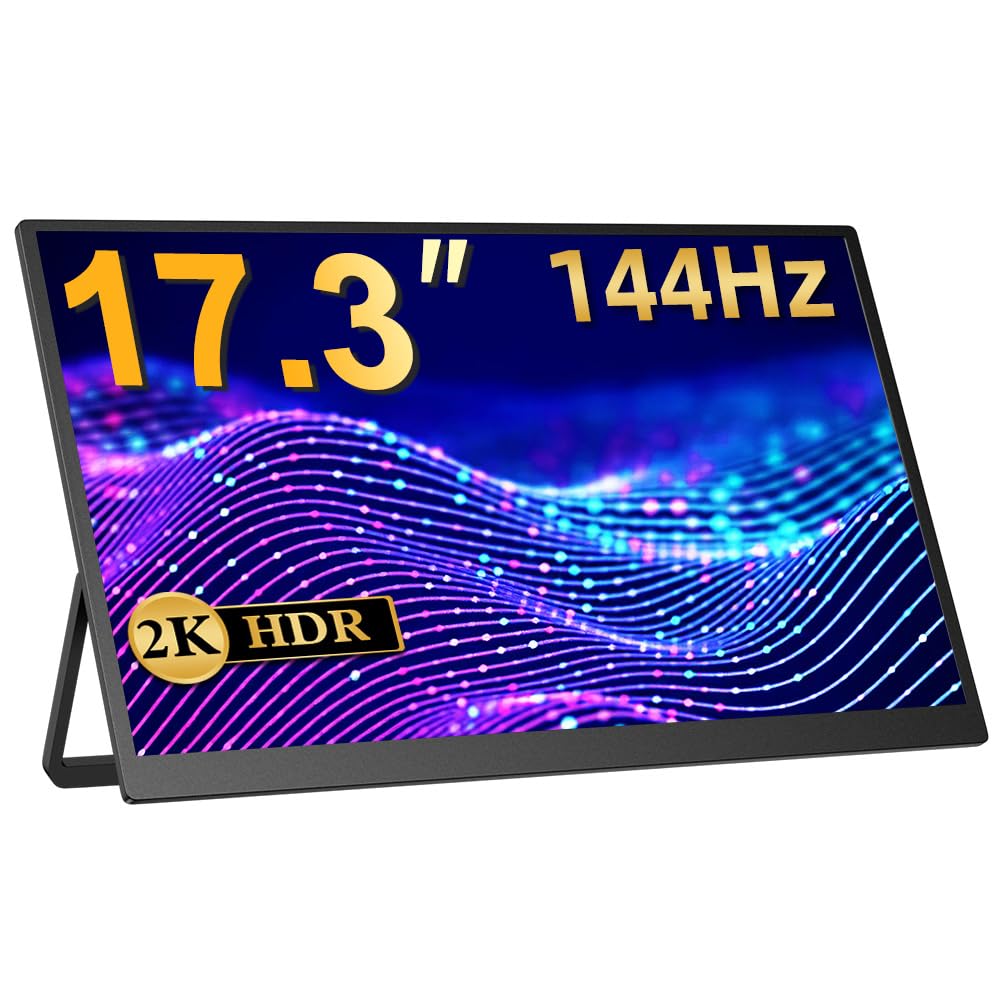
Малюнак 1: Спераду view of the EVICIV 17.3-inch Portable Monitor.
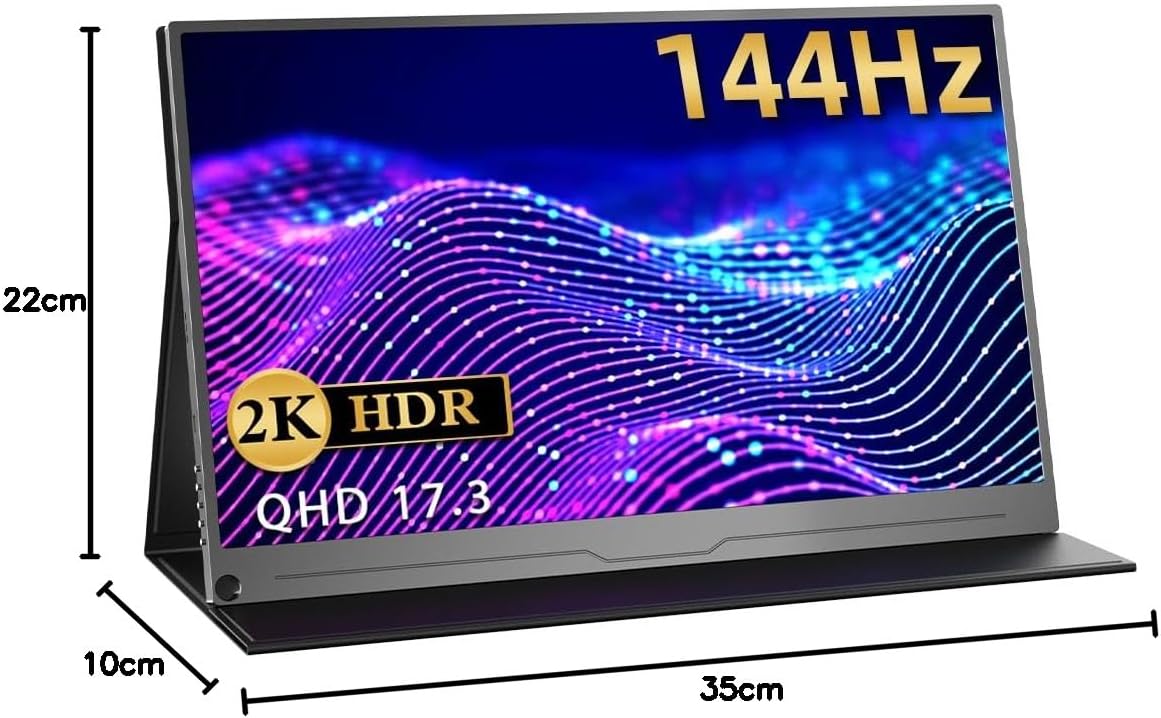
Малюнак 2: Задняя частка view of the monitor, highlighting the VESA mount compatibility (75x75mm).

Малюнак 3: Бакавы прафесіяналfile illustrating the thin and lightweight design of the monitor.

Figure 4: Close-up of the monitor's slim bezel, approximately 4mm, for an expansive viewвопыту.

Figure 5: Detail of the built-in speakers, providing integrated audio.
5. Усталёўка і падключэнне
5.1 Уключэнне
- Падключыце адаптар сілкавання да ўваходу сілкавання манітора.
- Націсніце кнопку харчавання, каб уключыць манітор.
5.2 Падключэнне да прылад
Манітор падтрымлівае розныя спосабы падключэння:
- USB Type-C (Full-featured): For compatible devices (e.g., laptops, smartphones, some gaming consoles), a single Type-C cable can transmit video, audio, and power. Ensure your device's Type-C port supports DisplayPort Alternate Mode and power delivery.
- Mini HDMI: Use the provided Mini HDMI to HDMI cable to connect to devices like PCs, laptops, or gaming consoles (e.g., X-BOX, Switch). An additional power source (via Type-C) may be required.

Figure 6: Monitor connected to a smartphone via a single Type-C cable, demonstrating video and power transmission.

Figure 7: Monitor connected to a Nintendo Switch for an enhanced gaming experience.
6. Інструкцыя па эксплуатацыі
6.1 Экраннае меню (OSD).
The OSD menu allows you to adjust various display settings. Use the control buttons on the side of the monitor to navigate and select options.
- Яркасць/кантраст: Adjust image brightness and contrast levels.
- Налады колеру: Змяніць каляровую тэмпературу, адценне і насычанасць.
- Крыніца ўводу: Manually select the input source (Type-C, HDMI).
- Суадносіны бакоў: Choose between different aspect ratio modes.
- Рэжым HDR: Enable or disable HDR (High Dynamic Range) for compatible content.
- Аб'ём: Adjust the volume of the built-in speakers or connected headphones.
6.2 Рэгуляванне падстаўкі
The integrated stand allows for flexible angle adjustments to suit your viewing preference. Simply unfold the stand to the desired angle for stable positioning.
7. Сцэнарыі выкарыстання
7.1 Dual Display for Productivity
Extend your laptop or PC screen to create a dual-monitor setup, enhancing multitasking and workflow efficiency. Ideal for remote work, presentations, and creative tasks.

Figure 8: Monitor used to extend a laptop display for increased productivity in a work environment.
7.2 Immersive Gaming
Connect to your gaming console (PS5, X-BOX, Switch) via HDMI or compatible Type-C for a larger, more immersive gaming experience with the 144Hz refresh rate.

Figure 9: Monitor displaying a game, illustrating a smooth gaming experience.
7.3 Спажыванне медыя
Enjoy movies, videos, and other media content on the vibrant 2K display. Connect your smartphone or tablet for a larger viewінг вобласці.
Video 1: This video demonstrates the EVICIV 17.3-inch portable monitor (FHD 1920x1200 model) being used for media consumption and gaming. Please note that the resolution shown in the video is FHD (1920x1200), while this product is a 2K (2560x1440) model.
8. Тэхнічныя характарыстыкі
| Марка | ЭВІЦІВ |
| мадэль | ЭВК-1704 |
| Памер экрана | 17.3 цаляў |
| дазвол | 2560 x 1440 (QHD 2K) |
| Частата абнаўлення | 144 Гц |
| Тып панэлі | IPS |
| Яркасць | 350 ніт |
| Колеравая гама | 100% sRGB |
| Суадносіны бакоў | 16:9 |
| Апрацоўка паверхні | Без блікаў |
| Сувязь | 2x Type-C, 1x Mini HDMI |
| Аўдыё | Built-in Speakers, 3.5mm Audio Jack |
| VESA Mount | 75 х 75 мм |
| Памеры | 44.9 x 29.3 x 6.9 cm (Packaged) |
| Вага | 1.89 kg (Packaged) |
9. Выпраўленне непаладак
9.1 Няма сігналу / Чорны экран
- Ensure the monitor is powered on and the power adapter is securely connected.
- Verify that the video cable (Type-C or HDMI) is correctly connected to both the monitor and your source device.
- Check if your source device is outputting a video signal. Try connecting it to another display if possible.
- If using a single Type-C cable, ensure your device's Type-C port supports DisplayPort Alternate Mode and power delivery. Try connecting the monitor to an external power source.
- Try switching input sources manually via the OSD menu.
9.2 Image Flickering or Distortion
- Праверце відэакабель на наяўнасць пашкоджанняў або няшчыльных злучэнняў. Паспрабуйце іншы кабель, калі ён ёсць.
- Ensure the monitor is receiving sufficient power. Use the provided power adapter.
- Adjust the resolution and refresh rate settings on your source device to match the monitor's capabilities (2560x1440, 144Hz).
- Disable any FreeSync or adaptive sync settings on your source device if experiencing issues, as noted in some user reviews.
9.3 Няма гуку
- Increase the volume on both the monitor (via OSD menu) and your source device.
- Ensure the correct audio output device is selected on your source device.
- If using headphones, ensure they are properly connected to the 3.5mm audio jack.
10. Тэхнічнае абслугоўванне
- Ачыстка экрана: Gently wipe the screen with a soft, lint-free cloth. For stubborn marks, use a screen-cleaning solution specifically designed for displays, applied to the cloth, not directly to the screen.
- Ачышчэнне арганізма: Use a soft, dry cloth to wipe the monitor's body. Avoid abrasive cleaners or solvents.
- захоўванне: When not in use, store the monitor in a cool, dry place, away from direct sunlight and extreme temperatures. Use the protective sleeve or original packaging for transport.
- Апрацоўка: Avoid applying excessive pressure to the screen or dropping the monitor.
11. Гарантыя і падтрымка
EVICIV products typically come with a manufacturer's warranty. For specific warranty terms, duration, and support inquiries, please refer to the warranty card included in your product packaging or visit the official EVICIV webсайт. Вы таксама можаце звязацца з прадаўцом непасрэдна па дапамогу.
For further support, please visit the EVICIV store on Amazon: EVICIV Amazon Store