
Уводзіны
Thank you for choosing the Yenkee YMS 5030 Wireless Ergonomic Vertical Mouse. This manual provides detailed instructions for setting up, operating, and maintaining your new mouse. Designed for comfort and precision, this vertical mouse helps promote a natural wrist posture, reducing strain during extended use.
Калі ласка, уважліва прачытайце гэтую інструкцыю перад выкарыстаннем прадукту, каб забяспечыць яго належную працу і даўгавечнасць.
Змест пакета
Праверце наяўнасць усіх прадметаў у камплекце:
- 1 x Yenkee 1000/1600 DPI Wireless Ergonomic Vertical Mouse
- 1 х USB-нанапрыёмнік
- 1 х Кіраўніцтва карыстальніка (гэты дакумент)
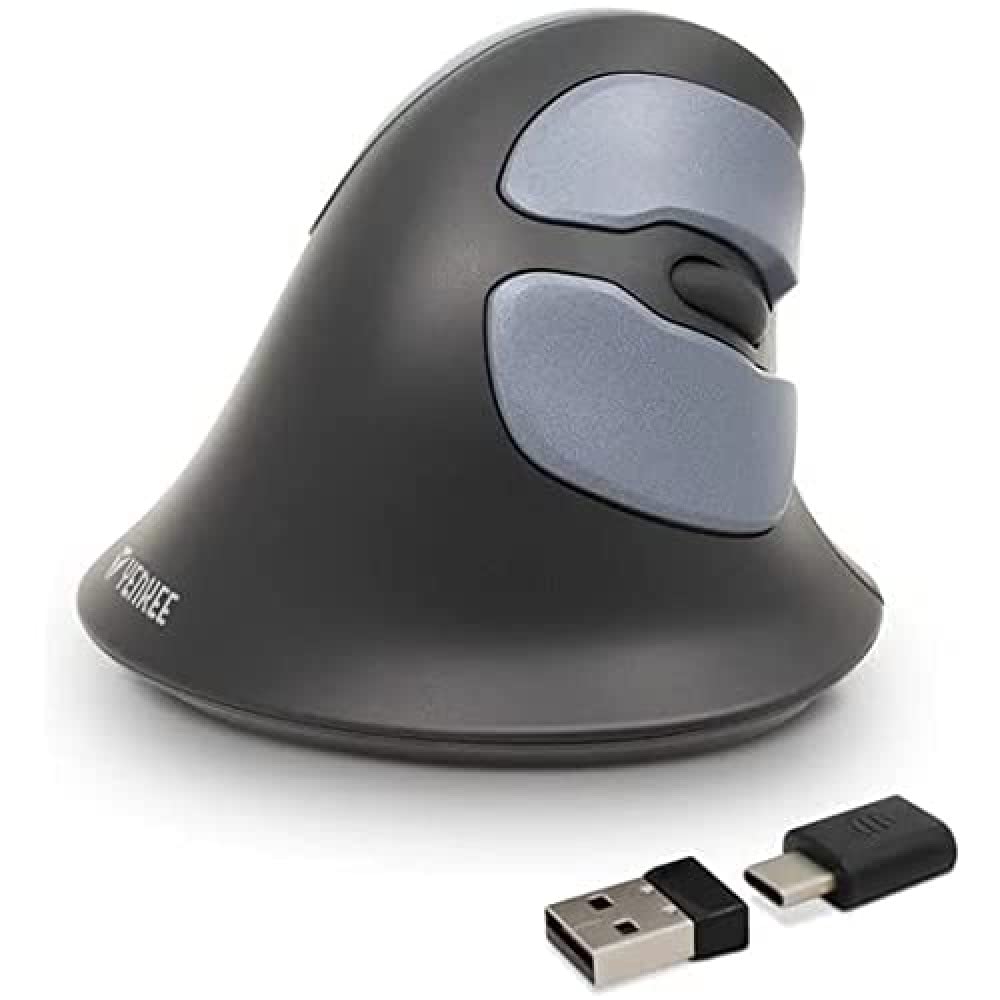
Image: Yenkee YMS 5030 Wireless Ergonomic Vertical Mouse with its USB nano receiver. The mouse is black, featuring a vertical design with multiple buttons.
Настройка
- Усталюйце батарэі:
Locate the battery compartment on the underside of the mouse. Open the cover and insert the required batteries (not included), ensuring correct polarity (+/-). Close the battery compartment cover securely.
Выява: Ніжні бок view of the Yenkee YMS 5030 mouse, highlighting the battery compartment and the on/off switch.
- Падключыце USB Nano-прыёмнік:
Plug the USB nano receiver into an available USB port on your computer. Your operating system should automatically detect and install the necessary drivers. This process may take a few moments.
- Уключэнне мышы:
Slide the ON/OFF switch, located on the underside of the mouse, to the "ON" position. The mouse should now be active and ready for use.
Інструкцыя па эксплуатацыі
The Yenkee YMS 5030 mouse features 6 buttons and adjustable DPI settings for precise control.
- Левая кнопка мышы: Стандартная функцыя асноўнага кліку.
- Правая кнопка мышы: Стандартная функцыя другаснага кліку.
- Кола пракруткі: Пракручвайце дакументы ўверх або ўніз і web старонкі. Таксама можна націснуць для выканання функцыі сярэдняй кнопкай мышы.
- Кнопкі наперад/назад: Located on the side, these buttons allow for quick navigation in web браўзэры або file даследчыкі.
- Кнопка рэгулявання DPI: Located near the scroll wheel, press this button to cycle between DPI settings (1000 DPI and 1600 DPI). Adjust the sensitivity to suit your preference and task.
Выява: зверху ўніз view of the Yenkee YMS 5030 mouse, indicating the positions of the left/right click, scroll wheel, forward/backward, and DPI adjustment buttons.
Эрганамічны дызайн
The vertical design of the YMS 5030 mouse positions your hand in a natural handshake posture, which can help alleviate wrist strain and discomfort often associated with traditional horizontal mice. This design is particularly beneficial for users seeking to reduce the risk of repetitive strain injuries like Carpal Tunnel Syndrome.
Тэхнічнае абслугоўванне
- Уборка: Выкарыстоўвайце мяккую сухую тканіну для чысткі паверхні мышы. Для выдалення ўстойлівага бруду злёгкуampпрамыйце тканіну вадой. Пазбягайце выкарыстання агрэсіўных хімікатаў або абразіўных ачышчальнікаў.
- Замена батарэі: When the mouse performance degrades or it stops responding, it's time to replace the batteries. Follow the "Install Batteries" steps in the Setup section. Dispose of old batteries responsibly according to local regulations.
- захоўванне: When not in use for extended periods, turn off the mouse using the ON/OFF switch to conserve battery life. Store the mouse and receiver in a dry, cool place.
Ліквідацыю непаладак
| праблема | Магчымая прычына | Рашэнне |
|---|---|---|
| Мышка не рэагуе. |
|
|
| Рух курсора няўстойлівы або скачковы. |
|
|
| Налада DPI не змяняецца. | DPI button not pressed correctly or mouse not powered on. | Ensure the mouse is on and press the DPI button firmly. Observe if cursor speed changes. |
Тэхнічныя характарыстыкі
| Асаблівасць | Дэталь |
|---|---|
| Марка | Yenkee |
| Нумар мадэлі | YMS 5030 |
| Колер | Чорны |
| Тэхналогія падлучэння | Бесправадная сувязь (Wi-Fi) |
| Тэхналогія выяўлення руху | Аптычны |
| Налады DPI | 1000 DPI / 1600 DPI |
| Колькасць кнопак | 6 |
| Працоўная адлегласць | Да 10 метраў |
| Крыніца харчавання | Працуе ад батарэек (батарэйкі не ўваходзяць у камплект) |
| Апаратная платформа | PC |
| Сумяшчальнасць аперацыйнай сістэмы | Windows 7, Windows 8, Windows Vista, Windows XP |
| Памеры прадукту | 14.1 х 7.8 х 23 см |
| Вага прадмета | 125 г |
Гарантыя і падтрымка
Yenkee products are manufactured to high-quality standards. For information regarding warranty terms and conditions, please refer to the warranty card included with your purchase or visit the official Yenkee website. For technical support or service inquiries, please contact your local retailer or the Yenkee customer support team.