
Уводзіны
The IMICE T97 RGB Honeycomb Gaming Mouse is designed to provide a precise and comfortable experience for gaming and general computer use. It features a high-precision 4800 DPI sensor, a durable and ergonomic design, and is compatible with various operating systems. This manual will guide you through the setup, operation, and maintenance of your new gaming mouse.
- Марка: IMICE
- Тып: Мышка
- Сумяшчальнасць: Кампутары і ноўтбукі
- Асноўныя характарыстыкі: High precision 4800 DPI, comfortable and durable design, anti-sweat design, precise positioning.
- колер: Чорны
Інструкцыя па наладзе
1. Падключэнне мышы
The IMICE T97 mouse uses a standard USB connection for plug-and-play functionality. No additional drivers are typically required for basic operation on supported operating systems.
- Знайдзіце свабодны порт USB на вашым кампутары або ноўтбуку.
- Insert the USB connector of the IMICE T97 mouse firmly into the USB port.
- Ваша аперацыйная сістэма павінна аўтаматычна выявіць і ўсталяваць неабходныя драйверы. Гэты працэс можа заняць некалькі хвілін.
- Пасля ўстаноўкі мыш будзе гатовая да выкарыстання.
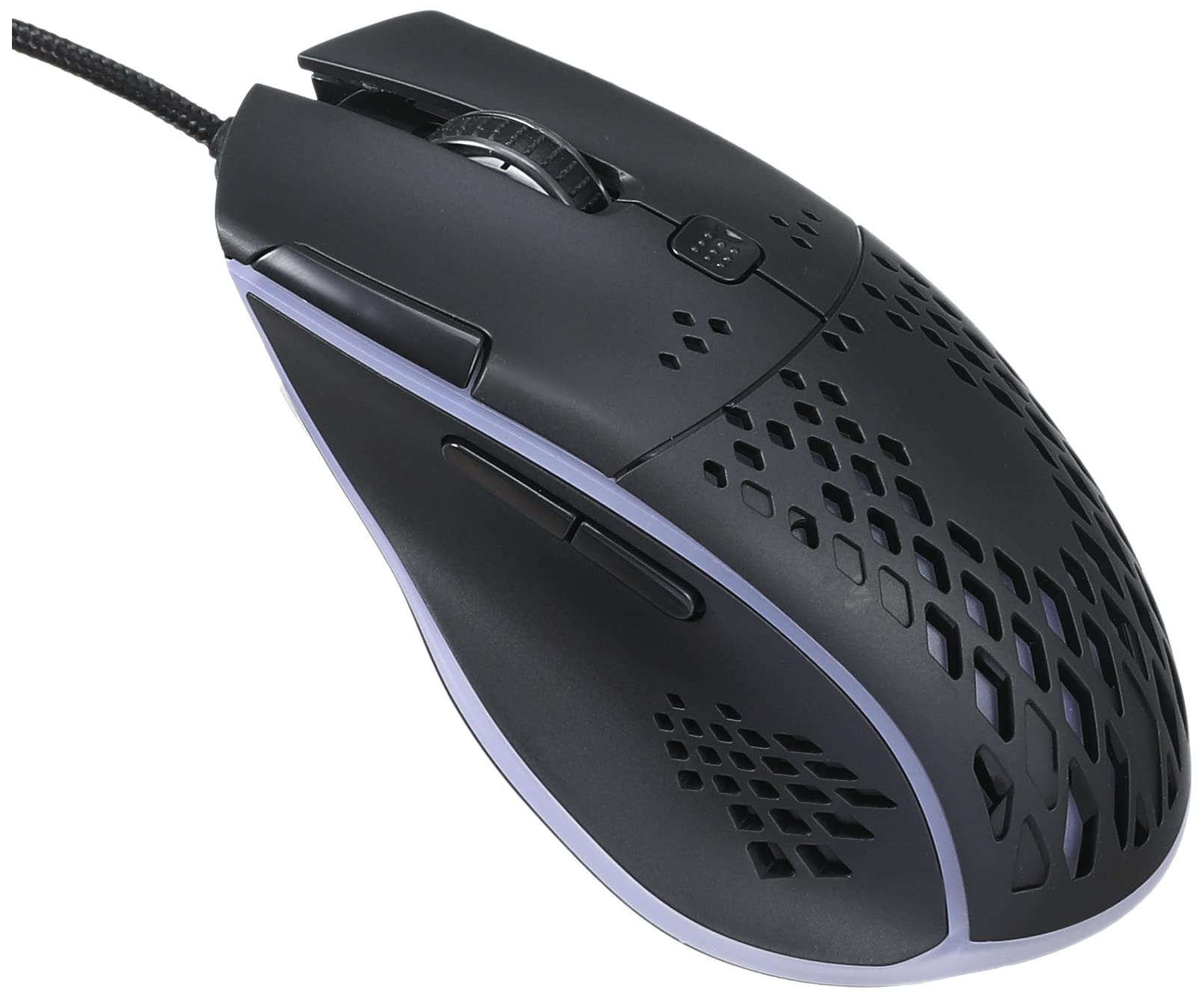
Выява: зверху спераду view of the IMICE T97 RGB Honeycomb Gaming Mouse, showing its ergonomic shape and honeycomb shell design.
Кіраванне мышшу
Асноўныя функцыі
- Пстрычка левай кнопкай мышы: Primary action, selection, activation.
- Пстрыкніце правай кнопкай мышы: Кантэкстнае меню, дадатковыя дзеянні.
- Кола пракруткі: Пракручванне дакументаў уверх/уніз і web старонкі. Таксама можна націснуць для адкрыцця функцыі сярэдняй кнопкай мышы.
- Бакавыя кнопкі: (If present, typically for forward/back navigation in browsers or custom functions in games). The T97 model typically includes two side buttons.
Рэгуляванне DPI
The IMICE T97 mouse features adjustable DPI (Dots Per Inch) settings, allowing you to change the cursor sensitivity. This mouse supports up to 4800 DPI. There is usually a dedicated button, often located behind the scroll wheel, to cycle through different DPI levels. Press this button to switch between sensitivity settings to find your preferred speed.
RGB асвятленне
The mouse features RGB lighting, which typically cycles through various colors automatically. There may not be user-configurable software for lighting control, and it operates as a default aesthetic feature.

Выява: Ніжні бок view of the IMICE T97 RGB Honeycomb Gaming Mouse, showing the optical sensor, product label with model T97, and regulatory marks.
Тэхнічнае абслугоўванне
Уборка
- Адключыце мыш ад кампутара перад чысткай.
- Выкарыстоўвайце мяккую, сухую тканіну без ворса, каб праціраць паверхню мышы.
- Для ўстойлівага бруду злёгку ачысціцеampen the cloth with water or a mild cleaning solution (avoid harsh chemicals).
- Выкарыстоўвайце ватовы тампон або сціснутае паветра для ачысткі вакол кнопак і кола пракруткі.
- Сачыце за трапленнем вадкасці ва ўнутраныя кампаненты мышы.
Захоўванне
Захоўвайце мыш у прахалодным, сухім месцы, удалечыні ад прамых сонечных прамянёў і экстрэмальных тэмператур, калі яна не выкарыстоўваецца працяглы час.
Ліквідацыю непаладак
| праблема | Рашэнне |
|---|---|
| Мышка не рэагуе. |
|
| Рух курсора няўстойлівы або скачковы. |
|
| Кнопкі або кола пракруткі не працуюць. |
|
| Cannot find software for customization. | The IMICE T97 mouse is primarily designed for plug-and-play operation. Dedicated software for advanced customization (like button remapping or detailed RGB control) may not be available or easily accessible for this model. Most functions are hardware-controlled. |
Тэхнічныя характарыстыкі
| Марка | IMICE |
| мадэль | Т97 |
| Колер | Чорны |
| Тэхналогія падлучэння | USB |
| DPI (макс.) | 4800 DPI |
| Асаблівасці | Comfortable design, RGB lighting, honeycomb shell |
| Рука арыентацыі | Амбідэкстр |
| Рэкамендуемае выкарыстанне | Гульнявая |
| Сумяшчальныя прылады | Персанальны камп'ютар, ноўтбук |
| Сумяшчальнасць аперацыйнай сістэмы | Linux, Windows XP (і больш новыя версіі) |
| Вага прадмета | 120 грамаў |
| Памеры дастаўкі | 15 х 11 х 5 см |
| Батарэі ўваходзяць у камплект | No (Wired USB mouse) |
| ASIN | B0BD2DDWNQ |
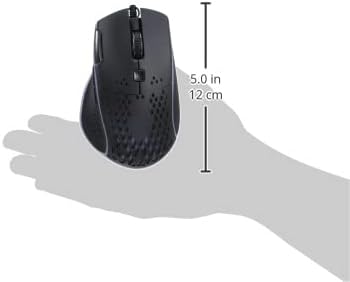
Выява: Збоку view of the IMICE T97 RGB Honeycomb Gaming Mouse held in a hand, illustrating its compact size (approximately 5.0 inches or 12 cm in length).
Інфармацыя аб гарантыі
Please refer to the retailer or your purchase documentation for specific warranty terms and conditions. IMICE products typically come with a limited warranty against manufacturing defects. Keep your proof of purchase for warranty claims.
Падтрымка кліентаў
For technical assistance or further inquiries, please contact your retailer or visit the official IMICE website for support resources. Ensure you have your product model (T97) and purchase details ready when contacting support.