
1. Прадукт скончыўсяview
The ZGCINE ZG-V99 is a compact and powerful 99Wh (6800mAh, 14.8V) V-Mount Li-ion battery designed for professional photographic equipment, including cameras and DSLRs. It features multiple output ports for versatile power supply to various devices, an OLED display for real-time battery information, and intelligent battery management for safe operation.

Выява 1.1: Спераду view of the ZGCINE ZG-V99 V-Mount Battery, highlighting its capacity, voltage, and integrated safety features.
Асноўныя характарыстыкі:
- Кампактны і лёгкі: Designed for portability, weighing approximately 1.1 lbs, making it suitable for travel (please check local airline regulations).
- Высокая ёмістасць: 99Wh (6800mAh, 14.8V) provides extended power for your devices.
- Некалькі выхадных партоў: Equipped with D-TAP, BP, USB-C, and USB-A output ports to power a wide range of devices simultaneously.
- Хуткая зарадка PD: Supports PD USB-C charging at 45W or 60W, allowing a full charge in approximately 3.5 hours.
- OLED -дысплей: Real-time display of battery information, including charge status.
- Інтэлектуальнае кіраванне батарэяй: Incorporates overcurrent, overpower, overvoltage, overcharge, short circuit, temperature, and reset protection for safe and reliable operation.
- High-Quality Cells: Utilizes imported high-quality battery cells for optimal performance and safety.
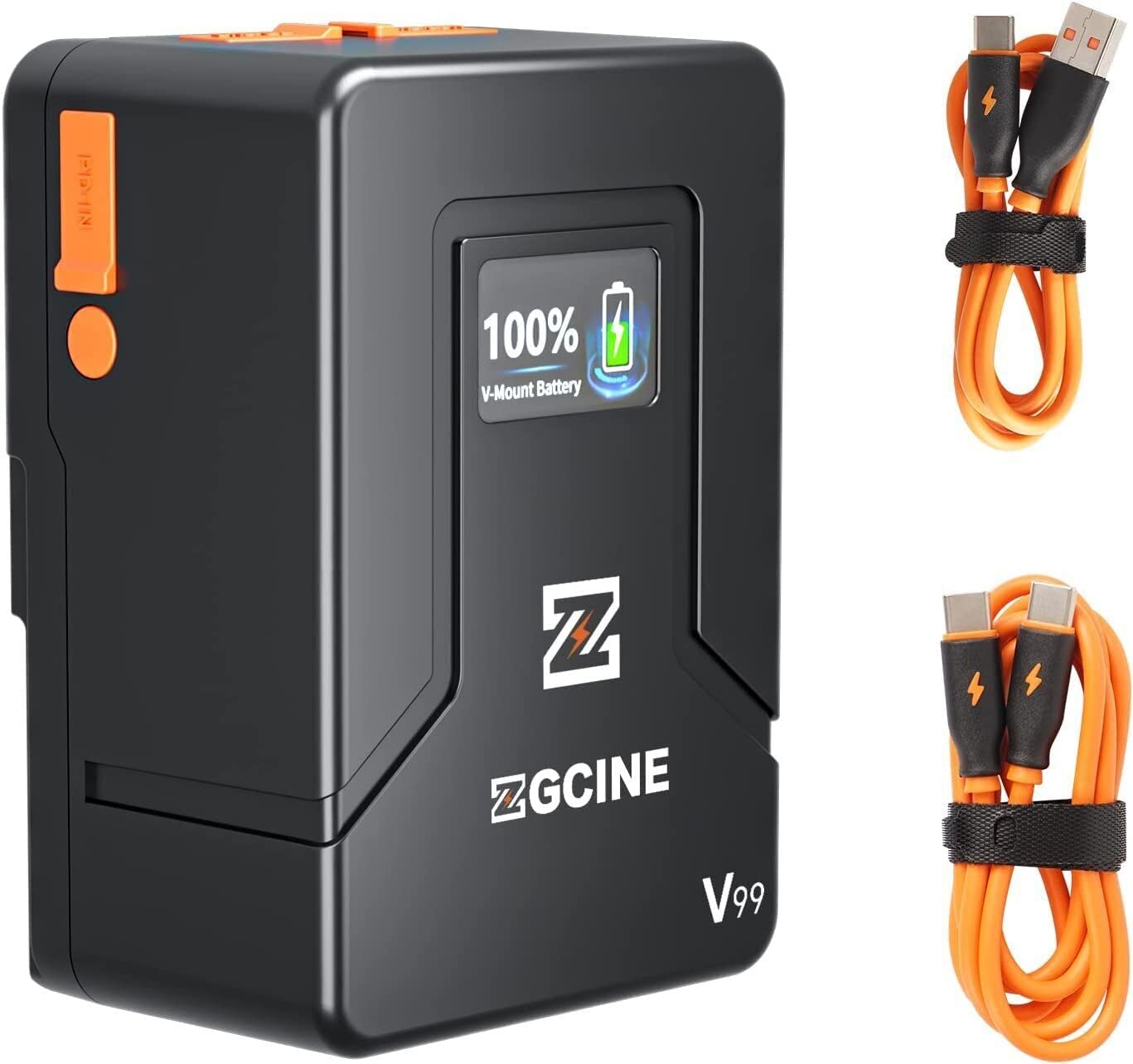
Image 1.2: The ZGCINE ZG-V99 battery demonstrating its compact size and portability, fitting easily into a bag.
2. Тэхнічныя характарыстыкі
| Асаблівасць | Спецыфікацыя |
|---|---|
| мадэль | ZG-V99 |
| Тып батарэі | Літый-іённы акумулятар V-Mount |
| Ёмістасць | 99Wh / 6800mAh |
| тtage | 14.8В |
| Вага прадмета | 1.1 фунта (прыблізна 0.5 кг) |
| Уваход/выхад USB-C | PD 45W/60W (Input), 24W (Output) |
| Выхад USB-A | 24 Вт |
| D-Tap Input/Output | 133.2 Вт |
| BP Charging Port | 133.2 Вт |
| Памеры (Д х Ш х У) | Прыбл. 4.33 х 2.2 х 2.95 цалі (108 х 55 х 74 мм) |
| Charging Time (PD 45W/60W) | Прыбл. 3.5 гадзіны |
| Функцыі абароны | Overcurrent, Overpower, Overvoltage, Overcharge, Short Circuit, Temperature, Reset, Circuit Protection |
3. Змесціва ўпакоўкі
Калі ласка, праверце ўпакоўку на наяўнасць наступных прадметаў:
- Акумулятар ZGCINE ZG-V99 V-маунт
- Кіраўніцтва карыстальніка
Note: Charging cables and power adapters are typically sold separately.
4. Інфармацыя па бяспецы
To ensure safe operation and prolong the lifespan of your ZGCINE ZG-V99 V-Mount Battery, please read and adhere to the following safety guidelines:
- Не разбірайце, не раздушвайце, не праколвайце і не замыкайце акумулятар.
- Avoid exposing the battery to high temperatures (above 60°C / 140°F) or direct sunlight.
- Keep the battery away from water, fire, and corrosive substances.
- Выкарыстоўвайце толькі сумяшчальныя зарадныя прылады і кабелі.
- If the battery shows signs of swelling, leakage, or damage, discontinue use immediately.
- Утылізуйце батарэю ў адпаведнасці з мясцовымі правіламі для літый-іённых батарэй.
- Захоўваць у месцах, недаступных дзецям.

Выява 4.1: Канецview of the intelligent battery management system and its various protection mechanisms.
5. Пачатак працы
5.1 Зарадка акумулятара
The ZG-V99 battery supports PD fast charging via its USB-C port. To charge the battery:
- Connect a compatible USB-C PD charger (45W or 60W recommended) to the USB-C port on the battery.
- The OLED display will show the charging status and current battery level.
- Charging typically takes about 3.5 hours for a full charge with a 45W/60W PD charger.

Image 5.1: The ZG-V99 battery being charged via its USB-C port using a PD charger.
5.2 Устаноўка батарэі
The ZG-V99 is a V-Mount battery and can be attached to any device or rig equipped with a standard V-Mount plate.
- Align the V-Mount plate on the battery with the V-Mount receiver on your camera or accessory.
- Slide the battery downwards until it clicks securely into place.
- To remove, press the release button (usually orange) on the side of the battery and slide it upwards.

Image 5.2: The ZG-V99 battery mounted on a camera rig, demonstrating its integration into a professional setup.
5.3 Падключэнне прылад
The ZG-V99 offers various ports to power multiple devices simultaneously:
- Порт D-Tap: For devices requiring D-Tap power input.
- BP Port: For devices compatible with BP power input.
- Порт USB-C: Can be used as an output to charge devices like laptops, tablets, or smartphones.
- Порт USB-A: For charging smartphones and other USB-powered accessories.

Малюнак 5.3: Падрабязны view of the ZG-V99's various input/output ports.
6. Аперацыя
6.1 Уключэнне/выключэнне
To power on the battery, press and hold the power button located on the side. The OLED display will illuminate. To power off, press and hold the power button again until the display turns off.
6.2 Выкарыстанне выходных партоў
Once the battery is powered on, connect your devices to the appropriate output ports (D-Tap, BP, USB-C, USB-A). The battery can supply power to multiple devices simultaneously.

Image 6.1: The ZG-V99 battery powering a laptop and a smartphone simultaneously.
6.3 Інфармацыя пра OLED-дысплей
The integrated OLED display provides real-time information about the battery's status, including:
- Працэнт бягучага акумулятараtage.
- Charging status (when connected to a charger).
- Output status (when powering devices).
7. Тэхнічнае абслугоўванне
Proper maintenance ensures the longevity and optimal performance of your ZG-V99 battery:
- Уборка: Use a soft, dry cloth to clean the battery's exterior. Do not use harsh chemicals or abrasive materials.
- захоўванне: Store the battery in a cool, dry place, away from direct sunlight and extreme temperatures. For long-term storage, it is recommended to keep the battery charged to approximately 50-70%.
- Цыклы зарадкі: Пазбягайце частай поўнай разрадкі акумулятара, бо гэта можа скараціць яго агульны тэрмін службы.
- Абарона порта: Keep the dust-proof caps on unused ports to prevent dust and debris accumulation.
8. Выпраўленне непаладак
If you encounter issues with your ZGCINE ZG-V99 battery, refer to the following table:
| праблема | Магчымая прычына | Рашэнне |
|---|---|---|
| Акумулятар не зараджаецца | Incompatible charger; Loose connection; Faulty cable/charger | Ensure using a PD 45W/60W USB-C charger. Check all connections. Try a different cable or charger. |
| Battery not powering devices | Battery is off; Low battery level; Device incompatibility; Loose connection | Press the power button to turn on. Charge the battery. Verify device compatibility. Check cable connections. |
| OLED-дысплей не працуе | Battery is off; Malfunction | Press the power button. If still unresponsive, contact customer support. |
| Перагрэў акумулятара | Overload; Poor ventilation; Environmental temperature too high | Disconnect devices immediately. Allow battery to cool down. Ensure proper ventilation. Avoid use in high ambient temperatures. |
9. Афіцыйнае відэа прадукту
Відэа 9.1: Афіцыйнае відэа пра прадуктasing the ZGCINE ZG-V99 V-Mount Battery's features, ports, and mounting process on a camera rig.
10. Гарантыя і падтрымка
The ZGCINE ZG-V99 V-Mount Battery comes with a 1-гадовая гарантыя ад вытворцы з дня пакупкі. Гэтая гарантыя распаўсюджваецца на дэфекты матэрыялаў і вырабу пры звычайным выкарыстанні.
Гарантыя не распаўсюджваецца на:
- Шкода, выкліканая няправільным выкарыстаннем, злоўжываннем, няшчасным выпадкам або халатнасцю.
- Несанкцыянаваны рамонт або мадыфікацыі.
- Нармальны знос.
For warranty claims or technical support, please contact ZGCINE customer service through your retailer or the official ZGCINE website. Please have your proof of purchase and product model number ready.