
Уводзіны
Thank you for choosing the Andoer 18.5-inch Wi-Fi Digital Photo Frame. This manual provides detailed instructions to help you set up, operate, and maintain your new digital photo frame. Please read this manual thoroughly before use and keep it for future reference.
Што ў скрынцы
- 1 x Andoer 18.5-inch Wi-Fi Digital Photo Frame
- 1 x Back Stand
- 1 x Power Adapter (Input: 100-240V, 50/60Hz; Output: DC 12V, 2A)
- 1 х Кіраўніцтва карыстальніка

Image: Package contents showing the digital photo frame, power adapter, back stand, and user manual.
Інфармацыя па бяспецы
Каб забяспечыць бяспечную працу і пазбегнуць пашкоджанняў, калі ласка, выконвайце наступныя меры бяспекі:
- Не падвяргайце прыладу ўздзеянню дажджу, вільгаці або экстрэмальных тэмператур.
- Выкарыстоўвайце толькі прадастаўлены адаптар сілкавання. Выкарыстанне несанкцыянаванага адаптара можа пашкодзіць прыладу і ануляваць гарантыю.
- Пазбягайце размяшчэння рамы пад прамымі сонечнымі прамянямі або побач з крыніцамі цяпла.
- Не спрабуйце разбіраць або рамантаваць прыладу самастойна. Звяртайцеся да кваліфікаванага персаналу па любыя паслугі па абслугоўванні.
- Трымайце прыладу далей ад моцных магнітных палёў.
- Clean the screen with a soft, dry cloth. Do not use liquid cleaners or sprays directly on the screen.
Прадукт скончаныview
The Andoer 18.5-inch Wi-Fi Digital Photo Frame is designed to display your cherished memories with ease and clarity. It features a high-resolution IPS touchscreen and Wi-Fi connectivity for instant sharing.
Асноўныя характарыстыкі
- Лёгкі абмен: Integrated Wi-Fi supports instant and wireless sharing of photos and videos with friends and family from anywhere via the Frameo application.
- IPS Touch Screen: Features a 17.3-inch IPS screen with a 1920 x 1080 resolution, allowing for intuitive touch control to manage photos and settings.
- Вялікая ёмістасць для захоўвання: Equipped with 16GB of built-in memory (approximately 8GB usable for user content) and supports external TF cards up to 32GB.
- Аўтаматычнае паварот: Automatically rotates photos to adjust direction. Includes a removable back stand for both portrait and landscape viewing, and can also be wall-mounted.

Выява: спераду view of the digital photo frame highlighting its main features.
Настройка
1. Распакаванне і размяшчэнне
- Акуратна дастаньце ўсе кампаненты з упакоўкі.
- Attach the back stand to the frame for desktop placement, or prepare for wall mounting if desired.
- Place the frame on a stable, flat surface or mount it securely on a wall. Ensure adequate ventilation around the device.

Малюнак: Examples of placing the digital photo frame on a desktop or mounting it on a wall.
2. Уключэнне
- Connect the power adapter to the DC input port on the back of the frame.
- Падключыце адаптар сілкавання да стандартнай электрычнай разеткі.
- The frame will automatically power on and display the initial setup screen.
3. Пачатковая налада і падключэнне да Wi-Fi
- Follow the on-screen prompts to select your preferred language, time zone, and other basic settings.
- When prompted, select your Wi-Fi network from the list and enter the password. Ensure a stable internet connection for optimal performance.
4. Frameo App Installation and Pairing
- Download the "Frameo" application from your smartphone's app store (available for iOS and Android).
- Адкрыйце праграму Frameo і стварыце ўліковы запіс або ўвайдзіце ў сістэму.
- On your digital photo frame, navigate to the "Add Friend" section to get a unique frame code.
- In the Frameo app on your smartphone, enter the frame code to pair your device with the photo frame.
Інструкцыя па эксплуатацыі
1. Навігацыя па сэнсарным экране
The frame features an intuitive IPS touchscreen. Swipe left/right to browse photos, tap to access menus, and pinch to zoom (if supported by the software version).

Image: Illustrating the touch control functionality of the 18.5-inch IPS screen.
2. Загрузка фота і відэа
You can upload media to your frame using the Frameo app or via email.
- Via Frameo App: Open the Frameo app on your smartphone, select the photos/videos you wish to share, choose your connected frame, and send.
- Праз электронную пошту: The frame may have a unique email address. Send photos/videos to this address, and they will appear on your frame after processing.

Image: Demonstrating how to upload photos to the frame using a mobile phone app or email.

Image: Highlighting the instant wireless sharing capability of the photo frame.
3. Managing Photos and Settings
From the frame's touchscreen interface, you can:
- Move/Hide/Delete Photos: Tap on a photo to reveal options for managing it.
- Import Photos: If using an external TF card, you can import photos from it.
- Адрэгуляваць параметры: Access the settings menu to change brightness, language, time zone, and the frame's name.
4. Automatic Rotation
The frame automatically detects its orientation (portrait or landscape) and adjusts the displayed photos accordingly. This feature ensures your photos are always displayed correctly, regardless of how the frame is positioned.
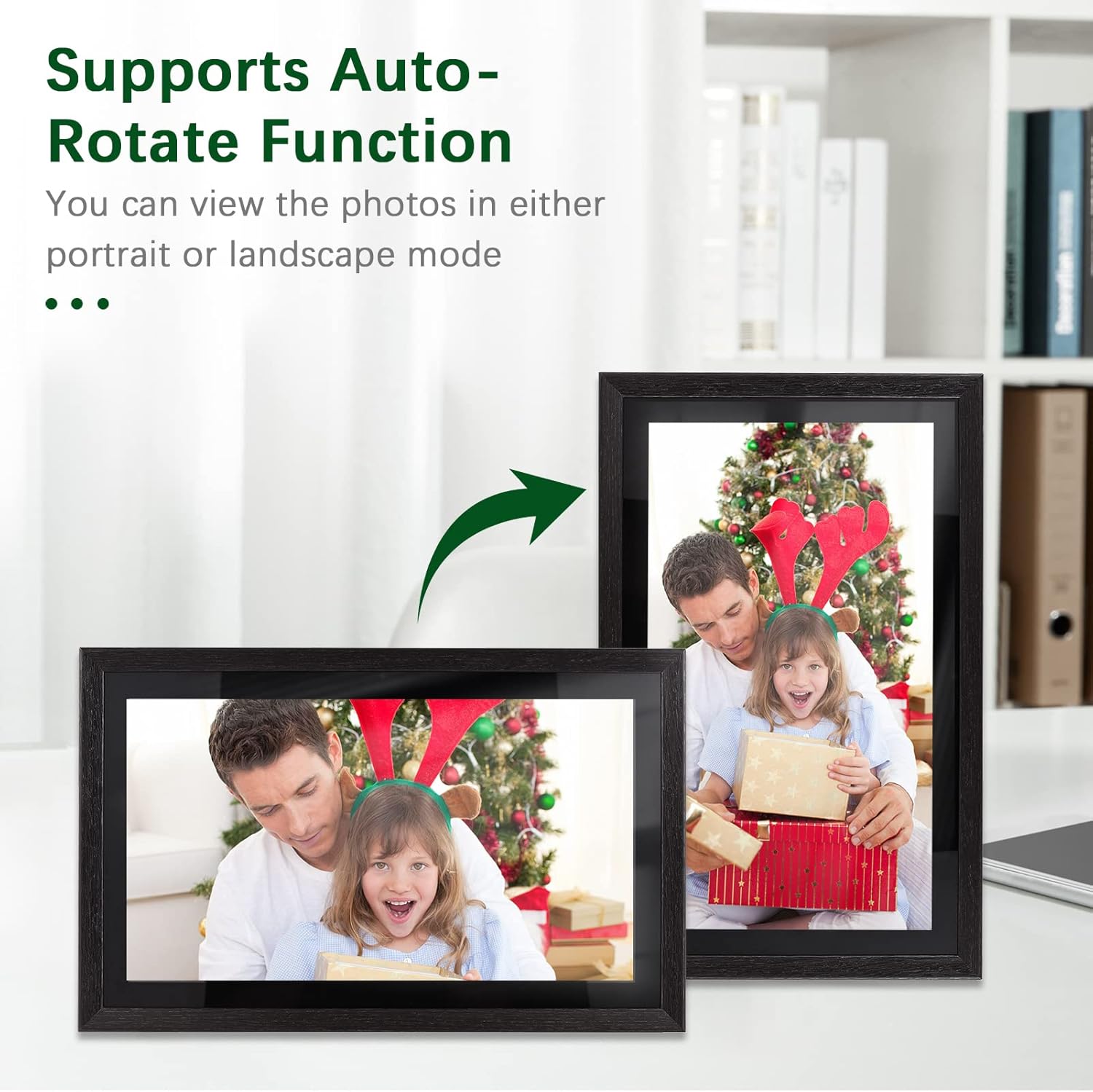
Image: Demonstration of the automatic rotation feature, showing the frame adapting to portrait and landscape orientations.
Тэхнічнае абслугоўванне
Ачыстка рамы
- экран: Акуратна працярыце экран мяккай тканінай без ворса. Для выдалення ўстойлівых плям злёгку працярыцеampпрацярыце тканіну вадой (не распыляйце непасрэдна на экран).
- Корпус рамы: Use a soft, dry cloth to wipe the frame's body.
- Do not use abrasive cleaners, solvents, or chemical sprays, as these can damage the finish and screen.
Абнаўлення праграмнага забеспячэння
Periodically check for software updates in the frame's settings menu. Keeping your frame's software up-to-date ensures optimal performance and access to new features.
Кіраванне сховішчам
The frame has 16GB of internal storage. If you find yourself running low on space, consider deleting old photos/videos or utilizing an external TF card (up to 32GB) for additional storage.
Ліквідацыю непаладак
| праблема | Магчымая прычына | Рашэнне |
|---|---|---|
| Рамка не ўключаецца. | Блок харчавання не падключаны або няспраўны; праблема з разеткай. | Пераканайцеся, што адаптар сілкавання надзейна падключаны да рамы і спраўнай электрычнай разеткі. Паспрабуйце іншую разетку. |
| Немагчыма падключыцца да Wi-Fi. | Няправільны пароль; слабы сігнал; праблема з маршрутызатарам. | Двойчы праверце пароль Wi-Fi. Перамясціце рамку бліжэй да маршрутызатара. Перазапусціце маршрутызатар. |
| Photos/videos not uploading. | No internet connection; incorrect frame code; app issues. | Verify Wi-Fi connection. Ensure the correct frame code is entered in the Frameo app. Restart the app and try again. Check available storage on the frame. |
| Сэнсарны экран не рэагуе. | Часовы збой праграмнага забеспячэння; забруджванне экрана. | Restart the frame by unplugging and replugging the power adapter. Clean the screen with a soft, dry cloth. |
Тэхнічныя характарыстыкі
| Асаблівасць | Дэталь |
|---|---|
| Нумар мадэлі | DRR9822880669739GJ |
| Памер экрана | 18.5 цаляў |
| Тып дысплея | IPS сэнсарны экран |
| дазвол | 1920 х 1080 |
| Суадносіны бакоў | 16:9 |
| Унутраная памяць | 16GB (approx. 8GB usable) |
| Знешні назапашвальнік | Supports TF Card (max. 32GB) |
| Сувязь | Wi-Fi |
| Увод магутнасці | 12 В/2 А |
| Адаптар сілкавання | Input: 100-240V, 50/60Hz; Output: DC 12V, 2A |
| Метад кантролю | Сэнсарны экран |
| Сумяшчальныя прылады | Ноўтбук, смартфон, планшэт |
| Колер | Чорны |
| Памеры ўпакоўкі | 52.6 х 44.29 х 8.9 см |
| Вага ўпакоўкі | 2.81 кг |
Гарантыя і падтрымка
Інфармацыя аб гарантыі
Andoer products are manufactured to the highest quality standards. This product is covered by a standard manufacturer's warranty against defects in materials and workmanship. Please refer to your purchase documentation for specific warranty terms and duration.
Падтрымка кліентаў
If you encounter any issues or have questions regarding your Andoer 18.5-inch Wi-Fi Digital Photo Frame, please contact our customer support team. For the most up-to-date support information, including contact details and FAQs, please visit the official Andoer website or refer to your purchase platform's support section.