
Уводзіны
This manual provides instructions for the Kawaye Multifunctional Stand and Cooling Station, designed for PlayStation 5, PS5 Slim, and PS5 Pro consoles. It integrates a cooling fan, dual controller charging, headset holder, and game storage to enhance your gaming setup.

Image: The Kawaye multifunctional stand, showcasing its features including console support, controller charging, headset storage, and game slots.
Змест пакета
Праверце наяўнасць усіх кампанентаў у камплекце:
- Kawaye PS5/Slim/Pro Stand and Cooling Station
- Interchangeable Panels (for PS5, PS5 Slim, PS5 Pro compatibility)
- Шруба бяспекі
- Кабель Type-C
- Трымальнік гарнітуры

Image: An exploded diagram illustrating the various parts of the Kawaye stand and their functions.
Інструкцыя па наладзе
- Сумяшчальнасць з кансолямі: This stand is compatible with the 2020 PS5, 2023 PS5 Slim (CFI-2000A01, CFI-2000B01), and 2024 PS5 Pro (CFI-7019B01X) consoles. Select the appropriate interchangeable panel for your console model.
- Ўстаноўка панэлі: Insert the correct panel into the stand. For PS5 Slim/Pro, use the designated panel. For the original PS5, use its specific panel.
- Console Placement: Carefully place your PS5, PS5 Slim, or PS5 Pro console onto the stand.
- Забяспечце кансоль: Locate the screw hole on the bottom of your console (you may need to remove a small rubber cover). Use the provided security screw to firmly attach the console to the stand. Turn clockwise to tighten.
- Падключыце харчаванне: Use the included Type-C cable to connect the stand to your PS5 console for power. Alternatively, the stand can be powered by a 5V/3A adapter (not included).
- Прымацуйце трымальнік для гарнітуры: If desired, attach the headset holder to the top edge of your console.

Image: Step-by-step visual guide for assembling and connecting the stand with a PS5 console.

Image: Visual representation of the stand's compatibility with different PlayStation 5 console versions.
Інструкцыя па эксплуатацыі
Cooling System Operation
The stand features a turbo cooling fan with three adjustable speeds to manage console temperature during use.
- Пераключальнік вентылятара: Use the dedicated fan switch button on the stand to cycle through fan speeds (High, Medium, Low) or to turn the fan off.
- Індыкатары хуткасці: LED indicators on the stand will show the current fan speed setting.
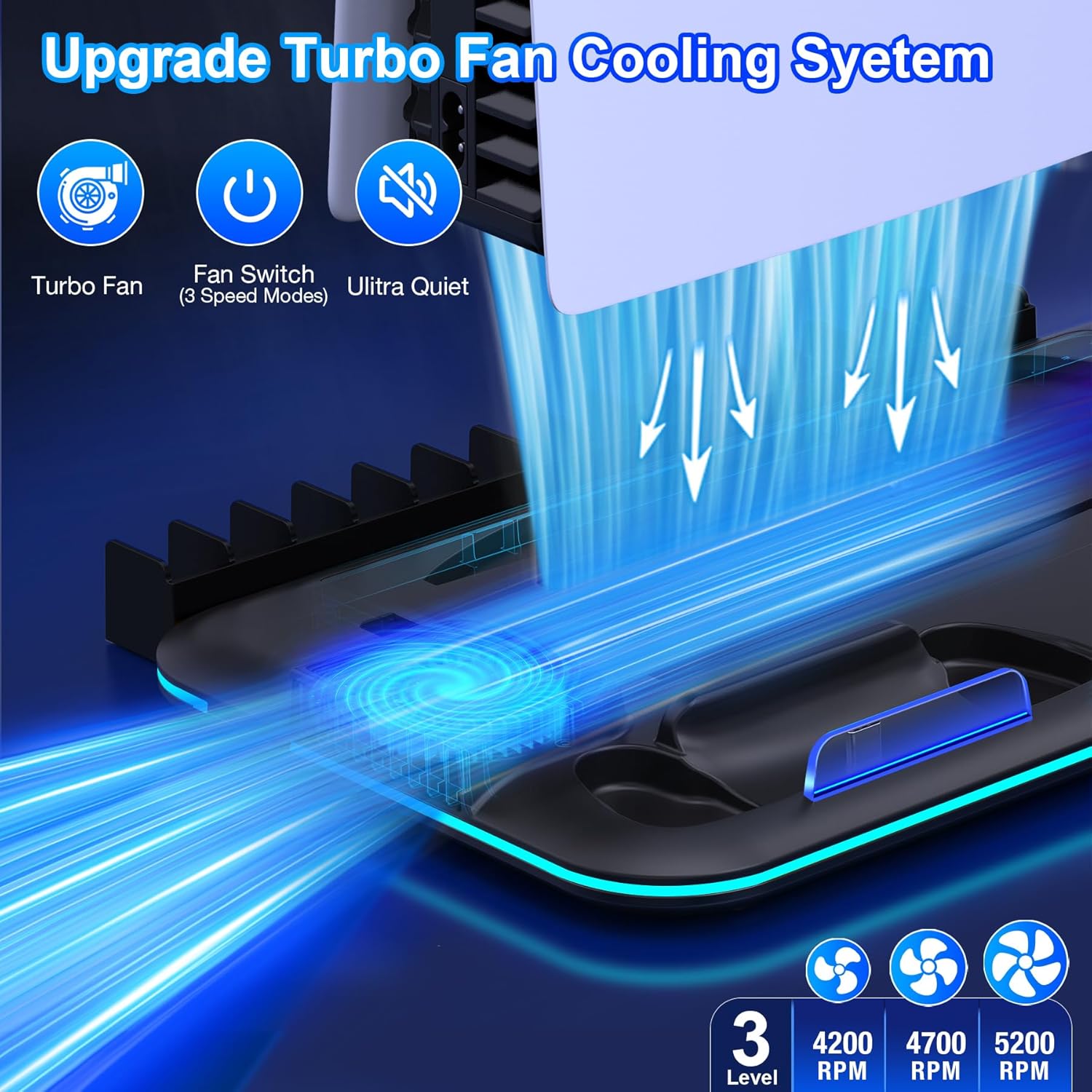
Image: Illustration of the cooling fan's airflow and speed settings.
Кантролер зарадкі
The stand includes two charging docks for PlayStation 5 controllers.
- Charging Placement: Gently place your PS5 controllers into the designated charging slots. Ensure they are properly seated.
- Святлодыёдныя індыкатары: The charging indicators will display red when a controller is charging and blue when it is fully charged.
- Час зарадкі: Controllers typically charge in approximately 3 hours.

Image: The stand's controller charging functionality with status indicators.
Светлавыя эфекты
The stand features customizable lighting effects.
- Светлавая кнопка: Use the dedicated light button on the stand to cycle through 5 colorful lighting effects and 9 solid color modes.
- Даступныя рэжымы: Includes slow flash, breathing light, fast flash, single-color gradient, and dual-color gradient.

Image: The stand displaying its various LED lighting options.
Захоўванне і арганізацыя
The stand is designed to organize your gaming accessories efficiently.
- Game Slots: The stand includes 15 slots for storing game discs.
- Трымальнік для гарнітуры: A detachable holder is provided for storing your gaming headset.
- USB-канцэнтратар: An additional USB hub is integrated for connecting other small accessories.
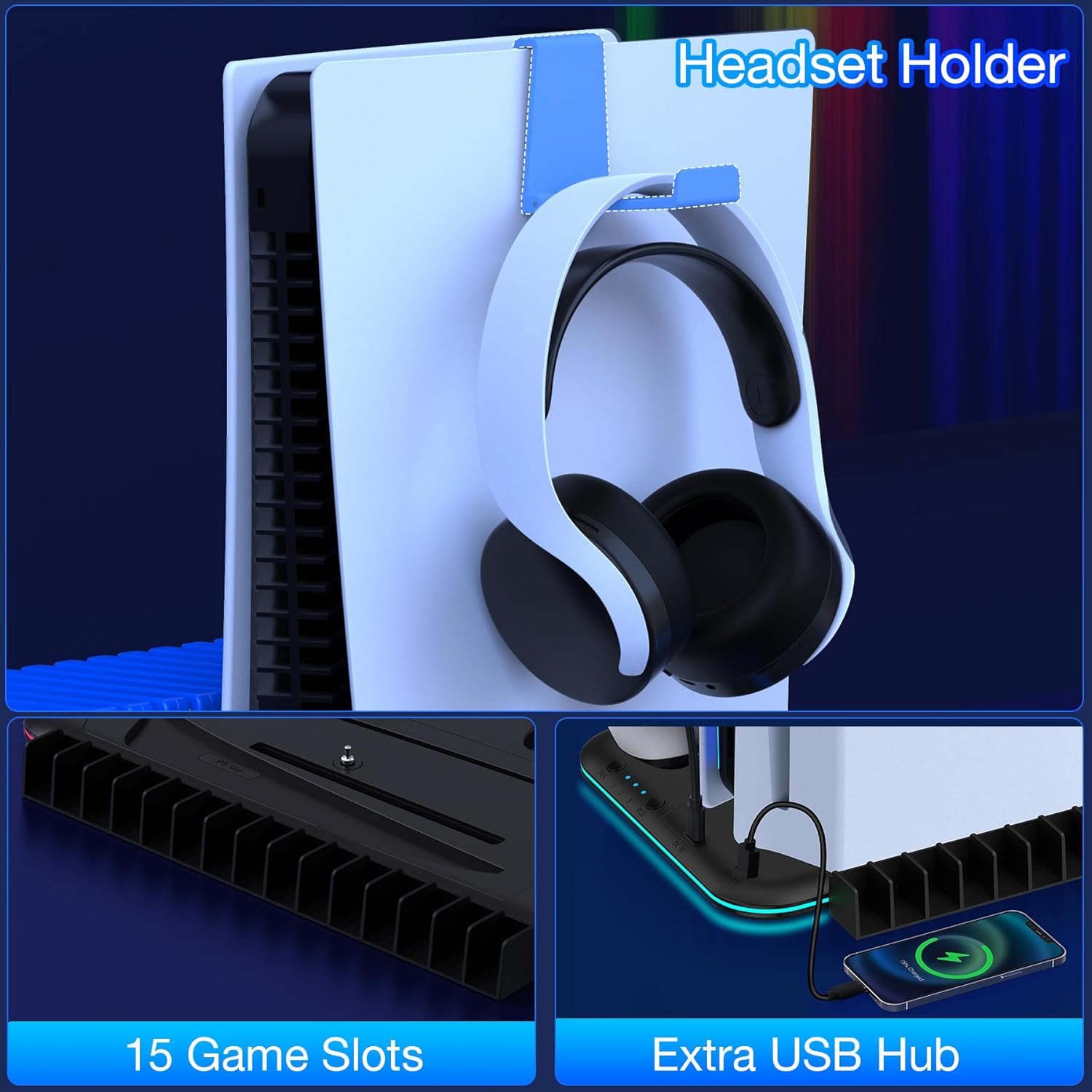
Image: The stand's features for organizing games, headsets, and other accessories.
Тэхніка бяспекі
The Kawaye stand incorporates a built-in smart chip for protection during charging and operation.
- Абарона ад перагрузкі па току: Запабягае пашкоджанняў ад празмернага току.
- Overcharging Protection: Stops charging once controllers are full to prevent battery degradation.
- Абарона ад кароткага замыкання: Абарона ад кароткага замыкання.
Always ensure the stand is placed on a stable, flat surface and avoid blocking the fan vents.
Ліквідацыю непаладак
| выпуск | Магчымая прычына | Рашэнне |
|---|---|---|
| Stand not powering on. | Power cable not connected or faulty. | Ensure the Type-C cable is securely connected to both the stand and the PS5 console or a 5V/3A adapter. Try a different power source or cable. |
| Controllers not charging. | Controllers not properly seated; stand not powered. | Verify controllers are correctly placed in the charging docks. Check if the stand is receiving power (LEDs should be active). |
| Вентылятар астуджэння не працуе. | Fan switch off; power issue. | Press the fan switch button to activate the fan. Check power connection to the stand. |
| Вентылятар выдае незвычайны шум. | Obstruction in fan; unit defect. | Ensure no objects are blocking the fan intake/exhaust. If noise persists, contact customer support. |
Тэхнічныя характарыстыкі
- Марка: Kawaye
- Нумар мадэлі: 732404141453
- Сумяшчальныя кансолі: PlayStation 5, PS5 Slim, PS5 Pro
- Хуткасці вентылятара: 3 adjustable levels (High, Medium, Low)
- Час зарадкі кантролера: Прыкладна 3 гадзіны
- Game Slots: 15
- Спажываная магутнасць: Console USB-C or 5V/3A adapter
- Памеры ўпакоўкі: 12.87 х 8.5 х 1.34 цалі
- Вага прадмета: 1.23 фунта
Гарантыя і падтрымка
For any questions or assistance regarding your Kawaye PS5/Slim/Pro Stand and Cooling Station, please contact our professional support team. We aim to respond and assist within 24 hours.
Звярніцеся да дакументацыі па куплі, каб даведацца пра канкрэтныя гарантыйныя ўмовы.