
Уводзіны
This manual provides comprehensive instructions for the ENDORFY Omnis Pudding Onyx White Red mechanical keyboard (Model EY5A036). This full-size keyboard features Kailh Red mechanical switches, durable PBT Pudding keycaps, and customizable ARGB backlighting. It is designed for various applications, including gaming, creative work, and general office use, offering a responsive and comfortable typing experience. Key features include a reinforced chassis, a detachable magnetic wrist rest, and a metal volume wheel for convenient audio control.
Змест пакета
- ENDORFY Omnis Pudding Onyx White Red Mechanical Keyboard
- Detachable USB-A Cable
- Магнітная падстаўка для запясцяў
- Кіраўніцтва карыстальніка (гэты дакумент)
Настройка
1. Падключэнне клавіятуры
Connect the detachable USB-A cable to the USB-C port on the keyboard and then to an available USB-A port on your computer. The keyboard is plug-and-play and should be recognized automatically by your operating system.
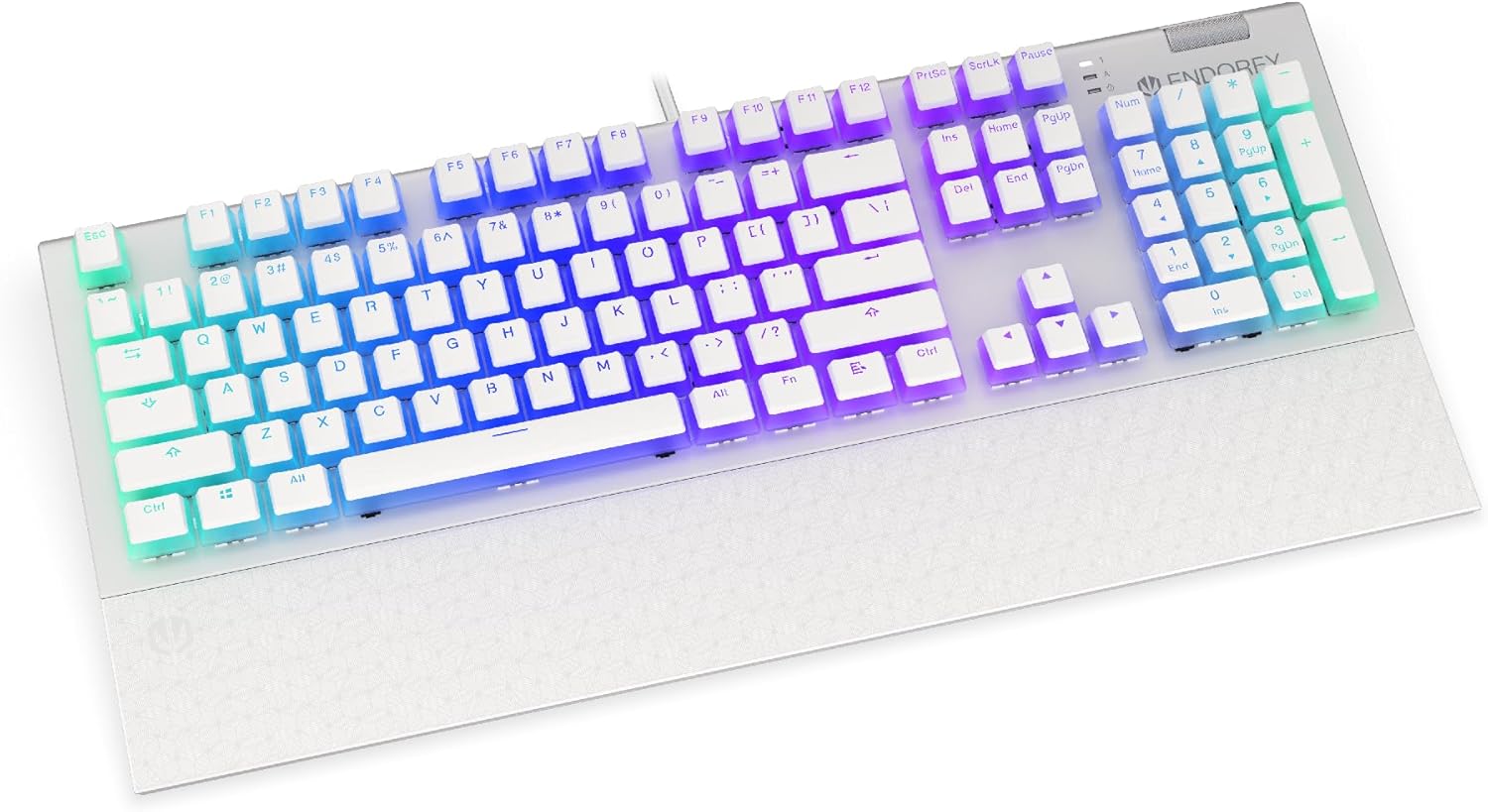
Выява: спераду view of the ENDORFY Omnis Pudding Onyx White Red mechanical keyboard, showcasing its full layout and connected cable.
2. Мацаванне падстаўкі для запясцяў
Align the magnetic wrist rest with the front edge of the keyboard. The magnets will automatically secure it in place, providing ergonomic support during use.

Выява: Пад вуглом view of the ENDORFY Omnis Pudding Onyx White Red mechanical keyboard with the magnetic wrist rest attached, highlighting the seamless integration.
3. Усталёўка праграмнага забеспячэння (неабавязкова)
For advanced customization of lighting effects, key assignments, and macros, download the official ENDORFY software from the manufacturer's webсайт. Выконвайце інструкцыі на экране для ўсталёўкі.
Інструкцыя па эксплуатацыі
Асноўныя функцыі клавіятуры
The keyboard features a standard full-size layout with a dedicated numpad, function keys (F1-F12), and navigation keys. All keys operate as standard input devices for your computer.
Volume Wheel Operation
The metal volume wheel located on the top right of the keyboard allows for quick audio adjustments:
- Rotate Up: Павялічыць гучнасць.
- Rotate Down: Паменшыць гучнасць.
- Націсніце ўніз: Уключыць/выключыць гук.
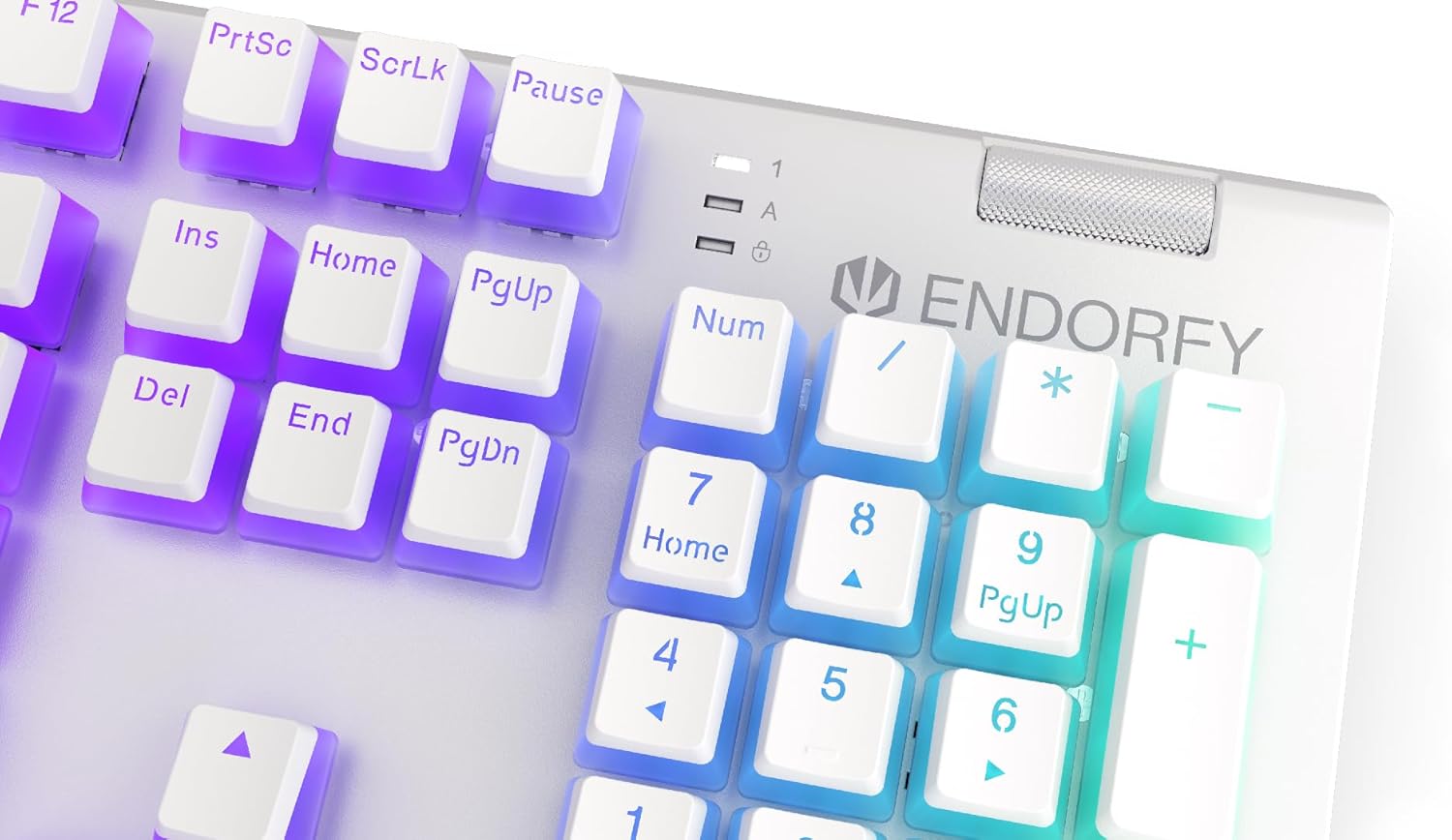
Выява: Крупны план view of the keyboard's numpad and the prominent metal volume wheel, indicating its position for easy access.
Кіраванне падсветкай RGB
The keyboard features customizable ARGB backlighting. Lighting effects and brightness can be adjusted using the dedicated ENDORFY software. Some basic lighting modes and brightness levels may also be accessible via keyboard shortcuts (e.g., Fn + arrow keys or specific function keys), though advanced customization is recommended through the software.

Image: The ENDORFY Omnis Pudding Onyx White Red mechanical keyboard illuminated with vibrant RGB backlighting, showcasing the Pudding keycaps.
N-Key Rollover (NKRO)
The keyboard supports N-Key Rollover, which means every key press is registered independently, regardless of how many other keys are being pressed simultaneously. This feature is particularly beneficial for fast typists and gamers, preventing ghosting or missed inputs.
Функцыянальнасць праграмнага забеспячэння
The ENDORFY software allows users to:
- Customize ARGB lighting effects and colors.
- Перапрызначыць асобныя клавішы.
- Стварэнне і прызначэнне макрасаў для складаных паслядоўнасцей каманд.
- Кіраванне некалькімі прафесіяналаміfileдля розных праграм або гульняў.
Тэхнічнае абслугоўванне
Чыстка клавіятуры
Каб падтрымліваць аптымальную прадукцыйнасць і знешні выгляд:
- Адключыце клавіятуру ад кампутара перад чысткай.
- Выкарыстоўвайце мяккую безворсовую тканіну, злёгку dampпрамыйце вадой або мяккім ачышчальным растворам, каб працерці клавішы і корпус.
- Для выдалення пылу і смецця паміж клавішамі выкарыстоўвайце сціснутае паветра.
- Пазбягайце выкарыстання агрэсіўных хімікатаў або абразіўных матэрыялаў.
Зняцце і замена каўпачка клавіш
The PBT Pudding keycaps can be removed for thorough cleaning or replacement. Use a keycap puller (not included) to gently lift keycaps straight up. When replacing, align the keycap with the switch stem and press down firmly until it clicks into place.

Выява: Крупны план view of the Kailh Red mechanical switches, visible when keycaps are removed, illustrating the switch mechanism.
Ліквідацыю непаладак
- Клавіятура не адказвае:
Ensure the USB cable is securely connected to both the keyboard and the computer. Try connecting the keyboard to a different USB port or a different computer to rule out port or system issues. Restart your computer. - Падсветка не працуе або працуе няправільна:
Check the brightness settings via the ENDORFY software or any onboard shortcuts. Ensure the software is up to date. If specific keys have incorrect lighting, reset the lighting profile у праграмным забеспячэнні. - Ключы не рэгіструюцца:
Clean under the affected keycaps to remove any debris that might be obstructing the switch. If the issue persists, it may indicate a hardware fault; refer to the Warranty and Support section. - Wrist Rest Not Attaching Securely:
Ensure there is no debris between the keyboard and the wrist rest that might interfere with the magnetic connection.
Тэхнічныя характарыстыкі
| Асаблівасць | Дэталь |
|---|---|
| Марка | ЭНДАРФІЯ |
| Нумар мадэлі | EY5A036 |
| Колер | Белы |
| Выключальнікі | Kailh Red Mechanical |
| Клавішы | PBT Pudding |
| Макет | Full-size (US Layout) |
| Падсвятленне | ARGB (Configurable RGB) |
| Сувязь | USB-A (Detachable Cable) |
| Падстаўка для запясцяў | Magnetic, Detachable |
| Рэгулятар гучнасці | Metal Volume Wheel |
| N-Key Rollover | так |
| Сумяшчальныя аперацыйныя сістэмы | Linux, Mac OS X 10.12 Sierra, Windows 7, Windows 8, Windows 10 |
| Рэкамендуемае выкарыстанне | Gaming, Multimedia |
| Матэрыял | Полібутылентэрэфталат (ПБТ) |
Гарантыя і падтрымка
ENDORFY products are covered by a manufacturer's warranty. For detailed warranty terms, technical support, or service inquiries, please refer to the official ENDORFY webсайт або звярніцеся да мясцовага прадаўца. Захоўвайце пацвярджэнне пакупкі для прэтэнзій па гарантыі.