
1. паview
The ONVIAN Motorcycle Disc Brake Lock is an advanced anti-theft device designed to secure motorcycles, dirt bikes, bicycles, e-bikes, and motorbikes equipped with disc brakes. It features a sensitive motion sensor that triggers a loud 120dB alarm upon detecting collision or vibration, deterring potential thieves. The lock is rechargeable via a Type-C cable and boasts an IP67 waterproof rating for durability in various weather conditions. A 5-foot reminder cable is included to prevent accidental ride-offs while the lock is engaged.
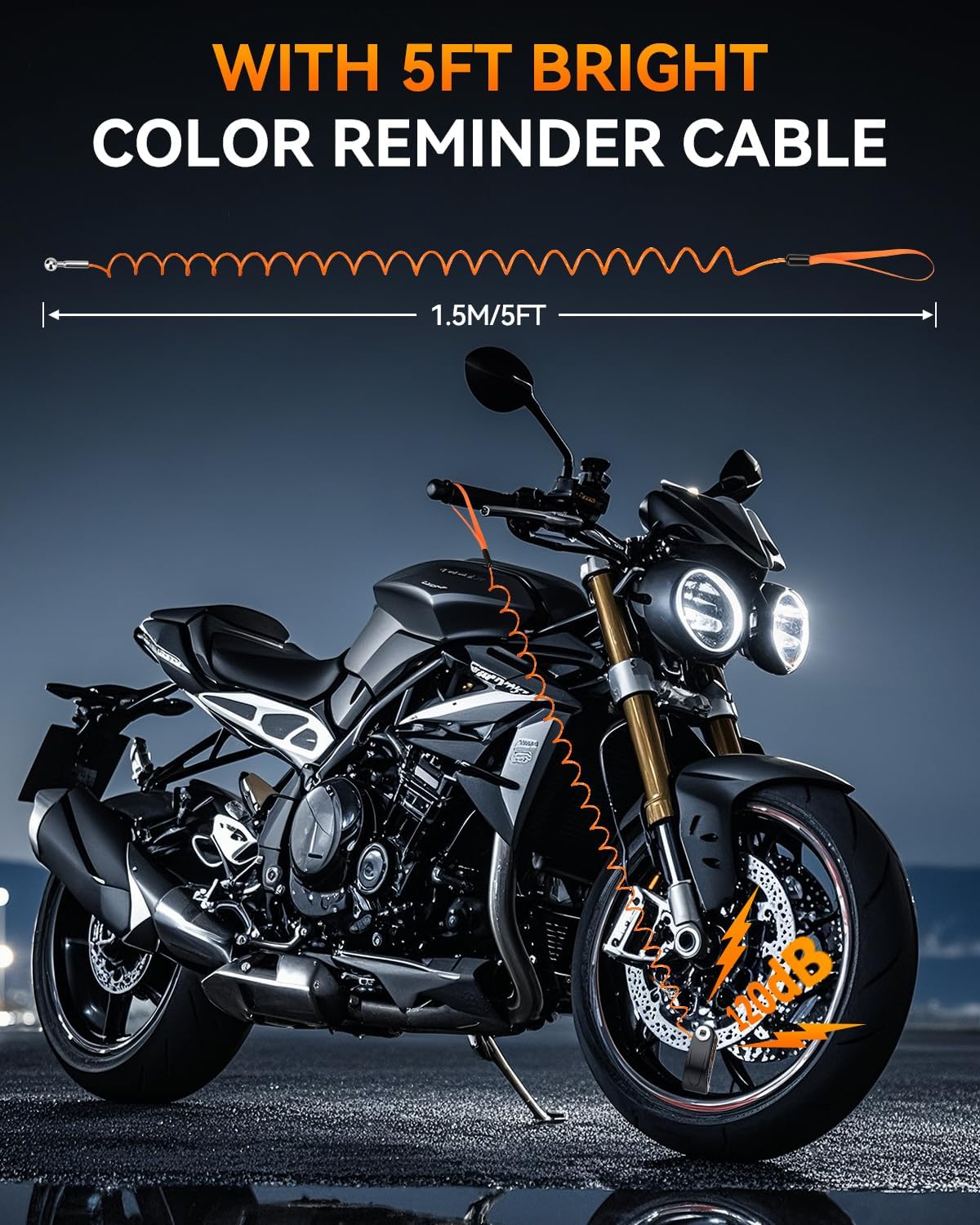
Figure 1.1: ONVIAN Disc Brake Lock installed on a motorcycle.
2. Змесціва ўпакоўкі
Калі ласка, пераканайцеся, што ўсе прадметы прысутнічаюць у вашай упакоўцы:
- 1 x Rechargeable Motorcycle Disc Brake Lock
- 2 х ключы
- 1 x 5FT Anti-Theft Reminder Cable (Orange)
- 1 х зарадны кабель Type-C
- 1 х Кіраўніцтва карыстальніка на англійскай мове

Малюнак 2.1: Усе кампаненты ў камплекце.
3. Асаблівасці прадукту
- 120dB Super Loud Alarm: Equipped with a highly sensitive motion sensor, the lock emits a 120dB alarm for 10 seconds if triggered by collision or vibration, effectively deterring theft.
- Rechargeable & IP67 Waterproof: Features a built-in 500mAh battery, rechargeable via Type-C cable in 1-1.5 hours, providing 5-6 months of operation per charge. The IP67 rating ensures protection against dust and water, making it suitable for all weather conditions. The charging port is sealed with a silicone cover.
- Трывалы матэрыял: Constructed with a zinc alloy cylinder, copper blade, and Q235 iron internal components, offering high resistance to physical attacks and tampэрынг.
- 7mm Locking Pin: Designed to fit disc brakes with a rotor thickness of less than 7mm (0.27 inches), compatible with most motorcycles, dirt bikes, bicycles, e-bikes, and scooters.
- 5FT Reminder Cable: An orange coiled cable serves as a visual reminder to remove the lock before riding, preventing potential damage. It also acts as an additional deterrent.
- Alarm & Rest Mode Switch: Allows users to switch between alarm mode (active vibration sensor) and rest mode (locking function only, no alarm) as needed.

Figure 3.1: The lock's IP67 waterproof design.
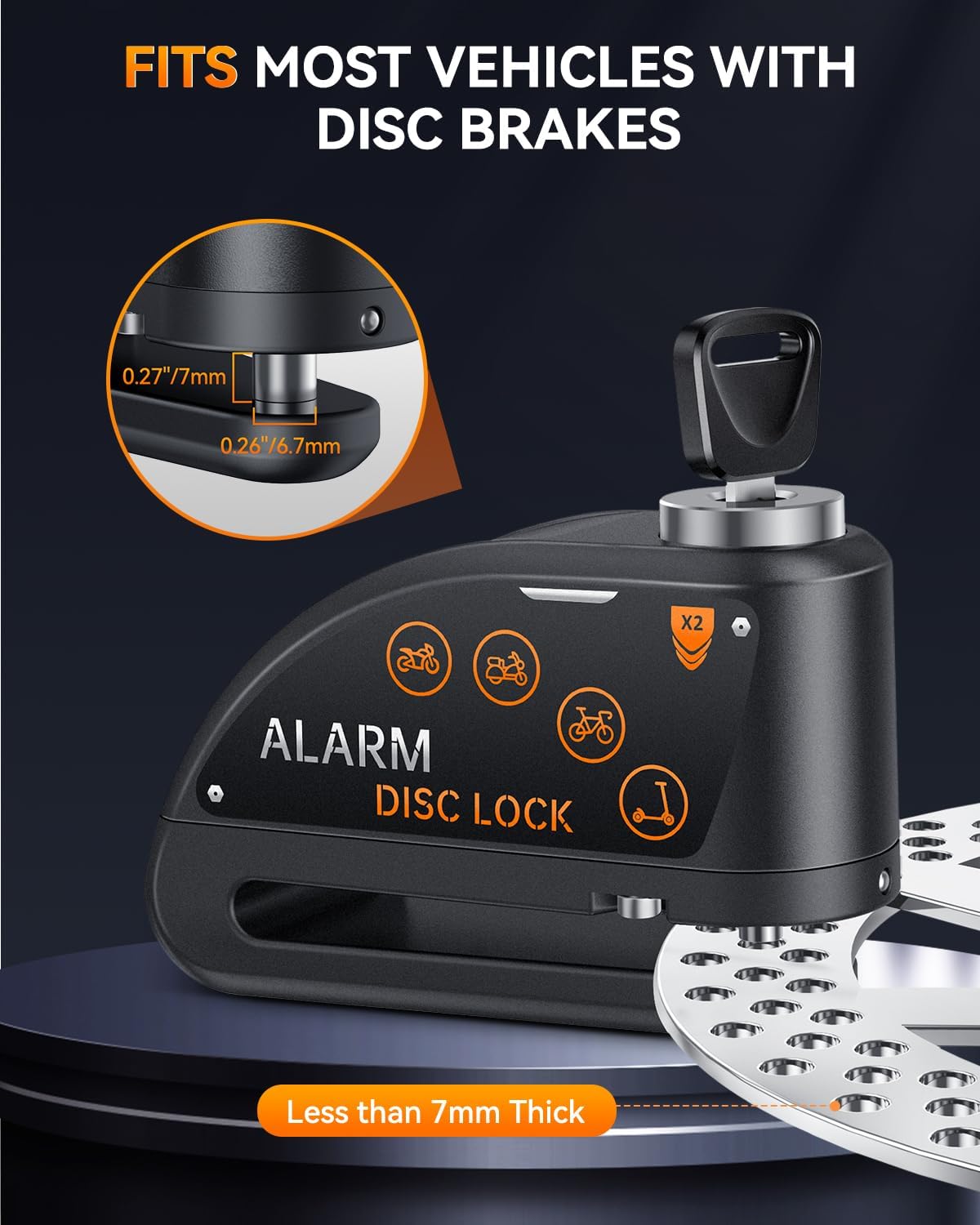
Figure 3.2: Multi-vehicle universal compatibility.
4. Усталёўка і налада
Follow these steps to properly install the disc brake lock on your vehicle:
- Праверце сумяшчальнасць: Ensure your vehicle's disc brake rotor is less than 7mm (0.27 inches) thick. The lock's pin is 7mm in diameter.
- Размяшчэнне замка: Place the lock onto the disc brake rotor, ensuring the locking pin aligns with one of the holes in the rotor.
- Уключыце замак: Press the lock cylinder down firmly until you hear a "Bi" sound. This indicates the lock is engaged and has entered alarm mode. After 3 seconds, you will hear another "Bi" sound, confirming the alarm is armed.
- Attach Reminder Cable: Loop one end of the orange reminder cable through the lock and the other end around your handlebar or a visible part of your vehicle. This prevents you from attempting to ride off with the lock still attached.

Figure 4.1: Ensuring proper fit on a disc brake rotor.
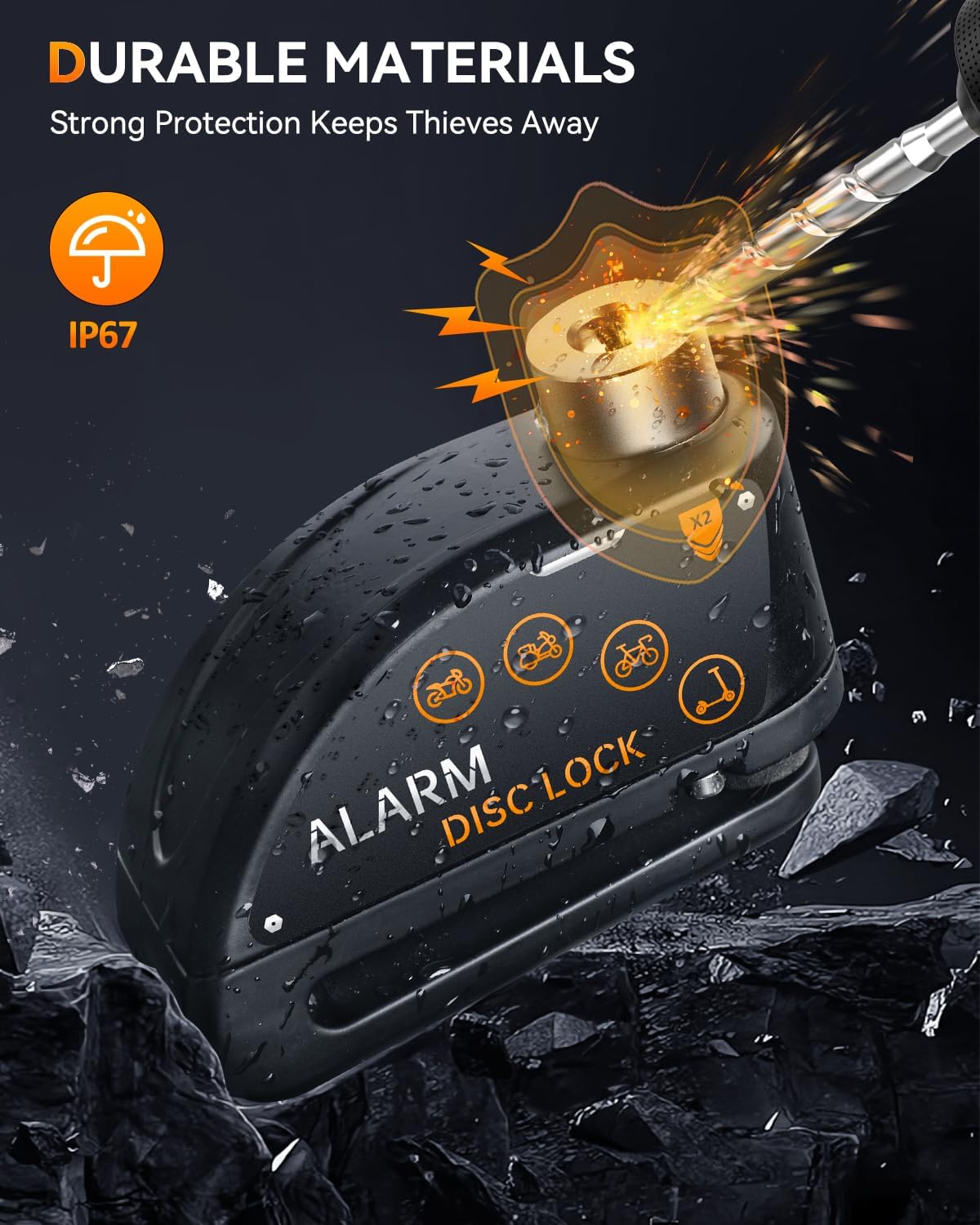
Figure 4.2: Reminder cable in use.
Setup & Installation Video Guide
Video 4.1: This video demonstrates the physical installation of the ONVIAN Disc Brake Lock on a bicycle's disc brake and the use of the reminder cable.
5. Інструкцыя па эксплуатацыі
5.1 Рэжым будзільніка
When the lock is engaged, it automatically enters alarm mode. The motion sensor is active and will respond to any disturbance.
- Initial Warning: If the lock or vehicle senses a slight collision or vibration, it will emit a "Bi Bi Bi" warning sound.
- Full Alarm: If the disturbance continues or is re-triggered within a short period, the lock will emit a continuous 120dB alarm for 10 seconds. This loud siren is designed to attract attention and deter thieves.
- Зняцце з аховы: To disarm the alarm and unlock the device, insert the key into the lock cylinder and turn it. The alarm will stop immediately upon unlocking.
5.2 Rest Mode (Silent Mode)
The lock can be set to a silent mode where the alarm function is disabled, allowing only the physical locking mechanism to be used. This is useful in quiet environments or when you prefer not to have the alarm active.
- Activating Rest Mode: To enter rest mode, press the lock cylinder down halfway until you hear a single "Bi" sound. Within 3 seconds, press the lock cylinder all the way down again until you hear a "Bi Bi" sound. This indicates the lock has entered rest mode, and the vibration sensor will not trigger the alarm.
- Exiting Rest Mode: To return to alarm mode, simply unlock the device with the key and then re-engage it by pressing the lock cylinder all the way down.

Figure 5.1: Alarm and Rest Mode switch.
Operation Mode Video Guide
Video 5.1: This video demonstrates how to activate the alarm mode (0:11-0:37) and switch to rest mode (0:44-0:59).
6. Інструкцыі па зарадцы
The ONVIAN Disc Brake Lock is equipped with a rechargeable battery. Follow these steps to charge your device:
- Знайдзіце порт зарадкі: The Type-C charging port is located on the side of the lock, protected by a silicone dust and waterproof cover.
- Адкрыць вокладку: Gently lift the silicone cover to expose the charging port.
- Падключэнне зараднай прылады: Insert the provided Type-C charging cable into the lock's port and connect the other end to a suitable USB power source (e.g., wall adapter, power bank, computer USB port).
- Індыкатар зарадкі: The lock will indicate charging status (e.g., an LED light). A full charge typically takes 1-1.5 hours.
- Тэрмін службы батарэі: Once fully charged, the lock can operate for approximately 5-6 months, depending on usage.
- Закрыць вокладку: After charging, ensure the silicone cover is securely closed to maintain the IP67 waterproof rating.
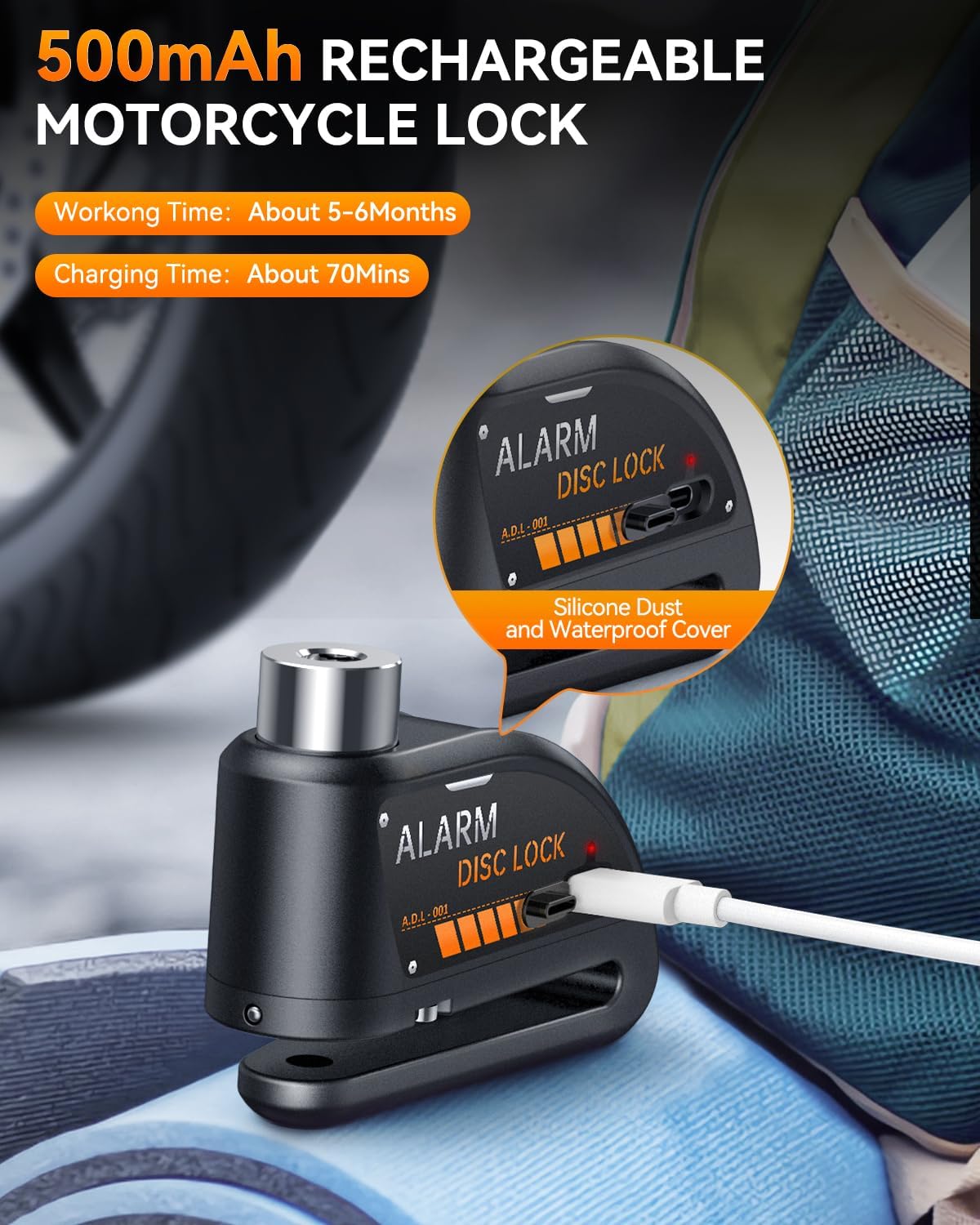
Figure 6.1: Charging the disc brake lock via Type-C port.
7. Тэхнічнае абслугоўванне
To ensure the longevity and optimal performance of your ONVIAN Disc Brake Lock, follow these maintenance guidelines:
- Рэгулярная ўборка: Wipe the lock with a soft, damp тканінай, каб выдаліць бруд і пыл. Пазбягайце выкарыстання агрэсіўных хімікатаў або абразіўных ачышчальнікаў.
- Keep Charging Port Sealed: Always ensure the silicone cover for the Type-C charging port is securely closed when not charging to maintain its waterproof integrity.
- змазка: Periodically apply a small amount of graphite lubricant to the keyhole to ensure smooth operation of the locking mechanism.
- Сыход за батарэяй: Charge the lock fully every 3-4 months even if not in regular use to preserve battery health. Avoid completely draining the battery for extended periods.
- захоўванне: Store the lock in a dry, cool place when not in use.
8. Выпраўленне непаладак
If you encounter any issues with your ONVIAN Disc Brake Lock, refer to the following common problems and solutions:
| праблема | Магчымая прычына | Рашэнне |
|---|---|---|
| Alarm not sounding or too quiet. | Low battery; Lock in Rest Mode; Water damage. | Charge the lock fully. Switch to Alarm Mode (see Section 5.1). Ensure silicone cover is sealed after charging. If water damage is suspected, allow to dry completely. |
| Lock not engaging. | Obstruction in disc hole; Pin not aligned; Lock mechanism dirty. | Clear any debris from the disc hole. Realign the lock with the disc hole. Clean and lubricate the lock cylinder. |
| Alarm triggers too easily. | High sensitivity setting (not adjustable); Strong winds or unstable parking. | Consider using Rest Mode in windy conditions or when parking in an area prone to minor disturbances. Ensure the vehicle is parked stably. |
| Keys are stiff or difficult to turn. | Dust or debris in keyhole; Lack of lubrication. | Apply graphite lubricant to the keyhole. Do not force the key. |
| No battery charge indicator. | Product design does not include a visible charge level indicator. | Charge the device regularly (e.g., every 5-6 months or when the alarm sounds weak) to ensure continuous protection. |
9. Тэхнічныя характарыстыкі
- Марка: Onvian
- Нумар мадэлі: A2+M1
- Сумяшчальныя прылады: Motorcycles, Dirt Bikes, Bicycles, E-bikes, Motorbikes with Disc Brakes
- Узровень шуму: 120 Decibels (Alarm)
- Locking Pin Diameter: 7 мм
- акумулятар: 500mAh Rechargeable (Type-C)
- Час зарадкі: 1-1.5 гадзін
- Operating Time (Full Charge): Approximately 5-6 months
- Рэйтынг воданепранікальнасці: IP67
- матэрыял: Zinc Alloy, Copper Blade, Iron Q235
- Вага прадмета: 9.07 г
- Пульт дыстанцыйнага кіравання ўключаны?: няма
10. Гарантыя і падтрымка
The ONVIAN Motorcycle Disc Brake Lock (Model A2+M1) comes with a Гарантыя 1 год з даты пакупкі. Гэтая гарантыя распаўсюджваецца на вытворчыя дэфекты і няспраўнасці пры нармальным выкарыстанні.
For warranty claims, technical support, or any questions regarding your product, please contact Onvian customer service through the retailer where the product was purchased or visit the official Onvian store page.
Калі ласка, захавайце пацвярджэнне пакупкі для пацверджання гарантыі.