
1. Уводзіны
Thank you for choosing the LTC MOB20RED Senior Phone. This device is designed with ease of use in mind, featuring large keys, a loud voice readout, and essential functions tailored for seniors. It includes a dedicated SOS button for emergencies, a built-in flashlight, and a long-lasting battery. This manual provides detailed instructions for setting up, operating, and maintaining your phone to ensure optimal performance and safety.
2. Інфармацыя па бяспецы
- Бяспека акумулятара: Use only the original battery and charger provided. Do not short-circuit, puncture, or expose the battery to extreme temperatures or fire. Dispose of batteries properly according to local regulations.
- Зарадка: Charge the phone in a well-ventilated area. Do not charge near flammable materials.
- Воданепранікальнасць: Гэты тэлефон не воданепранікальны. Пазбягайце кантакту з вадкасцямі.
- Уборка: Use a soft, dry cloth to clean the phone. Do not use harsh chemicals or abrasive cleaners.
- Абарона слыху: Пазбягайце працяглага праслухоўвання на высокім узроўні гучнасці, каб пазбегнуць пашкоджання слыху.
- Медыцынскія прылады: Трымайце бяспечную адлегласць паміж тэлефонам і медыцынскімі прыладамі, такімі як кардыёстымулятары. Звярніцеся да лекара і вытворцы медыцынскіх прылад, каб атрымаць канкрэтныя рэкамендацыі.
- Бяспека кіравання: Do not use the phone while driving. Always prioritize road safety.
3. Змесціва ўпакоўкі
Калі ласка, праверце змесціва пакета пасля распакавання:
- LTC MOB20RED Senior Phone
- Літый-іённы акумулятар (900 мАг)
- Адаптар пераменнага току
- Кіраўніцтва карыстальніка (гэты дакумент)
4. Прадукт скончыўсяview
Familiarize yourself with the key components of your LTC MOB20RED phone.
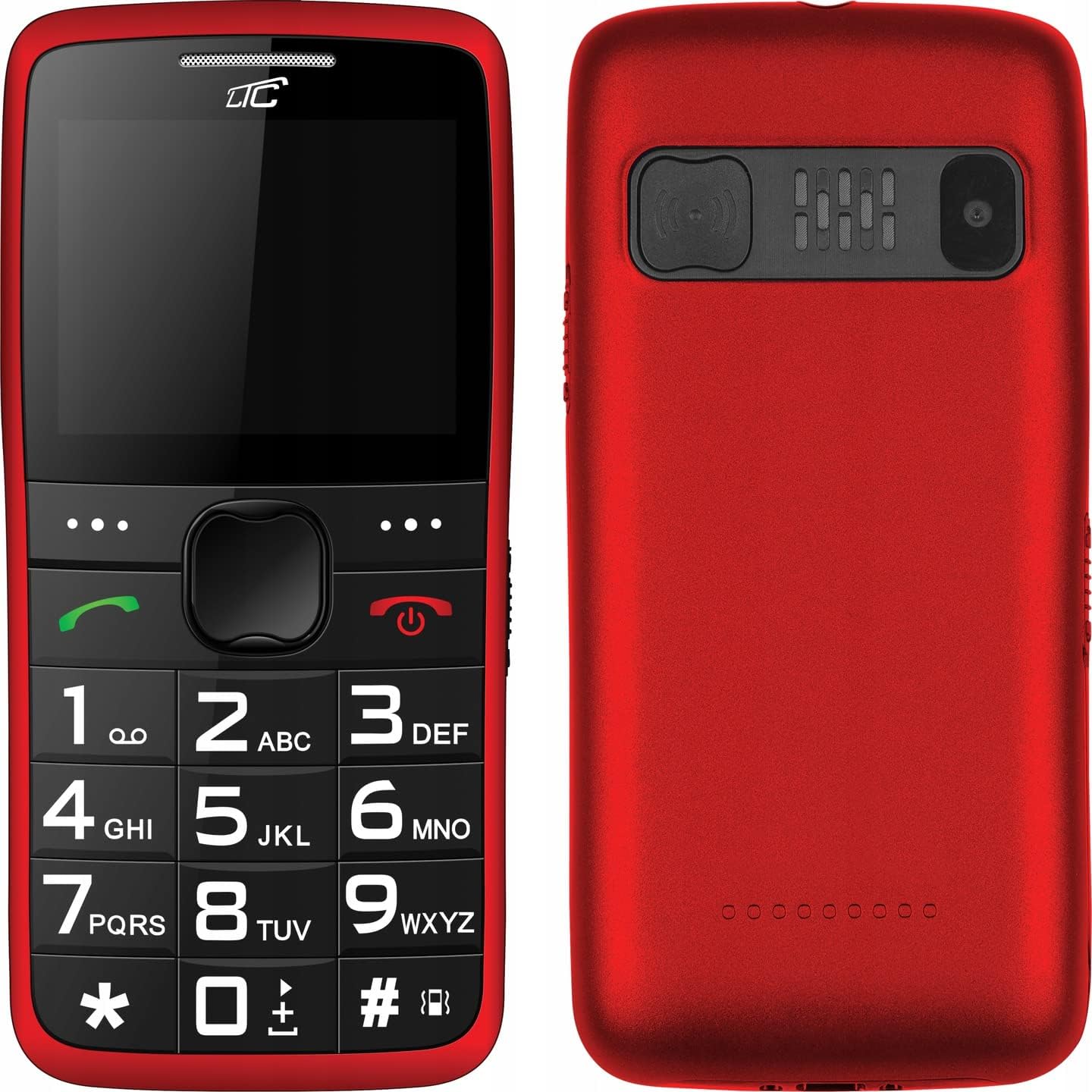
Малюнак 4.1: Спераду і ззаду View of the Phone. This image displays both the front with its large keypad and screen, and the back with the SOS button and camera module.
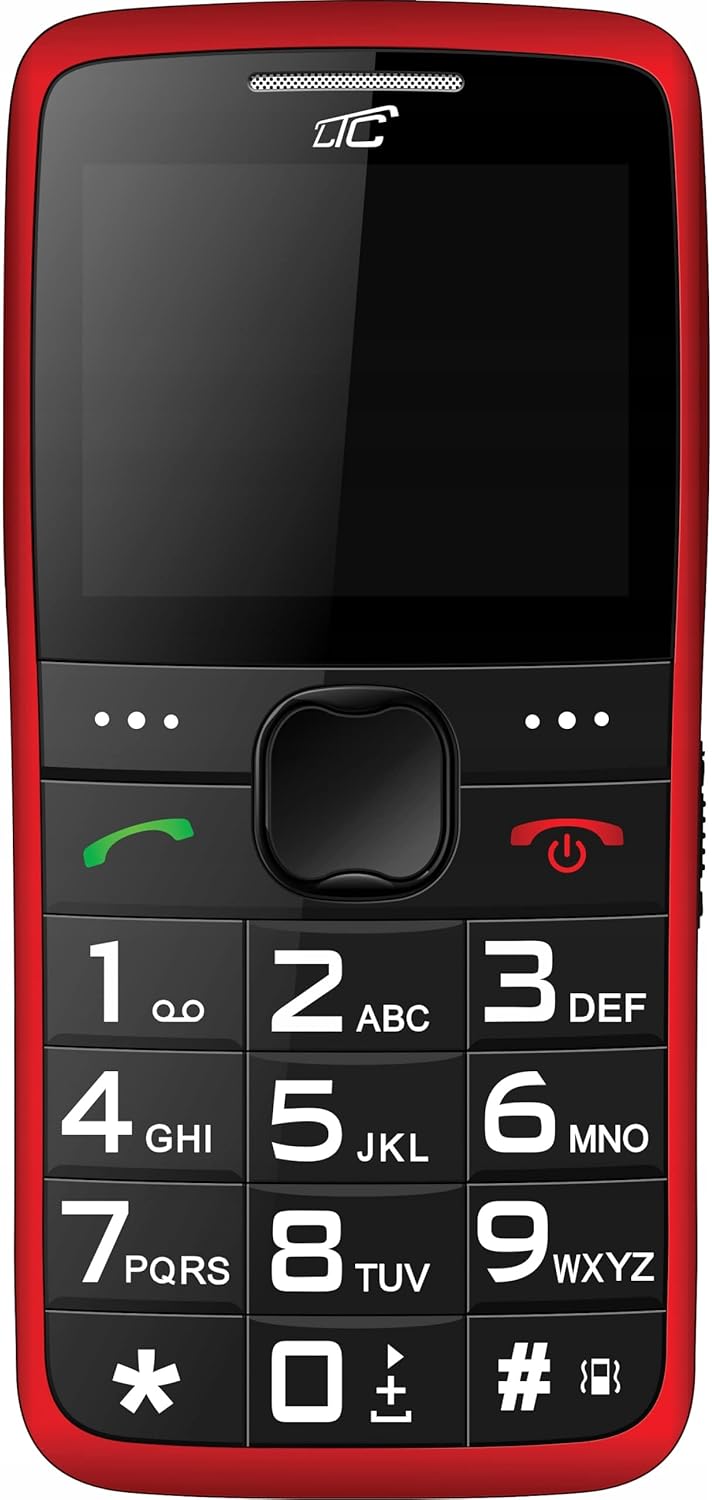
Малюнак 4.2: Фронт View. A clear view of the phone's front, highlighting the spacious keypad with large, easy-to-read numbers and letters, and the color display.
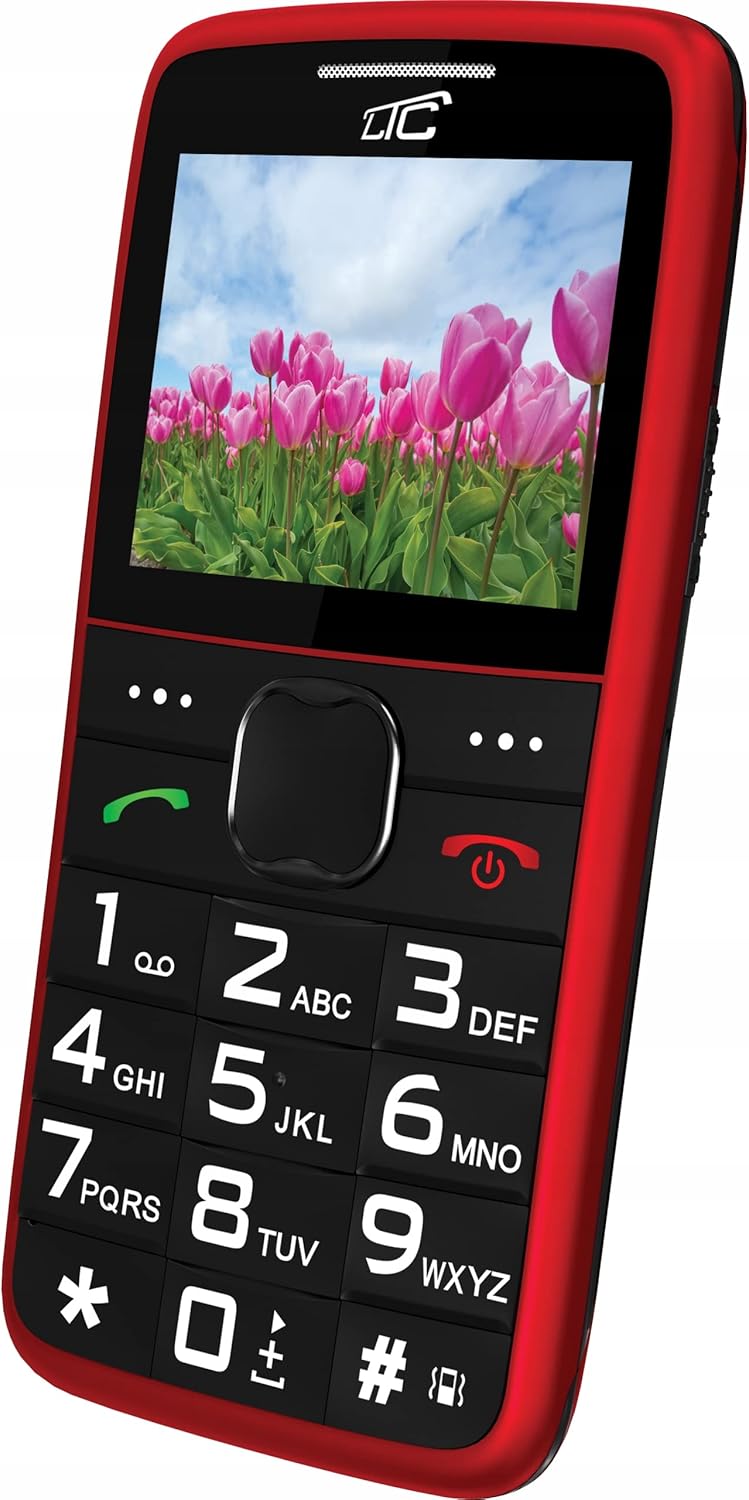
Малюнак 4.3: Вуглавы фронт View with Display On. This image shows the phone from an angle, with the screen displaying a vibrant image, demonstrating its color capabilities.
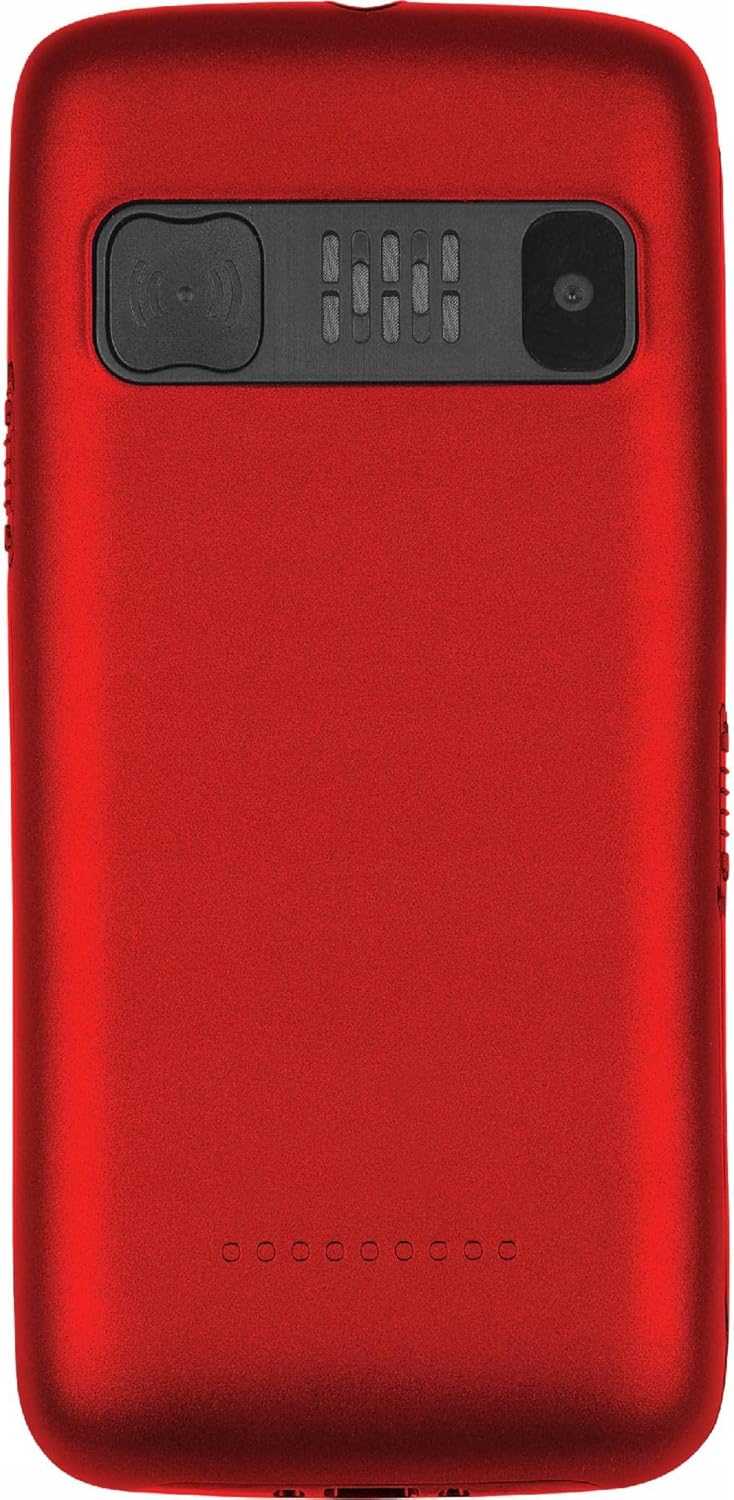
Малюнак 4.4: Назад View. The rear of the phone is shown, featuring the prominent SOS button, the camera lens, and the speaker grille.
Асноўныя характарыстыкі:
- Вялікія клавішы: Easy to press and read, designed for comfortable dialing and texting.
- Вялікі дысплей: 2.2-inch color LCD with clear, large font for easy viewінж.
- Кнопка SOS: Located on the back, allows quick access to emergency contacts.
- Loud Voice Readout: Announces pressed keys (numbers, asterisk, hash) for confirmation. This feature can be toggled on/off in settings.
- Акумулятар высокай ёмістасці: 900 mAh Li-Ion battery provides up to 7-10 days of standby time.
- Ліхтарык: Built-in for convenience.
- Падтрымка двух SIM-карт: Allows use of two SIM cards simultaneously.
- Слот для карты MicroSD: Supports up to 32 GB for expanded storage.
- Мультымедыя: Includes FM Radio, Audio/Video Player, Alarm Clock, Calendar, Calculator, and Voice Recorder.
- Bluetooth: Для бесправаднога падключэння.
5. Настройка
5.1 Устаўка SIM-карты(-ак) і карты MicroSD
- Зніміце заднюю крышку тэлефона, акуратна пацягнуўшы яе за выемку.
- Калі акумулятар усталяваны, выміце яго.
- Locate the SIM card slot(s) and the microSD card slot.
- Insert your SIM card(s) into the designated slot(s) with the gold contacts facing down, ensuring it clicks into place.
- If desired, insert a microSD card (up to 32 GB) into its slot.
5.2 Устаўка батарэі
- Align the battery's gold contacts with the contacts in the phone's battery compartment.
- Gently press the battery down until it is securely seated.
- Устаўце заднюю крышку на месца, моцна націскаючы, пакуль яна не зашчоўкнецца.
5.3 Зарадка тэлефона
- Connect the small end of the charging cable to the charging port on the phone.
- Plug the other end of the charger into a standard wall outlet.
- Індыкатар батарэі на экране будзе паказваць стан зарадкі.
- Once fully charged, disconnect the charger. A full charge typically takes a few hours.
6. Інструкцыя па эксплуатацыі
6.1 Уключэнне/выключэнне сілкавання
- Каб уключыць: Націсніце і ўтрымлівайце чырвоны Уключэнне/выключэнне выкліку кнопку, пакуль не загарыцца экран.
- Каб выключыць: Націсніце і ўтрымлівайце чырвоны Уключэнне/выключэнне выкліку націсніце кнопку, пакуль не з'явяцца параметры выключэння харчавання, затым выберыце «Выключыць харчаванне».
6.2 Здзяйсненне і прыём выклікаў
- Каб зрабіць званок: Dial the number using the large keypad. The phone will audibly read out each digit you press (if voice readout is enabled). Press the green Тэлефануйце кнопку, каб пачаць званок.
- Каб прыняць выклік: When the phone rings, press the green Тэлефануйце кнопку, каб адказаць.
- Каб завяршыць выклік: Націсніце чырвоны Уключэнне/выключэнне выкліку кнопка.
6.3 Хуткасны набор
You can assign frequently called numbers to keys 0-9 for quick dialing.
- Перайсці да Налады > Хуткі набор.
- Select a key (0-9) and assign a contact from your phonebook or enter a new number.
- To use speed dial, press and hold the assigned key until the call is initiated.
6.4 Функцыя SOS
The SOS button is a critical safety feature. When pressed, it will automatically call and/or send an SMS to pre-set emergency contacts.
- Налада кантактаў SOS: Перайсці да Налады > Налады SOS.
- Add up to 5 emergency contact numbers. You can also enable/disable SMS sending and customize the SOS message.
- Выкарыстанне функцыі SOS: У надзвычайнай сітуацыі націсніце і ўтрымлівайце Кнопка SOS on the back of the phone for a few seconds. The phone will then sequentially call the pre-set numbers until one answers, and/or send the emergency SMS.
6.5 Ліхтарык
To turn the flashlight on or off, locate the dedicated flashlight button (usually on the side of the phone) and slide or press it. Refer to the phone's physical layout for exact location.
6.6 Іншыя функцыі
- FM-радыё: Access from the main menu. You may need to connect headphones (not included) to act as an antenna.
- Audio/Video Player: Use to play media files stored on your microSD card.
- Будзільнік: Set multiple alarms with customizable tones.
- Каляндар: View dates and add reminders.
- калькулятар: Выконвайце асноўныя арыфметычныя аперацыі.
- Дыктафон: Запісвайце аўдыянататкі.
- Bluetooth: Enable Bluetooth in settings to pair with compatible devices like headsets.
7. Тэхнічнае абслугоўванне
- Уборка: Wipe the phone regularly with a soft, lint-free cloth. Do not use liquid cleaners or aerosols.
- Сыход за батарэяй: To prolong battery life, avoid fully discharging the battery frequently. Charge the phone before the battery level drops too low. Do not leave the phone connected to the charger for excessively long periods after it's fully charged.
- захоўванне: Захоўвайце тэлефон у прахалодным, сухім месцы, удалечыні ад прамых сонечных прамянёў і экстрэмальных тэмператур.
- Абнаўленні праграмнага забеспячэння: While this phone typically does not receive frequent software updates, ensure you are using the latest available firmware if prompted.
8. Выпраўленне непаладак
| праблема | Магчымая прычына | Рашэнне |
|---|---|---|
| Тэлефон не ўключаецца. | Батарэя разраджана або няправільна ўстаўлена. | Зарадзіце акумулятар. Пераканайцеся, што акумулятар правільна ўстаўлены. |
| Нельга рабіць або прымаць званкі. | Няма сігналу сеткі, SIM-карта не ўстаўлена або праблема з SIM-картай. | Праверце ўзровень сігналу сеткі. Зноў устаўце SIM-карту. Звярніцеся да пастаўшчыка паслуг. |
| Voice readout not working. | Feature is disabled in settings. | Перайсці да Налады and enable voice readout for keys. |
| Не працуе кнопка SOS. | SOS contacts not set up or battery is too low. | Ensure SOS contacts are configured in Налады SOS. Charge the phone. |
| Акумулятар хутка разраджаецца. | Heavy usage, poor network signal, or aging battery. | Reduce usage. Move to an area with better signal. Consider replacing the battery if it's old. |
9. Тэхнічныя характарыстыкі
| Асаблівасць | Дэталь |
|---|---|
| мадэль | MOB20RED |
| Частата сеткі | 850 / 900 / 1800 / 1900 MHz (2G) |
| Дысплей | 2.2-inch LCD, 160 x 128 pixels (effective 240 x 320) |
| Камера | 0.3 МП |
| Унутраная памяць | 32 + 32 MB (RAM: 32 MB, Flash: 32 MB) |
| Памяць з магчымасцю пашырэння | Да 32 ГБ (microSD) |
| Ёмістасць батарэі | 900 мАг Li-Ion |
| Максімальны час чакання | 7 - 10 days |
| Bluetooth | так |
| Ліхтарык | Убудаваны |
| Функцыя SOS | Yes (Quick button) |
| Памеры (Д х Ш х У) | 113.3 х 54 х 12.8 мм |
| Вага | 91 г |
| Аперацыйная сістэма | Symbian 9.1 |
| Аўдыё фарматы | MP3 |
10. Гарантыя і падтрымка
The LTC MOB20RED Senior Phone comes with a standard manufacturer's warranty. Please refer to the warranty card included in your product packaging or contact your point of purchase for specific warranty terms and conditions.
For technical support, troubleshooting assistance, or service inquiries, please contact the retailer or manufacturer directly. Keep your purchase receipt as proof of purchase for warranty claims.
вытворца: LAMEX
Марка: LTC