
Уводзіны
The UPULTRA Light Bulb Security Camera is designed to provide comprehensive surveillance for your home or outdoor spaces. Featuring easy installation into a standard E27 bulb base, this camera offers high-definition video, 360-degree panoramic viewing, motion detection with real-time alerts, two-way audio communication, and advanced night vision capabilities. It supports both 5GHz and 2.4GHz Wi-Fi networks for flexible connectivity.
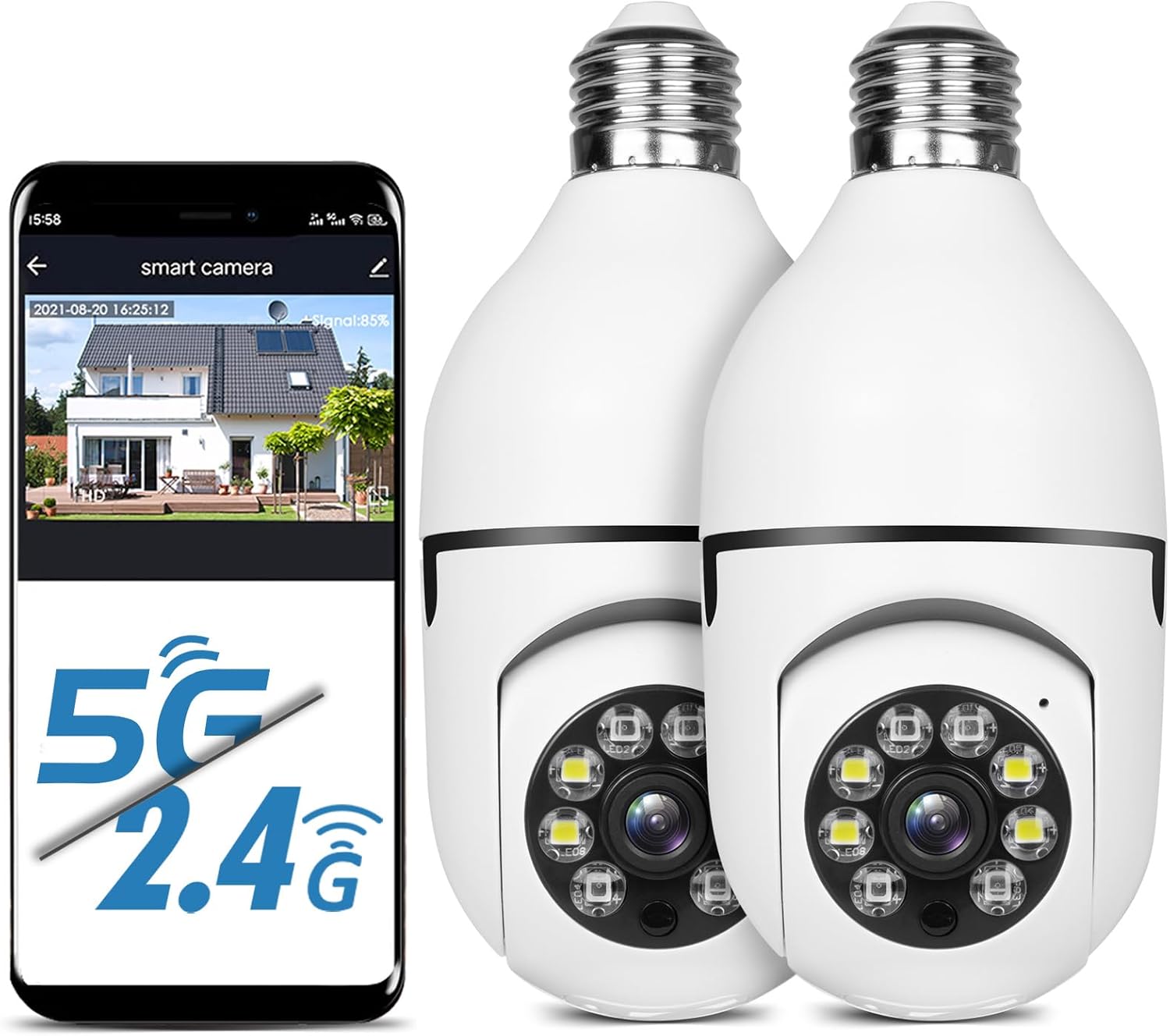
Figure 1: UPULTRA Light Bulb Security Camera with mobile app interface.
Асаблівасці прадукту
- 5GHz/2.4GHz Wireless & Easy Installation: Installs into a normal E27 bulb base (110V~240V) without extra steps. Connects to router via app.
- Выяўленне руху і абвесткі ў рэжыме рэальнага часу: Highly sensitive motion sensor records moving objects and sends notifications via the APP.
- HD & Pan Tilt: Full HD 1080P resolution with APP-controlled 360-degree viewing angle (355° Pan & 95° Tilt) for no blind spots.
- Двухбаковы аўдыё: Built-in microphone and speaker for communication with visitors.
- Дыстанцыйнае Viewing & Night Vision: Кантроль viewing angle and access live feed remotely via iPhone/Android/iPad. Clear images even in complete darkness.

Малюнак 2: Закончанаview of camera features.
Змест пакета
- UPULTRA Light Bulb Security Camera(s)
- Кіраўніцтва карыстальніка (гэты дакумент)
- Mounting Accessories (if applicable, not explicitly listed but implied by "CAMERA" in whats_in_the_box)
Тэхнічныя характарыстыкі
| Асаблівасць | Дэталь |
|---|---|
| Назва мадэлі | LB camera |
| Тэхналогія падлучэння | Бесправадная сувязь (Wi-Fi) |
| Тэхналогія бесправадной сувязі | Wi-Fi (5 ГГц/2.4 ГГц) |
| Дазвол відэазахопу | 1920p (Full HD 1080P) |
| Дыяпазон павароту/нахілу | Панарамаванне 355°, нахіл 95° |
| Крыніца харчавання | Corded Electric (E27 bulb base, 110V~240V) |
| Начное бачанне | Infrared and Full Color Night Vision |
| Дэтэктар руху | Так, з абвесткамі ў рэжыме рэальнага часу |
| Двухбаковае аўдыё | Yes (Built-in microphone and speaker) |
| Параметры захоўвання | Micro SD Card Slot, Cloud Storage (subscription may be required) |
| Сумяшчальныя прылады | Smartphone (iPhone/Android), iPad |
| Памеры (Д х Ш х У) | 7.1 х 3.1 х 7.1 цалі |
| Вага прадмета | 1.01 фунта |
| Рэйтынг IP | IP65, IP67 |
Інструкцыя па наладзе
- Уключэнне: Screw the light bulb camera into a standard E27 bulb base (110V~240V). Ensure the power is on. The camera will power up and may emit an audible prompt.
- Спампаваць прыкладанне: Scan the QR code provided in the camera's packaging or search for the recommended application (e.g., "HDMiniCam" or similar, as seen in video) in your smartphone's app store (iOS or Android). Download and install the application.
- Рэгістрацыя/Уваход: Адкрыйце праграму і выконвайце інструкцыі на экране, каб зарэгістраваць новы ўліковы запіс або ўвайсці ў сістэму, калі ў вас ужо ёсць уліковы запіс.
- Дадаць прыладу: In the app, select the option to add a new device. Choose the appropriate camera type.
- Падключыцеся да Wi-Fi: Follow the app's prompts to connect the camera to your Wi-Fi network. Ensure your Wi-Fi network is 2.4GHz or 5GHz compatible. Some cameras may require initial setup on a 2.4GHz network before connecting to 5GHz.
- Спалучэнне: The app will guide you through the pairing process, which may involve scanning a QR code displayed on your phone with the camera, or listening for an audible confirmation from the camera.
- Завяршыць наладу: Once connected, you can name your camera and adjust initial settings within the app.

Figure 3: Easy installation of the light bulb camera.
Video 1: Demonstration of the light bulb camera's features including night vision and two-way audio, and installation process.
Інструкцыя па эксплуатацыі
жыць View і кіраванне панарамаваннем/нахілам
Once the camera is connected, open the app to access the live video feed. You can control the camera's viewing angle by swiping on the screen to pan (horizontal movement up to 355°) and tilt (vertical movement up to 95°), ensuring comprehensive coverage without blind spots.

Figure 4: Camera's pan and tilt capabilities.
Выяўленне руху і абвесткі
The camera is equipped with a sensitive motion sensor. When motion is detected, the camera will automatically record the event and send a real-time alert notification to your smartphone via the app. You can customize motion detection sensitivity and alert settings within the app.

Figure 5: Motion detection and alarm function.
Двухбаковае аўдыё
Utilize the built-in microphone and speaker for two-way communication. This feature allows you to speak to individuals near the camera, such as delivery personnel or family members, directly through the app.
Начное бачанне
The camera supports both infrared and full-color night vision modes. In low-light conditions, the camera automatically switches to night vision to provide clear images. Full-color night vision is activated when sufficient ambient light is available or when the camera's integrated lights are active.

Figure 6: Infrared vs. Full Color Night Vision.
Запіс і захоўванне відэа
The camera supports video recording to a Micro SD card (not included) or to cloud storage (subscription may be required). Recorded footagда яго можна атрымаць доступ і зноўviewed through the mobile application.
Тэхнічнае абслугоўванне
- Уборка: Акуратна працярыце аб'ектыў і корпус камеры мяккай сухой тканінай. Пазбягайце выкарыстання агрэсіўных хімікатаў або абразіўных ачышчальнікаў.
- Абнаўленні прашыўкі: Periodically check the app for available firmware updates to ensure optimal performance and security. Follow the app's instructions for updating.
- Кіраванне SD-картай: Калі вы карыстаецеся SD-картай, рэгулярна рабіце рэзервовыя копіі важных дадзеныхtagі перыядычна фарматуйце карту, каб падтрымліваць яе прадукцыйнасць.
- Цыкл харчавання: If the camera becomes unresponsive, unscrew it from the E27 base, wait a few seconds, and then screw it back in to power cycle the device.
Ліквідацыю непаладак
| праблема | Магчымая прычына / рашэнне |
|---|---|
| Camera won't connect to Wi-Fi or frequently disconnects. |
|
| Motion detection is too sensitive or not detecting. |
|
| No video feed or black screen in app. |
|
| Двухбаковая аўдыёсувязь не працуе. |
|
| Camera stopped working after some time. |
|

Figure 7: Camera components and dimensions, including Reset Button and SD Card Slot location.
Гарантыя і падтрымка
UPULTRA provides lifetime technical support and services for this product. For any questions or issues, please contact UPULTRA customer service. Refer to the product packaging or the official UPULTRA webсайт для атрымання канкрэтнай кантактнай інфармацыі.
The product typically comes with a standard return policy. Please refer to your purchase platform for details regarding returns and replacements.