
Logitech 920-011479
Кіраўніцтва карыстальніка бесправадной клавіятуры Logitech K585 Multi-Device Slim
Мадэль: 920-011479
Уводзіны
The Logitech K585 Multi-Device Slim Wireless Keyboard is designed for versatile use across multiple devices, including laptops, tablets, desktops, and smartphones. Its compact and modern design aims to enhance productivity and comfort in various work environments. This manual provides essential information for setting up, operating, maintaining, and troubleshooting your keyboard.

Figure 1: Logitech K585 Multi-Device Slim Wireless Keyboard in Graphite.
Настройка
1. Распакаванне і першапачатковы агляд
Асцярожна выміце ўсе кампаненты з упакоўкі. Пераканайцеся, што ў наяўнасці наступныя прадметы:
- Клавіятура Logitech K585
- 2 батарэі ААА (папярэдне ўсталяваныя)
- Уніфікацыйны USB-прыёмнік
- Карыстальніцкая дакументацыя

Figure 2: Contents included in the Logitech K585 package.
2. Battery Installation (if not pre-installed or for replacement)
The keyboard comes with two AAA batteries pre-installed. If you need to replace them:
- Locate the battery compartment cover on the top edge of the keyboard, usually integrated with the device cradle.
- Акуратна зрушце або падніміце вечка, каб адкрыць адсек.
- Устаўце дзве батарэйкі тыпу ААА, сачыце за правільнай палярнасцю (+/-).
- Надзейна зачыніце крышку батарэйнага адсека.
3. Connecting via USB Receiver (Logitech Unifying Receiver)
For devices without Bluetooth or for a stable 2.4 GHz wireless connection:
- Locate the Unifying USB receiver, typically stored inside the battery compartment or within the product packaging.
- Plug the Unifying USB receiver into an available USB-A port on your computer (laptop or desktop).
- Клавіятура павінна падключыцца аўтаматычна.
4. Connecting via Bluetooth Wireless Technology
For devices with Bluetooth capability (laptops, tablets, smartphones):
- Turn on the keyboard using the power switch, usually located on the side.
- Націсніце і ўтрымлівайце адну з клавіш Easy-Switch (1, 2 або 3) на працягу трох секунд, пакуль святлодыёдны індыкатар над клавішай не пачне хутка міргаць. Гэта азначае, што клавіятура знаходзіцца ў рэжыме спалучэння.
- На прыладзе перайдзіце ў налады Bluetooth і знайдзіце новыя прылады.
- Выберыце «Logitech K585» са спісу даступных прылад.
- Follow any on-screen prompts to complete the pairing process. The LED light will turn solid for a few seconds and then turn off once connected.
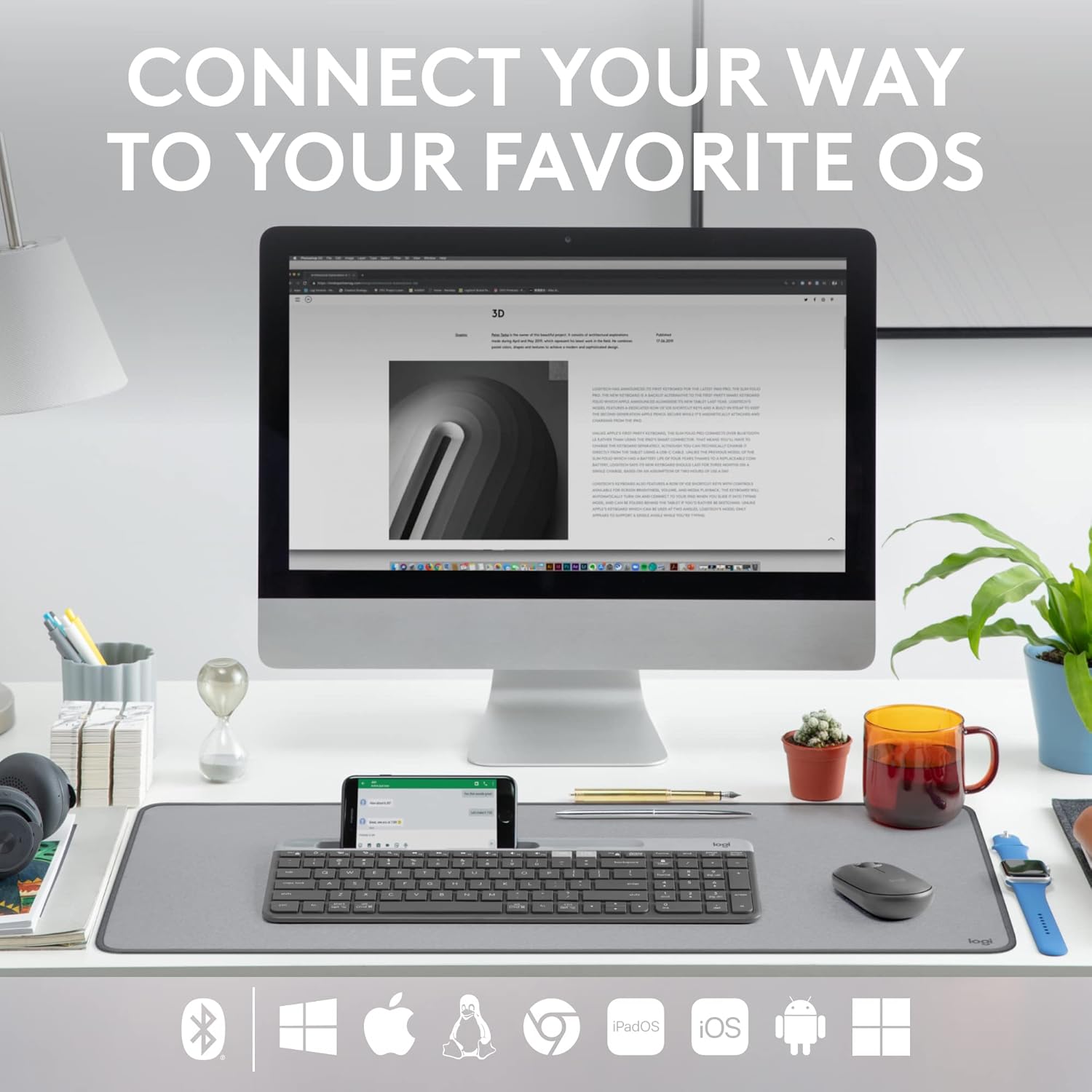
Figure 3: The Logitech K585 supports various operating systems including Windows, macOS, iOS, iPadOS, Android, and ChromeOS.
Кіраванне клавіятурай
1. Функцыянальнасць лёгкага пераключэння
The K585 keyboard allows you to seamlessly switch between up to three connected devices:
- Press the Easy-Switch key (1, 2, or 3) corresponding to the device you wish to use. The LED light above the selected key will briefly illuminate to confirm the switch.
- This feature enables quick transitions between typing on your computer, tablet, or smartphone.
2. Убудаваная падстаўка для тэлефона
The integrated cradle at the top of the keyboard is designed to hold your smartphone or tablet, providing an optimal viewing angle for multitasking.

Figure 4: The K585 keyboard with a smartphone positioned in the integrated cradle for enhanced multitasking.
3. FN Keys and Shortcuts
The keyboard features 12 FN keys that provide easy access to media controls and other shortcuts. These keys can be customized using Logi Options+ Software for enhanced productivity.
- Элементы кіравання мультымедыя: Play/pause, volume up/down, mute.
- Функцыянальныя клавішы: F1-F12, often used for specific software functions.
- Настройка: Download and install Logi Options+ Software from the official Logitech website to personalize FN key assignments.
4. Multi-OS Compatibility
The keyboard layout is optimized for both Windows and Mac OS commands, ensuring a familiar typing experience regardless of your operating system. It also supports iOS, iPadOS, Android, and ChromeOS devices.

Figure 5: Universal compatibility of the Logitech K585 keyboard across different platforms.
Тэхнічнае абслугоўванне
1. Battery Life and Management
The Logitech K585 keyboard offers an extended battery life of up to 24 months, thanks to its efficient design and an auto-sleep feature that activates when the keyboard is not in use. Battery life may vary based on user and computing conditions.

Figure 6: The K585 keyboard boasts a long-lasting 24-month battery life.
To maximize battery life, ensure the keyboard is switched off when not in use for extended periods.
2. Чыстка клавіятуры
Каб захаваць знешні выгляд і функцыянальнасць клавіятуры:
- Use a soft, lint-free cloth to wipe down the surface.
- Для ўстойлівага бруду злёгку ачысціцеampen тканіна з вадой або мяккім неабразіўным ачышчальнікам.
- Пазбягайце распылення вадкасцей непасрэдна на клавіятуру.
- Do not use harsh chemicals or abrasive materials, as these can damage the finish.
Ліквідацыю непаладак
If you encounter issues with your Logitech K585 keyboard, consider the following common solutions:
- Няма сувязі:
- Пераканайцеся, што клавіятура ўключана.
- Праверце ўзровень батарэі і пры неабходнасці заменіце яе.
- For USB receiver connection, try plugging the receiver into a different USB port.
- For Bluetooth connection, ensure Bluetooth is enabled on your device and try re-pairing the keyboard.
- Затрымкі або абрывы сувязі:
- Move the keyboard closer to the receiver or Bluetooth-enabled device.
- Avoid placing the keyboard near other wireless devices that might cause interference (e.g., Wi-Fi routers, cordless phones).
- Пераканайцеся, што аперацыйная сістэма вашай прылады і драйверы Bluetooth абноўлены.
- Клавішы не рэагуюць:
- Ачысціце вакол пашкоджаных клавіш, каб выдаліць смецце.
- Перазагрузіце камп'ютар або прыладу.
- If using Logi Options+ Software, ensure it is running correctly and not causing conflicts.
For more detailed troubleshooting or persistent issues, refer to the official Logitech support webсайт або поўнае кіраўніцтва карыстальніка, даступнае для запампоўкі.
Тэхнічныя характарыстыкі
| Асаблівасць | Дэталь |
|---|---|
| Марка | Logitech |
| Нумар мадэлі | 920-011479 |
| Тэхналогія падлучэння | Bluetooth, USB (2.4 GHz Unifying Receiver) |
| Сумяшчальныя прылады | Ноўтбук, ПК, смартфон, планшэт |
| Сумяшчальнасць аперацыйнай сістэмы | Windows, macOS, iOS, iPadOS, Android, ChromeOS |
| Колер | Графіт |
| Вага прадмета | 1.24 фунта (прыблізна 562 г) |
| Памеры прадукту (ДxШxВ) | 14.7 х 5.6 х 0.76 цалі (прыблізна 37.3 х 14.2 х 1.9 см) |
| Тэрмін службы батарэі | Да 24 месяцаў (можа адрознівацца ў залежнасці ад выкарыстання) |
| Далёкасць бесправадной сувязі | Да 10 м (33 футаў) |

Figure 7: Detailed dimensions of the Logitech K585 keyboard.
Гарантыя і падтрымка
Каб атрымаць інфармацыю аб гарантыі, тэхнічнай падтрымцы і дадатковыя рэсурсы, наведайце афіцыйны сайт падтрымкі Logitech. website. You can also find a comprehensive User Guide in PDF format for this product:
Ask a question about this manual
Ask about setup, troubleshooting, compatibility, parts, safety, or missing instructions. Manuals+ will review the question and use this page’s manual context to help answer it.