
Teslong Single Lens
Кіраўніцтва карыстальніка бесправаднога эндаскопа Teslong
Model: Single Lens
1. Уводзіны
Thank you for choosing the Teslong Wireless Endoscope. This 1080P HD WiFi Inspection Camera is designed to provide clear visual inspection in hard-to-reach areas. Featuring a 7mm borescope camera with a detachable semi-rigid cable and IP67 waterproof rating, it is ideal for various applications including automotive repair, industrial mechanical inspection, drain checking, and pipeline inspection. This manual provides detailed instructions for setup, operation, maintenance, and troubleshooting to ensure optimal performance and longevity of your device.

Figure 1.1: Teslong Wireless Endoscope with smartphone holder.
2. Інфармацыя па бяспецы
Калі ласка, прачытайце ўсе папярэджанні і інструкцыі па бяспецы перад выкарыстаннем гэтага вырабу, каб пазбегнуць паражэння электрычным токам, пажару або сур'ёзных траўмаў.
- Do not use the device in explosive atmospheres, such as in the presence of flammable liquids, gases, or dust.
- Keep the camera probe and cable away from heat sources and sharp objects.
- Перад выкарыстаннем пераканайцеся, што прылада цалкам зараджана, каб пазбегнуць перапынкаў падчас праверкі.
- The camera probe is IP67 waterproof, but the main unit (handle) is not. Do not submerge the main unit in water.
- Не спрабуйце разбіраць або мадыфікаваць прыладу. Рамонт павінен выконвацца толькі кваліфікаваным персаналам.
- Захоўваць у месцах, недаступных дзецям.
3. Змесціва ўпакоўкі
Праверце, ці ёсць усе прадметы ў вашай упакоўцы:
- Teslong Wireless Endoscope Main Unit (WF200L5S7MM)
- Semi-rigid Inspection Cable with 7mm Camera Probe
- Зарадны кабель USB Type-C
- Кіраўніцтва карыстальніка (гэты дакумент)
- Accessories (Hook, Magnet, Mirror)
4. Прадукт скончыўсяview
The Teslong Wireless Endoscope features an ergonomic design for comfortable single-handed operation. It includes a detachable semi-rigid cable for easy storage and interchangeability.

Figure 4.1: Ergonomic design of the Teslong WF200 Wireless Endoscope.
Ключавыя кампаненты:
- Асноўны блок: Handheld device with power button, brightness adjustment dial, and phone holder.
- Зонд камеры: 7mm diameter, 2.0 Megapixels HD CMOS sensor with 8 adjustable LED lights.
- Semi-rigid Cable: Гнуткі, але трывалы кабель для перамяшчэння па вузкіх прасторах.
- Убудаваны ліхтарык: Provides additional illumination on the main unit.
- Порт USB-C: Для зарадкі ўнутранай батарэі.

Figure 4.2: The built-in LED flashlight on the main unit provides additional illumination.
5. Кіраўніцтва па наладцы
5.1 Зарадка прылады
Before first use, fully charge the endoscope. The built-in 2000mAh rechargeable battery provides up to 4 hours of continuous working time.
- Connect the provided USB Type-C charging cable to the charging port on the main unit.
- Падключыце другі канец кабеля да стандартнага адаптара харчавання USB (не ўваходзіць у камплект) або да USB-порта кампутара.
- The charging indicator light will show the charging status. Once fully charged, the light will change (refer to device indicators for specific behavior).
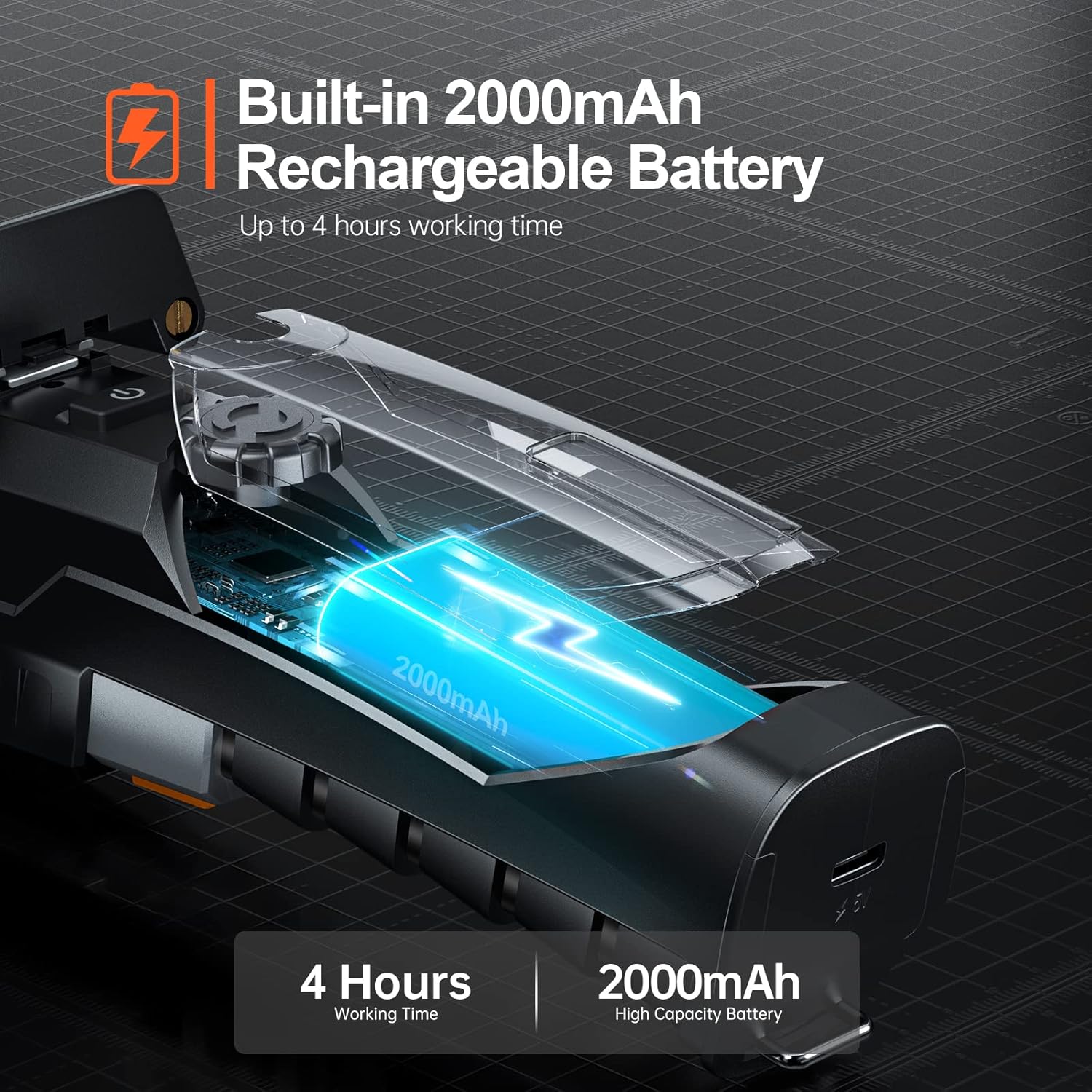
Figure 5.1: The endoscope features a 2000mAh high-capacity battery for extended use.
5.2 Installing the "Smart Endoscope" App
The Teslong Wireless Endoscope requires the "Smart Endoscope" app for operation. It is compatible with Android (7.0+) and iOS (10.0+) devices.
- Scan the QR code provided in the quick start guide or search for "Smart Endoscope" on the App Store (for iOS) or Google Play Store (for Android).
- Загрузіце і ўсталюйце прыкладанне на свой смартфон або планшэт.
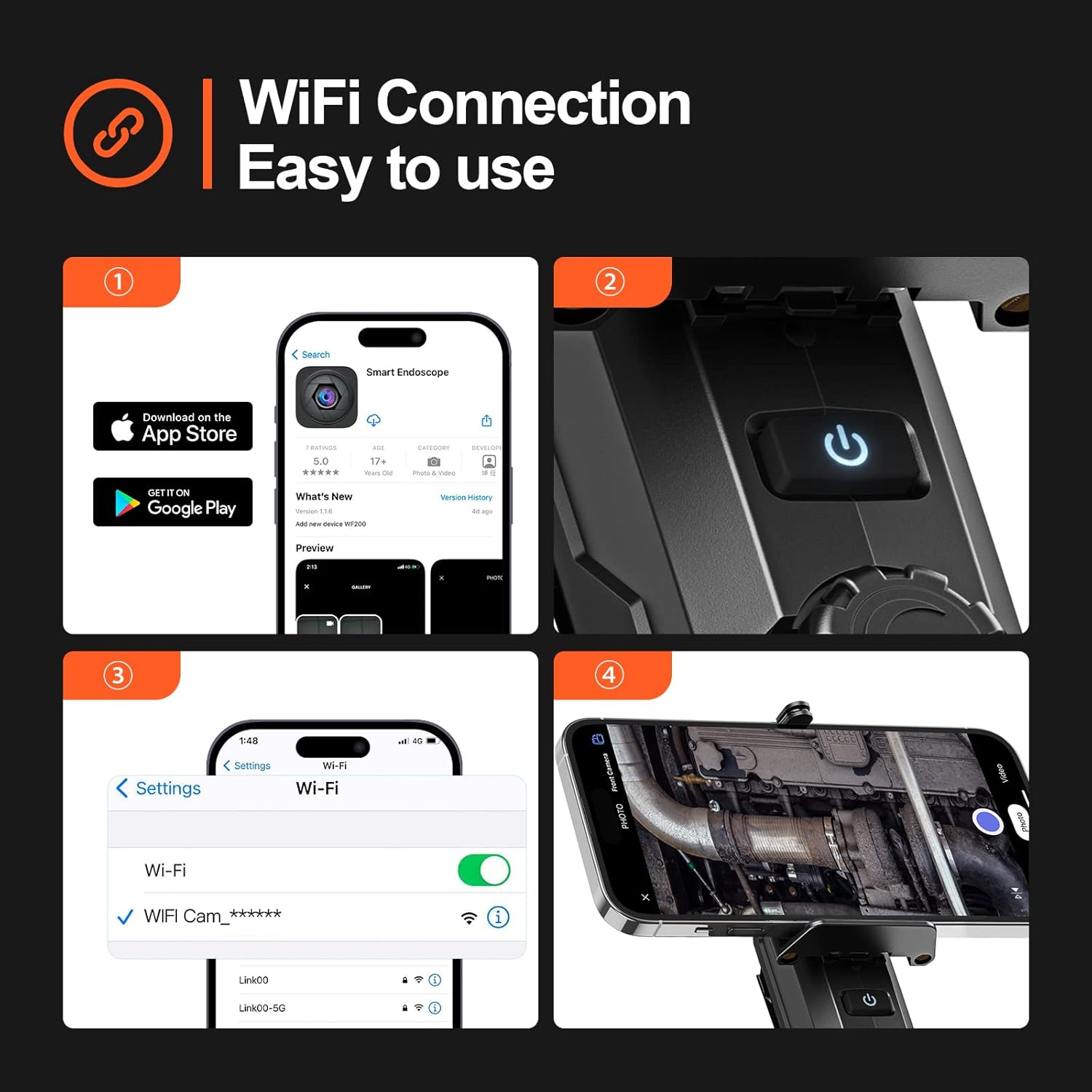
Figure 5.2: Step-by-step guide for app installation and WiFi connection.
5.3 Падключэнне праз Wi-Fi
Once the app is installed, connect your device to the endoscope's Wi-Fi network.
- Power on the Teslong Wireless Endoscope by pressing and holding the power button on the main unit.
- On your smartphone or tablet, go to Wi-Fi settings.
- Locate and select the Wi-Fi network named "WF_Cam_******" (the asterisks will be replaced by a unique device ID).
- Once connected, open the "Smart Endoscope" app. The camera feed should now be visible.
5.4 Attaching the Inspection Cable
The semi-rigid inspection cable is detachable for convenience and versatility.
- Align the connector of the inspection cable with the port on the main unit.
- Gently push and twist the connector clockwise until it clicks securely into place.
- To detach, twist counter-clockwise and pull.
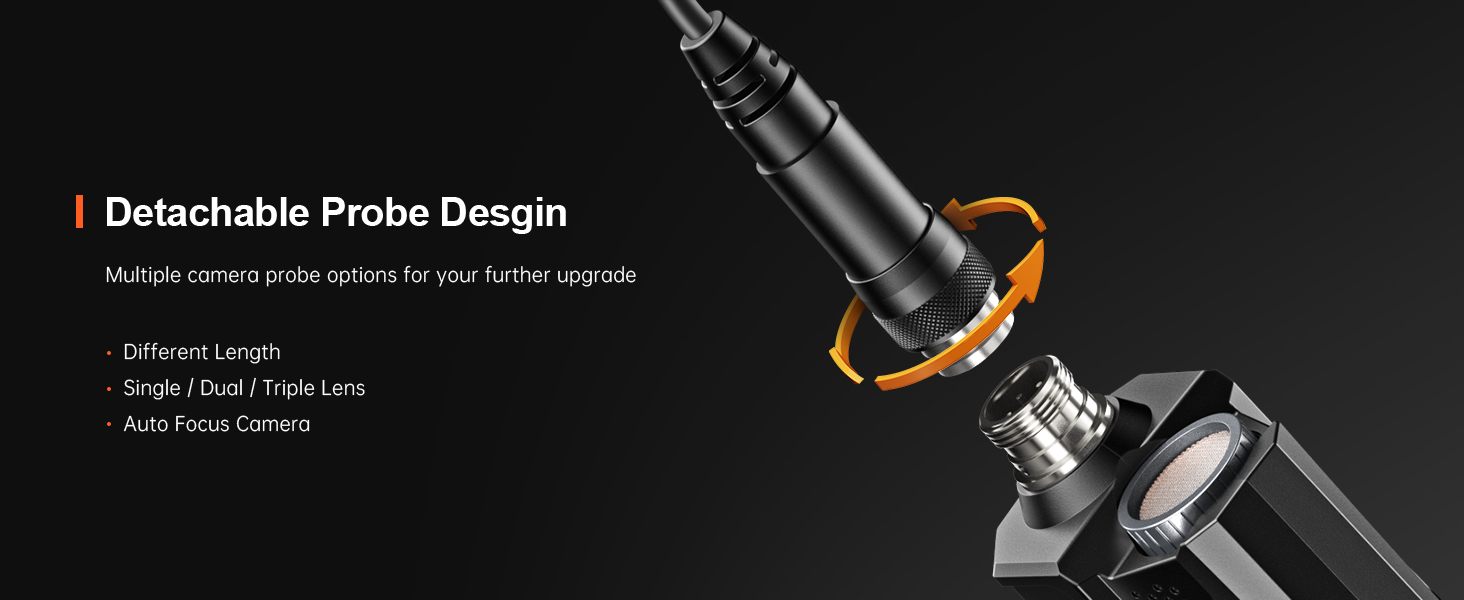
Figure 5.3: The detachable probe design allows for easy storage and future upgrades.
6. Інструкцыя па эксплуатацыі
6.1 Уключэнне/выключэнне
- Уключэнне: Націсніце і ўтрымлівайце кнопку харчавання на асноўным блоку, пакуль не загарыцца індыкатар.
- Выключэнне: Зноў націсніце і ўтрымлівайце кнопку харчавання, пакуль індыкатар не пагасне.
6.2 Рэгуляванне святлодыёдных лямпаў
The camera probe is equipped with 8 adjustable LED lights to illuminate dark inspection areas.
- Rotate the brightness adjustment dial on the main unit to increase or decrease the intensity of the LED lights. There are three adjustable brightness levels.
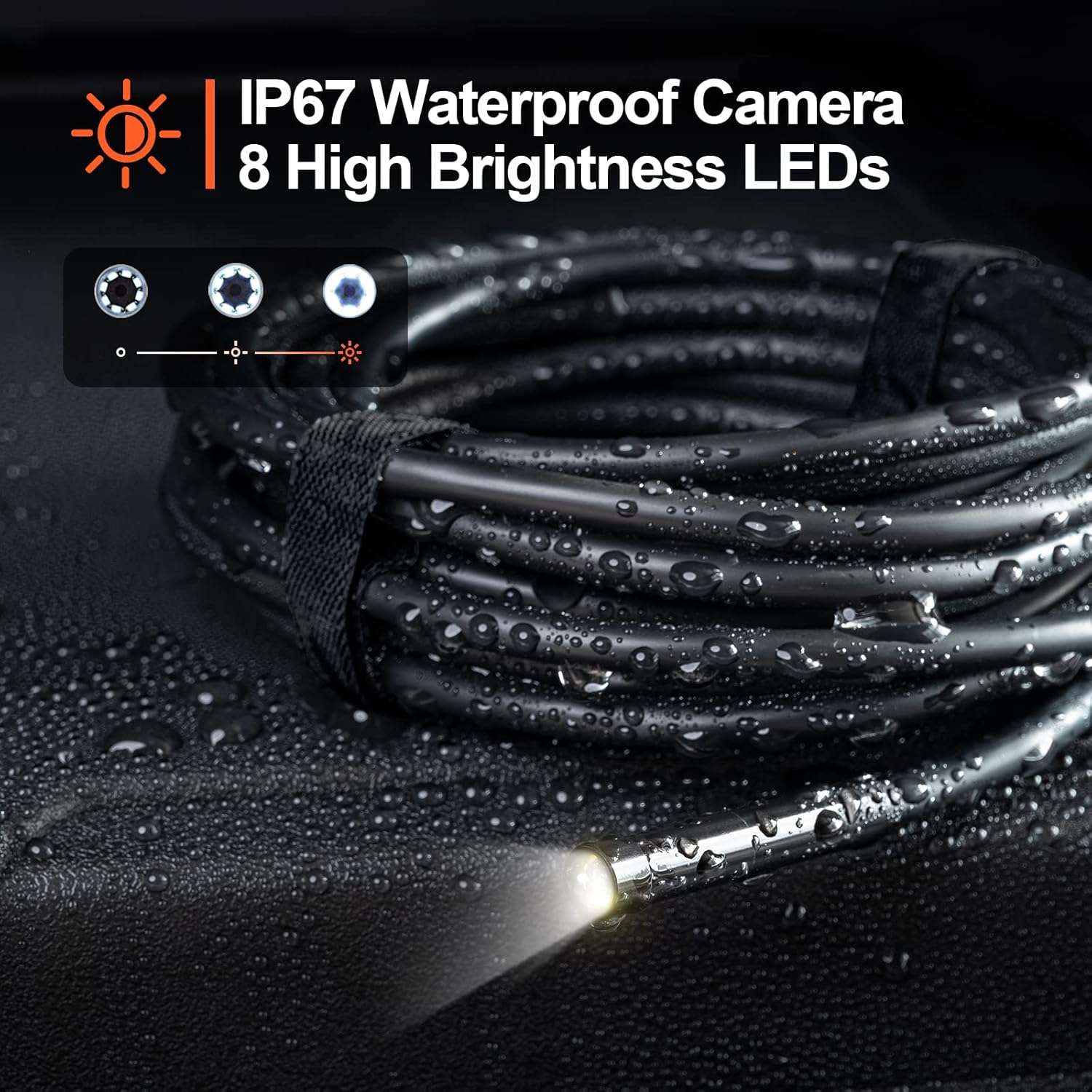
Figure 6.1: The camera probe features 8 high-brightness LEDs and is IP67 waterproof.
6.3 Захоп малюнкаў і відэа
Use the "Smart Endoscope" app to capture high-resolution images and videos.
- Фотаздымкі: In the app interface, tap the camera icon to capture a still image. Images are saved in JPEG format.
- Запіс відэа: Tap the video camera icon to start recording. Tap it again to stop. Videos are saved in MP4 format.
- Captured media will be stored directly on your connected smartphone or tablet.

Малюнак 6.2: View the inspection feed on your iPhone, iPad, or Android smartphone/tablet.
6.4 Using Accessories (Hook, Magnet, Mirror)
The endoscope comes with useful accessories that can be attached to the camera probe for enhanced functionality.
- кручок: Useful for retrieving small objects from hard-to-reach places.
- Магніт: Ideal for picking up metallic items like screws or keys.
- Люстэрка: Забяспечвае пабочны эфект view for inspecting areas that are not directly in front of the camera.
To attach an accessory, carefully slide it onto the tip of the camera probe until it is secure.

Figure 6.3: Included accessories: Hook, Magnet, and Mirror for versatile inspections.
7. Тэхнічнае абслугоўванне
7.1 Ачыстка
- After each use, especially in dirty or wet environments, clean the camera probe and cable with a soft, damp тканіна.
- For stubborn dirt, a mild detergent can be used, but ensure no liquid enters the main unit.
- Не выкарыстоўвайце абразіўныя ачышчальнікі або растваральнікі.
- Ensure the camera lens is clean for clear images. Use a lens cleaning cloth if necessary.
7.2 Захоўванне
- Захоўвайце эндаскоп у прахалодным, сухім месцы, удалечыні ад прамых сонечных прамянёў і экстрэмальных тэмператур.
- Detach the inspection cable from the main unit for compact storage.
- Keep the device and accessories in their original packaging or a protective case to prevent damage.
8. Выпраўленне непаладак
| праблема | Магчымая прычына | Рашэнне |
|---|---|---|
| Прылада не ўключаецца. | Нізкі акумулятар. | Цалкам зарадзіце прыладу з дапамогай кабеля USB-C, які ўваходзіць у камплект. |
| No image on the app. | Wi-Fi not connected or incorrect network selected. | Ensure your phone is connected to the "WF_Cam_******" Wi-Fi network. Restart the app and the endoscope. |
| Выява размытая або цёмная. | Camera lens is dirty; insufficient lighting. | Clean the camera lens. Adjust the LED brightness using the dial on the main unit. |
| Wi-Fi connection is unstable. | Interference from other Wi-Fi networks; too far from the device. | Move closer to the endoscope. Try to minimize other Wi-Fi devices nearby. |
| Праграма завісае або выходзіць з ладу. | App version outdated; phone operating system issues. | Update the "Smart Endoscope" app to the latest version. Restart your smartphone/tablet. |
9. Тэхнічныя характарыстыкі
| Асаблівасць | Дэталь |
|---|---|
| мадэль | Single Lens (WF200D7L5) |
| Дазвол камеры | 2.0 Megapixels (1920x1080p) |
| Дыяметр зонда | 7 мм / 0.28 цалі |
| Даўжыня кабеля | 16.5ft (approx. 5 meters) |
| Рэйтынг воданепранікальнасці | IP67 (camera probe only) |
| Святлодыёдныя ліхтары | 8 рэгуляваных святлодыёдаў |
| Ёмістасць батарэі | 2000mAh літый-палімер |
| Час працы | Да 4 гадзін |
| Порт для зарадкі | USB Type-C |
| Сувязь | Wi-Fi |
| Сумяшчальная АС | Android 7.0+ / iOS 10.0+ |
| Фармат выявы | JPEG |
| Фармат відэа | MP4 |
| Памеры ўпакоўкі | 22 х 21.1 х 4.9 см |
| Вага ўпакоўкі | 0.58 кілаграма |
10. Гарантыя і падтрымка
Teslong provides a Гарантыя 12 месяцаў для гэтага прадукту, якая пакрывае вытворчыя дэфекты з даты пакупкі.
Выключэнні з гарантыі:
- Damage caused by improper use, accident, abuse, neglect, or unauthorized modification.
- Нармальны знос.
- Шкода, выкліканая стыхійнымі бедствамі або стыхійнымі бедствамі.
Падтрымка кліентаў:
If you encounter any issues or have questions regarding your Teslong Wireless Endoscope, please contact our customer support team. Refer to the contact information provided on the Teslong official webсайт або дакументы аб куплі.
For more information and product updates, visit the official Teslong store: Teslong Store on Amazon