
Уводзіны
This manual provides comprehensive instructions for the setup, operation, and maintenance of your SMPL Big Button Corded Phone for Seniors, Model 56020. Designed with ease of use in mind, this phone features large buttons, amplified sound, and photo memory keys to enhance communication for individuals with hearing, vision, or dexterity challenges.
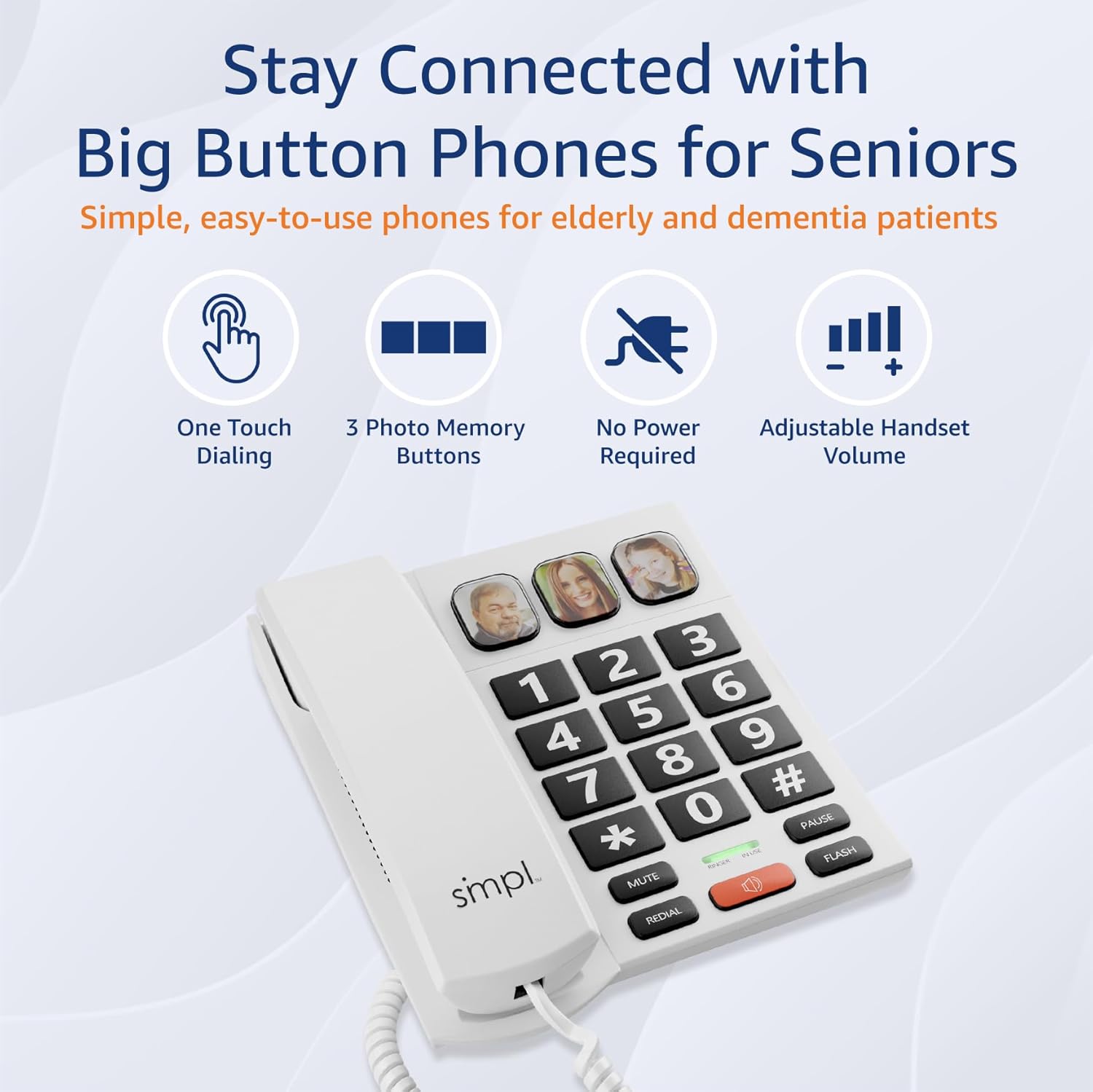
Image: The SMPL Big Button Corded Phone, showcasing its large keypad and three photo memory buttons.
Змест пакета
Калі ласка, пераканайцеся, што ўсе пералічаныя ніжэй прадметы ўваходзяць у ваш пакет:
- 1 x Telephone Base
- 1 х трубка
- 1 x Handset Cord
- 1 x Phone Line Cord
- 1 х Кіраўніцтва карыстальніка
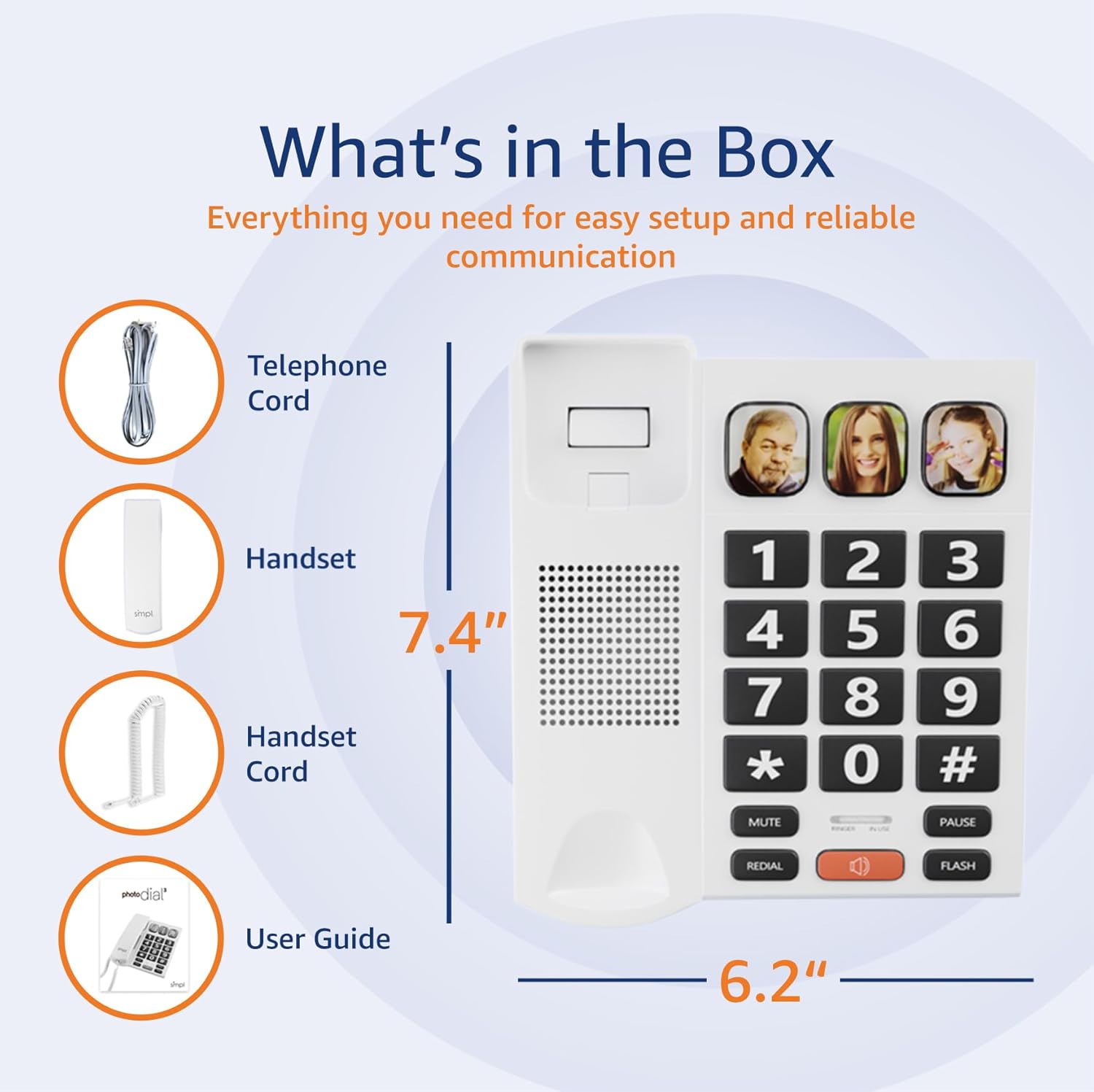
Image: A visual representation of the phone's components, including the telephone base, handset, cords, and user guide, laid out next to the packaging.
Інструкцыя па наладзе
- Падключыце тэлефон: Plug one end of the coiled handset cord into the handset and the other end into the designated port on the left side of the telephone base. Ensure a secure connection.
- Падключэнне да тэлефоннай лініі: Plug one end of the phone line cord into the "LINE" port on the back of the telephone base. Plug the other end into your wall phone jack.
- Power (Optional for VoIP): This phone operates on traditional landlines without external power. If you are using a VoIP service (Internet with voice), an optional power adapter (Model 56021, sold separately) may be required for full functionality. Check your service bill if unsure.
- Adjust Ringer Volume: Locate the "LOW HI RINGER" switch on the back of the phone. Adjust to your preferred volume setting (Low or High).
- Adjust Handset Volume: Locate the "MED HI VHI HANDSET VOLUME" switch on the back of the phone. Adjust to your preferred listening level (Medium, High, or Very High).

Выява: Задняя частка view of the phone base, highlighting the ports for the phone line and handset, along with the adjustable switches for ringer and handset volume.
Асаблівасці большview
- Вялікія кнопкі: Oversized, high-contrast buttons for easy visibility and dialing, reducing errors for users with visual impairments or dexterity issues.
- Three Photo Memory Keys: Dedicated buttons (M1, M2, SOS) allow users to program frequently called numbers with corresponding photos for one-touch dialing.
- Amplified Handset & Ringer Volume: Adjustable volume levels for both the handset (up to 85 dB) and ringer (over 75 dB) to accommodate varying degrees of hearing loss.
- Візуальны флэшер: An integrated visual alert flashes during incoming calls, providing an additional notification for users who may not hear the ringer.
- Гучная сувязь: Hands-free communication option for convenience and group conversations.
- Функцыя паўторнага набору: Хутка набярыце апошні набраны нумар.
- Кнопка ўспышкі: Used for call waiting or transferring calls (if supported by your phone service).

Image: A close-up of the phone's large, easy-to-read buttons and the visual flasher, emphasizing its user-friendly design.
Інструкцыя па эксплуатацыі
Здзяйсненне званка:
- Стандартны набор: Падніміце слухаўку або націсніце СПІКЕР button. Dial the desired phone number using the large keypad.
- Photo Memory Key Dialing:
- Праграмаванне:
- Падніміце слухаўку.
- Націсніце КРАМА кнопка.
- Dial the phone number you wish to save.
- Націсніце КРАМА кнопку зноў.
- Press one of the photo memory keys (M1, M2, or SOS) to assign the number.
- Замяніце слухаўку.
- Набор нумара: Падніміце слухаўку або націсніце СПІКЕР button, then simply press the desired photo memory key (M1, M2, or SOS). The phone will automatically dial the stored number.
- Праграмаванне:
Video: This video demonstrates how to add a phone number to a picture button on a similar Easyfone T6 model, illustrating the process of programming speed dial keys with associated images.
Video: This video illustrates how to dial numbers using the standard keypad function on a similar Easyfone T6 model, for calls not assigned to photo buttons.
Прыём званка:
- Калі тэлефон зазваніць, падніміце слухаўку або націсніце СПІКЕР кнопку, каб адказаць.
- Каб завяршыць званок, пакладзеце слухаўку або націсніце СПІКЕР button again if using hands-free mode.
Adjusting Volume During a Call:
- While on a call, use the ГУЧНАСЦЬ+ і ГУЧ- buttons (if available on your model) or the handset volume switch on the back of the phone to adjust the listening volume.
Тэхнічнае абслугоўванне
- Уборка: Працярыце тэлефон мяккай губкайamp тканіна. Не выкарыстоўвайце агрэсіўныя хімікаты або абразіўныя ачышчальнікі.
- захоўванне: Захоўвайце тэлефон у прахалодным, сухім месцы, удалечыні ад прамых сонечных прамянёў і экстрэмальных тэмператур.
- Сыход за шнуром: Avoid tangling or excessive pulling of the cords to prevent damage.
Ліквідацыю непаладак
| праблема | Магчымае рашэнне |
|---|---|
| Няма сігналу набору |
|
| Не чую абанента / Абанент не чуе мяне |
|
| Тэлефон не званіць |
|
| Photo memory keys not working |
|
Тэхнічныя характарыстыкі
- Нумар мадэлі: 56020
- Памеры прадукту: 19.1 х 20.7 х 6.4 см
- Вага: 581 г
- колер: Белы
- матэрыял: Пластыкавыя
- Тып тэлефона: рубчатая
- Крыніца харчавання: Corded Electric (operates on landline power; optional adapter for VoIP)
- Тып дазвону: Адзіная клавіятура
- Тып аўтаадказчыка: Digital (Recording Capacity: 24 Minutes)
- Сумяшчальныя прылады: Слыхавы апарат
- Шматрадковая аперацыя: Аперацыя з адной лініяй
- Ідэнтыфікатар абанента: няма
- UPC: 628857560203
Гарантыя і падтрымка
For warranty information or technical support, please refer to the contact details provided with your purchase documentation or visit the official SMPL webсайт. Захоўвайце чэк аб куплі як пацвярджэнне пакупкі для гарантыйных прэтэнзій.