
Уводзіны
This manual provides detailed instructions for the setup, operation, maintenance, and troubleshooting of your STEELPLAY Wireless Controller, model LA-0HNY-U4YG. Please read this manual carefully before using the product to ensure proper functionality and to prevent damage.
Настройка
Змест пакета
Праверце наяўнасць усіх прадметаў у камплекце:
- STEELPLAY Wireless Controller (LA-0HNY-U4YG)
- USB-кабель для зарадкі
- Кіраўніцтва карыстальніка (гэты дакумент)
Зарадка кантролера
Before first use, fully charge the controller. Connect the USB charging cable to the controller's charging port and the other end to a powered USB port (e.g., gaming console, PC, USB wall adapter).
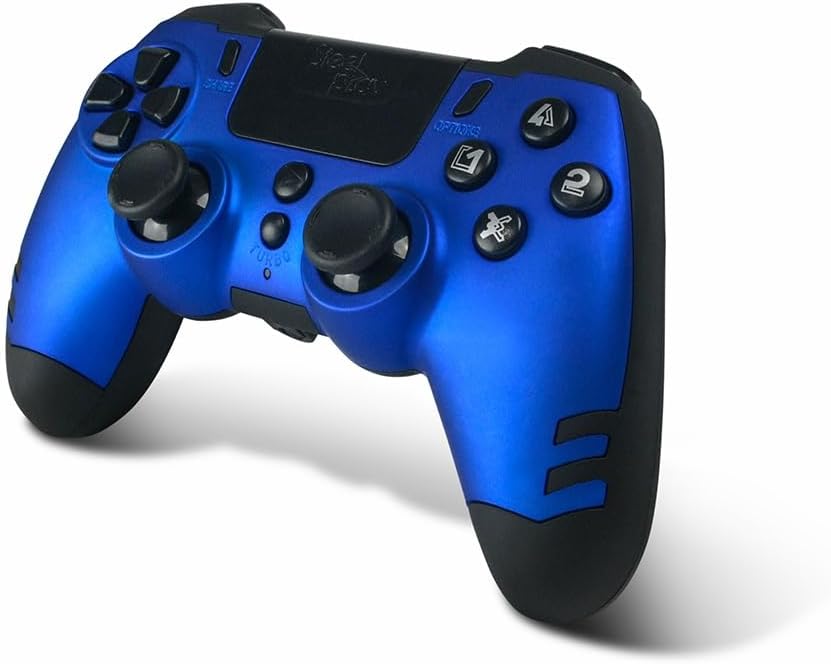
Image: The STEELPLAY Wireless Controller with a charging cable connected. This image illustrates the controller's design and potential charging port location.
Спалучэнне з прыладай
Follow these steps to pair your wireless controller with your gaming console or PC:
- Пераканайцеся, што кантролер зараджаны.
- Turn on your gaming console or PC.
- На кантролеры націсніце і ўтрымлівайце ПАДЗЯЛІЦЕСЯ кнопка і PS button simultaneously until the light bar begins to flash.
- On your device, navigate to Bluetooth settings and select the "STEELPLAY Wireless Controller" from the list of available devices.
- Once paired, the light bar will stop flashing and remain lit, indicating a successful connection.
Інструкцыя па эксплуатацыі
Асноўныя элементы кіравання
The STEELPLAY Wireless Controller features standard gamepad controls. Familiarize yourself with the button layout:
- Кіруючы джойсцік (D-Pad): Для дакладнага накіраванага ўводу.
- Левы/правы аналагавыя джойсцікі: Для кіравання рухам і камерай.
- Кнопкі дзеянняў (трохкутнік, круг, крыж, квадрат): Для дзеянняў у гульні.
- Плечавыя кнопкі (L1, R1) і трыгеры (L2, R2): Для розных гульнявых функцый.
- Кнопка ПАДЗЯЛІЦЦА: To share gameplay content.
- Кнопка ПАРАМЕТРЫ: To access in-game menus or pause.
- Кнопка PS: To access the console's home menu or power on/off the controller.
- Сэнсарная панэль: For additional input, often used for navigation or specific game mechanics.
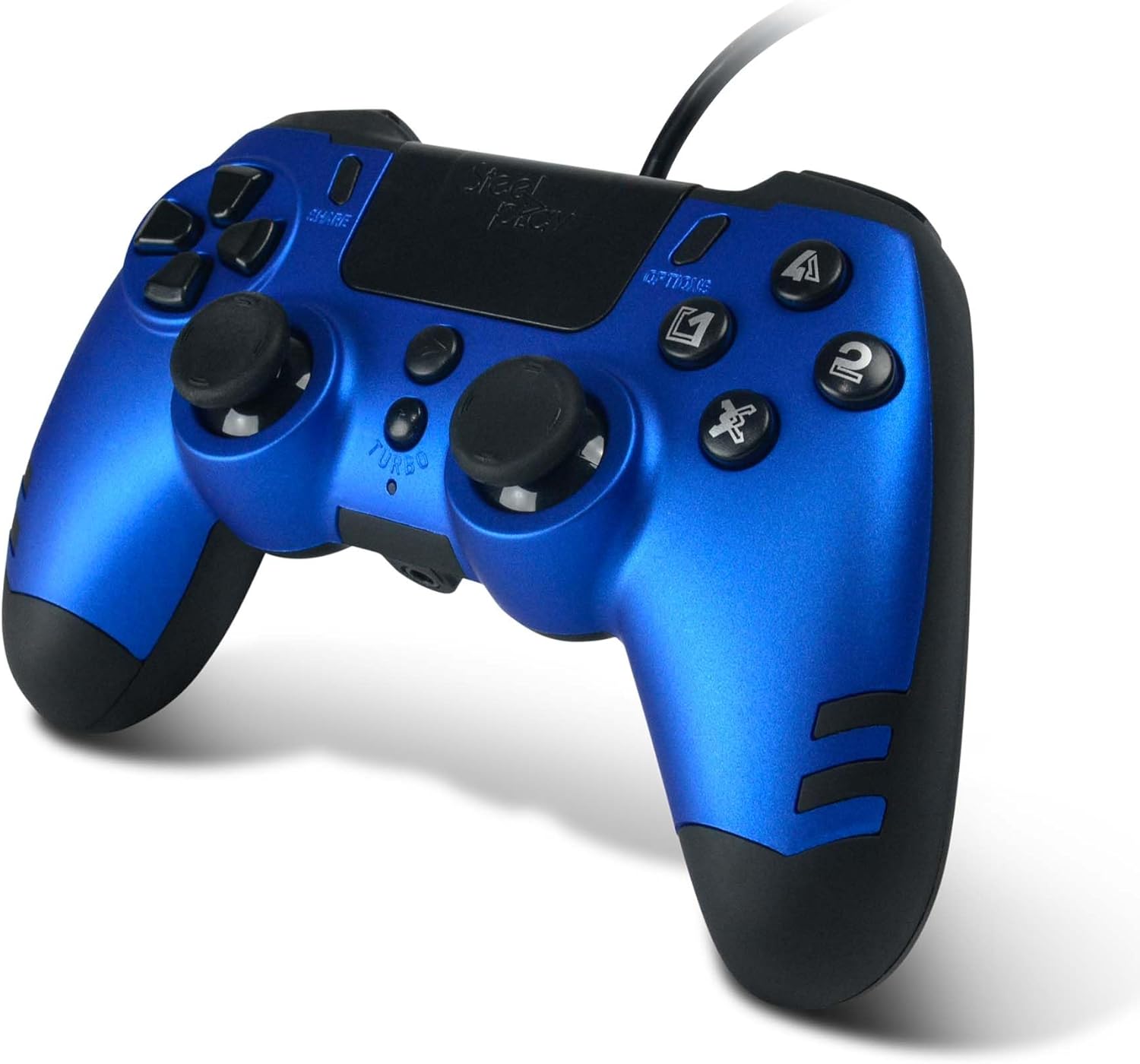
Выява: Падрабязны view of the STEELPLAY Wireless Controller, highlighting the layout of its 14 buttons, D-pad, and analog sticks.
Уключэнне/выключэнне
- Каб уключыць: націсніце кнопку PS кнопка.
- Каб выключыць: націсніце і ўтрымлівайце PS button for approximately 10 seconds until the controller powers down.
Паўторнае падключэнне
Once paired, the controller should automatically reconnect to the last paired device when powered on. If it does not, press the PS button to initiate reconnection.
Тэхнічнае абслугоўванне
Уборка
Для чысткі кантролера выкарыстоўвайце мяккую сухую тканіну. Для ўстойлівага бруду злёгкуampen the cloth with water. Do not use harsh chemicals, solvents, or abrasive cleaners, as these can damage the controller's finish and internal components.
Захоўванне
Store the controller in a cool, dry place away from direct sunlight and extreme temperatures. Avoid placing heavy objects on the controller.
Сыход за батарэяй
The controller contains a rechargeable battery. To prolong battery life:
- Пазбягайце частай поўнай разрадкі акумулятара.
- Рэгулярна зараджайце кантролер, нават калі ён не выкарыстоўваецца працяглы час.
- Do not expose the controller to temperatures above 60°C (140°F).
Ліквідацыю непаладак
- Кантролер не ўключаецца:
- Ensure the controller is fully charged. Connect it to a power source using the USB cable and allow it to charge for at least 30 minutes before attempting to power it on again.
- Controller does not connect or pair:
- Ensure the controller is in pairing mode (light bar flashing).
- Verify that the device you are trying to connect to has Bluetooth enabled.
- Выдаліце ўсе папярэднія спалучэнні кантролера з налад Bluetooth вашай прылады і паспрабуйце зноў падключыць яго.
- Move the controller closer to the device to ensure a strong signal.
- Restart both the controller and the device.
- Input lag or unresponsive buttons:
- Ensure the controller is fully charged. Low battery can affect performance.
- Reduce interference by moving away from other wireless devices (Wi-Fi routers, other Bluetooth devices).
- If possible, try connecting the controller via a USB cable to see if the issue persists (if wired mode is supported).
Тэхнічныя характарыстыкі
| Асаблівасць | Дэталь |
|---|---|
| Назва мадэлі | LA-0HNY-U4YG |
| Brand (Manufacturer) | STEELPLAY |
| Brand (Retail) | Лексіп |
| Сувязь | Бесправадная сувязь |
| Колькасць кнопак | 14 |
| Памеры | 17.5 х 13 х 8.3 см |
| Вага | 350 г |
| Батарэі ўваходзяць у камплект | No (Features an internal rechargeable battery) |
Гарантыя і падтрымка
Specific warranty information is not provided in this manual. Please refer to the retailer's purchase terms or the manufacturer's official website for detailed warranty policies and support contact information.
For further assistance, please contact STEELPLAY customer support through their official channels.