
1. Уводзіны
The Maxcom MM724 is a simple mobile phone designed for ease of use, featuring straightforward software and practical functions. It is particularly suitable for users who prefer a device without complicated menus. Key features include an emergency SOS button, a built-in flashlight, and Bluetooth connectivity for hearing aid compatibility.
2. Змесціва ўпакоўкі
Калі ласка, пастаўце галачку для наступных пунктаў:
- 1 Maxcom MM724 Mobile Phone
- 1 Desktop Charger
- 1 Matching Cords (for charger)
- 1 Кіраўніцтва карыстальніка (гэты дакумент)
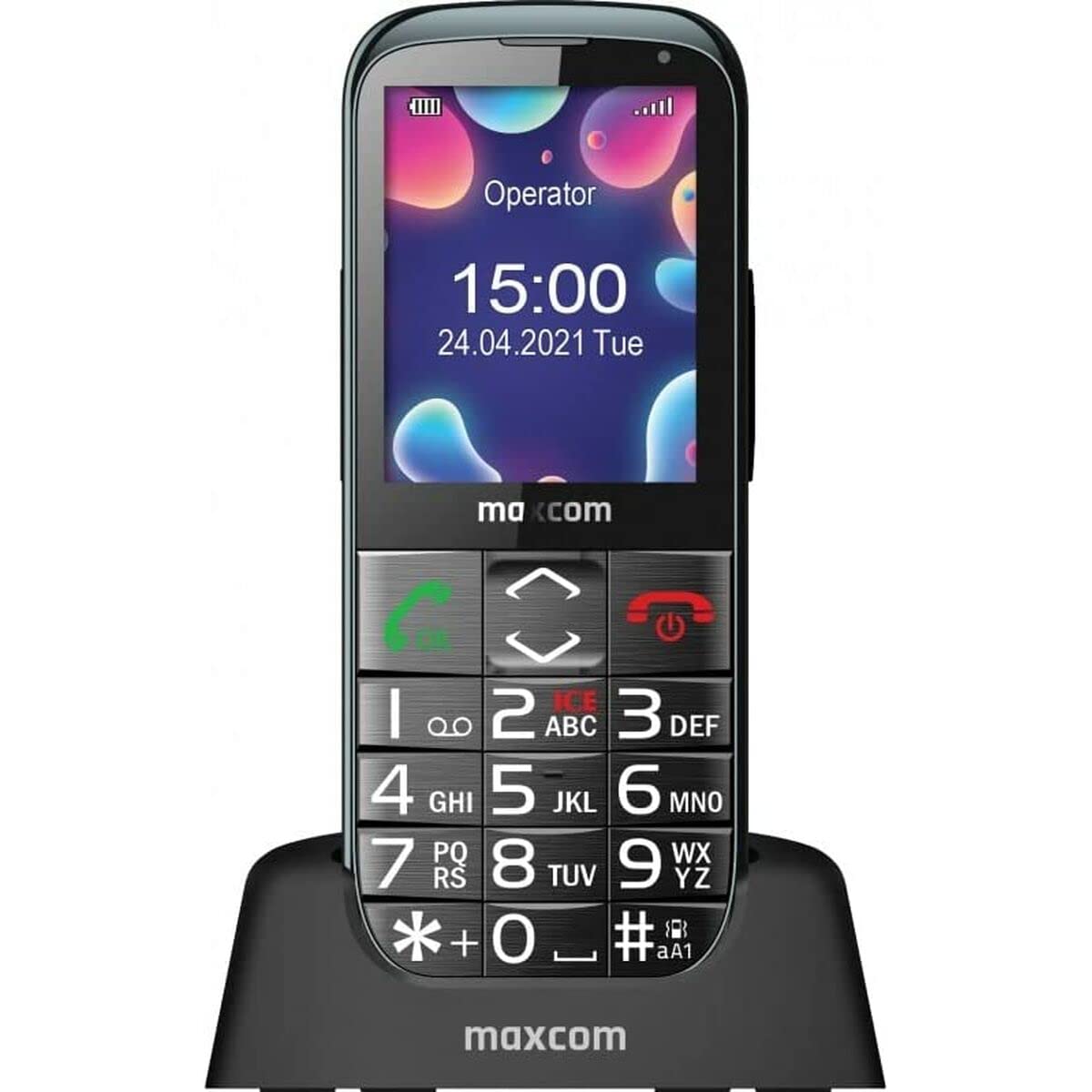
Image: The Maxcom MM724 simple mobile phone, typically black, with a clear display and large buttons.
3. Настройка
3.1. Устаўка SIM-карты і акумулятара
- Акуратна зніміце заднюю крышку тэлефона.
- Устаўце SIM-карту (карты) ў прызначаны слот (слоты) залацістымі кантактамі ўніз.
- Устаўце батарэйку, пераканаўшыся, што кантакты правільна сумяшчаюцца.
- Зачыніце заднюю крышку, пакуль яна надзейна не зашчоўкнецца.
3.2. Зарадка прылады
The Maxcom MM724 uses a convenient desktop charger. To charge your phone:
- Connect the charger cord to a power outlet.
- Place the phone upright into the desktop charging cradle.
- Ensure the charging indicator on the phone or cradle illuminates, indicating that charging has begun.
- For optimal battery life, keep the phone in the cradle when not in use to ensure it is always charged.
4. Інструкцыя па эксплуатацыі
4.1. Уключэнне / выключэнне харчавання
- Каб уключыць: Press and hold the Power/End Call button (usually red) until the screen lights up.
- Каб выключыць: Press and hold the Power/End Call button until the power-off options appear, then confirm.
4.2. Здзяйсненне і прыём званкоў
- Каб зрабіць званок: Dial the number using the keypad and press the Call button (usually green).
- Каб прыняць выклік: Press the Call button when the phone rings. The phone is designed to ring very loudly to ensure calls are not missed.
- Каб завяршыць выклік: Націсніце кнопку харчавання/завяршэння выкліку.
4.3. Адпраўка і атрыманне паведамленняў
Navigate to the 'Messages' menu to compose new SMS messages or read incoming ones. Use the keypad to type your message.
4.4. Выкарыстанне кнопкі SOS
The SOS button is located on the back of the phone and is designed for emergencies.
- Настройка: Access the phone's settings to pre-define a list of emergency contacts.
- Актывацыя: In an emergency, press and hold the SOS button. The phone will automatically call the pre-defined contacts in sequence until one answers.
4.5. Activating the Flashlight
The phone features a dedicated button for the flashlight, making it easy to activate when needed. Refer to your phone's specific button layout for its location.
4.6. Bluetooth and Hearing Aid Compatibility
The Maxcom MM724 supports Bluetooth connectivity, allowing it to pair with compatible devices, including certain hearing aids. This enables hands-free calling.
- Спалучэнне: Go to the Bluetooth settings on your phone and enable Bluetooth. Put your hearing aid into pairing mode (consult your hearing aid's manual). Select your hearing aid from the list of available devices on the phone to pair.
- Заўвага: Compatibility with hearing aids depends on the hearing aid's features. Consult your audiologist for specific compatibility information. The phone also features a ring line and additional gain for improved audio performance with or without hearing aids.
5. Тэхнічнае абслугоўванне
- Уборка: Выкарыстоўвайце мяккую сухую тканіну для чысткі экрана і корпуса тэлефона. Пазбягайце выкарыстання вадкіх ачышчальнікаў або абразіўных матэрыялаў.
- Сыход за батарэяй: Keep the battery charged regularly. Avoid extreme temperatures, which can affect battery performance and lifespan.
- захоўванне: Захоўвайце тэлефон у прахалодным, сухім месцы, калі ён не выкарыстоўваецца працяглы час.
6. Выпраўленне непаладак
- Тэлефон не ўключаецца: Ensure the battery is correctly inserted and charged. Connect the phone to the charger and try again.
- Няма сігналу сеткі: Check if the SIM card is properly inserted. Move to an area with better network coverage. Contact your service provider if the issue persists.
- Немагчыма рабіць/прымаць званкі: Verify that you have sufficient credit or an active plan. Check network signal strength.
- Праблемы з спалучэннем Bluetooth: Ensure both devices are in pairing mode and within range. Try restarting both the phone and the Bluetooth device.
7. Тэхнічныя характарыстыкі
| Марка | Макскам |
| Назва мадэлі | MM724 |
| Аперацыйная сістэма | Android |
| Памер экрана | 3 цаляў |
| Тэхналогія падлучэння | Bluetooth |
| Сотавая тэхналогія | 4G |
| Бесправадныя сеткавыя тэхналогіі | GSM |
| Колер | Чорны |
| Вага прадмета | 85 грам |
| Аператар бесправадной сувязі | Адмыкнутая |
8. Гарантыя і падтрымка
Warranty information for the Maxcom MM724 mobile phone is typically provided with your purchase documentation or can be found on the official Maxcom website. For technical support or service inquiries, please refer to the contact information provided by your retailer or the manufacturer.