
Ctronics CTIPC-380C-5MP-BW
Ctronics Outdoor Wi-Fi Security Camera User Manual
Марка: Ctronics
мадэль: CTIPC-380C-5MP-BW
1. Уводзіны
Thank you for choosing the Ctronics Outdoor Wi-Fi Security Camera. This manual provides detailed instructions for setting up, operating, and maintaining your camera to ensure optimal performance and security. This advanced surveillance camera features 5MP Ultra HD resolution, dual-band 2.4GHz/5GHz Wi-Fi connectivity, intelligent human detection with auto-tracking, color night vision, two-way audio, and robust IP66 waterproof construction.

Figure 1: Ctronics Outdoor Wi-Fi Security Camera Overview
2. Асноўныя магчымасці
- Dual-Band Wi-Fi & Enhanced Antenna: Supports both 2.4GHz and the latest 5GHz Wi-Fi for more stable, faster, and smoother data transmission with less interference. Equipped with a reinforced 5DBi antenna for improved signal stability, especially in outdoor environments.

Figure 2: Dual-band Wi-Fi and 5DBi antenna for stable connection.
- Разрозненне Ultra HD 5 Мп: Captures crystal-clear 5-megapixel video, allowing for precise identification of details like facial expressions, clothing, and accessories, crucial for evidence collection. Supports 4x digital zoom.

Figure 3: High-definition 5MP video capture.
- Advanced Night Vision & Two-Way Audio: Offers full-color night vision for clear identification of subjects even in low light. Features a high-quality built-in microphone and speaker for clear two-way communication without noise.

Figure 4: Color and Infrared night vision modes.
- 360° Pan-Tilt & Smart Detection: Provides a 360° surveillance range with Pan 350° and Tilt 90° capabilities. Equipped with intelligent human detection to minimize false alarms (over 95% accuracy) and an auto-tracking function that follows detected subjects and returns to the preset position after they leave the frame.

Figure 5: Pan-Tilt functionality for comprehensive coverage.

Figure 6: Human detection and auto-tracking in action.
- Durable Construction & Multiple Recording Options: Features a metal front cover for superior heat dissipation, fire resistance, and extended lifespan compared to plastic alternatives. IP66 waterproof and dustproof rating ensures reliable outdoor performance. Supports 24-hour continuous recording, motion-triggered recording, human detection recording, and schedule recording. Compatible with up to 128GB SD cards, ONVIF, NVR, and FTP.

Figure 7: Durable metal construction for longevity.

Figure 8: Multiple recording modes and storage options.
3. Кіраўніцтва па наладцы
3.1 Змест пакета
Before starting, please ensure all items are present in the package:
- Ctronics Outdoor Wi-Fi Security Camera
- Адаптар сілкавання
- Мантажныя шрубы і анкеры
- Лакальны кабель
- Налепка з папярэджаннем
- Кіраўніцтва карыстальніка (гэты дакумент)
3.2 Пачатковая налада
- Падключэнне сілкавання: Падключыце камеру да крыніцы харчавання з дапамогай адаптара сілкавання, які ўваходзіць у камплект.
- Загрузка прыкладання: Download the "Ctronics" app from the App Store (iOS) or Google Play Store (Android).
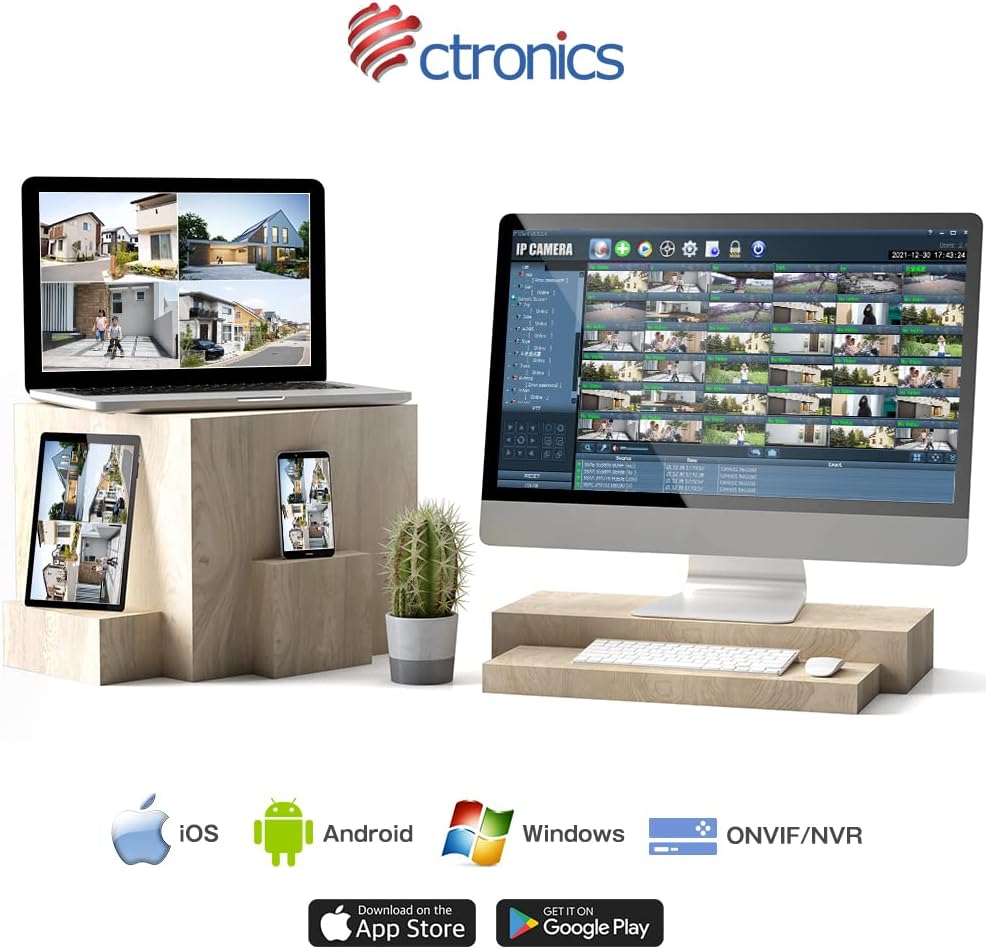
Figure 9: Ctronics App for mobile devices.
- Рэгістрацыя акаўнта: Адкрыйце праграму і зарэгіструйце новы ўліковы запіс або ўвайдзіце ў сістэму, калі ў вас ужо ёсць уліковы запіс.
- Дадаць прыладу: Выконвайце інструкцыі ў дадатку, каб дадаць камеру. Звычайна гэта патрабуе сканавання QR-кода на камеры або ўручную ўводу яе ідэнтыфікатара.
- Канфігурацыя сеткі: Select your preferred Wi-Fi network (2.4GHz or 5GHz) and enter the password. Ensure your camera is within range of your Wi-Fi router. For initial setup, it is recommended to place the camera close to the router.
- Мантаж: Once configured, choose a suitable outdoor location for mounting. Use the provided screws and anchors to securely attach the camera. Ensure the camera has a clear view вобласці, якую вы хочаце кантраляваць.
4. Інструкцыя па эксплуатацыі
4.1 У прамым эфіры View
Open the Ctronics app and select your camera from the device list to access the live video feed. You can view у рэжыме рэальнага часу footage з любога месца з падключэннем да Інтэрнэту.
4.2 Кіраванне паваротам і нахілам
У прамым эфіры view screen, use the directional controls to remotely adjust the camera's pan (horizontal) and tilt (vertical) angles. The camera supports 350° pan and 90° tilt.
4.3 Рэжымы запісу
The camera offers several recording options:
- 24-Hour Continuous Recording: Records continuously to the inserted SD card or connected NVR/FTP server.
- Запіс руху: Запісвае толькі пры выяўленні руху.
- Human Detection Recording: Records specifically when a human figure is detected, reducing false alarms.
- Расклад запісу: Set specific times or days for recording.
Recordings can be stored on a microSD card (up to 128GB, not included), or via ONVIF/NVR/FTP for external storage solutions.
4.4 Двухбаковае аўдыё
Націсніце на значок мікрафона ў дадатку, каб гаварыць праз дынамік камеры. Націсніце на значок дынаміка, каб слухаць гук з мікрафона камеры.
4.5 Сігналізацыя і апавяшчэнні
When motion or human detection is triggered, the camera can:
- Send push notifications to your mobile device.
- Activate a sensor light to deter intruders.
- Trigger a customizable alarm sound.

Figure 10: Alarm and push notification system.
5. Тэхнічнае абслугоўванне
- Уборка: Рэгулярна чысціце аб'ектыў і корпус камеры мяккай губкайamp cloth to ensure clear image quality. Do not use harsh chemicals or abrasive materials.
- Абнаўленні прашыўкі: Check the Ctronics app periodically for firmware updates. Keeping your camera's firmware up-to-date ensures optimal performance, security, and access to new features.
- крыніца харчавання: Пераканайцеся, што адаптар харчавання і кабель не пашкоджаны і надзейна падключаны.
- Умовы навакольнага асяроддзя: While the camera is IP66 waterproof, avoid direct exposure to extreme weather conditions if possible, such as prolonged heavy rain or direct sunlight in very hot climates, to maximize its lifespan.

Figure 11: IP66 waterproof and wide operating temperature range.
6. Выпраўленне непаладак
| праблема | Магчымая прычына | Рашэнне |
|---|---|---|
| Камера па-за сеткай/Немагчыма падключыцца да Wi-Fi | Слабы сігнал Wi-Fi; няправільны пароль Wi-Fi; праблемы з маршрутызатарам; камера занадта далёка ад маршрутызатара. | Ensure camera is within Wi-Fi range. Check Wi-Fi password. Restart router and camera. Try connecting to 2.4GHz if 5GHz is unstable, or vice versa. |
| Дрэнная якасць выявы | Dirty lens; Insufficient light; Network bandwidth issues. | Clean the lens. Ensure adequate lighting or enable night vision. Check network speed. |
| False alarms/Too many notifications | Motion detection sensitivity too high; Non-human objects triggering detection. | Adjust motion detection sensitivity in the app. Enable human detection only. Adjust detection zones. |
| SD-карта не запісвае | SD card full or corrupted; Incorrect recording settings. | Format the SD card in the app. Check recording schedule and mode settings. Ensure SD card is inserted correctly. |
7. Тэхнічныя характарыстыкі
| Асаблівасць | Дэталь |
|---|---|
| Марка | Ctronics |
| Нумар мадэлі | CTIPC-380C-5MP-BW |
| Тэхналогія падлучэння | Wireless (2.4GHz & 5GHz Wi-Fi) |
| Дазвол відэазахопу | 5 мегапікселяў (2560x1920) |
| Дыяпазон павароту/нахілу | Панарамаванне 350°, нахіл 90° |
| Асаблівасці | Human Detection, Auto Tracking, Color Night Vision, Two-Way Audio, Alarm Notification, IP66 Waterproof |
| Матэрыял | Metal (front cover) |
| Крыніца харчавання | Правадная электрычная |
| Ватtage | 5 Вт |
| Крыніца святла | Infrared, White Light |
| Падтрымка захоўвання | MicroSD card (up to 128GB), ONVIF/NVR/FTP |
| Сумяшчальнасць аперацыйнай сістэмы | iOS, Android, Windows, MAC |
| Вага прадмета | 800 г |
| Памеры ўпакоўкі | 21.1 х 20.3 х 13.7 см |
8. Гарантыя і падтрымка
Ctronics provides a two-year quality warranty для гэтага прадукта.
If you encounter any malfunctions or issues with your security camera during the warranty period, you are eligible for a new product replacement, return, or refund.
For any inquiries or support, please feel free to contact our customer service team at: support.jp@ctronics.com