
1. Уводзіны
Дзякуй за пакупкуasing the AZATOM Zenith Z4. This portable audio system combines DAB/DAB+ and FM radio, a CD player, Bluetooth connectivity, USB playback, and an alarm clock function. This manual provides essential information for setting up, operating, and maintaining your device. Please read it thoroughly before use and retain it for future reference.
2. Змест скрынкі
Carefully unpack your Zenith Z4 and ensure all items listed below are present:
- AZATOM Zenith Z4 Unit
- Сеткавы адаптар сілкавання
- Кіраўніцтва карыстальніка (гэты дакумент)
- Рэгістрацыйная картка

Image showing the AZATOM Zenith Z4 unit, its power adapter, user manual, and registration card as included in the box.
3. Прадукт скончыўсяview: Controls and Features
3.1 Элементы кіравання пярэдняй панэлі

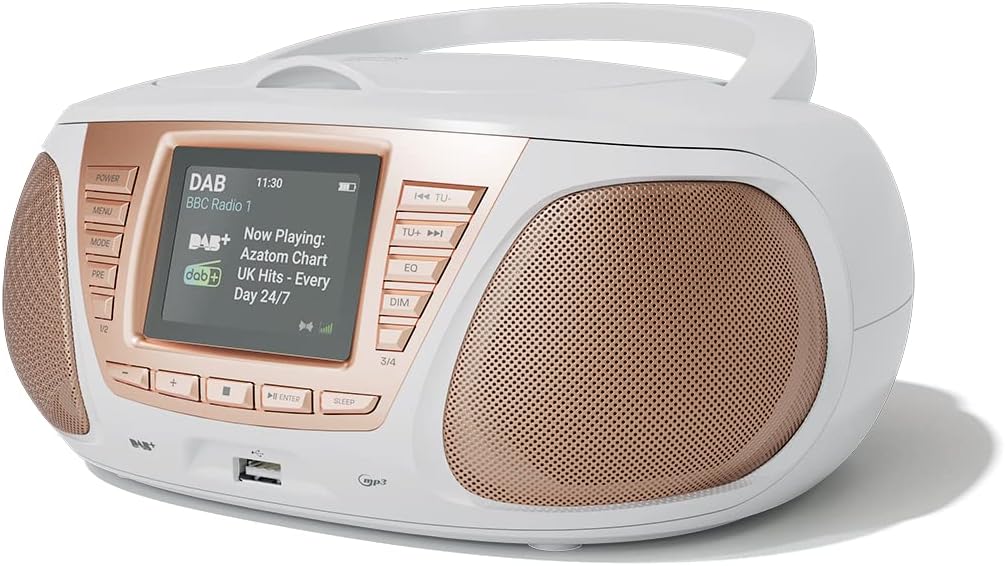
Падрабязны view of the AZATOM Zenith Z4's front panel, highlighting the color LCD display and various control buttons.
- Кнопка харчавання: Уключае або выключае прыладу.
- Кнопка МЕНЮ: Accesses the system menu.
- Кнопка MODE: Switches between DAB, FM, CD, Bluetooth, USB, and AUX modes.
- PRE Button (Presets): Доступ да захаваных загадзя налад радыёстанцый.
- 1/2, 3/4 Buttons: Direct access to specific presets or navigation.
- +, - Buttons: Adjusts volume, navigates menus, or tunes radio frequencies.
- Кнопка ENTER: Пацвярджае выбар.
- Кнопка СОН: Усталёўвае таймер сну.
- TU- / TU+ Buttons: Tunes radio frequencies down/up or skips tracks.
- Кнопка эквалайзера: Рэгулюе параметры эквалайзера.
- Кнопка DIM: Рэгулюе яркасць дысплея.
- Порт USB: Для падлучэння USB-назапашвальнікаў для прайгравання MP3.
- Раз'ём для навушнікаў: Выхад 3.5 мм для прыватнага праслухоўвання.
3.2 Злучэнні задняй панэлі
The rear panel typically includes the power input and auxiliary input.
- DC IN: Падключэнне адаптара сілкавання.
- AUX IN: 3.5mm input for connecting external audio sources.
4. Настройка
4.1 Уключэнне
The Zenith Z4 can be powered by the included AC adapter or by batteries for portability.
- Магутнасць пераменнага току: Connect the mains power adapter to the DC IN socket on the rear of the unit and plug it into a wall outlet.
- Магутнасць батарэі: Open the battery compartment (usually on the bottom or rear) and insert the required batteries (type and quantity specified in the compartment).

The AZATOM Zenith Z4 is designed for portability, allowing use with batteries or the supplied mains power adapter.
4.2 Initial Setup (First Use)
Upon first power-on, the unit may automatically perform an initial setup:
- The display will typically show a welcome message.
- The unit may automatically scan for available DAB/DAB+ and FM radio stations. This process can take a few minutes.
- The clock will usually set itself automatically via DAB signal. If not, refer to the menu settings to manually set the time and date.
5. Інструкцыя па эксплуатацыі
Радыё 5.1 DAB/DAB+
To access digital radio stations:
- Націсніце РЭЖЫМ button until 'DAB' is displayed.
- The unit will automatically scan for stations if it hasn't already. To perform a full scan manually, navigate to the 'Full Scan' option in the DAB menu.
- Выкарыстоўвайце ТУ- or ТУ+ buttons to browse the list of available stations.
- Прэса УВОД выбраць станцыю.

The Zenith Z4 features leading British DAB and FM technology for optimal digital radio performance.
5.2 FM -радыё
To listen to FM radio stations:
- Націсніце РЭЖЫМ button until 'FM' is displayed.
- Націсніце і ўтрымлівайце ТУ- or ТУ+ to auto-scan for the next available station. Briefly press to fine-tune the frequency.
- Прэса УВОД to confirm a station.
5.3 Storing and Recalling Presets (DAB/FM)
The Zenith Z4 allows you to store up to 60 preset stations (30 DAB, 30 FM).
- Tune to your desired DAB or FM station.
- Націсніце і ўтрымлівайце ПРЭ кнопку, пакуль на дысплеі не з'явіцца надпіс «Preset Store» (Захаваць папярэднюю наладу).
- Выкарыстоўвайце +/- buttons to select a preset number (1-30 for DAB, 1-30 for FM).
- Прэса УВОД каб выратаваць станцыю.
- Каб выклікаць папярэднюю наладу, коратка націсніце кнопку ПРЭ кнопку, затым выкарыстоўвайце +/- or the numbered buttons (1/2, 3/4) to select and press УВОД.

The Zenith Z4 allows storing up to 60 presets (30 DAB and 30 FM) for quick access to your favorite stations.
5.4 CD-плэер
Для прайгравання аўдыёдыскаў:
- Націсніце РЭЖЫМ button until 'CD' is displayed.
- Адкрыйце вечка адсека для кампакт-дыскаў, размешчанага ў верхняй частцы прылады.
- Place a CD (CD, CD-R, CD-RW compatible) with the label side facing up.
- Close the CD compartment lid. The unit will begin reading the disc and playback will start automatically.
- Выкарыстоўвайце ТУ- і ТУ+ buttons to skip tracks. Use УВОД for Play/Pause.

The Zenith Z4 features a top-loading CD player, compatible with various CD formats, to enjoy your music collection.
5.5 Злучэнне Bluetooth
Stream audio wirelessly from your compatible devices:
- Націсніце РЭЖЫМ button until 'Bluetooth' is displayed. The unit will enter pairing mode, indicated by a flashing Bluetooth icon or message.
- На мабільнай прыладзе (смартфоне, планшэце, ноўтбуку) уключыце Bluetooth і знайдзіце даступныя прылады.
- Select 'AZATOM Zenith Z4' from the list. Once paired, the unit will confirm the connection.
- You can now play audio from your device, and it will stream through the Zenith Z4.

Connect your Bluetooth device to the Zenith Z4 to enjoy streaming services like Spotify and Apple Music.
5.6 Прайграванне з USB
Для прайгравання mp3 fileз USB-назапашвальніка:
- Устаўце флэш-назапашвальнік USB (адфарматаваны ў FAT32) з аўдыёфайлам у фармаце MP3 fileу порт USB на пярэдняй панэлі.
- Націсніце РЭЖЫМ button until 'USB' is displayed.
- Прылада будзе зчытваць files, and playback should begin automatically. Use the ТУ- і ТУ+ кнопкі для навігацыі па трэках.
5.7 Дапаможны ўваход
Connect external audio devices using the AUX IN port:
- Connect one end of a 3.5mm audio cable (not included) to the AUX IN port on the rear of the Zenith Z4.
- Connect the other end to the headphone jack or audio output of your external device (e.g., MP3 player, older smartphone).
- Націсніце РЭЖЫМ button until 'AUX' is displayed.
- Кіруйце прайграваннем са знешняй прылады.
5.8 Выкарыстанне навушнікаў
For private listening:
- Plug your 3.5mm headphones into the headphone jack on the front panel.
- The sound from the speakers will automatically mute.
- Адрэгулюйце гучнасць, выкарыстоўваючы +/- кнопкі.
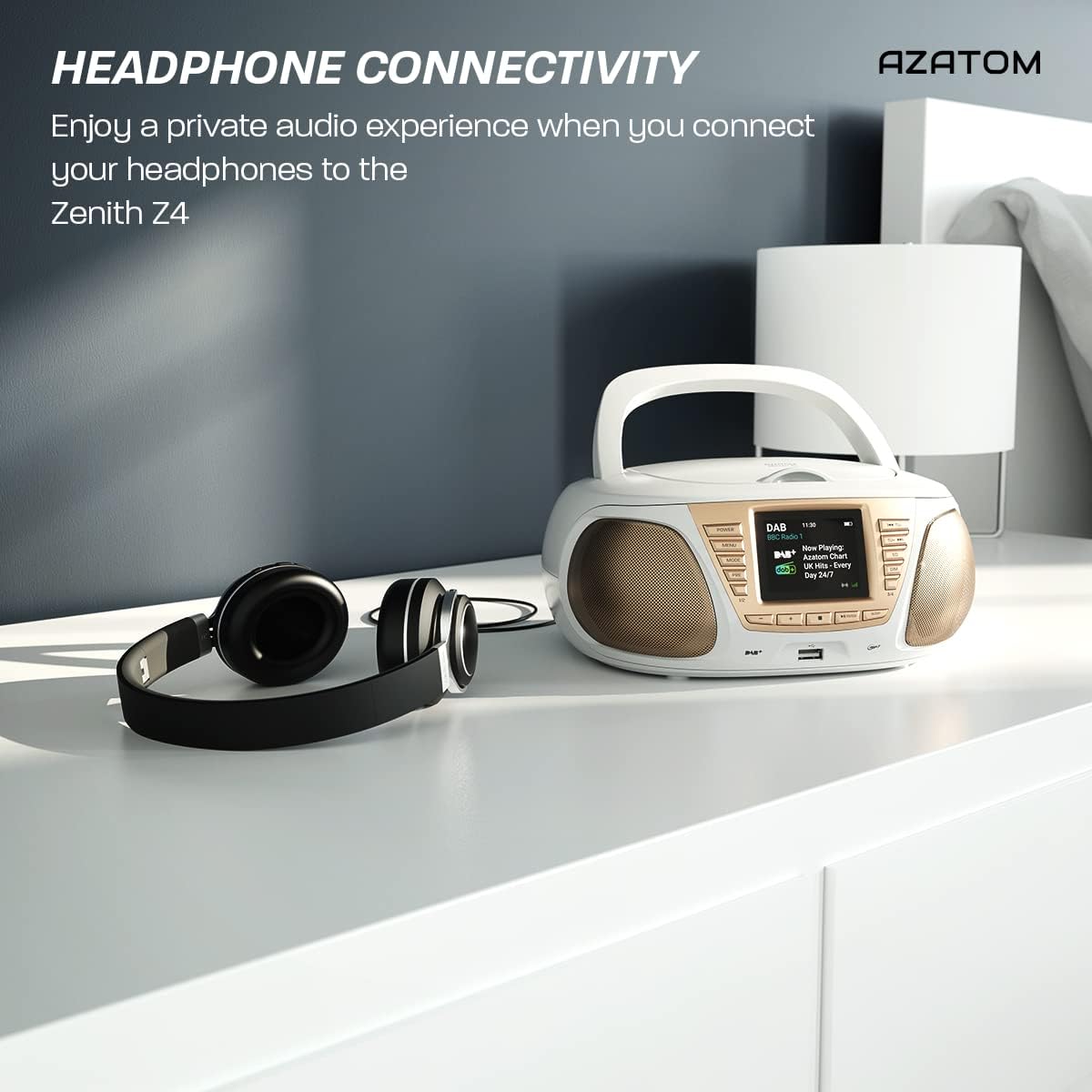
Enjoy a private audio experience by connecting your headphones to the Zenith Z4.
5.9 Функцыя будзільніка
The Zenith Z4 includes an alarm clock feature:
- Доступ да налад будзільніка праз МЕНЮ кнопка.
- Follow the on-screen prompts to set the alarm time, source (e.g., buzzer, DAB, FM), and volume.
- Ensure the unit is powered on or in standby mode for the alarm to activate.
6. Тэхнічнае абслугоўванне
To ensure the longevity and optimal performance of your Zenith Z4:
- Уборка: Выкарыстоўвайце мяккую сухую тканіну для чысткі вонкавых паверхняў прылады. Не выкарыстоўвайце абразіўныя ачышчальнікі, воск або растваральнікі.
- Прайгравальнік кампакт-дыскаў: If the CD player experiences issues, use a specialized CD lens cleaner disc.
- Вентыляцыя: Ensure the unit has adequate ventilation and is not covered during operation.
- захоўванне: When not in use for extended periods, disconnect from power and remove batteries. Store in a cool, dry place.
7. Выпраўленне непаладак
If you encounter issues with your Zenith Z4, please refer to the table below for common problems and solutions:
| праблема | Магчымая прычына | Рашэнне |
|---|---|---|
| Прылада не ўключаецца | No power supply; flat batteries | Check AC adapter connection; replace batteries. |
| Няма гуку | Volume too low; headphones connected; incorrect mode | Increase volume; disconnect headphones; select correct mode (DAB, FM, CD, BT, USB, AUX). |
| Дрэнны прыём радыё | Antenna not extended; weak signal | Цалкам выцягніце тэлескапічную антэну; перамясціце прыладу для паляпшэння сігналу. |
| Кампакт-дыск не прайграваецца | CD dirty/scratched; incorrect disc type; CD not inserted correctly | Clean CD; ensure CD is compatible (CD, CD-R, CD-RW); reinsert CD label-side up. |
| Bluetooth не падключаецца | Unit not in pairing mode; device too far; already connected to another device | Ensure unit is in Bluetooth mode and pairing; move device closer; disconnect from other devices. |
8. Тэхнічныя характарыстыкі
Key technical specifications for the AZATOM Zenith Z4:
- Марка: АЗАТОМ
- Нумар мадэлі: Z4SLV
- колер: Белы
- Тэхналогія падключэння: Auxiliary, DAB+, DAB, Bluetooth, USB
- Агульная колькасць партоў USB: 1
- Сумяшчальныя прылады: Smartphone, Tablet, MP3 Player, Personal Computer
- Памеры прадмета (ДxШxВ): 23 х 20 х 10 сантыметраў
- Крыніца харчавання: Wired Electric, Battery
- Тып дынаміка: Бумбокс
- Вага прадмета: 1.3 кілаграма
- Выходная магутнасць: 20 ват
9. Гарантыя і падтрымка
AZATOM products are engineered in the UK and come with comprehensive support:
- Гарантыя: The Zenith Z4 includes a 3-year premium warranty. Online registration is required to activate this warranty.
- Падтрымка кліентаў: AZATOM offers lifetime customer service based in the UK for setup and installation advice. Please refer to the registration card or AZATOM's official webсайт для кантактных дадзеных.
AZATOM provides a 3-year warranty (registration required) and dedicated UK customer support for their products.