
Уводзіны
The mophie powerstation Go is a versatile portable device designed to provide power in various emergency situations. It functions as a car jump starter, a portable power bank for mobile devices, and a bright LED work light. This manual provides essential instructions for safe and effective use, maintenance, and troubleshooting of your powerstation Go.
Інфармацыя па бяспецы
Read all safety warnings and instructions before using this product. Failure to follow these instructions may result in electric shock, fire, or serious injury.
- Do not expose the powerstation Go to moisture or extreme temperatures.
- Не спрабуйце разабраць або мадыфікаваць прыладу.
- Захоўваць у месцах, недаступных дзецям.
- Ensure proper polarity when connecting jumper cables to a vehicle battery. Incorrect connection can cause damage or injury.
- Use only the provided jumper cables and charging accessories.
- Пазбягайце працяглага ўздзеяння прамых сонечных прамянёў.
- If the device becomes excessively hot, discontinue use immediately.
Змест пакета
- mophie powerstation Go
- Mini Jumper Cables
- Зарадны кабель (USB-C да USB-A)
- Кіраўніцтва карыстальніка
Прадукт скончаныview
Familiarize yourself with the components of your mophie powerstation Go.


- Святлодыёдны ліхтарык: Located at one end, provides bright illumination.
- Працоўнае святло: Integrated into the body, offers broad area lighting.
- Кнопка харчавання: Activates the device and checks battery status.
- Святлодыёдны індыкатар батарэі: Displays the remaining charge level.
- Выхадны порт USB-A: Для зарадкі мабільных прылад.
- Порт для падключэння пускавога кабеля: Dedicated port for connecting the mini jumper cables.
- Уваходны порт USB-C: For recharging the powerstation Go.
Налада: Пачатковая зарадка
Before first use, fully charge your mophie powerstation Go.
- Connect the provided USB-C charging cable to the USB-C input port on the powerstation Go.
- Connect the other end of the charging cable to a compatible USB wall adapter (not included) or a powered USB port.
- The LED battery indicator lights will illuminate and flash, indicating the charging status. All four lights will be solid when fully charged.
- Час зарадкі можа адрознівацца ў залежнасці ад крыніцы харчавання.
Інструкцыя па эксплуатацыі
1. Запуск аўтамабіля ад дажджу
Ensure the powerstation Go is at least 50% charged before attempting to jump start a vehicle.
- Connect the mini jumper cables to the jumper cable port on the powerstation Go. Ensure a secure connection.
- Падключыце чырвоны clamp to the positive (+) terminal of the vehicle's dead battery.
- Падключыце чорны clamp to a metal part of the vehicle's chassis (unpainted, non-moving part) or the negative (-) terminal of the battery, if accessible and safe.
- Once connected, the powerstation Go will automatically perform safety checks. Wait for the indicator light on the jumper cable connector to turn solid green.
- Start your vehicle. If it doesn't start immediately, wait 30 seconds and try again. Do not attempt more than three consecutive jump starts.
- Once the vehicle starts, immediately disconnect the black clamp, then the red clamp, and finally disconnect the jumper cables from the powerstation Go.
2. Charging Mobile Devices
Use the USB-A output port to charge your smartphone, tablet, or other USB-powered devices.

- Connect your device's USB charging cable to the USB-A output port on the powerstation Go.
- The powerstation Go will automatically begin charging your device. The LED battery indicator lights will show the remaining charge.
- Адключыце прыладу пасля завяршэння зарадкі.
3. Using the LED Flashlight and Work Light
The powerstation Go features both a focused LED flashlight and a broad work light.
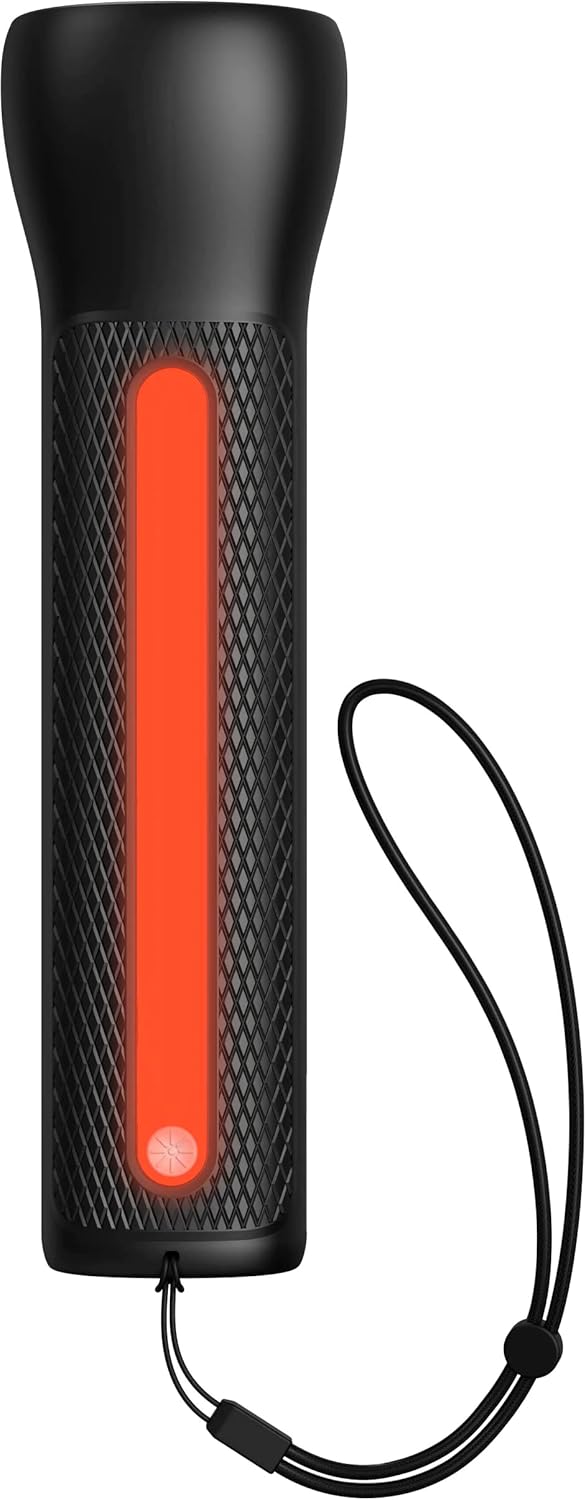

- To activate the LED Flashlight: Press and hold the power button for 2 seconds. Press again to cycle through modes (high, low, strobe, off).
- To activate the Work Light: Double-press the power button. Double-press again to cycle through modes (white, red, flashing red, off).
Тэхнічнае абслугоўванне
- Уборка: Працірайце прыладу мяккай сухой тканінай. Не выкарыстоўвайце агрэсіўныя хімічныя рэчывы або абразіўныя матэрыялы.
- захоўванне: Store the powerstation Go in a cool, dry place away from direct sunlight. For optimal battery life, recharge the device every 3 months if not in regular use.
- Сыход за батарэяй: The internal battery is not user-replaceable. Do not attempt to open the device.
Ліквідацыю непаладак
| праблема | Магчымая прычына | Рашэнне |
|---|---|---|
| Прылада не зараджаецца | Charging cable or adapter faulty; port obstruction. | Try a different USB-C cable and wall adapter. Ensure ports are clean and free of debris. |
| Vehicle not jump starting | Low powerstation Go charge; incorrect cable connection; severely dead battery. | Ensure powerstation Go is fully charged. Verify correct clamp polarity. Check vehicle battery for severe damage. Consult vehicle manual. |
| Mobile device not charging | Powerstation Go battery low; faulty USB cable; device incompatibility. | Recharge powerstation Go. Try a different USB cable. Ensure your device is compatible with standard USB charging. |
| Не працуе святло | Powerstation Go battery low; incorrect button press. | Recharge powerstation Go. Refer to "Using the LED Flashlight and Work Light" section for correct operation. |
Тэхнічныя характарыстыкі
- Марка: мофі
- Нумар мадэлі: mpsgrgd-FL36630
- Нумар дэталі вытворцы: 401107454
- Ёмістасць батарэі: 9900 мАг (36.6 Втч)
- тtage: 12 Volts (for jump starting)
- Вага прадукту: 1.07 кілаграма
- Памеры: 30.3 x 24.69 x 10.79 см (упакоўка)
- Асаблівасці: LED Indicator Lights, 450-lumen LED Flashlight, Spark-proof Jumper Cables
- Automotive Service Type: Грузавік, аўтамабіль
Гарантыя і падтрымка
For warranty information and customer support, please visit the official mophie webсайт або звярніцеся ў службу падтрымкі кліентаў. Захоўвайце пацвярджэнне пакупкі для прэтэнзій па гарантыі.
Інтэрнэт-падтрымка: www.mophie.com/support