
1. Уводзіны
The SIIG Thunderbolt 4 Docking Station (Model: JU-DK0U11-S1) is designed to expand the connectivity of your laptop, providing a comprehensive workstation solution. This docking station offers 15 ports, enabling connections for multiple displays, peripherals, network, and power through a single Thunderbolt 4 cable. It supports high-speed data transfer and versatile display configurations for both Mac and Windows systems.

Image 1.1: SIIG Thunderbolt 4 Docking Station (JU-DK0U11-S1) overview.
2. Змесціва ўпакоўкі
Праверце, ці ёсць усе прадметы ў вашай упакоўцы:
- SIIG Thunderbolt 4 Docking Station (JU-DK0U11-S1)
- Адаптар сілкавання 150 Вт
- Кабель Thunderbolt 4
- Кіраўніцтва карыстальніка

Image 2.1: Contents included in the SIIG Thunderbolt 4 Docking Station package.
3. Прадукт скончыўсяview
3.1 Парты пярэдняй панэлі
- 3.5mm Stereo Out: Для навушнікаў або знешніх дынамікаў.
- Слот для карты SD 3.0: Supports SD 3.0 UHS-1 memory cards up to 2TB.
- USB-A 3.2 Gen 1 (5Gbps) Ports (x2): For connecting USB-A peripherals, supporting 5V/0.9A charging.
- Порт Thunderbolt 4: For connecting Thunderbolt 4 devices or displays.
- Кнопка харчавання: Каб уключыць або выключыць док-станцыю.

Малюнак 3.1: Падрабязны view of the front panel ports.
3.2 Парты на задняй панэлі
- DC Power Jack (20V/7.5A): Connects to the included 150W power adapter.
- Thunderbolt 4 Port (Host PD 60W): Connects to your laptop via the Thunderbolt 4 cable, providing up to 60W power delivery.
- 3.5mm Mic In: Для падлучэння вонкавага мікрафона.
- Micro SD (TF) 3.0 Card Slot: Supports Micro SD (TF) 3.0 UHS-1 memory cards up to 2TB.
- USB-A 2.0 (480Mbps) Ports (x2): For connecting USB-A peripherals, supporting 5V/1.5A charging.
- Порт Gigabit Ethernet: Для падключэння да правадной сеткі.
- Выхад DisplayPort: Для падключэння знешняга дысплея.
- Выхад HDMI: Для падключэння знешняга дысплея.
- Thunderbolt 4 Ports (x2): For connecting additional Thunderbolt 4 devices or displays, providing 45W power delivery.

Малюнак 3.2: Падрабязны view of the rear panel ports.
4. Інструкцыі па ўсталёўцы
- Падключыце харчаванне: Plug the included 150W power adapter into the DC Power Jack on the rear of the docking station, then connect it to a power outlet.
- Падключэнне да хост-ноўтбука: Use the provided Thunderbolt 4 cable to connect the Thunderbolt 4 Host port (60W PD) on the rear of the docking station to your laptop's Thunderbolt 4 or USB-C port.
- Уключэнне: Press the power button on the front panel of the docking station. The power indicator LED should illuminate.
- Падключэнне дысплеяў: Connect your monitors to the available DisplayPort, HDMI, and Thunderbolt 4 output ports on the docking station. Refer to the 'Display Configuration' section for supported setups.
- Падключэнне перыферыйных прылад: Connect your USB devices, Ethernet cable, and audio devices to the corresponding ports on the docking station.
5. Інструкцыя па эксплуатацыі
5.1 Канфігурацыя дысплея
The docking station supports various display setups, including single 8K or quad 4K displays, utilizing Thunderbolt 4 and DisplayLink technology. Ensure DisplayLink drivers are installed for optimal performance, especially for additional displays beyond native Thunderbolt outputs.
- Single Display Output: Supports up to 8K resolution.
- Dual Display Output: Supports up to 2x 4K resolution via two Thunderbolt 4 ports.
- Quad Display Output: Achieved by combining two Thunderbolt 4 ports with the DisplayPort and HDMI ports, enabling four 4K displays.

Малюнак 5.1: Прыкладample of a quad display setup using the docking station.

Image 5.2: Display compatibility and resolution matrix for Windows and Mac M1/M2 systems.
5.2 Падача харчавання
The docking station provides power to your connected devices:
- Зарадка ноўтбука: Up to 60W Power Delivery (PD) to the host laptop via the Thunderbolt 4 host port.
- Парты Thunderbolt 4: Each of the three downstream Thunderbolt 4 ports provides up to 45W of power.
- USB-A Fast Charging: Two USB-A 5Gbps ports support 5V/0.9A charging, and two USB-A 2.0 ports support 5V/1.5A charging.

Image 5.3: Power delivery capabilities of the docking station.
5.3 Перадача дадзеных
Experience high-speed data transfer for efficient workflow:
- Thunderbolt 4: Up to 40Gbps data transfer speed, 8 times faster than USB 3.0.
- USB-A 3.2 Gen 1: Up to 5Gbps data transfer speed.
- Прылада для чытання карт памяці: Supports SD 3.0 UHS-1 and Micro SD (TF) 3.0 UHS-1 with data transfer rates up to 104MB/s.
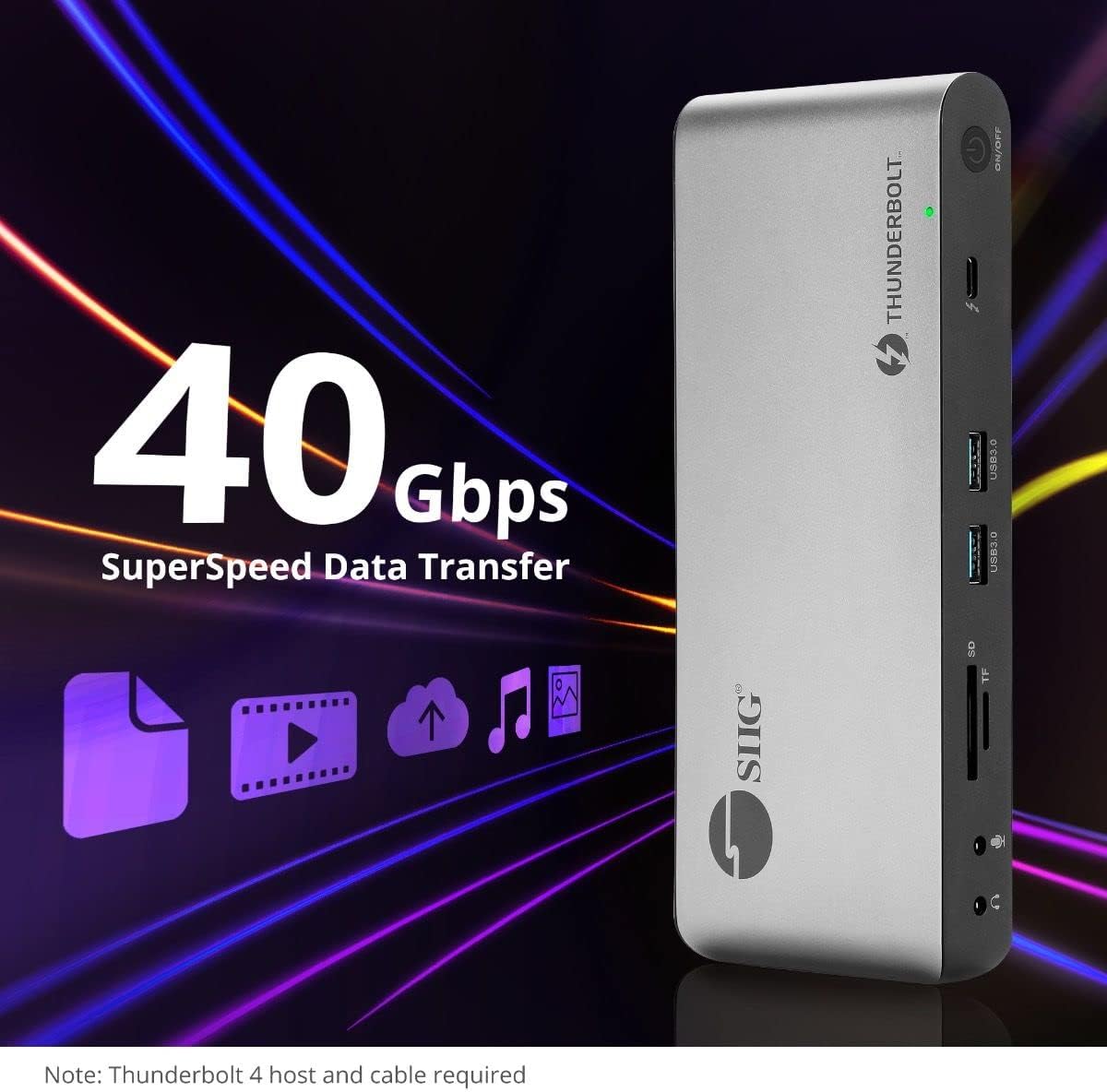
Image 5.4: High-speed data transfer capabilities.
6. Сумяшчальнасць
The SIIG Thunderbolt 4 Docking Station is broadly compatible with various systems:
- Аперацыйныя сістэмы: Mac M1/M2/M3 Pro & Max, Intel chip Macs, Windows PCs (Intel/AMD/Snapdragon), and Chromebooks.
- Зваротная сумяшчальнасць: Fully compatible with Thunderbolt 3, USB4, and USB-C equipped computers.
7. Тэхнічнае абслугоўванне
Каб забяспечыць даўгавечнасць і аптымальную працу док-станцыі, выконвайце наступныя рэкамендацыі па тэхнічным абслугоўванні:
- Уборка: Выкарыстоўвайце мяккую сухую тканіну для чысткі вонкавых паверхняў прылады. Пазбягайце выкарыстання вадкіх ачышчальнікаў або растваральнікаў.
- Вентыляцыя: Пераканайцеся, што док-станцыя размешчана ў добра вентыляваным месцы, каб прадухіліць перагрэў. Не блакуйце вентыляцыйныя адтуліны.
- захоўванне: Захоўвайце прыладу ў прахалодным, сухім месцы, удалечыні ад прамых сонечных прамянёў і экстрэмальных тэмператур.
- Апрацоўка: Не кідайце прыладу і не падвяргайце яе моцным ударам.
8. Выпраўленне непаладак
If you encounter issues with your SIIG Thunderbolt 4 Docking Station, refer to the following common problems and solutions:
- Няма харчавання:
- Пераканайцеся, што адаптар сілкавання надзейна падключаны як да док-станцыі, так і да спраўнай разеткі.
- Verify the power button on the docking station is pressed and the power indicator LED is on.
- Display Issues (No Signal/Incorrect Resolution):
- Check all display cables (HDMI, DisplayPort, Thunderbolt) are securely connected to both the docking station and the monitors.
- Ensure your laptop's display settings are configured correctly to detect and extend/mirror displays.
- For multi-display setups, especially beyond two monitors, ensure DisplayLink drivers are installed and up to date on your operating system.
- Verify your monitors support the selected resolution and refresh rate.
- Перыферыйныя прылады не выяўлены:
- Ensure USB devices are properly connected to the docking station's USB ports.
- Try connecting the peripheral directly to your laptop to confirm it is functional.
- Restart the docking station and your laptop.
- Перагрэў:
- Ensure the docking station is placed in an area with adequate airflow and not covered.
- Reduce the number of high-power devices connected if possible, or consider using a cooling pad if persistent.
- Павольная перадача дадзеных:
- Ensure you are using Thunderbolt 4 certified cables for Thunderbolt connections.
- Verify the connected device supports the expected transfer speeds.
9. Тэхнічныя характарыстыкі
| Асаблівасць | Дэталь |
|---|---|
| Нумар мадэлі | JU-DK0U11-S1 |
| Памеры прадукту | 3.27 х 7.8 х 1.14 цалі |
| Вага прадмета | 15.4 унцыі (0.96 фунта) |
| Агульная колькасць партоў | 15 (including 7 USB ports) |
| Падключэнне да гаспадара | Thunderbolt 4 (USB-C) |
| Відэавыхады | 1x HDMI, 1x DisplayPort, 3x Thunderbolt 4 (USB-C) |
| Максімальнае дазвол дысплея | Single 8K@30Hz, Quad 4K@60Hz |
| Power Delivery (Host) | Да 60 Вт |
| Power Delivery (Downstream TB4) | Да 45 Вт на порт |
| Хуткасць перадачы даных | Thunderbolt 4: 40Gbps, USB-A 5Gbps: 5Gbps |
| Ethernet | Гігабітны Ethernet |
| Счытвальнік карт | SD 3.0 UHS-1, Micro SD (TF) 3.0 UHS-1 (up to 2TB) |
| Аўдыёпарты | 3.5mm Stereo Out, 3.5mm Mic In |
| Сумяшчальная АС | Mac M1/M2/M3 Pro & Max, Intel Macs, Windows, Chromebooks |
| Колер | Чорны |
| UPC | 662774045689 |
10. Гарантыя і падтрымка
SIIG products are designed for reliability and performance. For warranty information and technical support, please refer to the documentation included with your product or visit the official SIIG webсайт. Захоўвайце чэк аб пакупцы на выпадак прэтэнзій па гарантыі.