
1. Прадукт скончыўсяview
The XIAOVV Solar Wireless Outdoor Security Camera is designed to provide reliable outdoor surveillance with eco-friendly solar power. It features advanced motion detection, night vision capabilities, and remote access for comprehensive home security.

Image 1: XIAOVV Solar Wireless Outdoor Security Camera with integrated solar panel.
2. Змесціва ўпакоўкі
- XIAOVV Solar Wireless Outdoor Security Camera (1 unit)
- Мантажны кранштэйн і шрубы
- USB-кабель для зарадкі
- Кіраўніцтва карыстальніка
- (Note: Micro SD card for local storage is not included and must be purchased separately.)
3. Асаблівасці прадукту
- Solar Powered with 10000mAh Battery: Ensures continuous operation by recharging the built-in battery via solar panel.
- PIR Smart Detection: Triggers recording and alerts based on human body temperature, reducing false alarms.
- Spotlight and Voice Siren: Deters intruders with integrated light and sound alarms.
- Weatherproof Design (IP65): Built to withstand various outdoor conditions, including rain, snow, and high temperatures.
- Функцыянальнасць панарамавання і нахілу: Offers a 355° horizontal and 100° vertical rotation for wide area coverage.
- HD начны бачанне: Provides clear visibility in low-light conditions and complete darkness.
- Адсочванне руху: Automatically follows detected moving objects within its monitoring range.
- Бяспечнае шыфраванне даных: Utilizes military-grade encryption to protect user privacy and data.
- 1080p Video Resolution: Захоплівае выразнае і падрабязнае відэа footage.
- Бесправаднае падключэнне: Connects via 2.4GHz Wi-Fi for remote access and control.
- Кіраванне мабільнымі праграмамі: Compatible with Android and iPhone devices for live viewing, settings adjustment, and alerts.
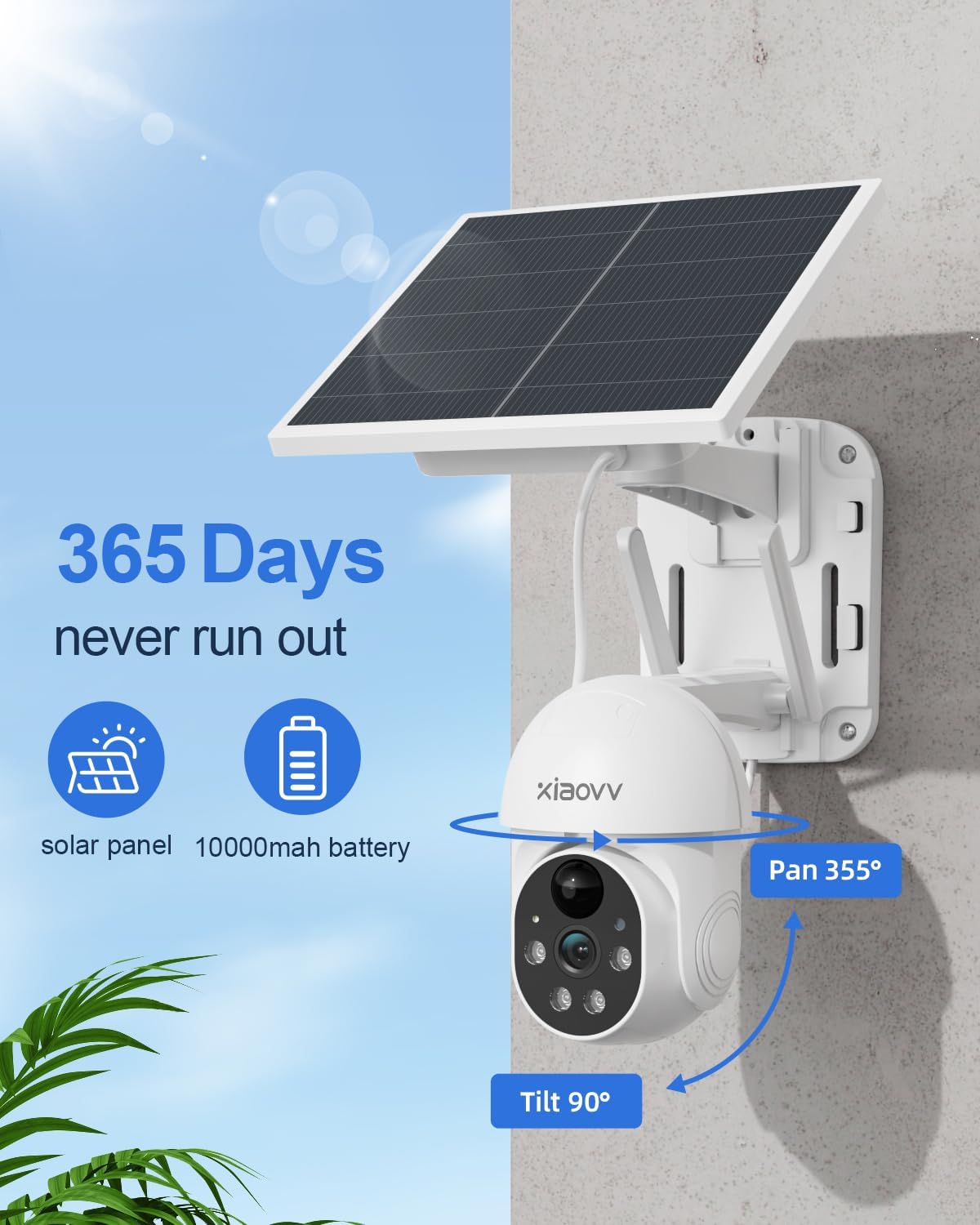
Image 2: Key features including 365-day power, 10000mAh battery, and Pan/Tilt capabilities.

Image 3: Night vision with spotlight and siren for intruder deterrence.
4. Кіраўніцтва па наладцы
4.1 Першапачатковая зарадка
Before first use, fully charge the camera's built-in 10000mAh battery using the provided USB cable and a standard 5V/2A power adapter (not included). A full charge ensures optimal performance and solar charging efficiency.
4.2 Усталёўка прыкладання
- Scan the QR code in the quick start guide or search for the "XIAOVV" app in your mobile device's app store (Google Play Store for Android, Apple App Store for iOS).
- Спампаваць і ўсталяваць праграму.
- Зарэгіструйце новы ўліковы запіс і ўвайдзіце ў сістэму.
4.3 Спалучэнне камеры
- Уключыце камеру.
- Open the XIAOVV app and follow the on-screen instructions to add a new device.
- Ensure your mobile device is connected to a 2.4GHz Wi-Fi network. The camera does not support 5GHz Wi-Fi.
- Scan the QR code displayed on your phone with the camera lens, or follow alternative pairing methods if prompted.
- Пасля падключэння вы можаце даць назву камеры і наладзіць пачатковыя параметры.
4.4 Фізічная ўстаноўка
Выберыце месца з ample direct sunlight for the solar panel and a clear view of the area you wish to monitor. The camera is designed for wall mounting.
- Mark the drilling positions using the mounting bracket as a template.
- Прасвідруйце адтуліны і пры неабходнасці ўстаўце дзюбелі ў сцяну.
- Замацуеце мантажны кранштэйн да сцяны шрубамі.
- Прымацуеце камеру да мантажнага кранштэйна.
- Adjust the camera angle to cover the desired area. Ensure the solar panel is positioned to receive maximum sunlight throughout the day.
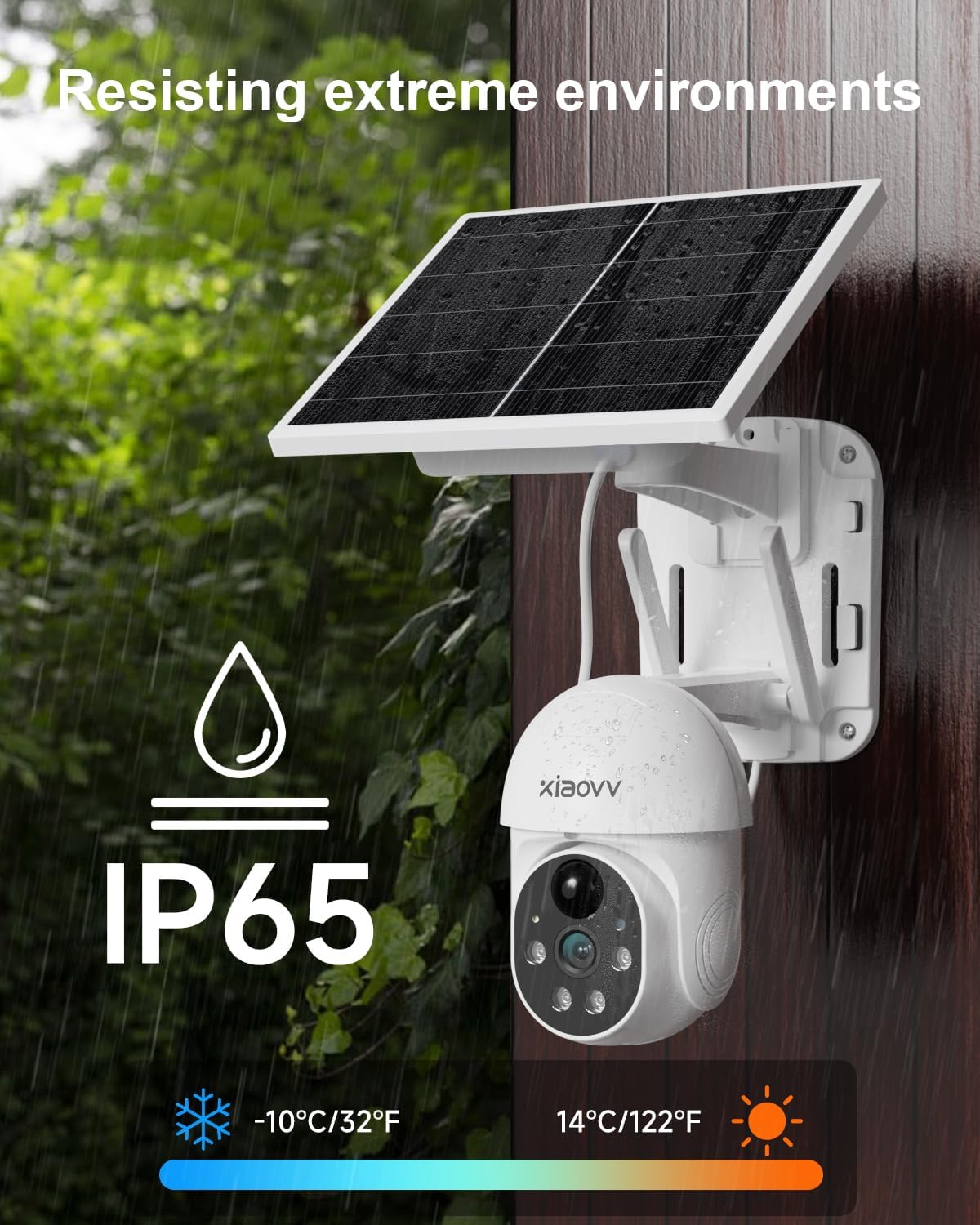
Image 4: Weatherproof design (IP65) for outdoor installation.
5. Інструкцыя па эксплуатацыі
5.1 У прамым эфіры View
Open the XIAOVV app and select your camera to view жывы footage. You can switch between standard and HD resolution within the app.
5.2 Выяўленне руху і абвесткі
The camera uses PIR smart detection to identify human movement. Configure alert settings in the app to receive notifications on your phone when motion is detected. You can also enable the spotlight and voice siren to activate upon detection.

Image 5: PIR motion detection for accurate alerts.
5.3 Кіраванне панарамаваннем/нахілам
Выкарыстоўвайце элементы кіравання ў дадатку, каб дыстанцыйна рэгуляваць налады камеры viewing angle (355° horizontal, 100° vertical). The motion tracking feature can automatically follow subjects.
5.4 Начное бачанне
The camera automatically switches to HD night vision in low-light conditions, providing clear black and white footage. The integrated spotlight can be activated for color night vision or to deter intruders.
5.5 Варыянты захоўвання
The camera supports local storage via a Micro SD card (up to 128GB, not included) for continuous or event-triggered recording. Cloud storage subscription options may also be available through the app for secure off-site backup.

Image 6: Storage options including encrypted cloud and local SD card recording.
6. Тэхнічнае абслугоўванне
- Ачысціце аб'ектыў: Рэгулярна працірайце аб'ектыў камеры мяккай сухой тканінай, каб забяспечыць выразную якасць выявы.
- Чыстая сонечная панэль: Keep the solar panel free of dust, dirt, and debris to maximize charging efficiency.
- Праверце ўзровень зарада батарэі: Monitor the battery status via the app, especially during prolonged periods of low sunlight.
- Абнаўленні прашыўкі: Перыядычна правярайце праграму на наяўнасць абнаўленняў прашыўкі, каб забяспечыць аптымальную прадукцыйнасць і бяспеку.
- Бяспечнае мацаванне: Periodically check that the camera is securely mounted and adjust if necessary.
7. Выпраўленне непаладак
| праблема | Рашэнне |
|---|---|
| Камера не падключаецца да Wi-Fi | Ensure your Wi-Fi is 2.4GHz. Check Wi-Fi signal strength at the camera's location. Restart your router and camera. Re-attempt pairing through the app. |
| Дрэнная якасць выявы | Clean the camera lens. Ensure there are no obstructions. Check your Wi-Fi connection speed. Adjust video resolution settings in the app. |
| Акумулятар не зараджаецца | Ensure the solar panel is receiving direct sunlight for several hours daily. Clean the solar panel. Check the USB charging cable connection. |
| Папярэджанні аб руху не атрыманы | Check app notification settings on your phone. Ensure motion detection is enabled in the camera settings. Verify the camera has a stable internet connection. |
| Камера ў аўтаномным рэжыме | Check Wi-Fi connection and power supply. Restart the camera. If the issue persists, re-pair the camera with the app. |
8. Тэхнічныя характарыстыкі
- Марка: XIAOVV
- мадэль: Solar Wireless Outdoor Security Camera
- Падключэнне: Бесправадная сувязь (2.4 ГГц Wi-Fi)
- Дазвол відэа: 1080p
- акумулятар: Літый-іённы акумулятар ёмістасцю 10000 мАг (у камплекце)
- Крыніца харчавання: Solar Powered, USB Charger
- Дыяпазон панарамавання/нахілу: 355° па гарызанталі, 100° па вертыкалі
- Начное бачанне: Yes (HD, Infrared, Spotlight)
- Выяўленне руху: Інтэлектуальнае выяўленне PIR
- Рэйтынг надвор'я: IP65
- матэрыял: Метал
- Сумяшчальныя прылады: Smartphone (Android, iPhone), Tablet
- Тып мацавання: Насценнае мацаванне
- Вага прадмета: 1.63 кг
- Уключаныя кампаненты: Charger (USB cable)
9. Гарантыя і падтрымка
This XIAOVV Solar Wireless Outdoor Security Camera comes with a 2-гадовая гарантыя вытворцы. For technical support, warranty claims, or further assistance, please contact XIAOVV customer service through the contact information provided in your product packaging or on the official XIAOVV webсайт.
Абарона прыватнасці: XIAOVV prioritizes user privacy and employs military-grade data encryption to ensure the security of your personal data.

Image 7: Emphasizing encrypted data protection.