
1. Уводзіны
The GONEO Portable Power Station GNV-USY16 is a versatile and reliable power source designed for various applications, including outdoor activities, emergency backup, and powering sensitive electronics. This manual provides essential information for safe operation, optimal performance, and proper maintenance of your device. Please read this manual thoroughly before using the power station.
2. Важныя інструкцыі па бяспецы
- Не разбірайце, не рамантуйце і не мадыфікуйце прыладу. Няправільная зборка можа прывесці да пажару або траўмаў.
- Не падвяргайце прыладу ўздзеянню агню або высокіх тэмператур (вышэй за 60°C/140°F).
- Не выкарыстоўвайце і не захоўвайце прыладу ў ваннай пакоі або ў месцах, дзе яна знаходзіцца пад уздзеяннем дажджу ці вільгаці.
- Use only the recommended accessories and chargers.
- Трымайце прыладу далей ад дзяцей і хатніх жывёл.
- Пазбягайце падзенняў, моцных удараў або моцнай вібрацыі.
- Не ўстаўляйце староннія прадметы ў парты.
- Забяспечце належную вентыляцыю падчас выкарыстання і зарадкі. Не накрывайце прыладу.
- У выпадку пажару выкарыстоўвайце парашковы вогнетушыцель.
3. Прадукт скончыўсяview
3.1 Змест пакета
- GONEO Portable Power Station GNV-USY16
- Адаптар пераменнага току
- Аўтамабільны кабель для зараднай прылады
- Кіраўніцтва карыстальніка
3.2 Ідэнтыфікацыя кампанентаў

Выява: спераду view of the GONEO Portable Power Station GNV-USY16, highlighting its various ports, display, and carrying handle.
3.3 Парты ўводу/вываду

Image: Close-up of the power station's input and output ports, including DC, PV, Car Socket, USB-C, USB-A, and AC outlets, with exampколькасць сумяшчальных прылад.
- DC Input/Output (12V/12A): For charging the power station or powering 12V DC devices.
- PV ўваход: For connecting solar panels to charge the power station.
- Car Socket (12V/12A): For powering 12V car appliances.
- USB-C Input/Output (PD 100W): For fast charging the power station or compatible USB-C devices.
- USB-A Output (5V/2.4A): Для зарадкі стандартных USB-прылад.
- AC Output (110V/600W): Standard AC outlets for household appliances.
3.4 LED Display Panel

Выява: Падрабязны view of the 5.5-inch LED display, showing indicators for charging status (DC, CAR, PD), battery percentage, estimated time to full/empty, input/output power, and active output ports (DC, CIG, USB-A, USB-C, AC, LIGHT).
The 5.5-inch LED display provides real-time information about the power station's status:
- Працэнт зарада батарэіtage: Паказвае бягучы ўзровень зарада.
- Time to Full/Empty: Estimated time remaining for charging or discharging.
- Уваходная магутнасць: Displays the current power input (in Watts).
- Выходная магутнасць: Displays the current power output (in Watts).
- Індыкатары зарадкі: DC, CAR, PD icons illuminate to show the active charging method.
- Выхадныя паказчыкі: Icons for DC, CIG (Car Socket), USB-A, USB-C, AC, and LIGHT illuminate when their respective outputs are active.
4. Усталёўка і першае выкарыстанне
- Распакаванне: Асцярожна выміце электрастанцыю і ўсе аксэсуары з упакоўкі.
- Першапачатковая плата: Before first use, fully charge the power station using the provided AC adapter. Connect the AC adapter to the DC input port and plug it into a wall outlet. The LED display will show charging progress.
- Уключэнне/выключэнне харчавання: Press and hold the main power button for a few seconds to turn the unit on or off.
5. Аперацыя
5.1 Зарадка электрастанцыі
Электрастанцыю можна зараджаць трыма спосабамі:
- Адаптар пераменнага току: Connect the provided AC adapter to the DC input port.
- Панэль сонечных батарэй: Connect a compatible 100W solar panel to the PV input port.
- USB-C PD 100W: Use a compatible USB-C PD charger and cable.
For fastest charging, use both the USB-C PD port and the DC input port simultaneously. This can fully recharge the battery in approximately 2 hours.
5.2 Прылады харчавання
To power a device, ensure the power station is turned on. Press the respective output button (e.g., AC, DC, USB) to activate the desired port. The corresponding icon on the LED display will illuminate.
- Выхад пераменнага току: Connect devices requiring 110V AC power (up to 600W).
- DC Output/Car Socket: Connect 12V DC devices.
- USB-A/USB-C Output: Connect USB-powered devices for charging.
5.3 Функцыя святлодыёднага ліхтарыка
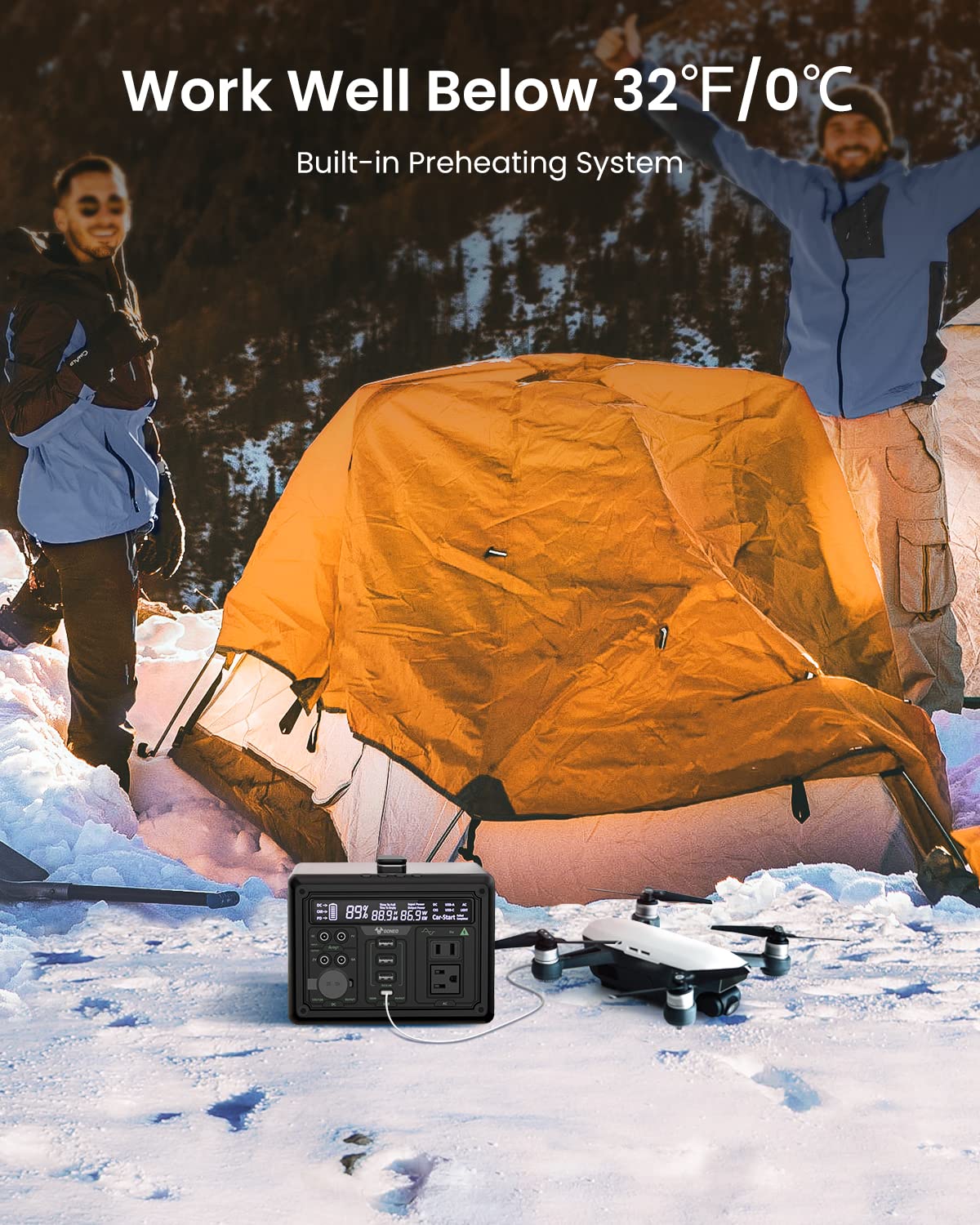
Image: The GONEO Power Station's 6.5-inch LED flashlight panel illuminating a camping tent at night, demonstrating its four lighting modes: Normal, Bright, SOS, and Flashing.
The power station features a 6.5-inch LED flashlight panel with four lighting modes:
- Нармальны: Стандартная падсветка.
- Яркі: Increased brightness for enhanced visibility.
- СОУС: Мігае міжнародны сігнал бедства.
- міргае: A continuous flashing pattern.
To activate or cycle through modes, press the dedicated flashlight button.
5.4 Low Temperature Operation

Image: The GONEO Power Station in a snowy outdoor setting, demonstrating its ability to operate effectively in cold conditions (below 32°F/0°C) due to its built-in preheating system, shown charging a drone.
The power station includes a built-in preheating system that automatically detects low temperatures (down to -20°C/-4°F) and initiates heating to ensure optimal battery performance and charging capability in cold environments.
5.5 Ціхая праца
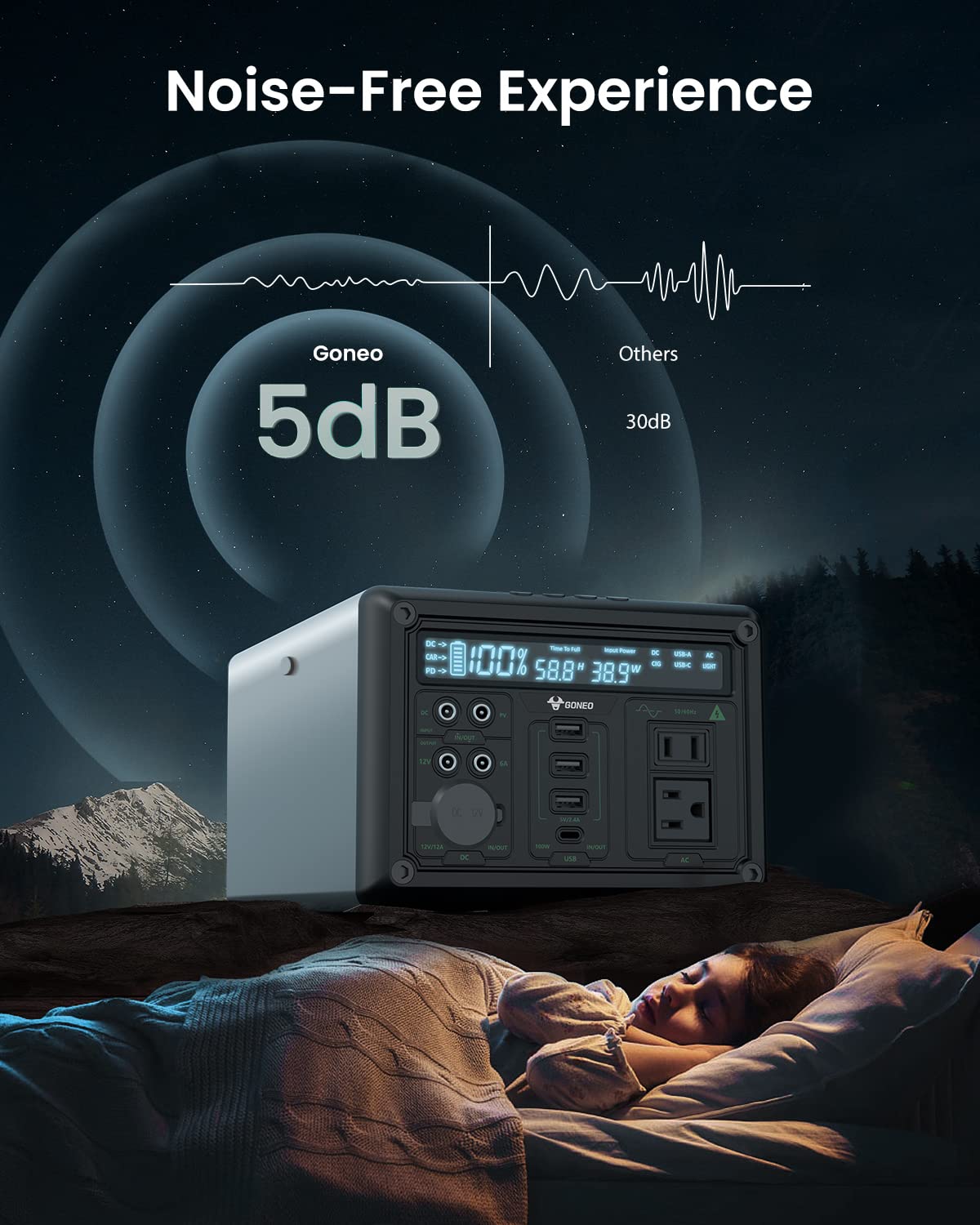
Image: The GONEO Power Station operating at a low noise level of 5dB, depicted next to a person sleeping peacefully in a tent, illustrating its fanless design for a quiet environment.
Designed with a fanless cooling system, the power station operates at a low noise level of approximately 5dB, providing a quiet environment suitable for camping, RV trips, or during power outagэс.
6. Догляд і абслугоўванне
- Уборка: Выкарыстоўвайце сухую мяккую тканіну для працірання вонкавых паверхняў прылады. Не выкарыстоўвайце абразіўныя ачышчальнікі або растваральнікі.
- захоўванне: Store the power station in a cool, dry place, away from direct sunlight and extreme temperatures. For long-term storage, charge the unit to 50-80% every 3-6 months to preserve battery life.
- Сыход за батарэяй: Avoid fully discharging the battery frequently. Recharge the unit promptly after use.
7. Выпраўленне непаладак
| праблема | Магчымая прычына | Рашэнне |
|---|---|---|
| Прылада не ўключаецца | Акумулятар цалкам разраджаны; кнопка харчавання націснутая недастаткова доўга. | Зарадзіце прыладу; націсніце і ўтрымлівайце кнопку харчавання на працягу 3-5 секунд. |
| Няма вываду з партоў | Output port not activated; Device draws too much power; Battery is low. | Press the corresponding output button; Check device wattage; Recharge the power station. |
| Зараджаецца павольна | Using a low-power charger; Environmental temperature is too low. | Use the provided AC adapter or a 100W PD charger; Ensure unit is within operating temperature range. |
8. Тэхнічныя характарыстыкі
| мадэль | GNV-USY16 |
| Ёмістасць батарэі | 607Wh (Lithium Ion) |
| Выхад пераменнага току | 110V, 600W (Pure Sine Wave) |
| Уваход пастаяннага току | 12 В/12 А |
| Уваход/выхад USB-C | PD 100 Вт |
| Выхад USB-A | 5 В/2.4 А |
| Аўтамабільная разетка | 12 В/12 А |
| Святлодыёдны ліхтарык | 6.5 inch, 4 Modes (Normal, Bright, SOS, Flashing) |
| Памеры (ДхШхВ) | 27.94 х 18.8 х 13.72 см (11.0 х 7.4 х 5.4 цалі) |
| Вага | Not specified in provided data |
| Матэрыял | Алюміній |
| Працоўная тэмпература | -20°C да 40°C (-4°F да 104°F) |
9. Гарантыя і падтрымка кліентаў
For warranty information, technical support, or any questions regarding your GONEO Portable Power Station GNV-USY16, please refer to the warranty card included with your product or contact GONEO customer service directly. Contact details are typically available on the official GONEO webсайт або праз вашу платформу для пакупак.