
1. Уводзіны
This manual provides comprehensive instructions for the installation, operation, and maintenance of your XIAOVV 10000mAh Wireless Outdoor Solar Security Camera. Please read this manual thoroughly before using the product to ensure proper functionality and safety.
2. Інфармацыя па бяспецы
- Ensure the solar panel receives adequate direct sunlight for optimal charging.
- Do not expose the camera to extreme temperatures outside its operating range (-10°C to 50°C / 14°F to 122°F).
- Avoid placing the camera in areas prone to strong electromagnetic interference.
- Захоўвайце прыладу далей ад дзяцей і хатніх жывёл.
- Only use approved accessories and power adapters.
- Не спрабуйце разбіраць або рамантаваць камеру самастойна. Звярніцеся па дапамогу ў службу падтрымкі кліентаў.
3. Змесціва ўпакоўкі
Праверце наяўнасць усіх прадметаў у камплекце:
- XIAOVV Wireless Outdoor Solar Security Camera
- Solar Panel (integrated)
- Мантажны кранштэйн і шрубы
- USB-кабель для зарадкі
- Кіраўніцтва карыстальніка (гэты дакумент)
4. Прадукт скончыўсяview
4.1 Асноўныя магчымасці
- 10000mAh Built-in Battery: Ensures extended operation, supplemented by solar charging.
- На сонечнай энергіі: Designed for continuous operation with sufficient sunlight.
- PIR Smart Detection: Reduces false alarms by detecting human body temperature.
- Spotlight and Voice Siren: Deters intruders with visual and auditory alarms.
- IP65 Воданепранікальнасць: Withstands rain, snow, and high temperatures for outdoor use.
- Функцыянальнасць панарамавання і нахілу: Кручэнне на 355° па гарызанталі і 100° па вертыкалі для шырокага ахопу.
- HD начны бачанне: Выразная бачнасць ва ўмовах нізкай асветленасці.
- Адсочванне руху: Automatically follows detected movement within the monitoring range.
- Military-Grade Data Encryption: Ensures user privacy and data security.
4.2 Кампаненты камеры
Refer to the image below for a visual representation of the camera's main components.

Малюнак 4.2.1: Фронт view of the XIAOVV Solar Security Camera, showing the main camera unit, solar panel, and mounting bracket. The camera features a dome shape with integrated spotlights and lenses.
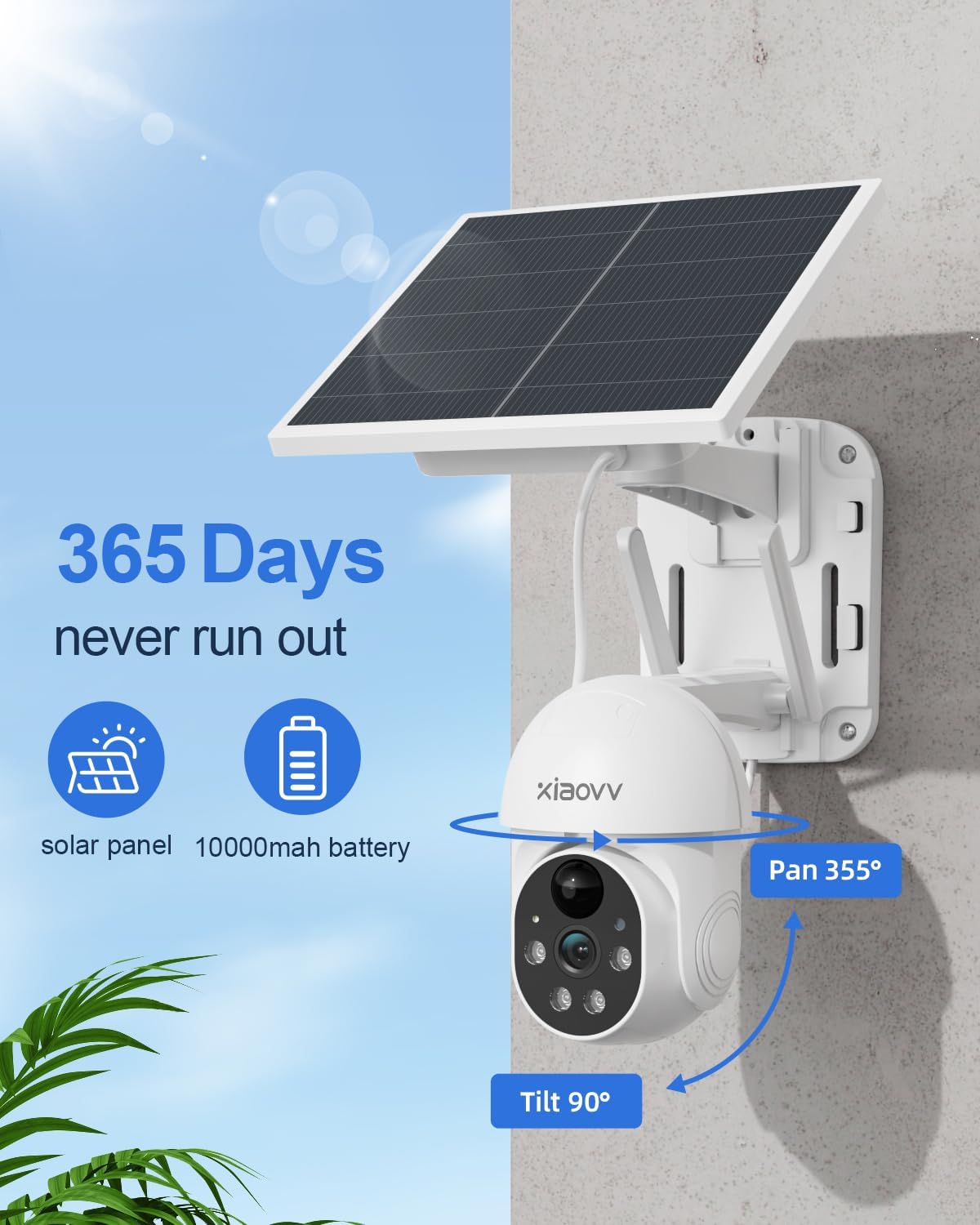
Малюнак 4.2.2: Diagram illustrating the 355-degree pan and 90-degree tilt capabilities of the XIAOVV Solar Security Camera, highlighting its wide coverage area.
5. Настройка
5.1 Першапачатковая зарадка
Before first use, fully charge the camera's built-in 10000mAh battery using the provided USB cable. Connect the cable to the camera's charging port and a standard 5V USB power adapter (not included). The charging indicator will show the status.
5.2 Усталёўка прыкладання
The XIAOVV camera operates via a dedicated mobile application. Download the "XIAOVV APP" from your device's app store:


Малюнак 5.2.1: Icons representing the availability of the XIAOVV APP on both Apple App Store and Google Play Store.
5.3 Спалучэнне камеры
- Open the XIAOVV APP and create an account or log in.
- Выконвайце інструкцыі ў дадатку, каб дадаць новую прыладу. Пераканайцеся, што ваш смартфон падключаны да сеткі Wi-Fi 2.4 ГГц.
- Power on the camera. The camera will enter pairing mode (indicated by a specific light pattern or voice prompt).
- Scan the QR code on the camera or follow alternative pairing methods provided in the app.
- Пасля падключэння вы можаце даць назву камеры і пачаць прамую трансляцыю viewінж.
5.4 Мантаж камеры
The camera offers flexible installation options. Choose a location that provides optimal sunlight for the solar panel and a clear view жаданай зоны маніторынгу.
- Насценны мацаванне: Use the provided screws and mounting bracket to secure the camera to a sturdy wall. Ensure the solar panel is positioned to receive maximum direct sunlight throughout the day.
- Мацаванне на дрэве: The design allows for mounting on trees, ensuring the camera and solar panel are stable and have an unobstructed view.

Малюнак 5.4.1: The XIAOVV Solar Security Camera mounted on an outdoor wall, demonstrating a typical installation scenario.

Малюнак 5.4.2: The XIAOVV Solar Security Camera mounted on a tree, showcasing an alternative outdoor installation method.
6. Інструкцыя па эксплуатацыі
6.1 У прамым эфіры View і кіраванне панарамаваннем/нахілам
Access the live feed of your camera through the XIAOVV APP. Use the on-screen controls to pan the camera 355° horizontally and tilt it 100° vertically to adjust the viewкут нахілу.

Малюнак 6.1.1: Illustration of the PIR detection zone, showing how the camera identifies human presence to minimize false alarms.
6.2 Выяўленне руху і абвесткі
The camera features PIR (Passive Infrared) smart detection, which senses changes in body temperature to trigger recording and alerts. You can customize sensitivity settings within the app.
- Аўтаматычнае адсочванне: When motion is detected, the camera can automatically track the moving object.
- Spotlight and Siren: Configure the camera to activate its spotlight and/or voice siren upon detection to deter intruders.
- Апавяшчэнні: Атрымлівайце імгненныя апавяшчэнні на свой смартфон пры выяўленні руху.

Малюнак 6.2.1: The XIAOVV Solar Security Camera with its spotlight activated, demonstrating its ability to illuminate and deter in low-light conditions.
6.3 Начное бачанне
The camera is equipped with HD night vision, allowing clear monitoring even in complete darkness. It utilizes infrared and LED vision for optimal performance.

Малюнак 6.3.1: A split image showing the difference between daytime and night vision views from the camera, highlighting its clarity in darkness.
6.4 Запіс і захоўванне
The camera supports local storage via an SD card (up to 128GB, not included) or cloud storage subscription. Recordings are triggered by motion detection.
- Лакальнае сховішча: Устаўце карту microSD у прызначаны слот на камеры.
- Воблачнае сховішча: Subscribe to the cloud storage service through the XIAOVV APP for remote access to recordings.
6.5 Мультыкамера View
The XIAOVV APP allows you to view live feeds from up to four cameras simultaneously, providing comprehensive coverage of your property.
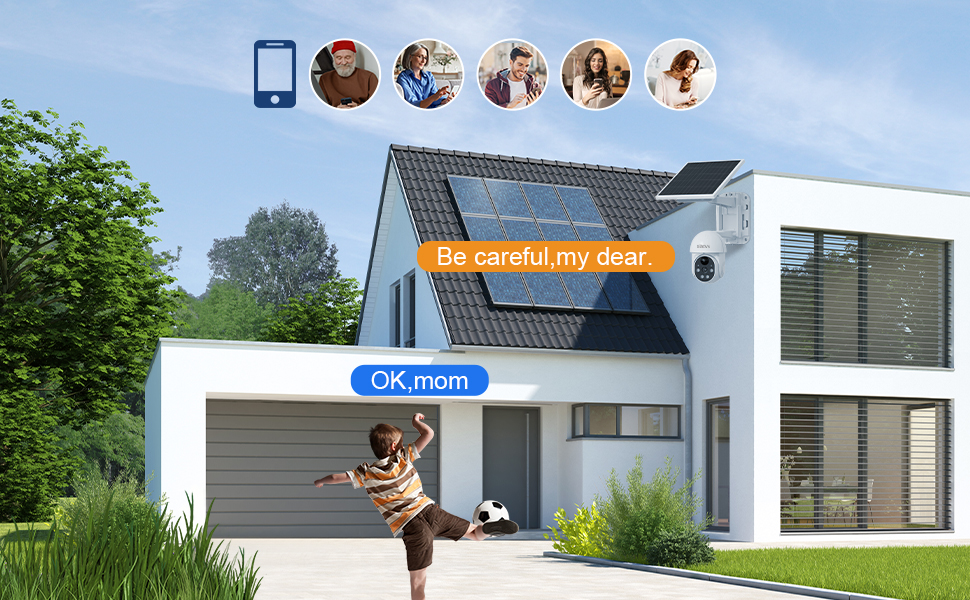
Малюнак 6.5.1: A smartphone screen displaying live feeds from four different XIAOVV cameras simultaneously, illustrating the multi-view асаблівасць.
7. Тэхнічнае абслугоўванне
- Уборка: Перыядычна працірайце аб'ектыў камеры і сонечную панэль мяккай сурвэткайamp тканінай, каб забяспечыць выразны зрок і эфектыўную зарадку. Не выкарыстоўвайце агрэсіўныя хімікаты.
- Сыход за батарэяй: While the solar panel provides continuous power, ensure the camera receives sufficient sunlight. In prolonged cloudy periods, you may need to manually charge the battery via USB.
- Абнаўленні прашыўкі: Check the XIAOVV APP regularly for firmware updates to ensure optimal performance and security.
8. Выпраўленне непаладак
| праблема | Магчымая прычына | Рашэнне |
|---|---|---|
| Camera frequently goes offline. | Weak Wi-Fi signal; low battery; app issue. | Ensure camera is within Wi-Fi range. Recharge battery if needed. Restart the app or camera. Consider a Wi-Fi extender. |
| Акумулятар не зараджаецца ад сонечнай батарэі. | Insufficient direct sunlight; dirty solar panel. | Relocate the camera to an area with more direct sunlight. Clean the solar panel surface. |
| False motion alerts. | PIR sensitivity too high; environmental factors (e.g., swaying branches). | Adjust PIR sensitivity settings in the app. Reposition the camera to avoid non-human triggers. |
| Night vision unclear. | Dirty lens; obstructions. | Clean the camera lens. Ensure no obstructions are blocking the infrared LEDs. |
9. Тэхнічныя характарыстыкі
| Асаблівасць | Дэталь |
|---|---|
| Нумар мадэлі | B0BTYBSDJQ |
| Марка | XIAOVV |
| Крыніца харчавання | На сонечных батарэях |
| Ёмістасць батарэі | 10000 мАг |
| Сувязь | 2.4 ГГц Wi-Fi |
| Пан Кут | 355° |
| Кут нахілу | 100° |
| Рэйтынг воданепранікальнасці | IP65 |
| Параметры захоўвання | MicroSD (да 128 ГБ), воблачнае сховішча |
| Працоўная тэмпература | -10°C да 50°C (ад 14°F да 122°F) |
| Вага прадмета | 3.32 фунта |
| Памеры ўпакоўкі | 9.65 х 8.82 х 7.95 цалі |
10. Гарантыя і падтрымка
XIAOVV provides a one-year after-sales guarantee for this product. If you encounter any issues or require assistance, please contact our customer support team.
For technical support, troubleshooting, or warranty claims, please visit the official XIAOVV website or contact us via the information provided in the XIAOVV APP.
Note: Please retain your proof of purchase for warranty purposes.