
XTUGA U500
XTUGA U500 Rechargeable Wireless Microphone System User Manual
Мадэль: U500
1. Уводзіны
Thank you for choosing the XTUGA U500 Rechargeable Wireless Microphone System. This professional UHF wireless microphone system is designed for various applications including church events, weddings, karaoke, and other performances. It offers reliable wireless connectivity, excellent sound quality, and user-friendly features. Please read this manual carefully before operating the system to ensure proper use and optimal performance.
2. Змесціва ўпакоўкі
Upon unboxing your XTUGA U500 system, please verify that all the following components are included:
- U500 UHF Wireless Receiver (1 unit)
- UHF Wireless Handheld Microphones (2 units)
- USB Port Lithium Battery (2 units)
- 1.5V Battery Mounting Adapter (2 units)
- Кабель харчавання USB (1 шт.)
- Кіраўніцтва карыстальніка (1 адзінка)
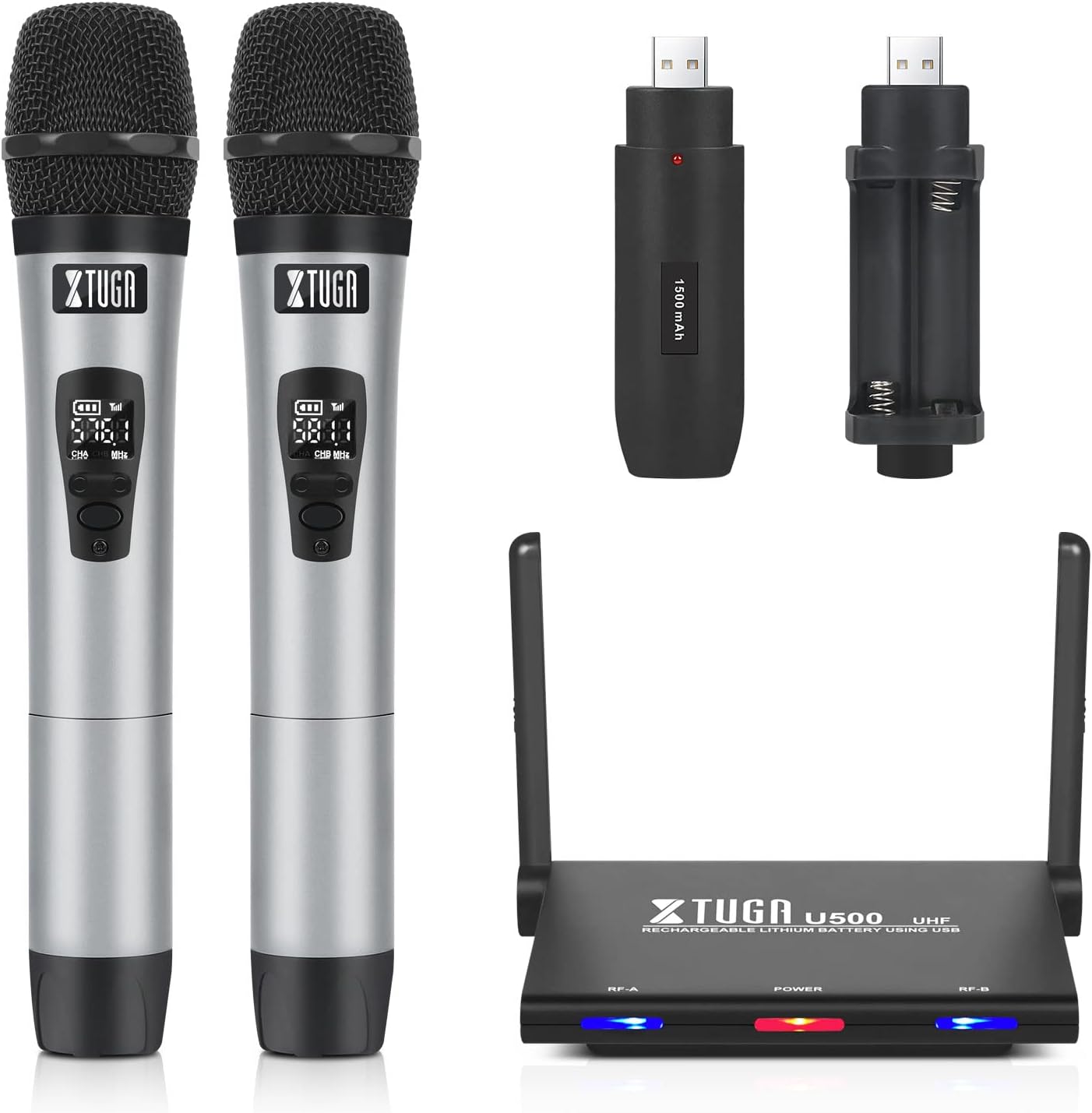
Image: All components of the XTUGA U500 Wireless Microphone System, including the receiver, two handheld microphones, and charging accessories.
3. Кіраўніцтва па наладцы
3.1 Падключэнне сістэмы
The XTUGA U500 offers flexible power options for the handheld microphones:
- Батарэі AA: Each microphone can be powered by two standard AA batteries (not included).
- Акумулятарныя батарэі USB: Alternatively, use the provided USB rechargeable lithium batteries. These batteries can be charged directly via the USB port on the receiver unit.
The receiver unit is powered via the included USB power cable.

Image: Illustration showing the two power supply methods for the microphones: standard AA batteries and USB rechargeable batteries.

Image: The USB rechargeable batteries can be connected to the receiver for convenient charging.
3.2 Падключэнне да аўдыёабсталявання
Connect the U500 receiver's output to your audio mixer, amplifier, or powered speaker using an appropriate XLR or auxiliary cable. Ensure the volume on your audio equipment is set to a low level before turning on the system.
3.3 Налада антэны
The receiver features an integrated antenna design that requires no installation. The antennas can be adjusted 90 degrees up or down for optimal signal reception. Position the receiver in an open area, away from large metal objects or other wireless devices that may cause interference.

Image: The XTUGA U500 receiver with its high-quality, adjustable antennas, which can be folded 90 degrees for convenience and optimal signal.
4. Кіраўніцтва па эксплуатацыі
4.1 Уключэнне/выключэнне
To turn on the receiver, connect the USB power cable. The power indicator LED will illuminate. To turn on each microphone, press and hold the power button until the display screen lights up.
4.2 Frequency Pairing (Auto Scan)
The U500 system features an automatic scanning function to find the least interfered channels. Each channel has 10 selectable frequencies within the 530MHz-590MHz range. The system can support up to 5 devices simultaneously without interference. To pair, ensure the receiver and microphone are on, and the system will automatically connect to an available frequency.

Image: Diagram illustrating the auto frequency connect feature and the operational range of up to 262 feet for the XTUGA U500 system.
4.3 Рэгуляванне гучнасці
The receiver unit has individual volume controls for each microphone channel. Adjust the appropriate volume levels using the dedicated knobs on the receiver to achieve desired audio output.

Image: Close-up of the XTUGA U500 receiver showing the individual volume adjustment controls for each microphone channel.
4.4 Battery Status and Life
The microphone display shows the current battery level. With fully charged lithium batteries, the microphones can operate for up to 8 hours. The receiver also features unique LED indicators to show the working status, even in low-light environments.
4.5 Якасць гуку
The XTUGA U500 system is designed to reduce noise and realistically restore the picked-up sound. The microphones feature a cardioid pickup pattern, which helps in isolating the main sound source and minimizing background noise.
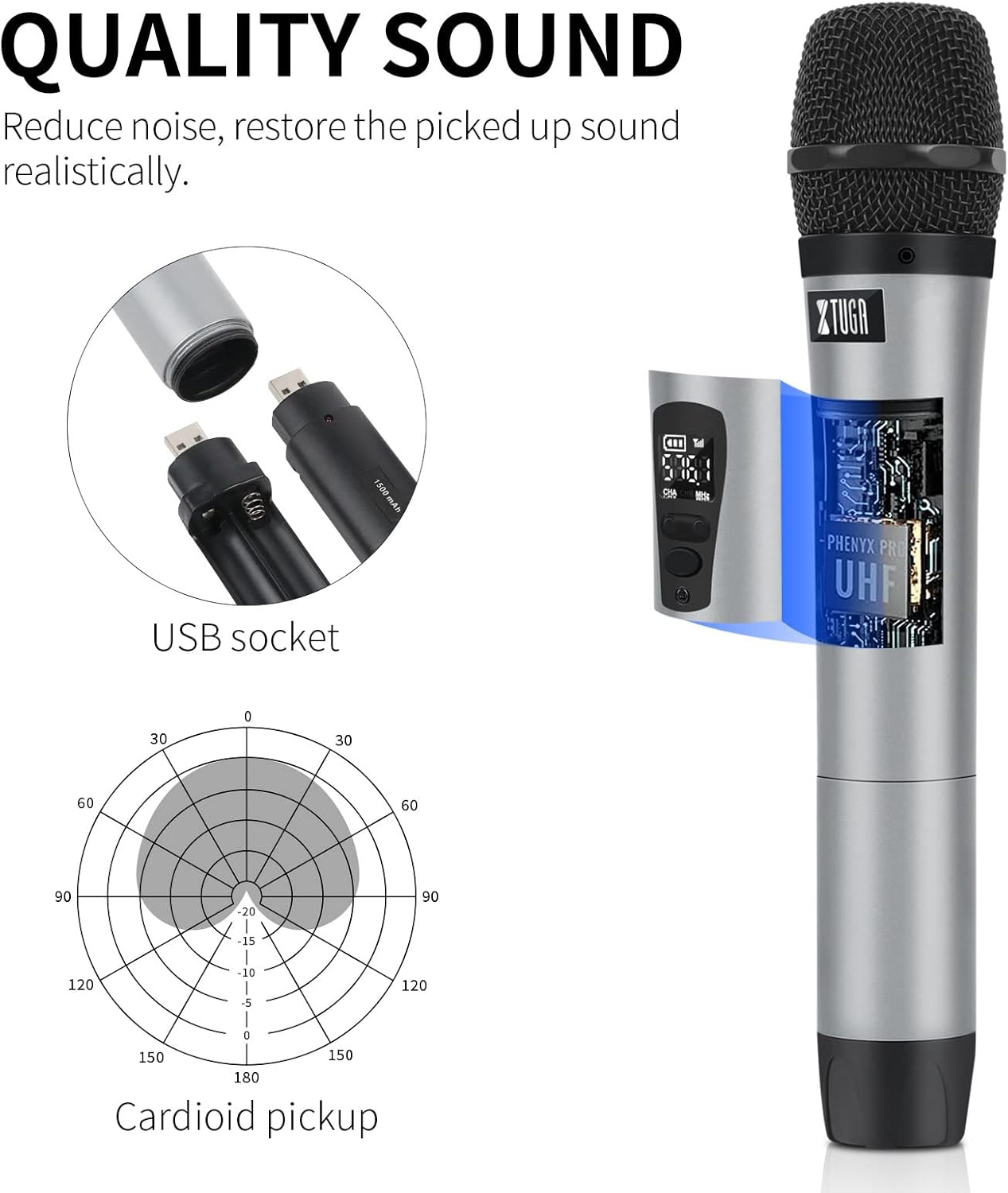
Image: An illustration highlighting the sound quality features of the XTUGA U500 microphone, including its USB socket and cardioid pickup pattern for realistic sound reproduction.
5. Тэхнічнае абслугоўванне
To ensure the longevity and optimal performance of your XTUGA U500 system, follow these maintenance guidelines:
- Уборка: Для чысткі прымача і мікрафонаў выкарыстоўвайце мяккую сухую тканіну. Не выкарыстоўвайце вадкія ачышчальнікі або абразіўныя матэрыялы.
- Сыход за батарэяй: If using rechargeable batteries, ensure they are fully charged before long periods of storage. For long-term storage, remove all batteries from the microphones.
- захоўванне: Захоўвайце сістэму ў прахалодным, сухім месцы, удалечыні ад прамых сонечных прамянёў, экстрэмальных тэмператур і высокай вільготнасці.
- Апрацоўка: Handle the microphones and receiver with care. Avoid dropping or subjecting them to strong impacts.
6. Выпраўленне непаладак
If you encounter issues with your XTUGA U500 system, please refer to the following common troubleshooting steps:
| праблема | Магчымая прычына | Рашэнне |
|---|---|---|
| Microphone not connecting or no sound | Low battery; Microphone not powered on; Receiver not powered on; Frequency interference; Microphone out of range. | Check microphone batteries and replace/recharge if low. Ensure both microphone and receiver are powered on. Try moving closer to the receiver. The system has an auto-scan function to find clear frequencies. |
| Base unit (receiver) not functioning / LED indicators off | Power cable disconnected; Faulty power source. | Ensure the USB power cable is securely connected to the receiver and a working power source. Try a different USB port or power adapter. |
| Poor sound quality / Static / Dropouts | Interference from other wireless devices; Obstructions between microphone and receiver; Microphone too far from receiver. | Relocate the receiver to an open area. Ensure line of sight between microphones and receiver. Avoid placing the receiver near Wi-Fi routers, cordless phones, or other wireless electronics. Try a different frequency if available. |
| Нізкі аб'ём выхаду | Microphone volume too low; Receiver volume too low; Audio equipment volume too low. | Increase the volume on the microphone (if applicable), receiver, and your connected audio equipment (mixer/speaker). |
If the problem persists after trying these solutions, please contact XTUGA customer support for further assistance.
7. Тэхнічныя характарыстыкі
Below are the technical specifications for the XTUGA U500 Wireless Microphone System:
| Асаблівасць | Дэталь |
|---|---|
| Марка | ХТУГА |
| Назва мадэлі | U500 |
| Тэхналогія падлучэння | Auxiliary, Wireless (UHF) |
| Тып раздыма | XLR |
| Асаблівасць | Акумулятарная |
| Сумяшчальныя прылады | Дакладчык |
| Аўдыё Адчувальнасць | 95 дБ |
| Памеры прадмета (Д х Ш х У) | 7.5 х 25.5 х 31.5 сантыметраў |
| Крыніца харчавання | Электрычны кабель |
| Колькасць каналаў | 32 |
| Склад батарэі | Lithium-ion (for rechargeable batteries) |
| Рэкамендуемае выкарыстанне прадукту | Спеў |
| Працоўны дыяпазон | Up to 262ft (line of sight in open space) |
| Дыяпазон частот | 530MHz-590MHz |
8. Гарантыя і падтрымка
Products bearing authentic brand logos are eligible for a one-year free warranty period. If you have any quality complaints or other questions regarding your XTUGA U500 system, the brand's after-sales team is available to assist you at any time.
For support, please refer to the contact information provided with your purchase or visit the official XTUGA webсайт.
Ask a question about this manual
Ask about setup, troubleshooting, compatibility, parts, safety, or missing instructions. Manuals+ will review the question and use this page’s manual context to help answer it.