
1. Уводзіны
Thank you for choosing the JISULIFE FA42 Mini Portable Bladeless Handheld Fan. This device is designed to provide powerful and safe personal cooling with its innovative bladeless design and multiple speed settings. Please read this manual carefully before use to ensure proper operation and maintenance.
2. Важныя інструкцыі па бяспецы
- Do not insert fingers or foreign objects into the fan's air inlet or outlet.
- Трымайце прыладу далей ад вады і вільгаці.
- Do not disassemble, repair, or modify the fan. Contact customer support if service is required.
- Захоўваць у месцах, недаступных для маленькіх дзяцей, без нагляду дарослых.
- Выкарыстоўвайце для зарадкі толькі той зарадны кабель, які ўваходзіць у камплект, або сертыфікаваны кабель USB-C.
- Avoid exposing the fan to extreme temperatures or direct sunlight for extended periods.
3. Прадукт скончыўсяview
The JISULIFE FA42 fan features a compact, bladeless design for enhanced safety and portability. It incorporates a powerful turbo engine and a high-voltage protection chip.
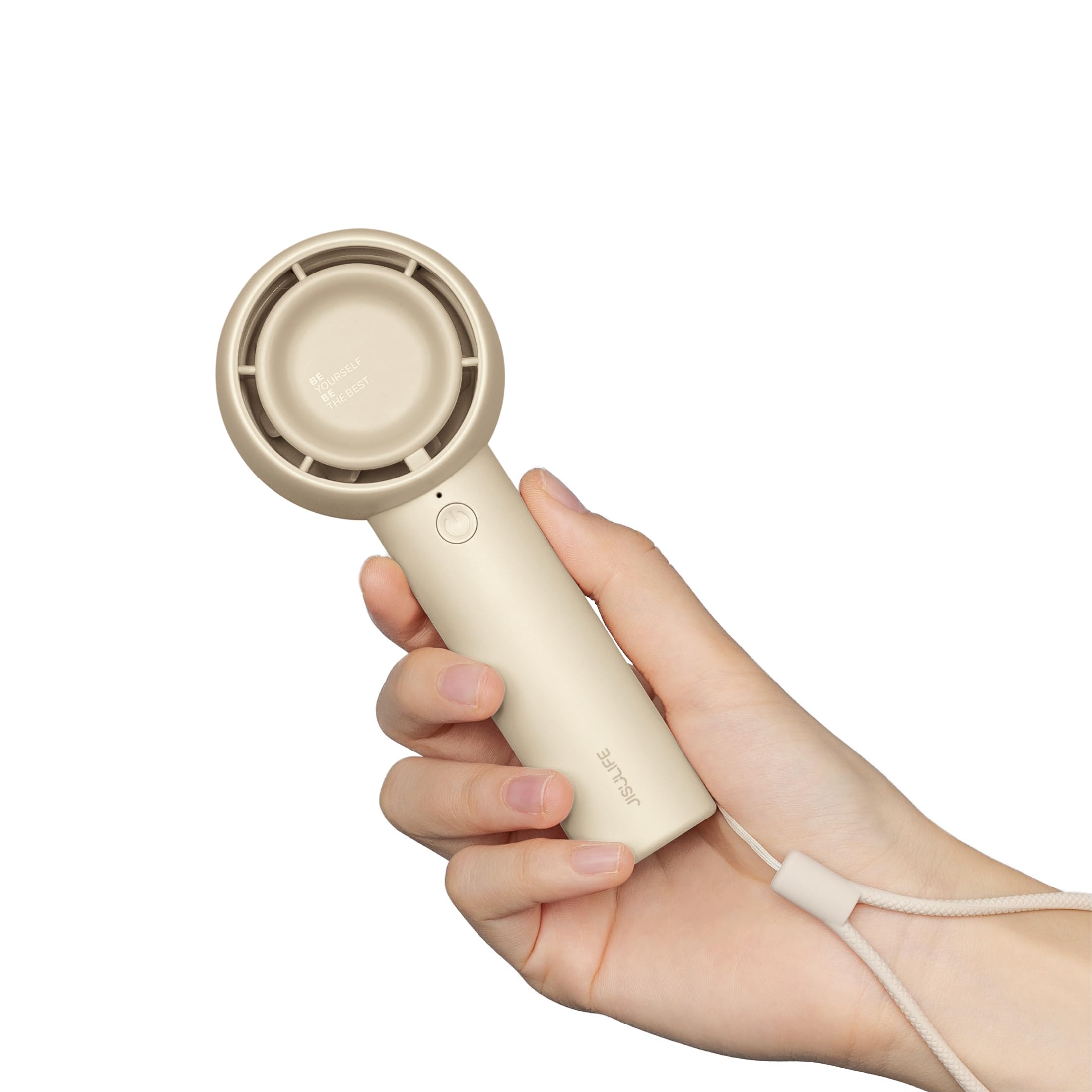
Figure 3.1: JISULIFE FA42 Mini Portable Bladeless Handheld Fan (Brown)

Figure 3.2: Illustration of the fan's gathering air duct technology, demonstrating a larger air outlet area and longer blowing distance.

Малюнак 3.3: Унутраны view highlighting the high-performance brushless motor and curved turbo fan designed for reduced noise and comfortable airflow.
4. Настройка
4.1. Распакоўка і першапачатковая аплата
Upon unboxing, ensure all components are present: the fan unit, USB-C charging cable, and lanyard.

Figure 4.1: The JISULIFE FA42 fan, its packaging, USB-C charging cable, and instruction manual.
Before first use, fully charge the fan. Connect the provided USB-C cable to the charging port on the fan and the other end to a USB power adapter (not included) or a computer's USB port. The indicator light will show charging status.

Figure 4.2: The fan's Type-C charging port in use. A full charge takes approximately 4 hours and provides up to 16 hours of cooling time.
4.2. Прымацаванне шнурка
Thread the lanyard through the designated loop at the base of the fan's handle. This allows for convenient carrying on your wrist or attaching to a bag.
5. Інструкцыя па эксплуатацыі
5.1. Уключэнне/выключэнне харчавання і рэгуляванне хуткасці
The fan features a single power button for all operations:
- Каб уключыць: Press the power button once. The fan will start at Speed 1.
- Каб адрэгуляваць хуткасць: Press the power button repeatedly to cycle through the 5 available speed settings (Speed 1 to Speed 5).
- Каб выключыць: After cycling through Speed 5, pressing the button again will turn the fan off. Alternatively, press and hold the power button for 2 seconds to turn off the fan from any speed setting.

Figure 5.1: The fan offers 5 adjustable speeds, ranging from 5000r/min (Low) to 9000r/min (High).
5.2. Battery Life Indication
The indicator light near the power button also provides battery status. Refer to the product's packaging or official website for detailed light patterns (e.g., solid light for full charge, blinking for low battery).

Figure 5.2: The 4500mAh battery provides up to 16 hours of 'Sleep Wind', 8.5 hours of 'Cold Wind', and 5 hours of 'Strong Wind'.
5.3. Сцэнарыі выкарыстання
The compact and powerful design makes this fan suitable for various activities:
- Адпачынак на свежым паветры: Travel, camping, commuting, shopping, music festivals.
- Унутранае выкарыстанне: Office, dorm room, makeup application, quick-drying lashes.

Figure 5.3: The fan is versatile for use while walking, in the office, during makeup application, and while campінж.
Video 5.1: An official product video from JISULIFE-NA demonstrating the features and use of the Mini Handheld Turbo Fan.
6. Тэхнічнае абслугоўванне
6.1. Уборка
To clean the fan, gently wipe the exterior with a soft, dry cloth. Do not use abrasive cleaners, solvents, or immerse the fan in water. Ensure the fan is turned off before cleaning.
6.2. Захоўванне
When not in use for extended periods, store the fan in a cool, dry place away from direct sunlight and extreme temperatures. It is recommended to charge the fan every 3 months to maintain battery health.
7. Выпраўленне непаладак
| праблема | Магчымая прычына | Рашэнне |
|---|---|---|
| Вентылятар не ўключаецца | Нізкі зарад батарэі; кнопка харчавання націснута няправільна | Charge the fan; Press and hold the power button for 2 seconds to ensure it powers on. |
| Слабы струмень паветра | Low battery; Fan speed set too low | Charge the fan; Increase the fan speed by pressing the power button. |
| Вентылятар не зараджаецца | Няспраўны кабель/адаптар; няшчыльнае злучэнне | Try a different USB-C cable or power adapter; Ensure the cable is securely connected to both the fan and the power source. |
| Незвычайны шум | Obstruction in air duct; Internal issue | Turn off the fan and check for any obstructions in the air inlet/outlet. If the issue persists, contact customer support. |
8. Тэхнічныя характарыстыкі
| Асаблівасць | Дэталь |
|---|---|
| Марка | JISULIFE |
| Назва мадэлі | FA42 |
| Колер | Карычневы |
| Крыніца харчавання | Працуе ад акумулятара (1 літый-іённы акумулятар уключаны) |
| Ёмістасць батарэі | 4500 мАг |
| Max Cooling Time | Да 16 гадзін |
| Час зарадкі | Прыбл. 4 гадзіны |
| Асноўны тып раздыма харчавання | USB-C |
| Колькасць узроўняў магутнасці | 5 |
| Памеры прадукту | 1.85" Г x 2.44" Ш x 5.98" У |
| Вага прадмета | 148 грам (5.2 унцый) |
| Узровень шуму | 50 дэцыбел |
| Асаблівасці | Bladeless, Compact, Portable |
9. Гарантыя і падтрымка
For warranty information and customer support, please refer to the warranty card included in your product packaging or visit the official JISULIFE website. You can also contact JISULIFE customer service through their Крама Amazon.