
1. Уводзіны
The E-YOOSO K-662 is a full-size 104-key wired mechanical gaming keyboard designed for PC users. It features OUTEMU Blue switches, customizable rainbow backlighting, RGB sidelights, and an integrated wrist rest for enhanced comfort and performance. This manual provides essential information for setting up, operating, and maintaining your keyboard.
Змест пакета:
- E-YOOSO K-662 Mechanical Keyboard
- Integrated Wrist Rest
2. Асноўныя магчымасці
- Full Keys Anti-ghosting & 12 Multimedia Keys: Ensures all key presses are registered accurately, even during rapid, simultaneous inputs. Dedicated multimedia functions enhance control.
- OUTEMU Clicky Blue Switch: Guarantees 50 million keypresses with a 2.8 mm keystroke distance and 65g actuation force, providing a quick, springy response and a distinct click sound.
- Double Injection Keycaps & Wide Palm Rest: Durable double injection-molded keycaps offer clear, uniform backlighting. The wide palm rest provides ergonomic support for comfortable use.
- Rainbow Backlit & RGB Sidelight: Features 10 adjustable rainbow backlight modes and 5 RGB sidelight modes, with customizable brightness and speed settings.
- Шырокая сумяшчальнасць: Compatible with Windows 2000/XP/Vista/7/8/10/11 and Mac OS (note: some multimedia functions may not be available on Mac OS). Works with Desktops, Chromebooks, PCs, Laptops, and more.
3. Настройка
To set up your E-YOOSO K-662 keyboard:
- Дастаньце клавіятуру з упакоўкі.
- Connect the keyboard's USB cable to an available USB port on your computer.
- The keyboard is plug-and-play and does not require additional drivers for basic functionality. Your operating system should automatically detect and install the necessary drivers.
4. Інструкцыя па эксплуатацыі
4.1 Мультымедыйныя функцыі
Access multimedia controls by holding the Fn key and pressing the corresponding F1-F12 функцыянальныя клавішы:
- Fn + F1-F12: Various multimedia shortcuts (e.g., media player, volume control, web браўзер).

Image: E-YOOSO K-662 keyboard layout highlighting multimedia functions (Fn + F1-F12).
4.2 Рэжымы і налада падсветкі
The keyboard features various backlight effects and customization options:
- Fn + Ins: Cycle through 10 different rainbow backlight operation modes.
- Fn + 9 / Fn + 0: Activate custom backlight modes.
- Fn + Up Arrow / Fn + Down Arrow: Адрэгулюйце яркасць падсвятлення.
- Fn + Left Arrow / Fn + Right Arrow: Адрэгулюйце хуткасць падсветкі.

Image: Instructions for customizing backlight modes and Win Lock function.
4.3 RGB Sidelight
The keyboard includes RGB sidelights with multiple effects:
- Fn + Pause: Cycle through 5 RGB sidelight modes.
- Fn + Minus (-) / Fn + Plus (=): Adjust sidelight color and speed.

Image: E-YOOSO K-662 keyboard with active RGB streamer sidelights.
4.4 Win Key Lock
To prevent accidental interruptions during gaming or other activities:
- Fn + Win: Lock the Windows key. Press again to unlock.
4.5 Анты-гостынг
The E-YOOSO K-662 features 104-key anti-ghosting. This ensures that every key press is registered accurately, even when multiple keys are pressed simultaneously, which is crucial for fast-paced gaming.
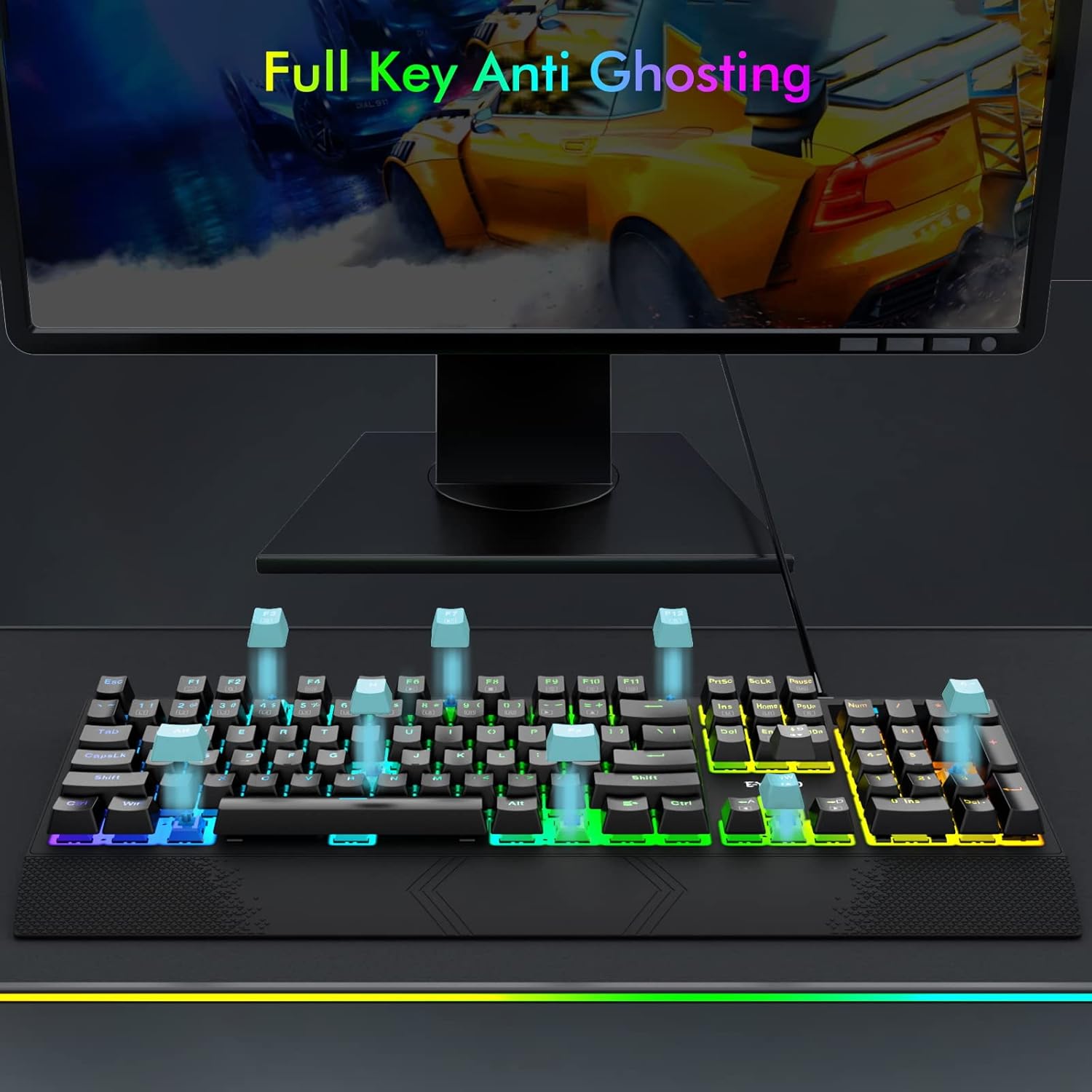
Image: Visual representation of full key anti-ghosting on the E-YOOSO K-662 keyboard.
5. Тэхнічнае абслугоўванне
Proper maintenance helps prolong the life and performance of your keyboard:
- Уборка: Disconnect the keyboard from your computer before cleaning. Use a soft, dry cloth to wipe the surface. For removing debris between keycaps, use compressed air. Avoid using harsh chemicals, solvents, or abrasive materials.
- захоўванне: Захоўвайце клавіятуру ў прахалодным, сухім месцы, удалечыні ад прамых сонечных прамянёў і экстрэмальных тэмператур.
- Апрацоўка: Пазбягайце падзення клавіятуры і траплення на яе вадкасцей. Не спрабуйце разбіраць клавіятуру, бо гэта можа прывесці да анулявання гарантыі.

Image: Double-shot ABS keycaps, designed for durability and clear backlighting.
6. Выпраўленне непаладак
If you encounter issues with your E-YOOSO K-662 keyboard, refer to the following troubleshooting steps:
- Клавіятура не рэагуе:
- Пераканайцеся, што USB-кабель надзейна падключаны як да клавіятуры, так і да кампутара.
- Паспрабуйце падключыць клавіятуру да іншага USB-порта на вашым кампутары.
- Перазагрузіце кампутар.
- Падсветка не працуе або працуе няправільна:
- Check backlight mode settings using Fn + Ins каб пераключацца паміж рэжымамі.
- Адрэгулюйце яркасць з дапамогай Fn + Up Arrow / Fn + Down Arrow.
- If specific keys are not lighting up, ensure custom modes are not active unintentionally.
- Мультымедыйныя клавішы не працуюць у Mac OS:
- Some multimedia functions may have limited or no compatibility with Mac OS due to operating system differences.
- Keys failing to register intermittently:
- Ensure the keyboard is clean and free of debris that might obstruct key switches.
- If the issue persists after cleaning, contact customer support for further assistance.
7. Тэхнічныя характарыстыкі
| Асаблівасць | Спецыфікацыя |
|---|---|
| Нумар мадэлі | К-662 |
| Вытворца | E-YOOSO |
| Тэхналогія падлучэння | USB (правадной) |
| Апісанне клавіятуры | Гульнявыя, механічныя |
| Тып перамыкача | OUTEMU Blue Switches |
| Падлік ключоў | 104 клавіш (поўны памер) |
| Падсвятленне | Rainbow Backlit, RGB Sidelight |
| Асаблівасці | Backlit, Ergonomic, Wrist Rest, Anti-ghosting |
| Сумяшчальныя прылады | Gaming Console, PC, Laptop, Chromebook |
| Сумяшчальнасць аперацыйнай сістэмы | Windows 2000/XP/Vista/7/8/10/11, Mac OS |
| Матэрыял | Пластыкавыя |
| Вага прадмета | 2.84 фунта (прыблізна 1.29 кг) |
| Памеры ўпакоўкі | 17.75 х 8 х 1.75 цалі (прыблізна 45.09 х 20.32 х 4.45 см) |

Выява: Падрабязная view of an OUTEMU Blue mechanical switch.
8. Гарантыя і падтрымка
The E-YOOSO K-662 Mechanical Keyboard typically comes with a 1-year limited warranty from the date of purchase. This warranty covers manufacturing defects under normal use.
For warranty claims, technical support, or any product-related inquiries, please refer to the contact information provided with your product packaging or visit the official E-YOOSO webсайт з найноўшымі рэсурсамі падтрымкі.