
1. Уводзіны
Thank you for choosing the BYINTEK U70 Pro Portable 4K 3D DLP Projector. This manual provides essential information for the safe and efficient operation of your device. Please read it thoroughly before use and retain it for future reference.

Image 1.1: The BYINTEK U70 Pro Portable Projector and its remote control.
2. Інфармацыя па бяспецы
- Не глядзіце непасрэдна ў аб'ектыў праектара, калі ён уключаны.amp уключаны.
- Забяспечце належную вентыляцыю, каб прадухіліць перагрэў. Не закрывайце вентыляцыйныя адтуліны.
- Выкарыстоўвайце толькі адаптар сілкавання, які ўваходзіць у камплект.
- Трымайце прыладу далей ад вады, вільгаці і экстрэмальных тэмператур.
- Не спрабуйце разбіраць або рамантаваць праектар самастойна. Звярніцеся да кваліфікаванага абслугоўваючага персаналу.
- Захоўваць у месцах, недаступных дзецям.
3. Змесціва ўпакоўкі
Праверце, ці ёсць усе прадметы ў вашай упакоўцы:
- 1 x BYINTEK U70 Pro Projector
- 1 х пульт дыстанцыйнага кіравання
- 1 х кабель HD
- 1 х Кіраўніцтва карыстальніка (гэты дакумент)
- Адаптар сілкавання 1 х DC 19V 3.42A
4. Прадукт скончыўсяview
Азнаёмцеся з кампанентамі і інтэрфейсамі праектара.
Малюнак 4.1: Пярэдняя і задняя часткі views of the BYINTEK U70 Pro Projector, highlighting its various ports and controls.
Ключавыя кампаненты:
- Аб'ектыў: Projection output.
- Клавіятура: Manual control buttons on top.
- ІЧ-прыёмнік: Для сігналаў дыстанцыйнага кіравання.
- DC 12V-in: Порт ўводу харчавання.
- USB 3.0 / USB 2.0: For connecting USB storage devices, mouse, or keyboard.
- Выключальнік сілкавання: Каб уключыць/выключыць праектар.
- Audio-out (3.5mm Jack): For external speakers or headphones.
- HD-in (HDMI): Для падключэння знешніх крыніц відэасігналу.
- 5W Speakers: Убудаваныя стэрэадынамікі.
- Здымны пылавы фільтр: Для лёгкай чысткі і абслугоўвання.
- Universal Bracket Hole (d=1/4inch, 6mm): For mounting on tripods or ceiling mounts.
5. Настройка
5.1 Уключэнне/выключэнне
- Connect the DC 19V 3.42A Power Adapter to the projector's DC 12V-in port.
- Press the Power Switch to turn the projector on. The indicator light will illuminate.
- To power off, press the Power Switch again.
5.2 Размяшчэнне і праекцыя
The BYINTEK U70 Pro supports a projection size of 30-300 inches with a projection distance of 1-8 meters. The optimal aspect ratio is 16:9, but 16:10 and 4:3 are also supported.
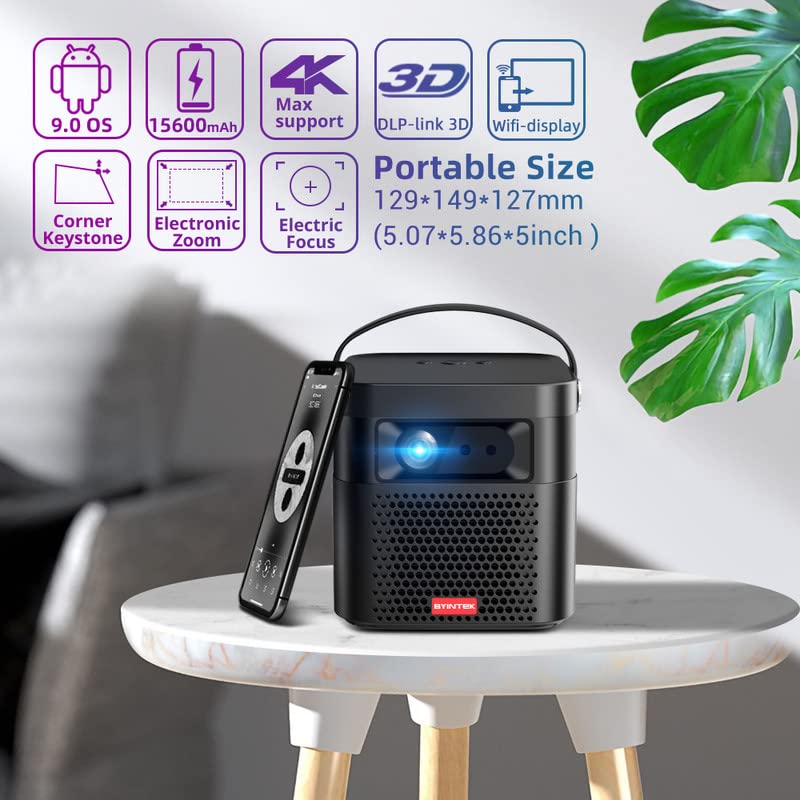
Image 5.1: The BYINTEK U70 Pro Projector highlighting its portable size and advanced features.
5.3 Фокус і карэкцыя трапецападобнага скажэння
- Асаблівасці праектара Аўтафокус for quick image clarity.
- For fine-tuning, use the Электрычны фокус function via the remote control or on-device keypad.
- Auto Manual Vertical Keystone Correction is available to adjust image distortion when the projector is not perfectly perpendicular to the screen.
- Corner Keystone correction allows for individual corner adjustments.
5.4 Падключэнне
The projector offers various connection options:
- HDMI: Connect external devices like TV sticks, X-BOX, PS4, PCs, or laptops using the provided HD Cable.
- USB: Insert USB sticks or SSD hard drives for media playback. Supports USB 2.0 and USB 3.0.
- Wi-Fi: Connect to your wireless network for online content and wireless projection.
- Bluetooth: For connecting external Bluetooth speakers or headphones (if supported by the Android OS).
6. Інструкцыя па эксплуатацыі
6.1 Android 9.0 Smart OS
The BYINTEK U70 Pro runs on Android 9.0, providing a smart interface with 32GB internal storage. Navigate the interface using the remote control or by connecting a USB mouse/keyboard.

Image 6.1: The Android 9.0 operating system interface, allowing access to various applications.
6.2 Бесправадная праекцыя
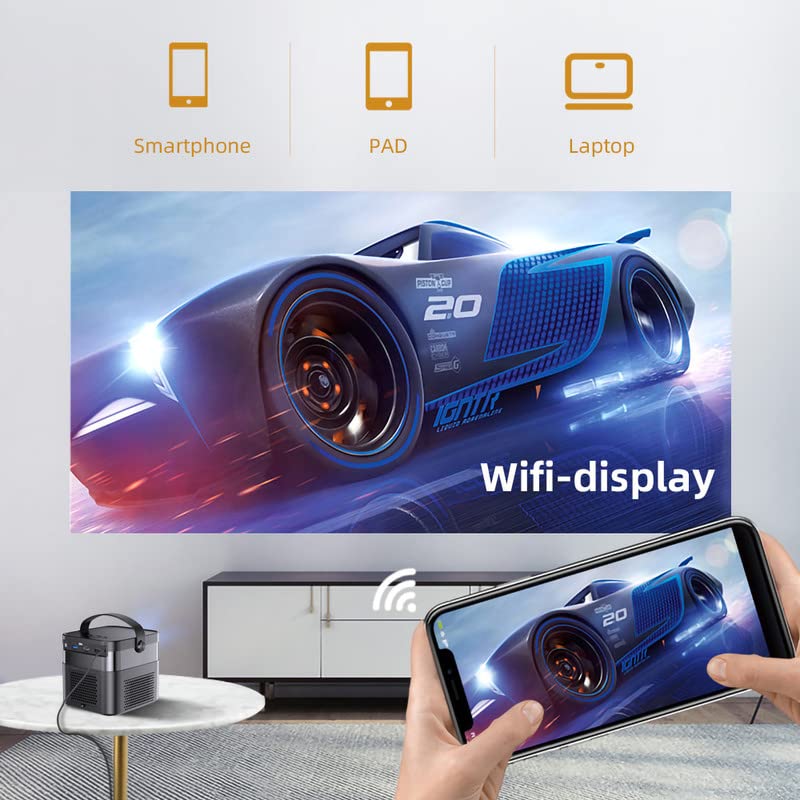
Wirelessly connect your Android or iOS devices for screen mirroring.

Image 6.2: Wireless display functionality, enabling screen mirroring from smartphones, tablets, and laptops.
- Ensure both the projector and your mobile device are connected to the same Wi-Fi network.
- Select the appropriate wireless projection app (e.g., Airplay, Miracast, DLNA, Eshare) on the projector's home screen.
- Follow the on-screen instructions to connect your smartphone, tablet, or laptop.
6.3 Функцыянальнасць 3D
Праектар падтрымлівае Real 3D content for an immersive viewвопыту.
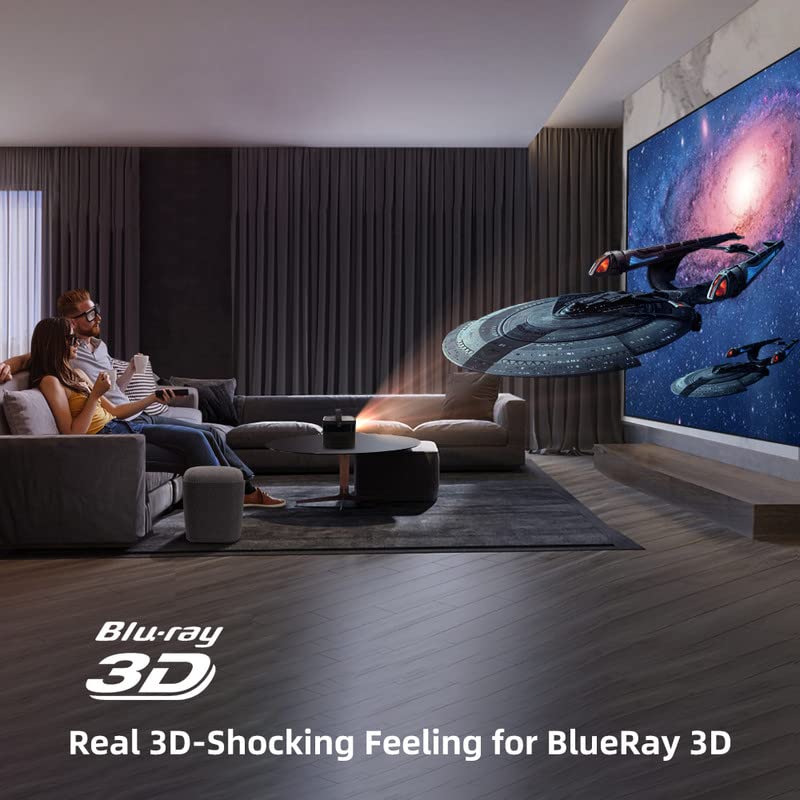
Image 6.3: The projector displaying 3D content for an immersive home theater experience.
- To enjoy 3D content, you will need compatible 3D glasses (sold separately).
- Play 3D-enabled media (e.g., Blu-ray 3D) through a connected device.
- Activate the 3D mode on the projector via the settings menu.
6.4 Аўдыёвыхад
The projector has built-in 2 x 5W speakers. For enhanced audio, connect external speakers or headphones via the 3.5mm Audio Jack or Bluetooth.
7. Тэхнічнае абслугоўванне
7.1 Ачыстка аб'ектыва
Выкарыстоўвайце мяккую тканіну без ворса, спецыяльна прызначаную для аптычных лінзаў. Не выкарыстоўвайце абразіўныя ачышчальнікі і не прыкладвайце празмерных намаганняў.
7.2 Ачыстка пылавога фільтра
The projector features a detachable dust filter. Regularly remove and clean it to maintain optimal performance and prevent overheating. Refer to Image 4.1 for the location of the detachable dust filter.
7.3 Сыход за акумулятарам
The projector includes a rechargeable battery. To prolong battery life:
- Пазбягайце частай поўнай разрадкі акумулятара.
- Калі праектар не выкарыстоўваецца працяглы час, захоўвайце яго ў прахалодным сухім месцы.
- Charge the battery periodically if stored for a long time.
8. Выпраўленне непаладак
Калі ў вас узнікнуць праблемы, звярніцеся да наступных распаўсюджаных праблем і рашэнняў:
| праблема | Магчымая прычына | Рашэнне |
|---|---|---|
| Не адлюстроўваецца выява | Power cable loose, input source incorrect, lens cap on | Check power connection, select correct input source, remove lens cap |
| Відарыс размыты | Focus not adjusted, keystone incorrect | Adjust focus using remote/keypad, correct keystone settings |
| Няма гуку | Volume too low, external audio device not connected, source audio issue | Increase volume, check external audio connections, verify source audio output |
| Пульт дыстанцыйнага кіравання не працуе | Batteries dead, IR receiver blocked | Replace batteries, ensure clear line of sight to IR receiver |
| Папярэджанне аб перагрэве | Blocked ventilation, dusty filter | Ensure clear ventilation, clean dust filter |
9. Тэхнічныя характарыстыкі
Detailed technical specifications for the BYINTEK U70 Pro Projector:
| Асаблівасць | Спецыфікацыя |
|---|---|
| Марка | BYINTEK |
| мадэль | BYINTEK-UFO-U70-PRO |
| Тэхналогія адлюстравання | DLP (LED) |
| Яркасць выявы | 500 прасветаў ANSI |
| Роднае дазвол | 1280 x 800 (supports 1080p Full HD Pixels, Max supports 4K signal input) |
| Каэфіцыент кантраснасці выявы | 15000:1 |
| Суадносіны бакоў | 16:9 (also 16:10, 4:3) |
| Памер праекцыі | 30-300 цаляў |
| Адлегласць праекцыі | 1-8 метраў |
| Аперацыйная сістэма | Android 9.0 |
| Унутраная памяць | 32 ГБ |
| Асаблівасці | Built-In 3D, Auto Focus, Short Throw, Built-in Speakers, Rechargeable Battery, Wireless Projection |
| Абсталяванне інтэрфейсу | HDMI, USB 2.0, USB 3.0 |
| Тэхналогія падлучэння | Wi-Fi |
| Аўдыёвыхад | 3.5mm Audio Jack, Built-in 2 x 5W Speakers |
| Крыніца харчавання | DC 19V 3.42A, Rechargeable Battery |
| Ватtage | 65 ват |
| Памеры прадукту | 12.9 х 14.9 х 12.7 см |
| Вага прадмета | 1.36 кг |
| Мадэльны год | 2023 |
10. Гарантыя і падтрымка
10.1 Інфармацыя аб гарантыі
The BYINTEK U70 Pro Projector comes with a 1 год гарантыі з даты пакупкі. Калі ласка, захавайце пацвярджэнне пакупкі для прэтэнзій па гарантыі. Гарантыя распаўсюджваецца на вытворчыя дэфекты пры нармальных умовах выкарыстання.
10.2 Падтрымка кліентаў
For technical assistance, warranty claims, or any other inquiries, please contact BYINTEK customer support:
- нумар тэлефона: +91 8885241706
- электронная пошта: care@justshop24x7.com