
Angetube 913AI
Angetube 4K AI WebКіраўніцтва карыстальніка cam
Model: 913AI
Марка: Angetube
Уводзіны
This manual provides detailed instructions for the Angetube 4K AI Webcam (Model 913AI). It covers product features, setup, operation, maintenance, troubleshooting, and technical specifications to ensure optimal performance and user experience.
Што ў скрынцы
- Webкамера
- Пульт дыстанцыйнага кіравання
- Злучальны кабель USB 3.0
- Адаптар USB-C да USB-A
Прадукт скончаныview і асноўныя характарыстыкі

The Angetube 4K AI Webcam, shown with its remote control, USB 3.0 cable, and USB-C to USB-A adapter.
4K Sony CMOS Sensor
The webcam features a high-quality Sony CMOS sensor, delivering 3840x2160 UHD resolution at 30 fps or 1080p at 60fps. This sensor ensures vivid imagery with exceptional clarity, vibrant colors, and sharp details, even in low-light conditions due to its super high SNR (Signal-to-Noise Ratio) capability.
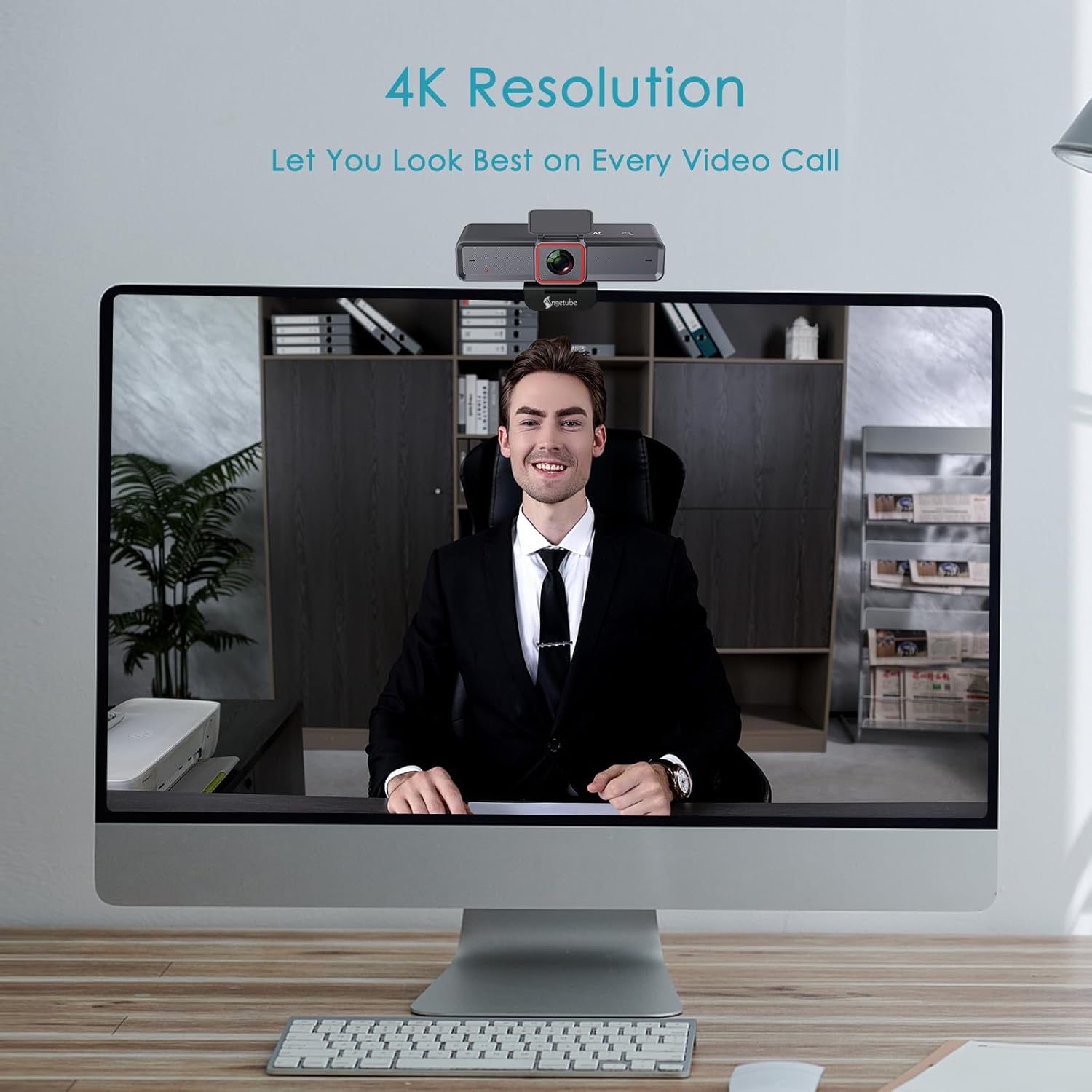
The webcam provides clear 4K resolution for video calls, ensuring high visual quality.
AI-Tracking with Auto-Framing
Advanced face detection AI automatically frames the video based on the number of participants, keeping the focus centralized. The presenter tracking feature intelligently follows the presenter as they move. AI functions can be activated via the remote control or touch switch.

The AI-tracking feature keeps the subject in frame, even when moving.
Demonstration of the 4K AI webcam's features, including 3DNR and true color reproduction, and remote control functionality.
Remote Control and 10X Digital Zoom
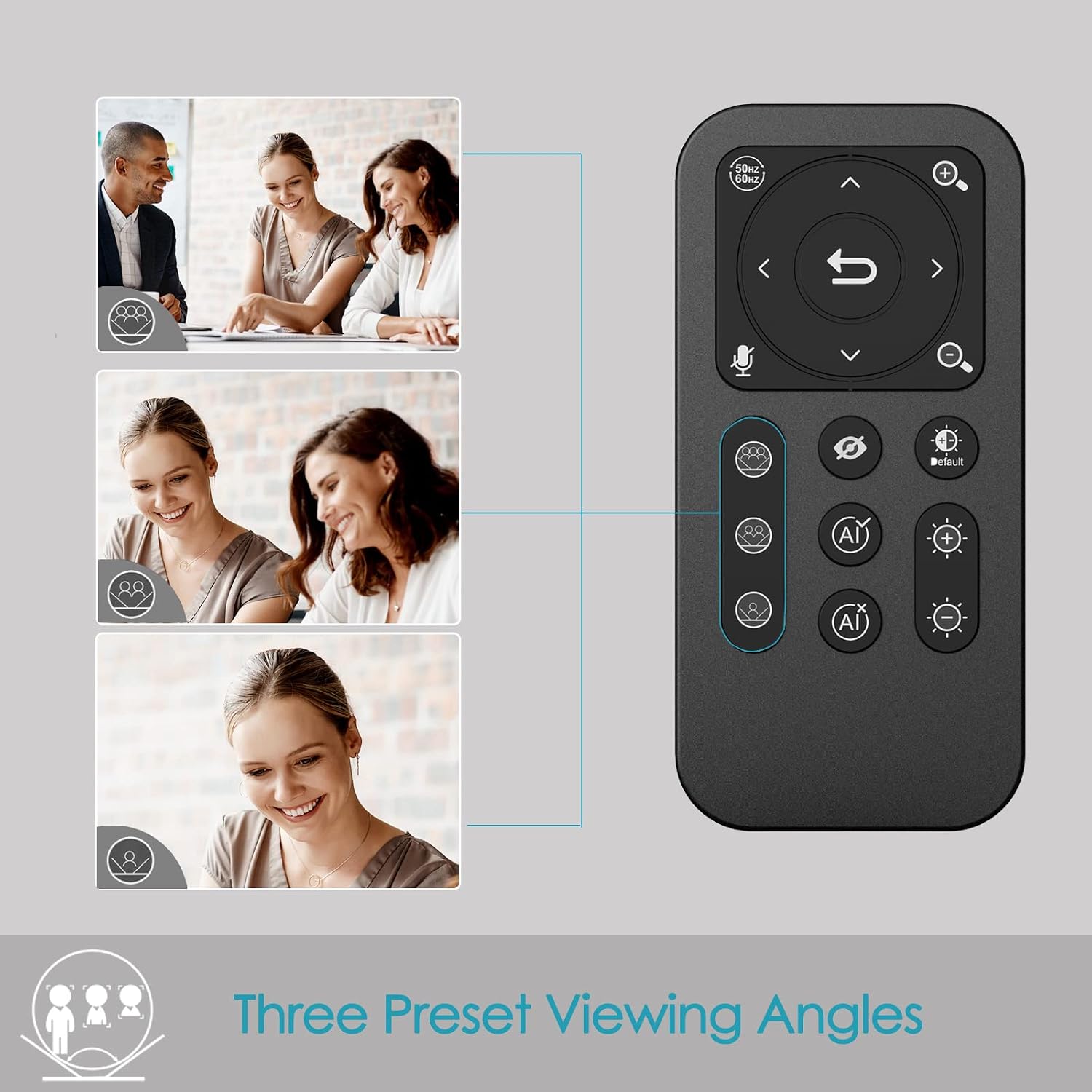
The included remote control allows for convenient operation away from the desk. Functions include activating/deactivating AI, 10X digital zoom, disabling video, muting the microphone, and flipping the image. Brightness can also be adjusted without software. Заўвага: To manually zoom, first turn off AI.

The webcam offers up to 10X digital zoom, controllable via the remote or touch controls.

The remote control provides access to various webcam functions, including AI mode, zoom, and privacy settings.
High-Speed USB 3.0 Connectivity
The webcam connects via a lightning-fast USB 3.0 port, providing a 5Gbps camera signal for maximum video performance without compression. It features a plug-and-play USB-C connector, requiring no driver installation.

The USB 3.0 interface ensures fast data transfer for smooth, high-quality video.
Clear Voice Pickup with Dual AI Noise-Cancelling Microphones
Built-in dual AI noise-cancelling microphones remove ambient sounds, ensuring clear voice pickup up to 5m/16ft. This feature enhances audio clarity for all participants.
HDR-Enabled
Activate HDR at 30FPS to enhance your stream with a full spectrum of vibrant colors. HDR improves the video's dynamic range and corrects over and underexposed areas, providing a more balanced image.
HDR mode provides perfect lighting and color balance in various environments.
Кіраўніцтва па ўстаноўцы
1. Падключэнне Webкамера
The Angetube 4K AI Webcam is designed for plug-and-play functionality. Simply connect the provided USB 3.0 cable from the webcam to an available USB 3.0 port on your computer. If your computer only has USB-C ports, use the included USB-C to USB-A adapter.
2. Мантаж Webкамера
The webcam features an integrated mounting clip that can be securely placed on top of your monitor or laptop screen. Ensure the clip is stable and the webcam is level. Alternatively, the webcam is compatible with standard tripods for flexible placement.

The webcam can be mounted on a monitor or used with a tripod for versatile setup.
3. Initial Software Recognition
Upon connecting, your operating system should automatically recognize the webcam. No additional drivers are typically required. You can then select the Angetube 4K AI Webcam as your video and audio input device within your preferred video conferencing or streaming application.
Інструкцыя па эксплуатацыі
Выкарыстанне пульта дыстанцыйнага кіравання
The remote control provides comprehensive control over the webcam's features:
- AI Function On/Off: Toggle AI-tracking and auto-framing.
- Лічбавае павелічэнне: Use the zoom buttons to magnify the image up to 10X. Remember to turn off AI before manual zooming.
- Video Disable: Turn off the video feed for privacy.
- Адключэнне мікрафона: Mute the built-in microphones.
- Фліп малюнка: Adjust image orientation.
- Рэгуляванне яркасці: Control exposure for optimal lighting.
- Поле в View (FOV) Adjustment: Use arrow buttons to pan/tilt the view.
- Кнопка скіду: Return FOV and zoom to default settings.
Touch Controls on Webкамера
The webcam also features touch-sensitive controls for quick adjustments:
- AI Touch On/Off: Activate or deactivate AI features by touching the designated area on the webкулачок.
- Zoom Touch Adjustment: Fine-tune zoom levels directly from the webкулачок.
Асаблівасці прыватнасці
For enhanced privacy, the webcam includes a physical privacy cover that can be closed over the lens when not in use. Additionally, the remote control offers a one-touch button to disable the video feed.
Enhanced Control with Angetube WebПраграмнае забеспячэнне камеры
For advanced settings and fine-tuning, Angetube provides dedicated webcam software. This software allows you to customize various parameters to ensure your webcam performs optimally for your specific needs.
Please visit the official Angetube website for software download and installation instructions. The software provides controls for brightness, contrast, saturation, white balance, and other image properties.
Сумяшчальнасць
The Angetube 4K AI Webcam is widely compatible with various operating systems and popular video conferencing platforms:
Аперацыйныя сістэмы:
- Windows 7, 8, 10, 11
- Mac OS 10.6 або вышэй
- Linux
- Chrome OS
- Ubuntu
- Android V5.0 або вышэй
Video Calling Software:
- маштабаванне
- Skype
- Фэйстайм
- Каманды Microsoft
- YouTube
- Тусоўкі
- LifeSize
- OBS
- Міксер
Тэхнічнае абслугоўванне
To ensure the longevity and optimal performance of your Angetube 4K AI Webкулачок, выконвайце наступныя рэкамендацыі па тэхнічным абслугоўванні:
- Уборка: Для чысткі выкарыстоўвайце мяккую сухую тканіну webаб'ектыў і корпус камеры. Пазбягайце абразіўных ачышчальнікаў або растваральнікаў, якія могуць пашкодзіць паверхні.
- захоўванне: Калі ён не выкарыстоўваецца, захоўвайце яго webзахоўвайце камеру ў прахалодным, сухім месцы, удалечыні ад прамых сонечных прамянёў і экстрэмальных тэмператур.
- Сыход за кабелем: Handle the USB cable carefully. Avoid sharp bends or excessive pulling that could damage the cable or connectors.
- Абнаўленні прашыўкі: Periodically check the Angetube official webсайт для атрымання даступных абнаўленняў прашыўкі. Абнаўленне прашыўкі можа палепшыць прадукцыйнасць і дадаць новыя функцыі.
Ліквідацыю непаладак
If you encounter issues with your Angetube 4K AI Webcam, refer to the following common troubleshooting steps:
- Няма выявы/відэа:
Пераканайцеся, што кабель USB надзейна падключаны да абодвух webcam and your computer. Try a different USB port or a different computer to rule out port or system issues.
Пераканайцеся, што webcam is selected as the primary video device in your application's settings (e.g., Zoom, Teams).
Check if the physical privacy cover is open.
- Няма гуку/нізкая якасць гуку:
Пацвердзіце, што webcam's microphone is selected as the audio input device in your application's settings.
Ensure the microphone is not muted via the remote control or software.
Check your computer's sound settings to ensure the microphone input level is adequate.
- AI-Tracking Not Working:
Ensure the AI function is enabled via the remote control or the touch switch on the webкулачок.
Make sure there is sufficient lighting and clear visibility of the subject for the AI to function correctly.
- Image Quality Issues (Blurry, Grainy, Incorrect Colors):
Check lighting conditions. Ensure adequate and balanced lighting in your environment.
Adjust brightness and HDR settings using the remote control or Angetube software.
Ачысціць webаб'ектыў камеры мяккай сухой тканінай.
Для аптымальнай прадукцыйнасці пераканайцеся, што вы выкарыстоўваеце порт USB 3.0.
- Пульт дыстанцыйнага кіравання не адказвае:
Check the battery in the remote control and replace if necessary (CR2 battery).
Пераканайцеся, што паміж пультам дыстанцыйнага кіравання і прыладай няма перашкод webкулачок.
- Перагрэў:
While some warmth is normal during operation, excessive heat could indicate an issue. Ensure the webcam has adequate ventilation and is not covered.
Калі перагрэў не знікае, спыніце выкарыстанне і звярніцеся ў службу падтрымкі кліентаў.
Калі гэтыя дзеянні не вырашаць праблему, звярніцеся да раздзела «Гарантыя і падтрымка» для атрымання дадатковай дапамогі.
Тэхнічныя характарыстыкі
| Асаблівасць | Дэталь |
|---|---|
| Марка | Angetube |
| Нумар мадэлі | 913AI |
| Максімальны дазвол экрана | 4K UHD (3840x2160) at 30fps, 1080p at 60fps |
| Тэхналогія фотадатчыка | Sony CMOS |
| Тэхналогія падлучэння | USB 3.0 (USB-C plug) |
| Мікрафоны | Dual AI Noise-Cancelling Microphones (up to 5m/16ft pickup) |
| Лічбавы зум | 10X |
| Асаблівасці AI | AI-Tracking, Auto-Framing, Presenter Tracking |
| Падтрымка HDR | так |
| Сумяшчальнасць аперацыйнай сістэмы | Windows 7/8/10/11, Mac OS X, Linux, Chrome OS, Ubuntu |
| Вага прадмета | 13.2 унцыі |
| Памеры прадукту (ДxШxВ) | 5.14 х 1.93 х 2.74 цалі |
| Батарэйкі (пульт дыстанцыйнага кіравання) | 1 батарэя CR2 (у камплекце) |
Гарантыя і падтрымка
Angetube offers comprehensive customer support for its products. For warranty information, technical assistance, or further inquiries, please visit the official Angetube webсайт або звязацца з іх камандай абслугоўвання кліентаў.
Quick response within 24 hours.
Вярніце тавар на працягу 30 дзён для абмену або вяртання грошай.
Пажыццёвая тэхнічная падтрымка кліентаў.
Больш падрабязную інфармацыю і кантактныя дадзеныя вы можаце знайсці на Крама Angetube на Amazon.
Ask a question about this manual
Ask about setup, troubleshooting, compatibility, parts, safety, or missing instructions. Manuals+ will review the question and use this page’s manual context to help answer it.