
1. Інфармацыя па бяспецы
Калі ласка, уважліва прачытайце ўсе інструкцыі перад зборкай і выкарыстаннем. Захоўвайце гэтую інструкцыю для далейшага выкарыстання.
- Не перавышайце максімальную грузападымальнасць 88 кг (40 фунтаў).
- Пераканайцеся, што ваш тэлевізар сумяшчальны з шаблонам VESA (ад 100x100 мм да 400x400 мм).
- Verify that all screws are securely tightened before placing the TV on the stand.
- Не дазваляйце дзецям залазіць на падстаўку для тэлевізара або гуляць з ёй.
- Пастаўце падстаўку на ўстойлівую, роўную паверхню, каб прадухіліць перакульванне.
- Avoid placing heavy objects on the stand's base that could compromise stability.
2. Змесціва ўпакоўкі
Перад пачаткам зборкі пераканайцеся, што ўсе кампаненты ёсць у наяўнасці і не пашкоджаны. Калі якія-небудзь дэталі адсутнічаюць або пашкоджаныя, звярніцеся ў службу падтрымкі кліентаў.

Выява: Разабраная view of the TV stand components.
- Аснова з загартаванага шкла
- Апорная калона
- Мантажная пласціна для тэлевізара
- VESA Extension Brackets (if applicable for larger VESA patterns)
- Various Screws, Washers, and Spacers for TV attachment
- Assembly Hardware (bolts, nuts, Allen wrench)
- Гумовыя ножкі супраць слізгацення
3. Налада і зборка
Follow these steps to assemble your XINLEI Universal TV Stand Base.
- Attach Non-Slip Feet to Base: Secure the non-slip rubber feet to the underside of the tempered glass base.
- Assemble Support Column: Attach the support column to the tempered glass base using the provided hardware. Ensure it is firmly secured.
- Attach TV Mounting Plate: Secure the TV mounting plate to the top of the support column.
- Prepare TV for Mounting:
- Identify your TV's VESA mounting holes on the back.
- Select the appropriate screws and spacers from the provided hardware kit that fit your TV's VESA pattern.
- Attach the VESA extension brackets to the TV mounting plate if your TV's VESA pattern requires them (e.g., 400x400mm).
- Важна: Before attaching the TV to the stand, ensure that the mounting plate and screws will not block any ports or cables on the back of your television.
- Усталюйце тэлевізар: Carefully lift your TV and align its VESA holes with the mounting plate/brackets. Secure the TV using the selected screws and spacers. Ensure the TV is level and stable.

Image: Detail of the tempered glass base with non-slip feet.
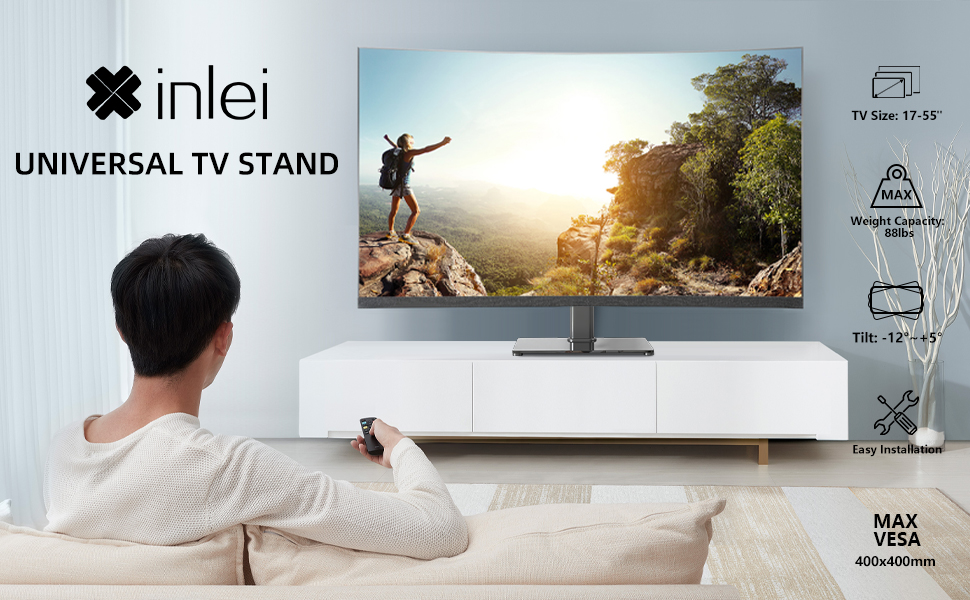
Image: Illustration emphasizing checking for port obstruction.

Image: Fully assembled TV stand with a television.
4. Інструкцыя па эксплуатацыі
The XINLEI Universal TV Stand Base offers height adjustment and tilt functionality for optimal viewінж.
4.1 Рэгуляванне вышыні
This stand provides 3 adjustable height levels. To adjust the height:
- Carefully remove the TV from the mounting plate.
- Adjust the mounting plate's position on the support column to one of the three available height settings (11.1", 13.03", or 14.96" from the base).
- Secure the mounting plate at the desired height using the provided fasteners.
- Re-mount the TV onto the adjusted plate.
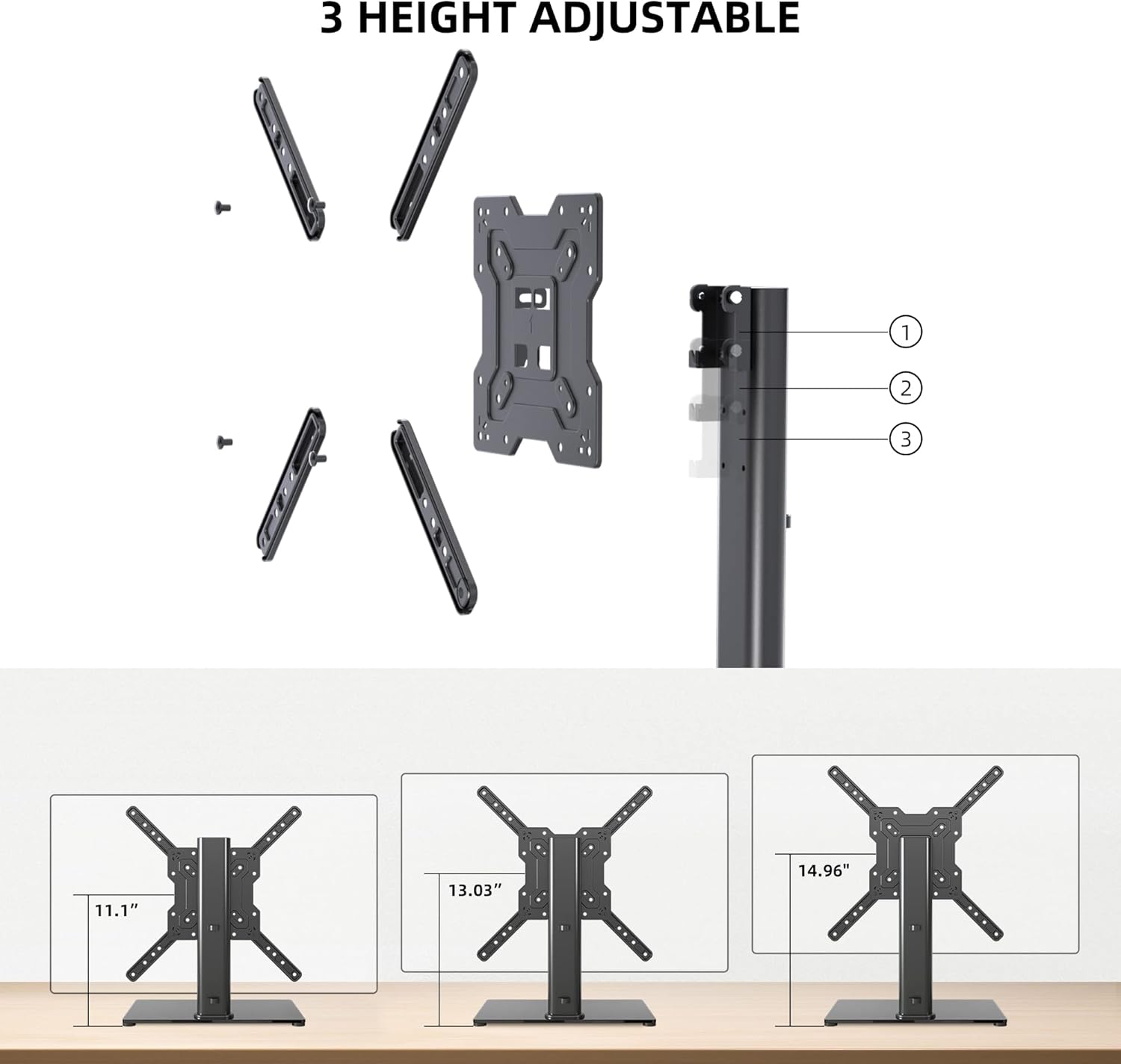
Image: Visual representation of the three height settings.
4.2 Рэгуляванне нахілу
The TV mounting plate allows for a tilt range of -12 to +5 degrees.
- Loosen the tilt adjustment screws on the side of the mounting plate.
- Gently tilt the TV to your preferred viewкут нахілу.
- Tighten the tilt adjustment screws to secure the TV in position.

Image: Diagram demonstrating the tilt functionality.
4.3 Арганізацыя кабеляў
Utilize the integrated cable management system within the support column to keep cables organized and out of sight.

Малюнак: Example of cable management through the stand's column.
5. Тэхнічнае абслугоўванне
Regular maintenance ensures the longevity and safe operation of your TV stand.
- Уборка: Wipe the tempered glass base and metal components with a soft, damp тканінай. Пазбягайце абразіўных ачышчальнікаў або растваральнікаў, якія могуць пашкодзіць пакрыццё.
- агляд: Перыядычна правярайце ўсе шрубы і злучэнні, каб пераканацца, што яны зацягнуты. Пры неабходнасці падцягвайце.
- Стабільнасць: Ensure the stand remains on a level surface and that the non-slip feet are intact.
6. Выпраўленне непаладак
If you encounter issues during assembly or use, refer to the following common solutions.
- Тэлевізар не роўныя: Ensure the stand is on a flat surface. Check that the TV mounting plate is securely attached and that the VESA screws are tightened evenly.
- Занадта доўгія/кароткія шрубы: The kit includes various screw lengths and spacers. Refer to your TV's manual for recommended screw sizes for VESA mounting. Use the appropriate spacers to ensure a secure fit without over-tightening or damaging the TV.
- Mount Blocks Ports: Before final mounting, always verify that the mounting plate does not obstruct any necessary ports on your TV. If it does, adjust the TV's position on the VESA plate or consider using longer spacers if safe and compatible.
- Stand Feels Unstable: Confirm that all assembly bolts are fully tightened. Ensure the tempered glass base is placed on a solid, flat surface and that the non-slip feet are properly installed.
7. Тэхнічныя характарыстыкі
| Асаблівасць | Спецыфікацыя |
|---|---|
| мадэль | TS102 |
| Сумяшчальныя памеры тэлевізараў | Ад 17 да 55 цаляў |
| Ёмістасць вагі | 88 фунтаў (40 кг) |
| Сумяшчальнасць VESA | 100x100 мм да 400x400 мм |
| Рэгуляванне вышыні | 3 levels (11.1", 13.03", 14.96") |
| Кут нахілу | -12° да +5° |
| Памеры базы | 10.24 цалі х 15.75 цалі |
| Матэрыял | Загартаванае шкло, сталь |
| Колер | Чорны |
| Вага прадмета | 9.86 фунта |

Image: Technical specifications and dimensions.
8. Гарантыя і падтрымка
XINLEI products are designed for durability and performance. For warranty information or technical support, please refer to the product packaging or contact XINLEI customer service directly.
Please have your model number (TS102) and purchase information ready when contacting support.