
Уводзіны
This manual provides detailed instructions for the safe and efficient use of your Jectse N509 2G Flip Phone. Please read this manual thoroughly before operating the device and keep it for future reference.

Image: The Jectse N509 flip phone in its closed state, featuring a pink and white gradient finish adorned with elegant butterfly patterns.
Настройка
1. Устаноўка батарэі
- Акуратна зніміце заднюю крышку тэлефона.
- Insert the provided 6800 mAh lithium-ion battery into the battery compartment, ensuring the contacts align correctly.
- Зачыніце заднюю крышку, пакуль яна надзейна не зашчоўкнецца.
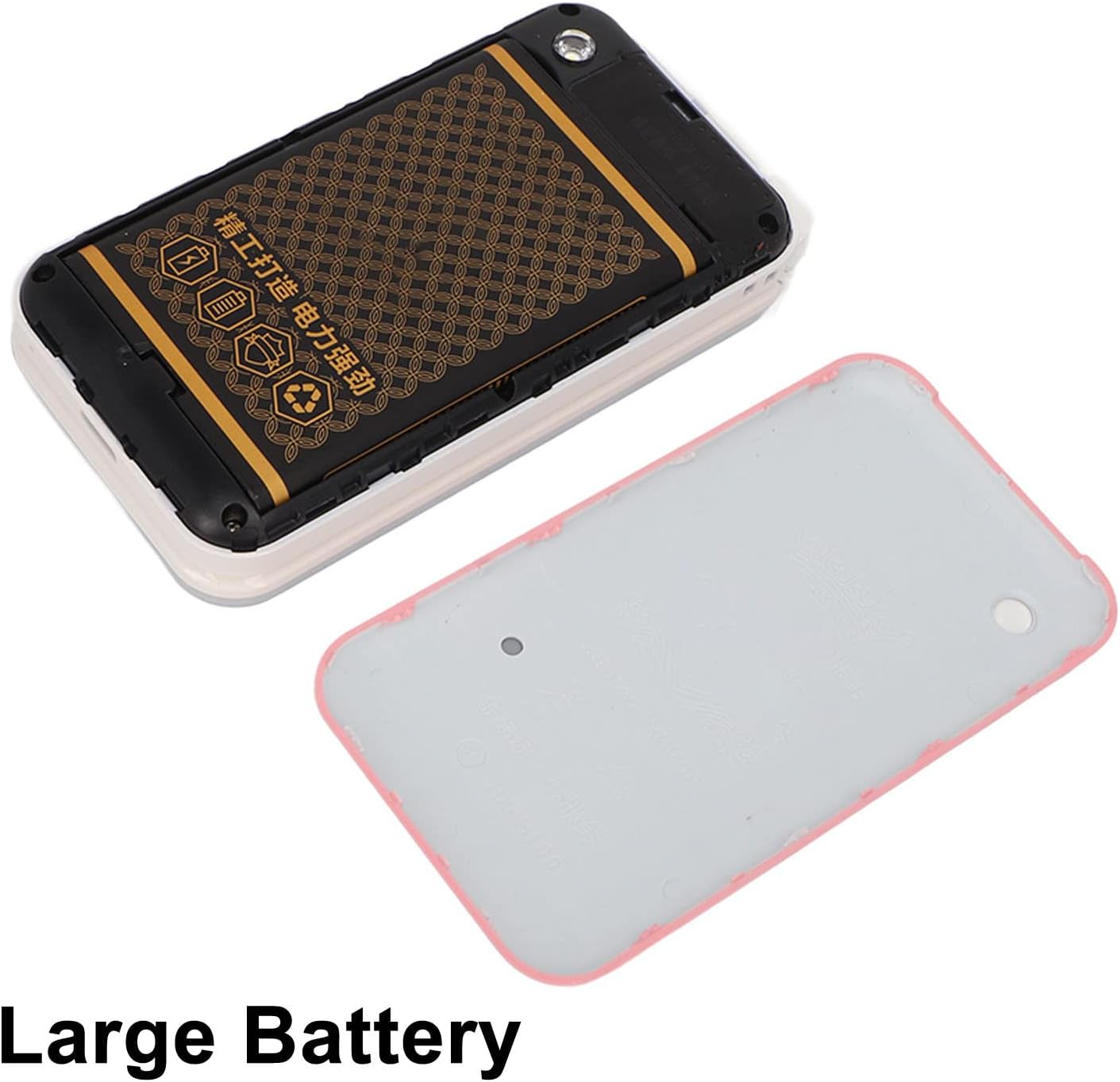
Image: The phone's back cover is removed, revealing the battery compartment and the large capacity battery ready for installation.
2. Усталёўка SIM-карты і карты памяці
The N509 supports dual SIM cards and one memory card (up to 16GB, not included).
- With the battery removed, locate the SIM card slots and memory card slot.
- Insert your SIM cards into the designated slots.
- If desired, insert a memory card into its slot.
- Зноў усталюйце акумулятар і заднюю крышку.
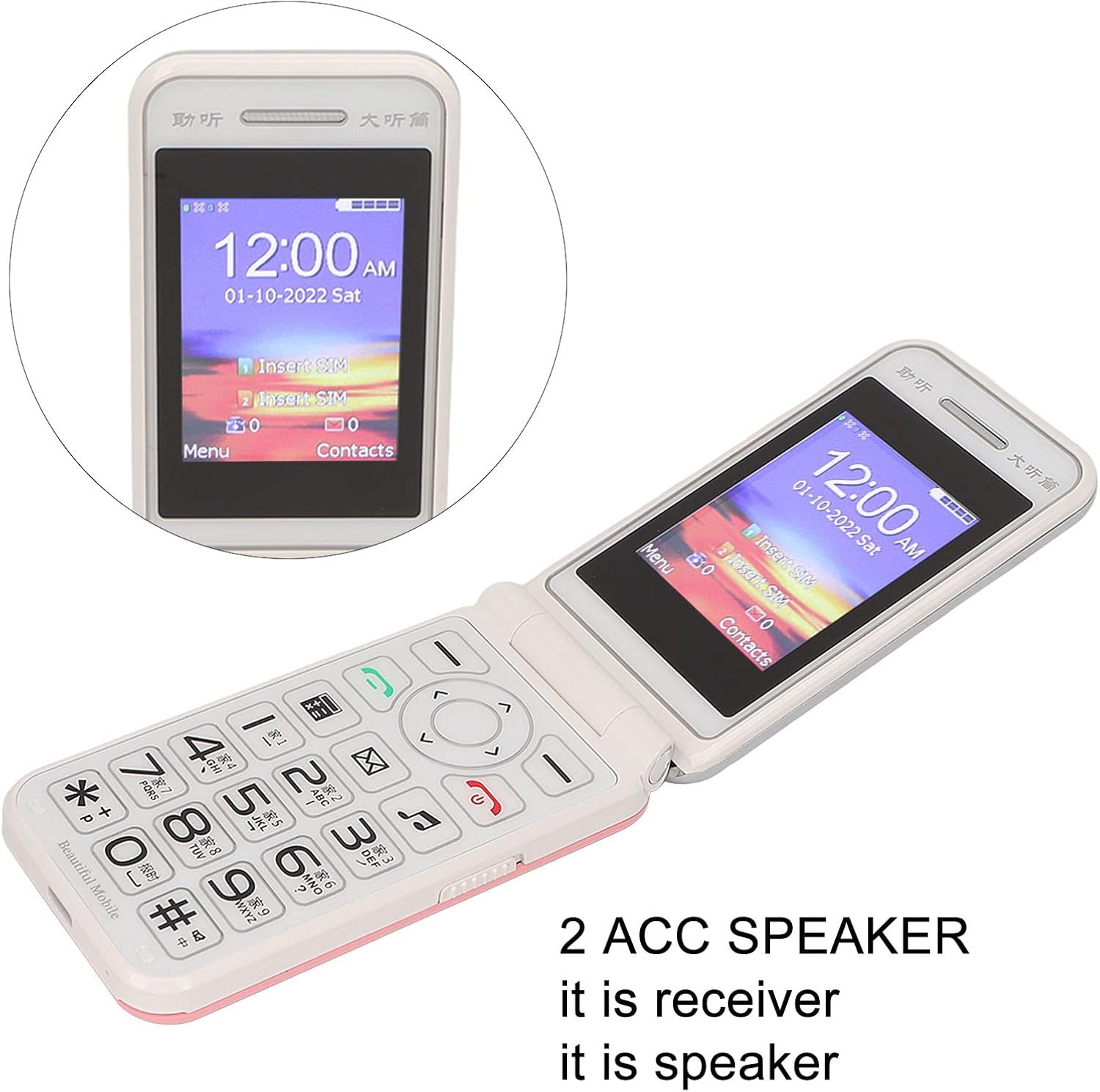
Image: The phone's screen prompts to "Insert SIM", indicating the need for SIM card installation before use.
3. Зарадка акумулятара
Перад першым выкарыстаннем цалкам зарадзіце акумулятар тэлефона.
- Connect the Type-C charger cable to the charging port on the phone.
- Падключыце зарадная прылада да электрычнай разеткі.
- The charging indicator will show the charging status. Disconnect the charger once the battery is full.

Выява: буйны план view of the Type-C charging port on the Jectse N509 flip phone, highlighting its modern connectivity.
4. Уключэнне / выключэнне харчавання
- Каб уключыць: Націсніце і ўтрымлівайце кнопку харчавання, пакуль не падсвяціцца экран.
- Каб выключыць: Press and hold the Power button until the power-off options appear, then select 'Power Off'.
Інструкцыя па эксплуатацыі
1. Асноўныя функцыі
- Здзяйсненне званкоў: Увядзіце нумар тэлефона з дапамогай клавіятуры і націсніце зялёную кнопку выкліку.
- Адказ на званкі: Націсніце зялёную кнопку выкліку, калі тэлефон зазваніць.
- Завяршэнне выклікаў: Націсніце чырвоную кнопку завяршэння выкліку.
- Адпраўка паведамленняў: Navigate to the 'Messages' menu, select 'New Message', enter the recipient's number and your text, then send.

Image: The Jectse N509 flip phone is open, showcasing its vibrant 2.4-inch HD color display and the clearly visible, large keypad with LED backlighting.
2. Клавіятура і навігацыя
The phone features large, backlit buttons for easy operation, especially in low-light conditions.
- Клавішы навігацыі: Use the directional pad to navigate through menus and options. The center button typically acts as 'OK' or 'Select'.
- Праграмныя клавішы: Клавішы, размешчаныя непасрэдна пад экранам, выконваюць функцыі, пазначаныя тэкстам на дысплеі над імі.
- Лічбавыя клавішы: Used for dialing numbers and text input.
- Падсвятленне: The keypad features a backlight for visibility in dark environments.

Image: This composite image highlights key features: the large battery for extended use, oversized buttons for ease of dialing, a convenient on/off switch, and the modern Type-C charging port.
3. Функцыя SOS
The N509 includes an SOS function for emergencies. Refer to the phone's settings to configure emergency contacts and messages.
- Актывацыя SOS: Typically, a dedicated SOS button or a long press of a specific key will activate this function, sending pre-set messages and dialing emergency contacts.
4. Extended Functions
The phone supports various additional features:
- Music and Video Player: Access multimedia files захоўваецца на карце памяці.
- Браўзер малюнкаў: View фатаграфіі.
- Рэкордэр: Запіс аўдыё.
- Каляндар: Keep track of dates and events.
- Будзільнік: Усталюйце некалькі будзільнікаў.
- калькулятар: Выканайце асноўныя разлікі.
- Ліхтарык: Activate the built-in flashlight.
- Секундамер: Use for timing events.
- Call Blacklist: Block unwanted numbers.
- Спіс выклікаў: View гісторыя выклікаў.
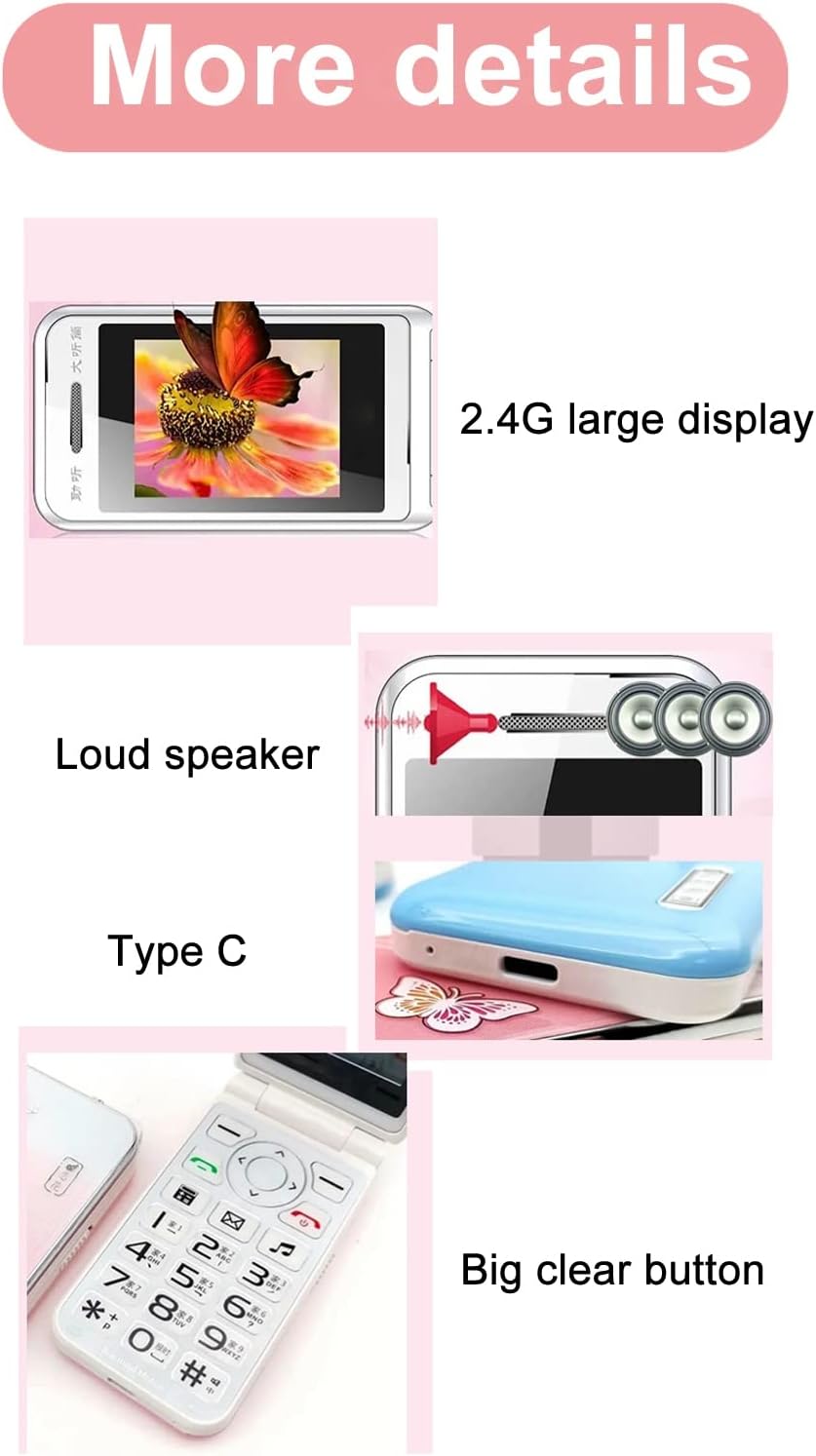
Image: This image details the phone's features, including its 2.4G large display, powerful loudspeaker, and convenient Type-C charging interface.
Тэхнічнае абслугоўванне
1. Уборка
Выкарыстоўвайце мяккую сухую тканіну для чысткі вонкавага боку тэлефона. Пазбягайце выкарыстання вадкіх ачышчальнікаў або абразіўных матэрыялаў.
2. Сыход за батарэяй
- Пазбягайце ўздзеяння на батарэю экстрэмальных тэмператур.
- Не праколвайце і не пашкоджвайце акумулятар.
- If the phone will not be used for an extended period, charge it periodically to maintain battery health.
Ліквідацыю непаладак
| выпуск | Магчымае рашэнне |
|---|---|
| Тэлефон не ўключаецца | Пераканайцеся, што акумулятар правільна ўсталяваны і зараджаны. Падключыце зарадную прыладу і паспрабуйце яшчэ раз. |
| Няма сігналу сеткі | Check if the SIM card is properly inserted. Verify with your service provider that your SIM card supports 2G GSM 900/1800 networks. The N509 only supports 2G networks. |
| Немагчыма рабіць або прымаць званкі | Ensure you have network coverage. Check SIM card balance or plan. Verify that the number is not on the call blacklist. |
| Акумулятар не зараджаецца | Check the charger cable and adapter for damage. Ensure the Type-C port is clean and free of debris. Try a different power outlet. |
Важная заўвага адносна сумяшчальнасці з сеткай: The Jectse N509 phone exclusively supports 2G GSM 900/1800 networks. Before purchasing or using, please confirm with your local SIM card operator that they provide 2G network services in your area. Some operators, particularly in regions like the USA (e.g., AT&T, T-Mobile), may no longer support 2G networks.
Тэхнічныя характарыстыкі
| Асаблівасць | Дэталь |
|---|---|
| мадэль | N509 (Jectseft5hwserna-12) |
| Матэрыял | АБС |
| Памер галоўнага экрана | 2.4 inches HD Color Display |
| Слоты для SIM-карт | 2 (Dual SIM) |
| Слот для карты памяці | 1 (supports up to 16GB, not included) |
| Тып батарэі | Літый-іённы |
| Ёмістасць батарэі | 6800 мАг |
| Дыяпазон частот | 2G GSM 900/1800 |
| Тып сеткі | 2G GSM |
| Знешні выгляд | Перакідны тэлефон |
| Інтэрфейс | Тып-C |
| Падтрымліваюцца мовы | English, French, Portuguese, Malay, Indonesian, Vietnamese, Russian, Arabic, Hebrew, Thai |
| Асаблівасці | Large Buttons, LED Backlight, SOS Function, Music/Video Player, Image Browser, Recorder, Calendar, Alarm, Calculator, Flashlight, Stopwatch, Call Blacklist |
| Памеры (пакет) | 15 х 9 х 6 см |
| Вага (прыбл.) | 246 г |
Гарантыя і падтрымка
For warranty information and technical support, please refer to the documentation included with your purchase or contact Jectse customer service through their official channels. Keep your proof of purchase for warranty claims.
Каб атрымаць дадатковую дапамогу, вы можаце наведаць Jectse Brand Store.