
Уводзіны
This manual provides essential information for the proper setup, operation, and maintenance of your Sony PXW-Z90V 4K HDR XDCAM camcorder. The PXW-Z90V is a compact, palm-style camcorder featuring a 1-inch Exmor RS CMOS sensor, UHD 4K (3840 x 2160) resolution, and Fast Hybrid Autofocus (AF). It is designed for professional video production, including corporate events, broadcast news, and television production.

Выява: Пярэдні бок view of the Sony PXW-Z90V 4K HDR XDCAM camcorder, showcasinдзякуючы кампактнаму дызайну і аб'ектыву.
Што ў скрынцы
Праверце, ці ўсе пералічаныя ніжэй прадметы ўваходзяць у вашу ўпакоўку:
- Sony PXW-Z90V 4K HDR XDCAM with Fast Hybrid AF
- XLR Handle
- Бленда
- Cap аб'ектыў
- Large Eyecup
- Камплект аксесуараў для абутку
- Кабель USB
- Sony NP-FV70A V-Series Battery Pack (1900mAh)
- Sony AC-L200 AC Adapter
- Шнур харчавання
- SecureDigital 64GB Extreme PRO Memory Card
- NP-FV70 Replacement Battery
- Камплект фільтраў з 3 частак
- Шырокавугольны аб'ектыў
- Тэлеаб'ектыў
- Вялікая сумка
- Знешняя зарадная прылада
- Прылада для чытання карт памяці
- Кашалёк для карт памяці
- Трымальнік для вечка аб'ектыва
- Набор для ачысткі
- Кабель HDMI
Настройка
1. Зарадка акумулятара
Before initial use, fully charge the NP-FV70A battery pack using the supplied AC adapter or external charger. Connect the AC adapter to the camcorder or the battery to the external charger, then plug into a power outlet. The charging indicator will illuminate during charging and turn off when complete.
2. Устаўка карты памяці
Locate the memory card slots on the camcorder. Insert a compatible SD card (e.g., the included 64GB Extreme PRO) into one of the slots until it clicks into place. Ensure the card is inserted in the correct orientation.

Выява: Задняя частка view of the camcorder with the LCD monitor open, revealing the memory card slots and control buttons.
3. Attaching the XLR Handle
Align the XLR handle with the accessory shoe on top of the camcorder. Slide it into place and secure it using the locking mechanism. This handle provides additional audio inputs and ergonomic control.
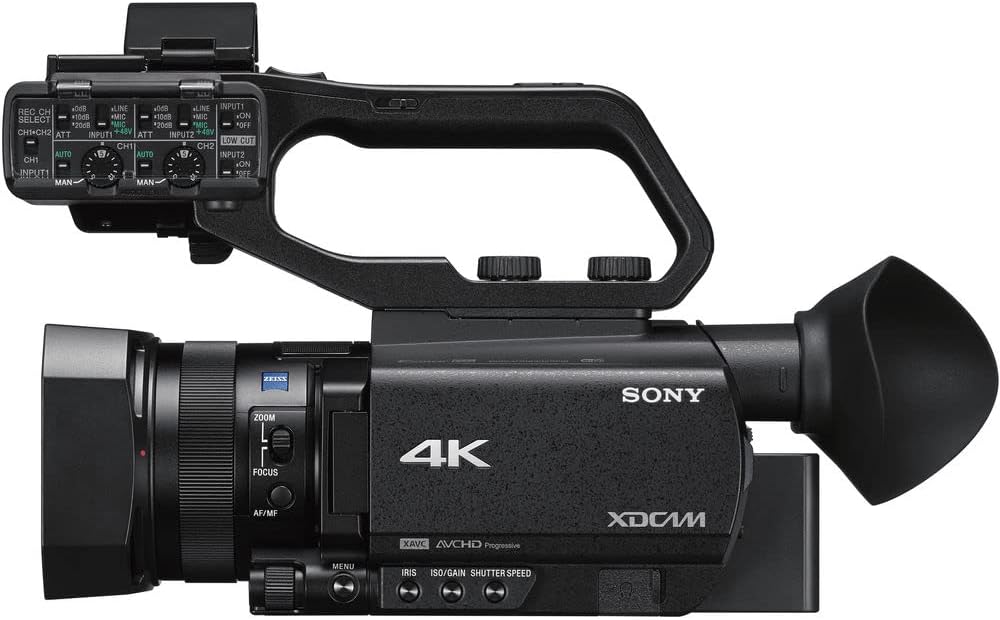
Выява: Уверсе view of the Sony PXW-Z90V camcorder, highlighting the attached XLR handle and its controls.
4. Усталяванне бленды аб'ектыва
Attach the lens hood to the front of the lens by aligning the marks and twisting until it locks. The lens hood helps to prevent glare and protect the lens.
Інструкцыя па эксплуатацыі
1. Уключэнне / выключэнне харчавання
To power on the camcorder, slide the POWER switch to the ON position. To power off, slide it to OFF. Ensure the battery is securely inserted or the AC adapter is connected.
2. Асноўны запіс
Press the REC START/STOP button to begin and end recording. The camcorder supports UHD 4K (3840 x 2160) up to 30p and HD recording. Select your desired recording format and resolution through the menu system.
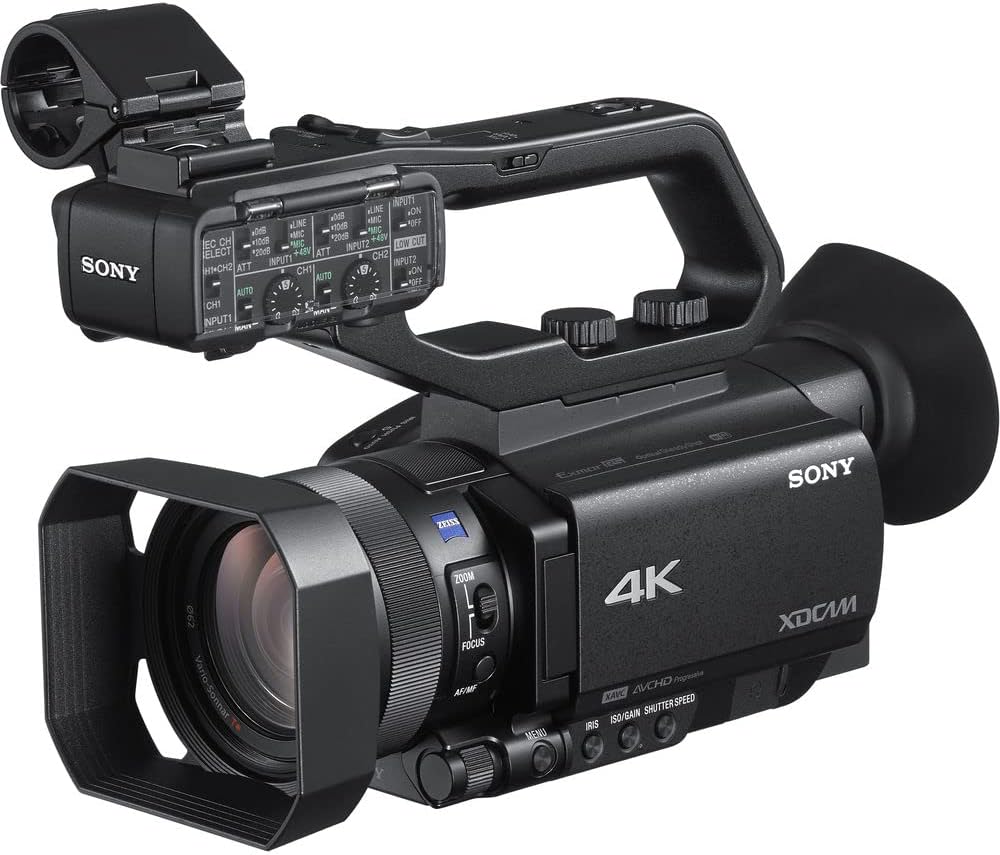
Image: The Sony PXW-Z90V camcorder, ready for recording, showing the main body and lens.
3. Autofocus (AF) Operation
The PXW-Z90V features Fast Hybrid AF. In movie recording mode, phase-detection AF frames appear on the screen to monitor your subject's focus. You can quickly switch focus among subjects by tapping the 3.5-inch touchscreen LCD monitor.

Выява: Задняя частка view of the camcorder with the 3.5-inch touchscreen LCD monitor open, showing potential focus indicators.
4. Кіраванне маштабаваннем
Utilize the zoom rocker on the handle or the zoom ring on the lens for optical zoom (12x Zeiss optical zoom). The camcorder also offers an 18x Clear Image Zoom for extended reach while maintaining image quality.

Выява: Збоку view of the Sony PXW-Z90V, highlighting the zoom and focus controls on the lens barrel.
5. HDR and Log Settings
The camcorder supports 4K HDR with Hybrid Log-Gamma (HLG) for immediate HDR workflow. For advanced color grading, S-Log3/S-Gamut3 imaging options are available through the menu system.
6. Сеткавыя функцыі
Built-in 2.4/5 GHz Wi-Fi enables multiple streaming via RTMP/RTMPS protocols and FTP options. Configure network settings through the camcorder's menu to utilize these features.
Тэхнічнае абслугоўванне
1. Чыстка відэакамеры
Use a soft, dry cloth to clean the camcorder body. For the lens, use a lens brush or a specialized lens cleaning cloth with lens cleaning fluid. Avoid abrasive materials or harsh chemicals.
2. Сыход за батарэяй
Store batteries in a cool, dry place. Avoid fully discharging lithium-ion batteries for extended periods. Recharge them periodically if not in use.
3. Захоўванне
When not in use, store the camcorder in a protective bag or case to prevent dust accumulation and physical damage. Ensure the lens cap is on.
Ліквідацыю непаладак
This section addresses common issues you might encounter. For more detailed troubleshooting, refer to the comprehensive online manual or contact support.
Няма сілы
- Пераканайцеся, што акумулятар цалкам зараджаны і правільна ўстаўлены.
- Verify the AC adapter is securely connected to both the camcorder and a working power outlet.
Cannot Record
- Праверце, ці ўстаўлена карта памяці і ці на ёй дастаткова вольнага месца.
- Ensure the memory card is not write-protected.
- Verify the camcorder is in recording mode.
Autofocus Not Working
- Check if the AF/MF switch is set to AF.
- Пераканайцеся, што на аб'екце дастаткова святла.
- Try focusing manually if the scene is complex or low-contrast.
Тэхнічныя характарыстыкі
| Назва мадэлі | PXW-Z90V |
| Тып датчыка | 1-inch Exmor RS CMOS |
| Дазвол відэазахопу | UHD 4K (3840 x 2160), HD |
| Аптычны зум | 12x (Zeiss) |
| Clear Image Zoom | 18x |
| Аўтафокус | Fast Hybrid AF (Phase-Detection) |
| Памер экрана | 3.5 inches (Touchscreen LCD) |
| Viewшукальнік | OLED |
| Фармат захопу відэа | XAVC Long, XAVC-S, MPEG HD |
| Аўдыё фармат | PCM, AAC |
| Сувязь | HDMI, USB, Built-in 2.4/5 GHz Wi-Fi |
| Носьбіты інфармацыі | SD Card (2 slots) |
| Стабілізацыя выявы | так |
| Вага | 10.9 pounds (approximate, camcorder only) |
| Колер | Чорны |
Інфармацыя аб гарантыі
This Sony PXW-Z90V camcorder comes with a 90 дзён абмежаванай гарантыі. Please retain your proof of purchase for warranty claims. For specific terms and conditions, refer to the warranty documentation included with your product or visit the official Sony support webсайт.
Падтрымка
Каб атрымаць дадатковую дапамогу, тэхнічную падтрымку або запыты па абслугоўванні, наведайце афіцыйны сайт падтрымкі Sony. website or contact their customer service. You can find detailed manuals, software updates, and FAQs online.
Падтрымка Sony Webсайт: https://www.sony.com/electronics/support